Author

Avatar for Mark Gurman

Mark Gurman

@markgurman

Mark is an award-winning journalist who worked at 9to5Mac for over six years. He covers Apple and other topics related to the consumer technology industry.

Mark is regarded as one of the go-to reporters for all Apple-related matters, one of Wired‘s top 16 people to follow in technology, and one of TIME Magazine‘s top 25 bloggers of 2013Mark has also been profiled by CNN Fortune multiple times, NPR, the Los Angeles Times, LA Weekly, the Huffington PostBusiness Insider, Columbia Journalism Review, MarketplaceHaaretz, and USA TodayMark was also recently named to the 2015 Forbes 30 under 30 List.

In 2012, Mark published the first photos of the iPhone 5, broke the news about Apple’s switch to an in-house Maps application, revealed the first 15-inch Retina MacBook Pro, forecasted that Apple would update the iPad’s software with Siri support, and accurately revealed the iPad mini’s higher-than expected price point.

In 2013, Mark published the first photos of the original iPad Air, provided the first details about Jony Ive’s end-to-end iPhone and iPad software update called iOS 7, provided information about OS X Mavericks, and detailed Apple’s early work on the Apple Watch.

In 2014, Mark revealed Apple’s work on a new Health application for iOS 8 and the Apple Watch, Ive’s redesign of OS X called Yosemite, and details about the iPhone 6 and iPhone 6 Plus.

Mark started out 2015 with a significant scoop detailing Apple’s yet-to-be-released 12-inch MacBook with a Retina display, thinner design, and more advanced trackpad and keyboard. He has continued the year by reporting on several details about iOS 9, including the new Proactive Assistant, redesigned Siri, upgraded Maps with transit functionality, new system font, split-screen iPad apps, Swift 2.0, as well as predicting a performance focus for both that software upgrade and OS X El Capitan. Mark finished the year by reporting the majority of the details about the new Apple TV, iPhone 6s and 6s Plus, Apple Watch updates, the iPad Pro, the iPad mini 4, and iMacs.

Mark started out 2016 with exclusive reports on Apple’s work on a pair of completely wireless Beats headphones for the iPhone 7, details on the iPhone SE, iPad Pro 9.7-inch, Apple Watch updates, Apple’s March product event, new Apple retail initiatives, and Tim Cook’s Town Hall meeting with Apple employees.

Mark has also written long-form features on “Apple Anonymous,” a group of retail employees who discuss work over Twitter and the fascination of watches by Apple executives. Most significantly, in fall 2014, Mark published an extensive profile of Apple’s PR and Communications department that was compiled over two months into nine chapters. Mark also provides analysis on relevant technology industry topics, such as Apple’s recent executive shakeup. Mark kicked off his writing career at the end of 2009, and he had his first significant break in 2011 with a story detailing Siri and the iPhone 4S.

You can follow him on Twitter.

Connect with Mark Gurman

Apple fixes iBooks installation bug

Site default logo image

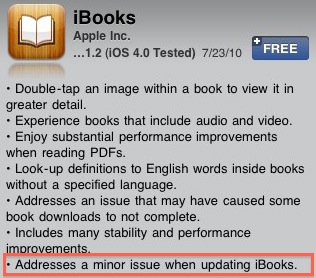
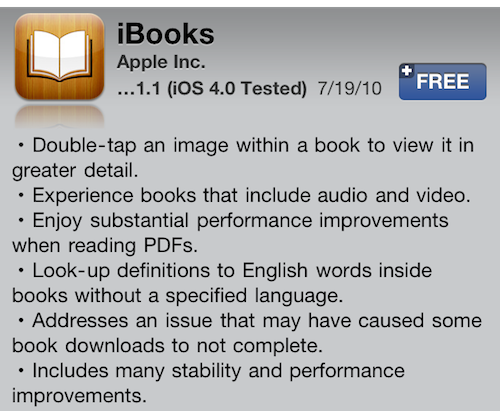
Earlier this week, Apple released iBooks 1.1.1, a fairly substantial upgrade to their e-book reading application. The update brought enhanced media abilities such as viewing videos and photos embedded into books. Today, Apple released a 1.1.2 update which eliminates a bug some users faced when installing the latest update. 

ibooksupdate.jpg

via Mac Stories.

AT&T prepping new calling plans for July 25th

Site default logo image

Engadget reports AT&T is set to narrow its plan offerings by combining the new ‘Data Pro’ and ‘Data Plus’ with new calling plans. Essentially, the difference between each respective plan is the higher end gets unlimited texting while the cheaper goes the ‘pay-per-use’ method. The spy shot below explains everything else. 

Engadget has more pics for you to enjoy. 

Apple Releases Xcode 4 Preview 2 to developers

Site default logo image

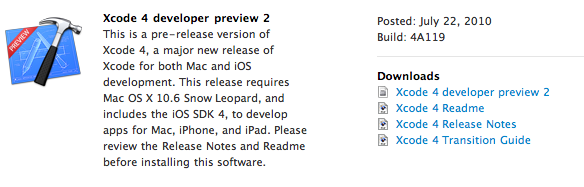
Apple today released their second preview of Xcode 4 to developers. Xcode 4 is an entirely new version of Xcode for Mac and iOS re-built with many new features and enhancements. In Xcode 3 developers usually use Xcode to code their applications and Interface Builder to creature user-interfaces. Xcode 4 combines the two applications to make developing apps a much smoother experience.

Additionally Xcode 4 brings an updated interface that is quicker and easier to navigate through. Another major addition to Xcode 4 is “code-fixing,” and this allows Xcode to fix your code errors as you type. 

Screen shot 2010-07-22 at 2.13.22 PM.png

Xcode 4 was initially previewed at this year’s WWDC and you can learn more about it at Apple’s developer website

FacePlant app helps you FaceTime

Site default logo image

The creators of FacePlant made something that should have come standard with FaceTime. A way to tell which of your friends is currently on WiFi and ready to FaceTime. Steve Jobs went on record to say that they did not want a buddy list for FaceTime, so FacePlant is basically Job’s enemy in that case. The app uses your contact list to show who’s available, but you can also turn on privacy for yourself if you don’t feel like seeing anyone that day. 

The super-neat thing about the app is the ability to leave them video messages. Instead of leaving standard voice messages you can have some fun and leave them one with video, without killing your MMS charges. How neat! The app’s not available yet and there’s no word on cost or if the app breaks any App Store rules, but we’ll soon find out and we’ll let you know when/if/how it’s available. 

via Gizmodo.

Apple posts N97 Antenna Performance Video

Site default logo image

Nokia didn’t seem to happy about Apple’s antenna comments so they stuck it to the man. Looks like Apple’s kind response is a nice little video on their website and YouTube channel that displays the Nokia N97 Mini’s antenna performance. 

[youtube=http://www.youtube.com/watch?v=-b-aoZNv-q0&w=640&h=385]

Apple notes on their antenna website that the “death-grip” causes a drop from 7 to 2 bars on Nokia’s device. 

Tethering Hidden in Flashlight app came, saw, probably getting removed in a few minutes [Removed]

Site default logo image

Update: It is now gone.  Hope you got it while you could!  BTW, the developer of this app is 15!

When developers could not sucessfully keep tethering on the App Store by means like Netshare, Nick Lee thought to make something stealthier. The new approach came via a basic flashlight application, Handy Light, with the SOCKS proxy functionality tethering hidden behind it. Last week, the developers posted a YouTube video detailing how to activate the functionality. 

[youtube=http://www.youtube.com/watch?v=gwwWlvCJuMk&w=480&h=385]

The app costs 99 cents and you can get it here. We recommend downloading it right now if you seriously want it as the privilege will be removed very soon. We’ll update on our thoughts once we get to play around with it.

Our Notes:

Had to restart my iPhone 4 to get it working. May not be a widespread need, let us know in the comments if you had to also. 

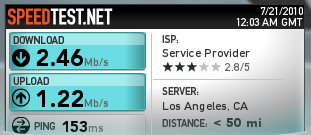
Speedtest (upload is better than my house WiFi) :

Screen shot 2010-07-20 at 5.03.59 PM.png

via MacRumors.

New MobileMe Calendar Preview

Site default logo image

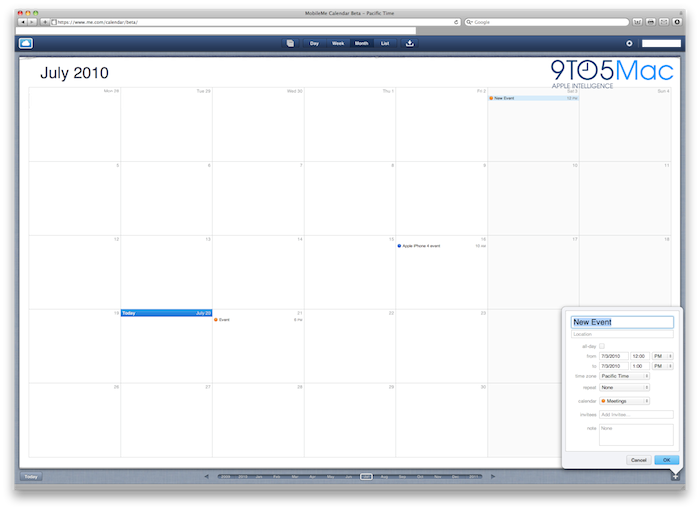
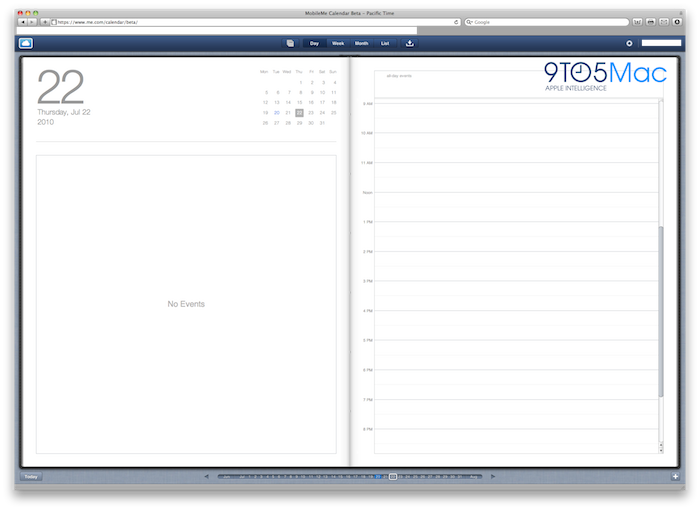
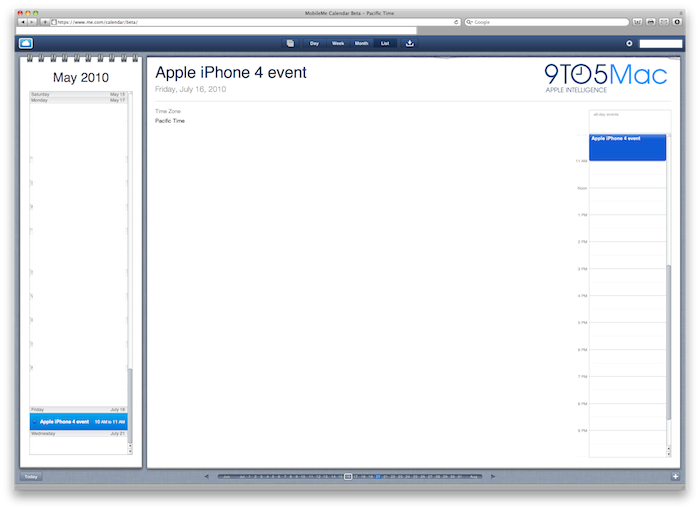
We’ve got a first look at the new MobileMe Calendar web app and and it looks and works great. We’re not going to bore you with the technical details as those are already known, instead we have screenshots!

Screen shot 2010-07-20 at 12.15.44 PM.png

As you’ll definately notice if you’ve used an iPad, the new calendar web app is identical to the iPad’s calendar app. It really seems like the future of Apple’s software and operating system takes design and use elements from the iPad’s iOS. 

Click here for the walkthrough.

me1.png

me2.png

me3.png

me4.png

Developers: No more app uploads via iTunes Connect website starting July 22

Site default logo image

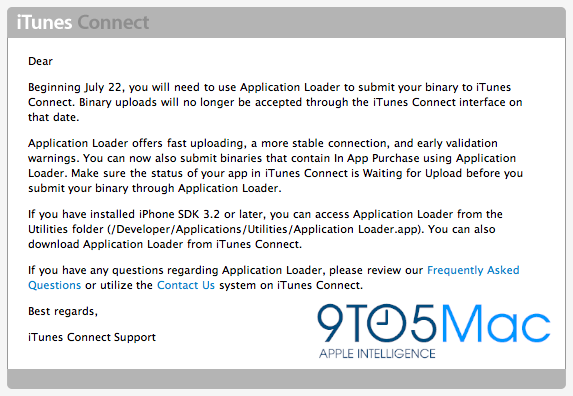
Apple has sent out emails to registered iOS developers informing them that they will no longer have the ability to submit or update their App Store apps via the online iTunes Connect client. This has been the preferred way by many since the App Store was released in the summer of 2008. Developers will now have to use the already available native Mac application called “Application Loader.” 

application loaders.png

Application loader comes installed in iOS 3.2 SDK’s or later, or can be downloaded from the iTunes Connect website. Apple decided to require uploads via “Application Loader” as it offers quicker upload speeds, stabler connections to iTunes Connect, and more precise verification warnings for developers. “Application Loader” will also now accept apps with the “in-app purchase” API to smoothen the transition from the web portal to the native app. 

Cole Haan comes to the Apple Store

Site default logo image

For the fashionistas and people who protect their Apple products out there, Apple has teamed up with Cole Haan to bring stylish protective gear to the Apple Store. The luxury cases range from $129 for iPhone cases and go all the way up to $399 for MacBook and MacBook Pro cases. There are even some notebook cases in the $100-200 range as well and the cases ship out within 24 hours. 

promo-colehaan-full.jpeg

These cases seem to be marketed as exclusives for the Apple Store, and the iPhone cases fit all generations of the device. 

In-depth FaceTime for iPod touch details

Site default logo image

We’ve already seen a couple screenshots of the iPod touch FaceTime system from BGR but we’ve found some more details about how it will exactly work. Boy Genius showed that FaceTime on these non-iPhone devices would be based on email addresses.

Just like in GameCenter for iOS 4, you will have a FaceTime username and password based off your Apple ID, and this username is changeable:

changeusername_0.png

You will also get to pick what you want to show up as the Caller ID on the receiving end:

morecallerID.png

caller ID.png

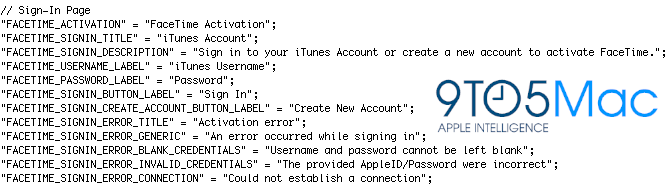
The following image confirms that your Apple ID will in fact be your main login method, and you can even create an account from within the FaceTime settings:
itunesaccount.png

Now for the really interesting stuff… the behind the scenes action of BGR’s in-use screenshot of setting up a FaceTime e-mail account:

email.png

Now getting rid of your FaceTime account, which is not recommended as then you won’t be able to make or receive FaceTime calls:

gettingridoffacetime.png

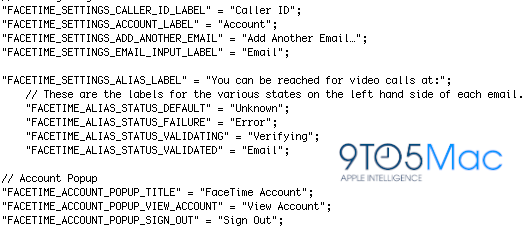
Here’s some various account settings panes, and it appears you can simultaneously have multiple email addresses on one FaceTime account:
multipleaccounts_0.png

And finally, if/when FaceTime’s app gets a settings icon, it will look like this:

facetimeicon.png

The iPod hasn’t a phone number but will have FaceTime this Fall.  This is why Apple’s using the e-mail method. If the next iPad has a camera, it will likely work in similar fashion.

This is actually pretty interesting because when it is all said and done, Apple users (and FaceTime is being Open-Sourced for other platforms) will be able to call each other without using a traditional or cell phone line.  Bad news for AT&T.

Apple could theoretically put in a VoIP gateway and have a Skype-type of service within a year.  That would be interesting.

Bumpers removed from Apple Store, preparing to go free

Site default logo image

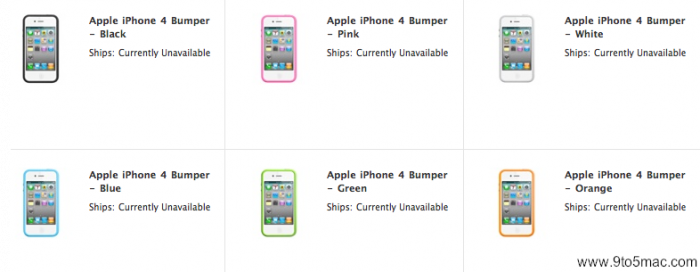
Apple is already on task, setting up their online store for next week’s free case ordering portal. The first step the’ve taken was the removal of the Bumper case from the U.S. store, and by marking it as “Currently Unavailable.” They are not ready to process the free orders just yet, so they don’t want any more orders to be placed then have to go through extraneous refund processes with thousands of customers. 

NO MORE BUMPERS.png

The Bumpers have been removed from the U.S. store’s new items bar, but can still be found via a quick switch. The product page also already prices Apple’s cases at $0.00 and notes that users should check back soon for more ordering information. The international stores that we checked (UK and FR) still place the Bumpers in the new items section, but they are also “Currently Unavailable.” 

iChatr (Chatroulette) yanked from App Store, supposedly people 'exposed themselves'

Site default logo image

Are you sitting down?  You might want to go find a chair. Apple removed the Chatroulette-like app, iChatr from the App Store, because people were inappropriately exposing themselves? NO WAY! We knew this was coming, but sort of forget about it when it took Apple this long to yank it (8 days). It’s not like they didn’t know about it with all the press coverage it got.

148Apps got an official statement from the developers and it goes like this: “The iChatr application has currently been removed from the App Store due to reports of a number of users exposing themselves during the random video chat sessions. We are currently discussing possible solutions to the problem with Apple.” Umm… good luck guys, don’t think Apple will side with you on this one.  

It’s no surprise that people were pulling the usual Chatroulette style chats, but we can imagine how much worse it might have been with the portability of the iPhone 4; yuk. What is surprising is the app’s approval in the first place, we assume Apple didn’t realize the concept as the review team didn’t have much to chat with prior to release. As Gizmodo points out, you can always give a go with some fine Apple folks via 1-888-FACETIME. 

Skype missing from App Store [Update: It's Back]

Site default logo image

For one reason or another, Skype is no longer showing up in the App Store. There are a number of possibilities as to why that is happening and here they are. First, and most likely, Skype has pulled the current version in anticipation of a new version coming later today, or tomorrow. It is known information that a new version of Skype for iPhone has been in the works complete with iOS 4 support and multitasking. Second, Skype may have temporarily removed the app due to a bug it’s currently fixing, or a malfunction in the system.

skype_0.png

Third and least probable, Skype or Apple could have yanked the app from the App Store due to some extreme legal issue, and we can go on and on, but one of the first two reasons was probably the trigger. 

Update: Skype issued a statement: 

Apple posts press conference stream, smartphone antenna site, and tour of test labs

Site default logo image

Apple has already posted the stream to this morning’s press conference regarding the iPhone 4 antenna issues. Besides posting the stream, Apple added a new page to their official website detailing smartphone antenna performance and how iPhone 4 compares to other phones on the market. You will see images and information used in the keynote on that new webpage. 

Apple also even posted a guided tour of their Antenna testing labs. Pretty interesting stuff that’s definitely worth checking out. 

New MobileMe Calendar works with Microsoft Outlook

Site default logo image

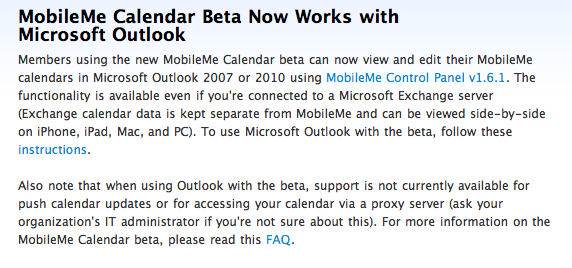
Yesterday, Apple announced on its MobileMe news blog that their upcoming MobileMe calendar web application can work with Microsoft’s Outlook. Users will be able to view their MobileMe calendars in Outlook as well as edit them. The process is all synced up, so any calendar changes you make will appear on the web and in Outlook, but not instantly as push updates are not supported at this time. This new feature is not only for standard Outlook users, but works for those connected to exchange server accounts, but you won’t be able to do anything if you’re connected to a proxy server.

Screen shot 2010-07-16 at 7.48.13 AM.png

To get the process working, you will need to download and install the free MobileMe Control Panel v1.6.1 for Windows. Additionally, Apple has created a support website with in depth instructions on how to set this up. The website also has support for other MobileMe features and is a great bookmark to keep around.