Author

Avatar for Mark Gurman

Mark Gurman

@markgurman

Mark is an award-winning journalist who worked at 9to5Mac for over six years. He covers Apple and other topics related to the consumer technology industry.

Mark is regarded as one of the go-to reporters for all Apple-related matters, one of Wired‘s top 16 people to follow in technology, and one of TIME Magazine‘s top 25 bloggers of 2013Mark has also been profiled by CNN Fortune multiple times, NPR, the Los Angeles Times, LA Weekly, the Huffington PostBusiness Insider, Columbia Journalism Review, MarketplaceHaaretz, and USA TodayMark was also recently named to the 2015 Forbes 30 under 30 List.

In 2012, Mark published the first photos of the iPhone 5, broke the news about Apple’s switch to an in-house Maps application, revealed the first 15-inch Retina MacBook Pro, forecasted that Apple would update the iPad’s software with Siri support, and accurately revealed the iPad mini’s higher-than expected price point.

In 2013, Mark published the first photos of the original iPad Air, provided the first details about Jony Ive’s end-to-end iPhone and iPad software update called iOS 7, provided information about OS X Mavericks, and detailed Apple’s early work on the Apple Watch.

In 2014, Mark revealed Apple’s work on a new Health application for iOS 8 and the Apple Watch, Ive’s redesign of OS X called Yosemite, and details about the iPhone 6 and iPhone 6 Plus.

Mark started out 2015 with a significant scoop detailing Apple’s yet-to-be-released 12-inch MacBook with a Retina display, thinner design, and more advanced trackpad and keyboard. He has continued the year by reporting on several details about iOS 9, including the new Proactive Assistant, redesigned Siri, upgraded Maps with transit functionality, new system font, split-screen iPad apps, Swift 2.0, as well as predicting a performance focus for both that software upgrade and OS X El Capitan. Mark finished the year by reporting the majority of the details about the new Apple TV, iPhone 6s and 6s Plus, Apple Watch updates, the iPad Pro, the iPad mini 4, and iMacs.

Mark started out 2016 with exclusive reports on Apple’s work on a pair of completely wireless Beats headphones for the iPhone 7, details on the iPhone SE, iPad Pro 9.7-inch, Apple Watch updates, Apple’s March product event, new Apple retail initiatives, and Tim Cook’s Town Hall meeting with Apple employees.

Mark has also written long-form features on “Apple Anonymous,” a group of retail employees who discuss work over Twitter and the fascination of watches by Apple executives. Most significantly, in fall 2014, Mark published an extensive profile of Apple’s PR and Communications department that was compiled over two months into nine chapters. Mark also provides analysis on relevant technology industry topics, such as Apple’s recent executive shakeup. Mark kicked off his writing career at the end of 2009, and he had his first significant break in 2011 with a story detailing Siri and the iPhone 4S.

You can follow him on Twitter.

Connect with Mark Gurman

App Store will no longer support iOS 2.X apps

Site default logo image

Today, Apple announced on their iOS Developer blog that apps targeting to iOS 2.x will no longer be supported. This is no surprise as we are already at iOS 4. Developers are encouraged to re-build their apps in Xcode and set the target to iOS 3.x or later so they will not run into submission or app removal issues.  
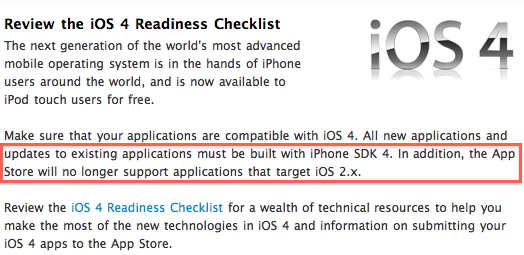
Screen shot 2010-06-29 at 4.03.24 PM.png

Apple also recommends that developers review the iOS 4 Readiness Checklist in order to take full advantage of the bevy of new technologies and API’s available in the latest iOS release. 

iOS 4 is now available as a free update for iPhone 3G, iPhone 3GS, and the 2nd and 3rd generation iPod touch. iOS 4 only runs to its full potential, with multitasking, on iPhone 3GS, iPhone 4, and the 3rd generation iPod touch. 

Confirmed: Hulu coming soon to iOS Devices for $10 a month

Site default logo image

Screen shot 2010-06-29 at 10.31.40 AM.jpg

The rumored Hulu Plus service just became official and its goal is to open up Hulu to many more devices. Hulu announced their service will soon be coming to Game consoles and blu-ray players, but more importantly it will be coming to Apple’s latest iOS devices.

Hulu will soon make its way to iPad, iPhone 4, iPhone 3GS, and the 3rd generation iPod touch. iPhones and iPod touches will need to be running iOS 4 and users wishing to get in on the action early can request an early preview here.
An interesting note is users will be able to stream Hulu to their devices over WiFi or 3G; this will be incredible for iPad 3G users on the go. 

http://www.hulu.com/embed/xU5ewlrAzMdqdjaUwT5z4g

Via Gizmodo.

iMovie ported to iPhone 3GS

Site default logo image

[youtube=http://www.youtube.com/watch?v=N6L07nPrjzo&w=640&h=385]

Redmond Pie has successfully and completely ported iMovie for iPhone 4 to an iPhone 3GS. It was originally rumored that iMovie for iPhone only works on iPhone 4 due to the exclusive availability of 512 MB of RAM. Now, you can see that the application works almost flawlessly on a 256 MB of RAM device. 

If you’re interested in getting this working you will need to follow a long and tiring step-by-step guide which involved SSH skills, jailbreaking, and editing of the internal iMovie for iPhone application files. Because of this we don’t recommend it, but it’s cool for those who like to live life on the edge. 

More hints at iWork for iPhone on Apple.com

Site default logo image

A few weeks back we reported a slip-up on Apple.com which displayed a screenshot showcasing the ability to open up an attachment in Keynote from an iPhone. This led to a bevy of rumors that Apple would launch an iPhone version of their popular iWork productivity suite. 

9to5mac.jpeg

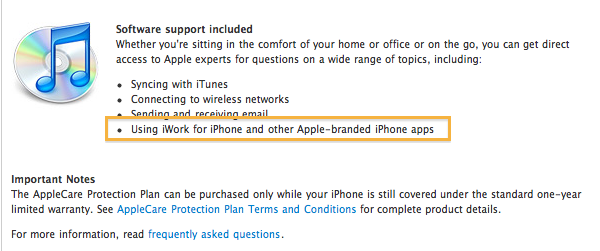
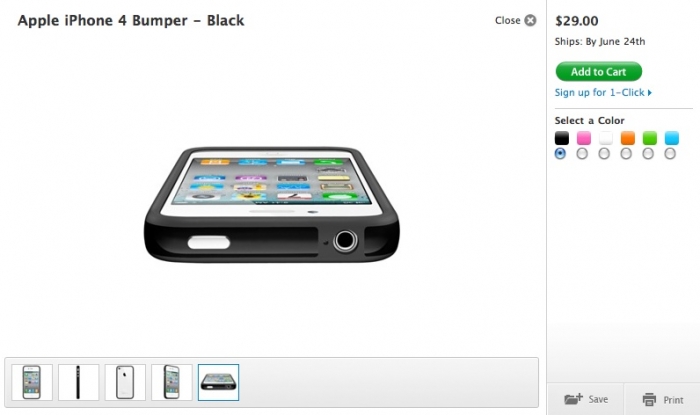
Today, Mobiture spots an interesting tidbit on some of Apple’s international online stores. When a user goes to purchase an iPhone via the online store they have some options such as purchasing a bumper, in-ear headphones, or in this case, AppleCare for iPhone. When a user in the U.K. clicks learn more on the AppleCare section they are given information as to what AppleCare will cover. In the software coverage section an interesting tidbit is present and this is coverage of “iWork for iPhone and other Apple branded iPhone apps.” 

Apple currently offers iWork for iPad, so this may be a typo by Apple’s website staff, or it can be a slip-up and iWork for iPhone is coming in the near future. Maybe at the September iPod event? (We hope soon!)

Developer Steven Troughton Smith has even ported (a work in progress) Pages to his iPhone and a screenshot is after the break:

White bumper on black iPhone 4 is 'magical'

Site default logo image

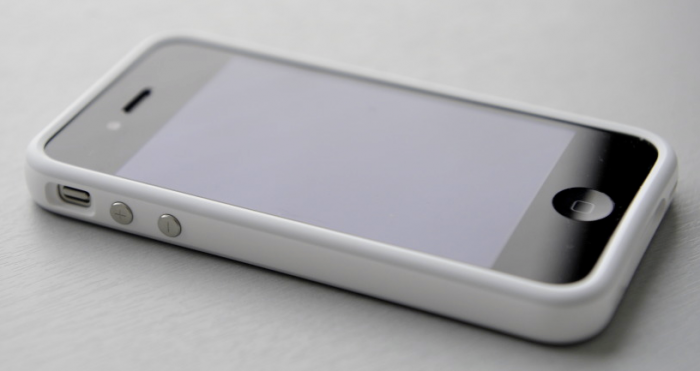
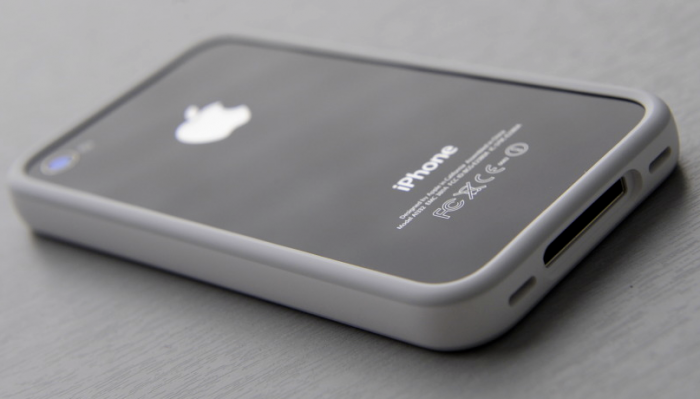
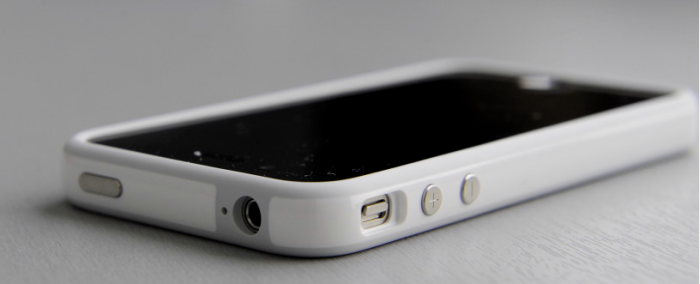
A Mac Forums member (Thanks Albert!) has taken some truly ‘magical’ high-res pictures of his iPhone 4 with a white bumper. We went black on black with our iPhone setup but we are truly jealous of the white…especially with the call quality improvements and safety that go along with it.

Are these beauties about to come standard issue? 

A few more after the jump including a black bumper in the wild for comparison:

Black Bumper courtesy of your’s truly:

blackbumper.JPG

Apple appends its press release footer

Site default logo image

Besides having the astronomical 1.7 million iPhones in three days information, today’s press release had something else new for us.  The footer.

For the longest time, Apple’s Footers have read:

Apple ignited the personal computer revolution with the Apple II, then reinvented the personal computer with the Macintosh. Apple continues to lead the industry with its award-winning computers, OS X operating system, and iLife, iWork and professional applications. Apple leads the digital music revolution with its iPods and iTunes online store, has reinvented the mobile phone with its revolutionary iPhone and App Store, and has recently introduced its magical iPad which is defining the future of mobile media and computing devices.

However, today’s release had a new bit of copy to the end of its release:

Apple designs Macs, the best personal computers in the world, along with OSX, iLife, iWork, and professional software. Apple leads the digital music revolution with its iPods and iTunes online store. Apple reinvented the mobile phone with its revolutionary iPhone and App Store, and has recently introduced its magical iPad which is defining the future of mobile media and computing devices.

While we’re not sure if this is the way of the future, it is interesting to see how Apple is changing its priorities (and is really sticking with this often-mocked ‘Magical’ thing).


Apple posts viral 'iPad and Velcro' video

Site default logo image

[youtube=http://www.youtube.com/watch?v=vTSDPKktbUk&w=640&h=385]

The video above by Jesse Rosten hit viral status a few weeks ago and is now at almost 285,000 views and now on Apple’s iPad website. The video now featured on the iPad site demonstrates several fun and ‘magical’ (we had to say it) ways to make your iPad more useful with velcro.

Examples range from velcroing the iPad to a kitchen stove in order to watch videos on how to make certain foods to velcroing the device to your wall as a digital photo frame. It is very interesting that Apple decided to post this indie viral video, and is something we remember being done in the past with an iPod touch ad

Welcome to the All-New MobileMe

Site default logo image

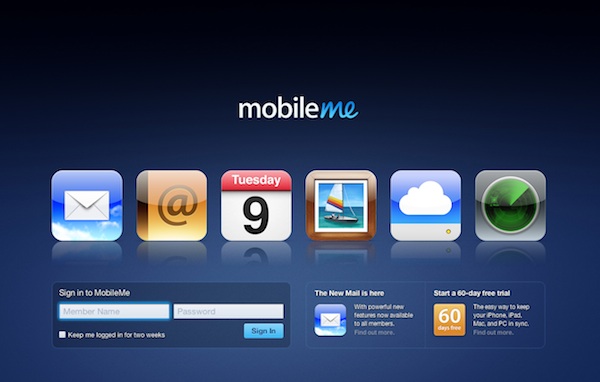
This morning, Apple unleashed a completely redesigned me.com. MacRumors had it all right and now we’re going to walk you through it with pictures and explanations.

Screen shot 2010-06-18 at 12.01.11 AM.jpg

All new splash and log-in page to drool over.

taskbar.jpg

This is the application-switcher we were talking about this morning. As you can see your most prominent me.com features are shown, including Find my iPhone. Hey — it kind of reminds us of the one on OS X

Lots more after the break

newmaik.jpg

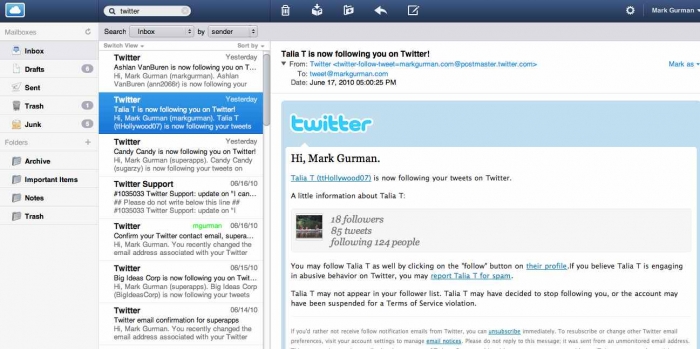
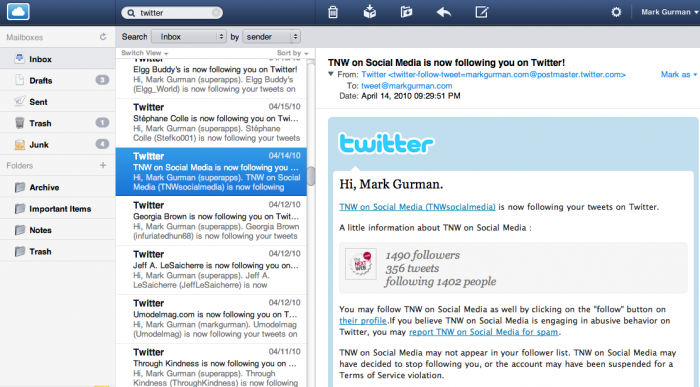
The new Mail user-interface from the beta is now live for everyone.

Screen shot 2010-06-18 at 12.09.29 AM.png

The calendar application has received a slight-makeover with a cleaner and easier to manipulate user-interface.

gallery.jpg

The photo gallery application has also received a nice clean makeover.

idisk.jpg

The iDisk application is following the footsteps of the other apps and has gained a much cleaner and simpler user interface. Now there are two main function buttons: An upload and a download (Pretty simple to use, we’d say).

findmyiphone.jpg

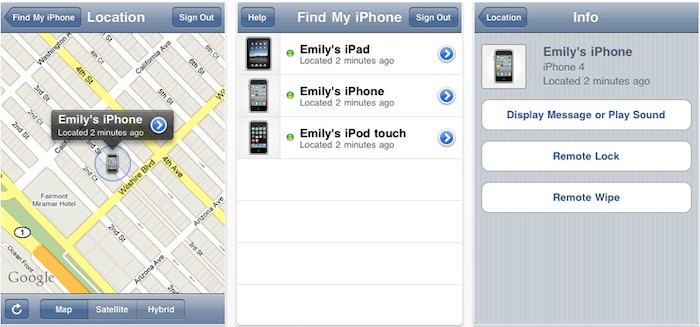
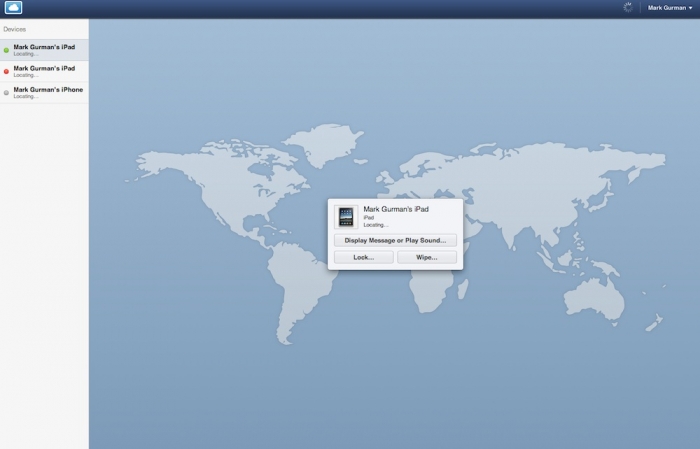
The Find my iPhone application (now iPad also) has received a complete re-design with larger maps and easier to use controls. We’re not going to show you the application fully loaded up (for obvious reasons) but we think you can get a sense that the maps (based on Google) are much larger and presented more clearly.

Apple posts WWDC session videos for all developers

Site default logo image

Apple sent out the following e-mail to all registered developers this morning informing them of their access to over 100 session videos from last week’s WWDC.

wwdc10_videos.jpg

All developers are encouraged to visit the WWDC videos website and download the videos in HD for Mac, PC, Apple TV, and iPad and in SD for iPhone and iPod touch from iTunes. 

Apple also notes on their developer site that everything in the session videos is confidential information so make sure not to tell any of your friends anything you see in the videos, like that the iPhone 4 has 512 MB of RAM, OK?

Web-based push e-mail, Find my iPhone Universal app, and other enhancements coming to MobileMe. CONFIRMED

Site default logo image

Screen shot 2010-06-17 at 2.41.58 PM.png

CONFIRMED: Read about the new me.com here and the Find my iPhone app here.

MacRumors reports that when MobileMe comes back from downtime at midnight it will return with several enhancements. Arguably the biggest will be the new mail interface coming out of beta. This new mail site will also bring push mail delivery to customers checking their e-mail on the web. 

Another new feature will be the expansion of the Find my iPhone service to the App Store. Apple recently opened up Find my iPhone to the iOS browser, and now there will be a universal application. This universal application is built to work across all devices, without pixel doubling on the iPad, and will be a much quicker gateway to locating your lost device.

Screen shot 2010-06-17 at 2.39.19 PM.png

Another enhancement will be a redesign of the MobileMe toolbar. The toolbar pictured above will become obsolete, and will be replaced with a single application-switching button. 


Apple Releases iTunes 9.2

Site default logo image

Screen shot 2010-06-16 at 1.40.04 PM.png

Apple has released its latest version of iTunes this afternoon, and it includes a few new features:

-iBook syncing with iPhone’s and iPod touch’s on iOS 4

-PDF Organization and syncing for iBooks

-Faster Backups with iOS 4

-iOS Folder support in the Home Screen organizer

-Album artwork appears faster when browsing your library.

We are yet to find it in our software update, but it’s golden on Apple’s iTunes download page. Apple has posted security content information to their support site.

via TUAW


Mac OS X 10.6.4 Released

Site default logo image

After a day filled with iPhone 4 and Mac mini news, Apple has dropped 10.6.4 for the masses.

Screen shot 2010-06-15 at 1.31.12 PM.png

The update weighs in at 315.5 MB and is loaded with software fixes. The update can be downloaded via the system software update application. 

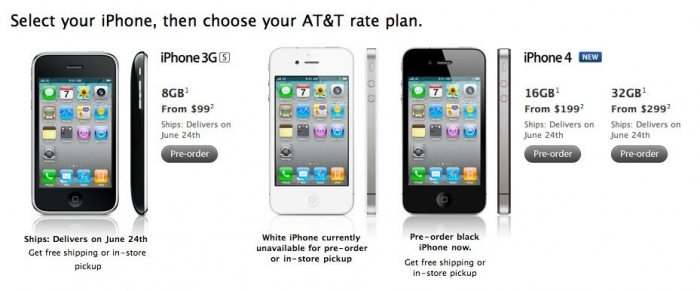
Did you get your iPhone order in yet?

Site default logo image

It’s go time in the United States and a few other international countries, but it seems hardly anyone is able to even get their hands on a pre-order.

Several customers are reporting that they cannot get the order processed through Apple’s online store. Below is a YouTube video showing said experience:

[youtube=http://www.youtube.com/watch?v=qOs62KlKcoU&w=640&h=385]

Were you able to pre-order? If so let us know in the comments. OK?