

iOS 26.2 beta 1 is now available for developers, and it updates the Liquid Glass slider for customizing the time on your iPhone’s Lock Screen. Here’s what’s new.
Lock Screen clock can now be customized to greater extremes in iOS 26.2
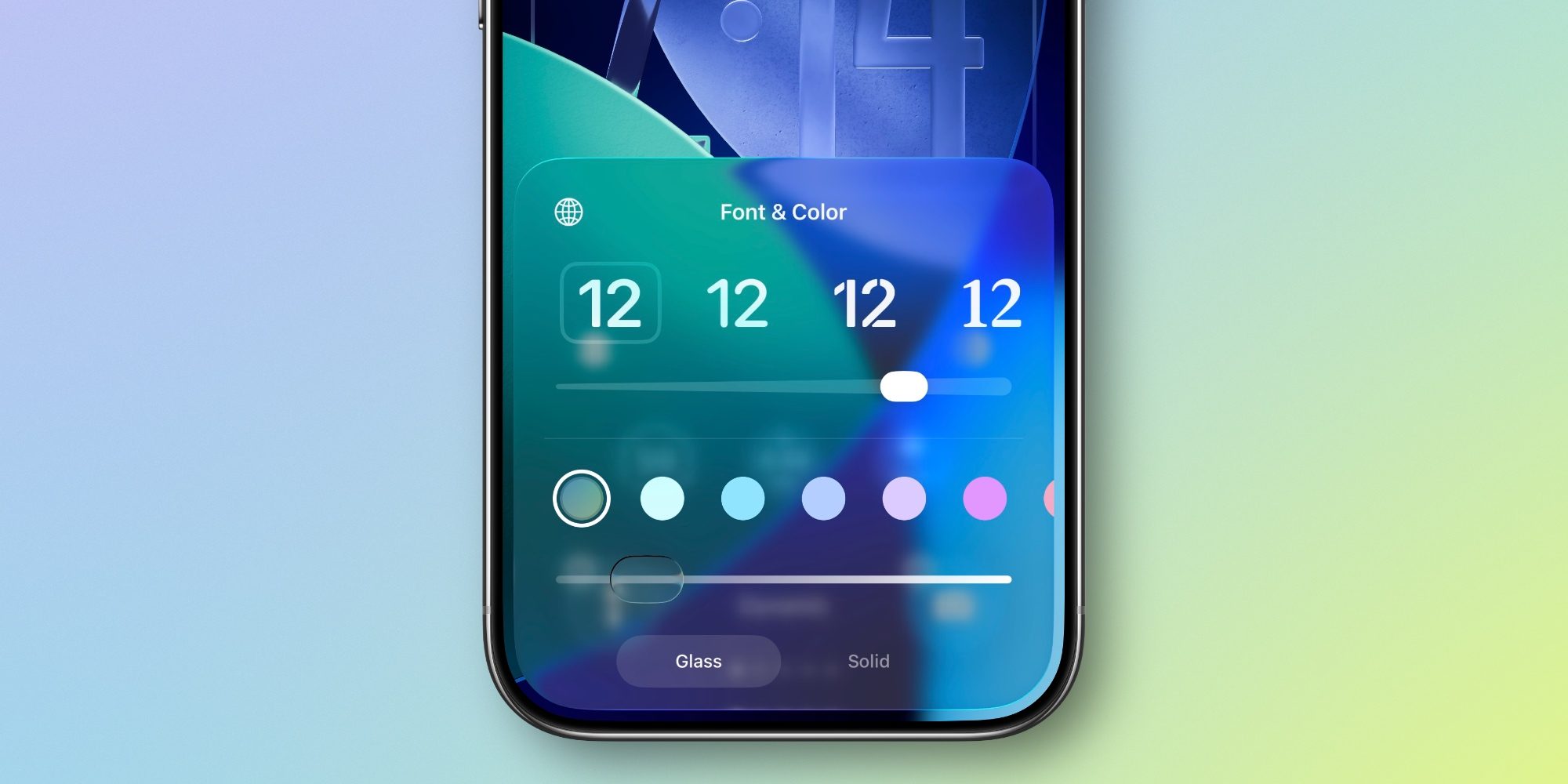
It appears Apple isn’t done offering users options to make Liquid Glass their own.
Just yesterday, iOS 26.1 brought a new Settings toggle to give Liquid Glass a more tinted look systemwide.
Now, iOS 26.2 has updated the Liquid Glass slider for customizing the Lock Screen‘s clock.
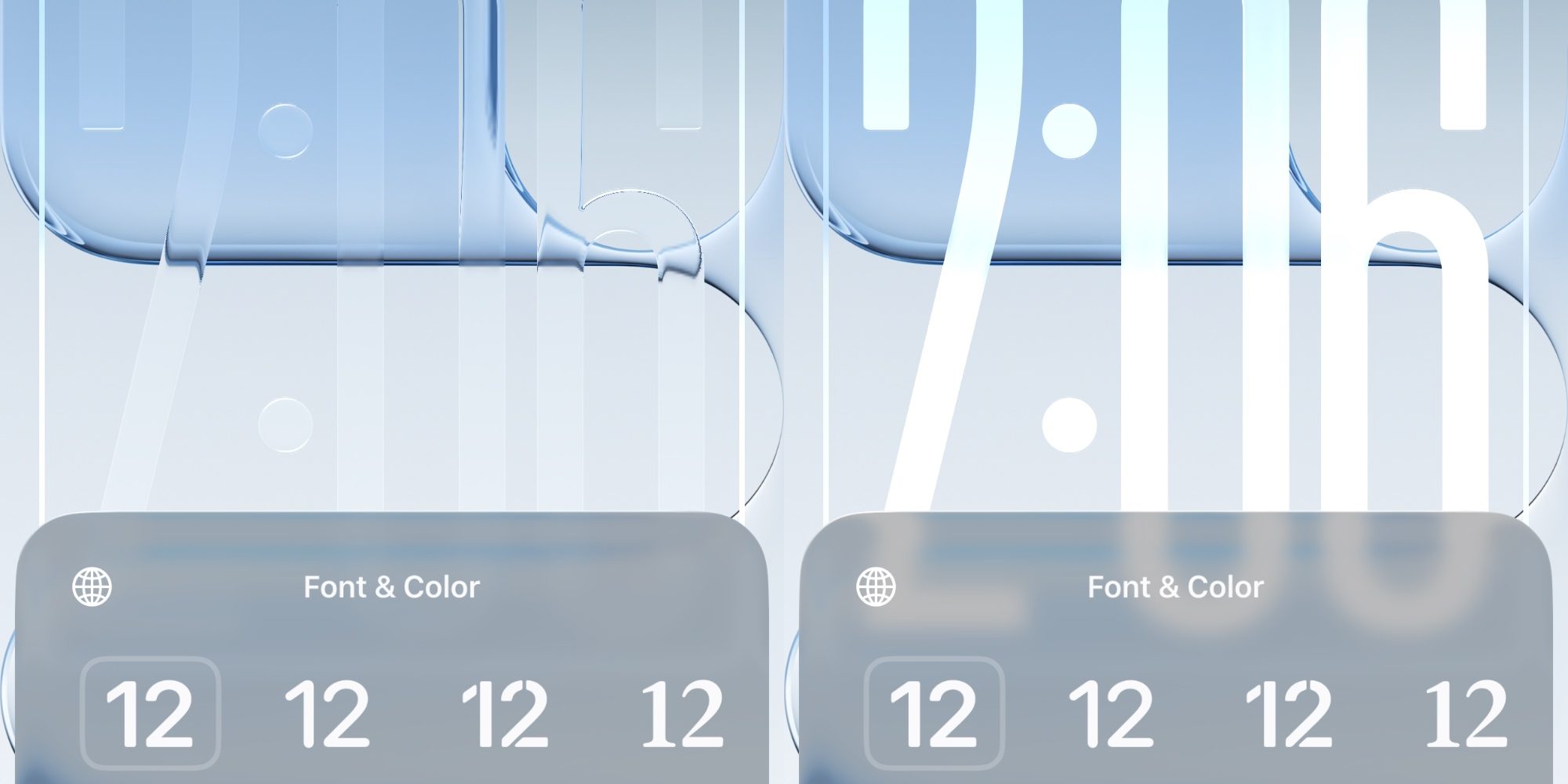
Available for all different font options, you can now choose to make the time on your Lock Screen appear even more transparent than before. Or, it can be made very opaque, or somewhere in between.
You’ll find the slider inside the Wallpaper editing screen after tapping on the clock. It was available in prior versions of iOS 26, but didn’t make nearly as big a difference as in 26.2.
Here’s a side-by-side of the most extreme options either direction.
Top comment by Barry Lird
I am thoroughly enjoying this new look, I hope it will always be an option.
Liquid glass is more than just a fancy name for clear, because it’s more than just that. If you pay attention to anything that falls behind it, you will see it distort as if it really were liquid, that’s pretty slick.
IMO, iOS has the best animations of any mobile platform I have used. The way they make the Home Screen icons reflect when you tilt the device is a nice touch, a well as the animation they use on the Apple Cash card to emulate a hologram, again depending on it’s orientation.
Unlike the Liquid Glass Settings toggle in 26.1, which gives only two options—Clear and Tinted—the Lock Screen offers a true slider.
You can customize the clock’s transparency more than ever for a more see-through or more solid look than before.
Unfortunately, Apple still only lets you resize the clock when using the default font option. But perhaps a future iOS 26.2 beta will bring resizing functionality to the Lock Screen’s other font options too.
How do you plan to customize your Lock Screen’s look in iOS 26.2? Let us know in the comments.
Best iPhone accessories
- AirPods Pro 3
- MagSafe Car Mount for iPhone
- 10-year AirTag battery case 2-pack
- HomeKit Garage Door Opener
- 100W USB-C fast charging power adapter


FTC: We use income earning auto affiliate links. More.


Comments