

iOS 26.2 is the latest iPhone update, with excellent new features for Reminders, Podcasts, and Apple Music. There are also a couple key CarPlay changes in iOS 26.2, here’s what’s new.
#1: More widget stacks on-screen
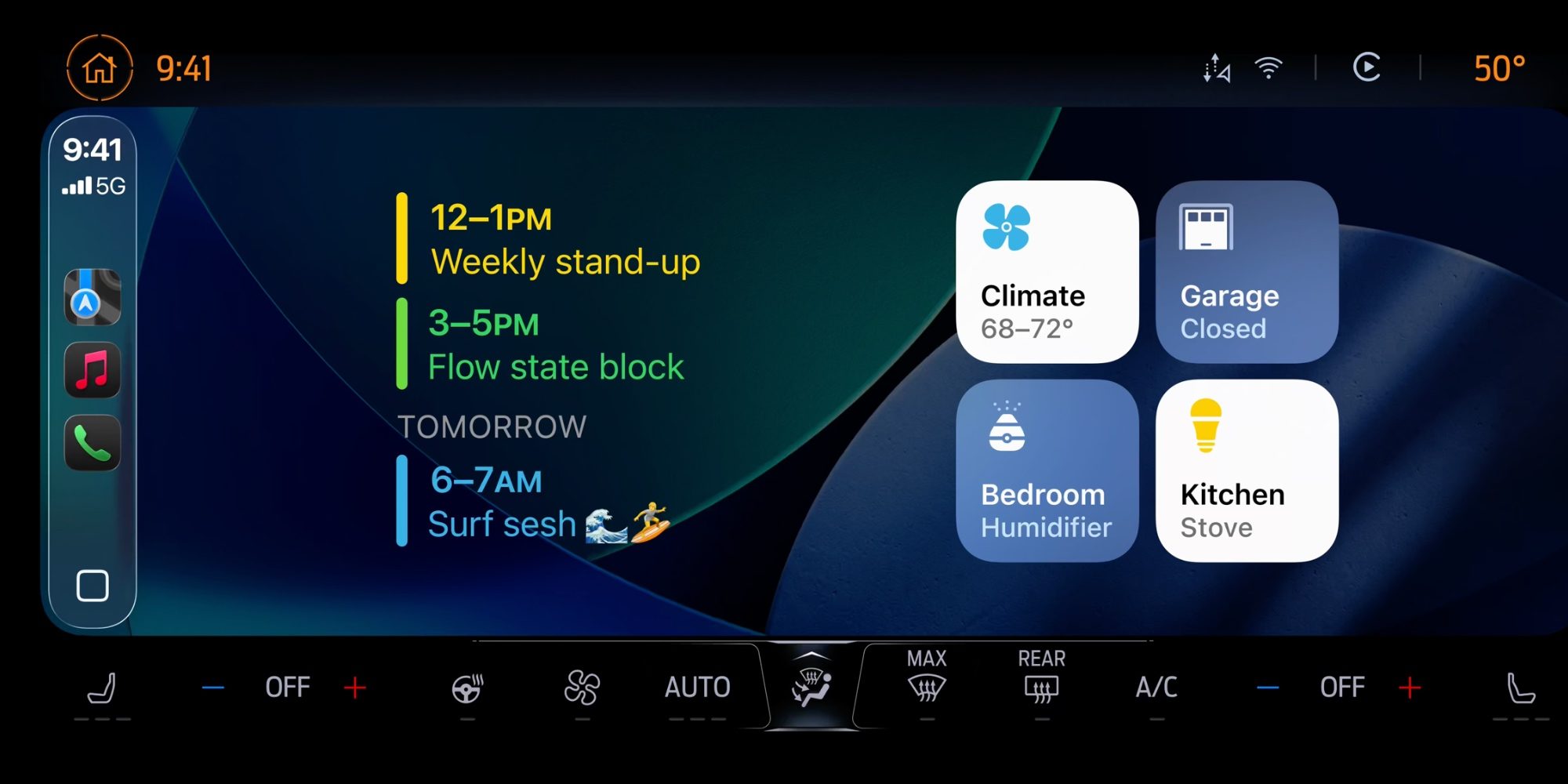
Widgets are brand new in CarPlay as of iOS 26, and in iOS 26.2 some users will find them even more useful.
That’s because Apple is expanding the number of widget stacks visible on-screen for certain vehicles.
Tom Warren at The Verge posted on X that his vehicle now shows three widget stacks in iOS 26.2, up from only two in iOS 26.1.
I’ve heard from other readers who have similarly seen their widget stacks increase in iOS 26.2. But other users have found the number of visible widgets unchanged.
Apple hasn’t documented specific requirements for gaining more widgets, but let us know in the comments what you’ve experienced in iOS 26.2. However widespread the change ends up being, getting more widgets on-screen is a great upgrade for some CarPlay users at least.
#2: Messages ‘Pinned Conversations’ setting
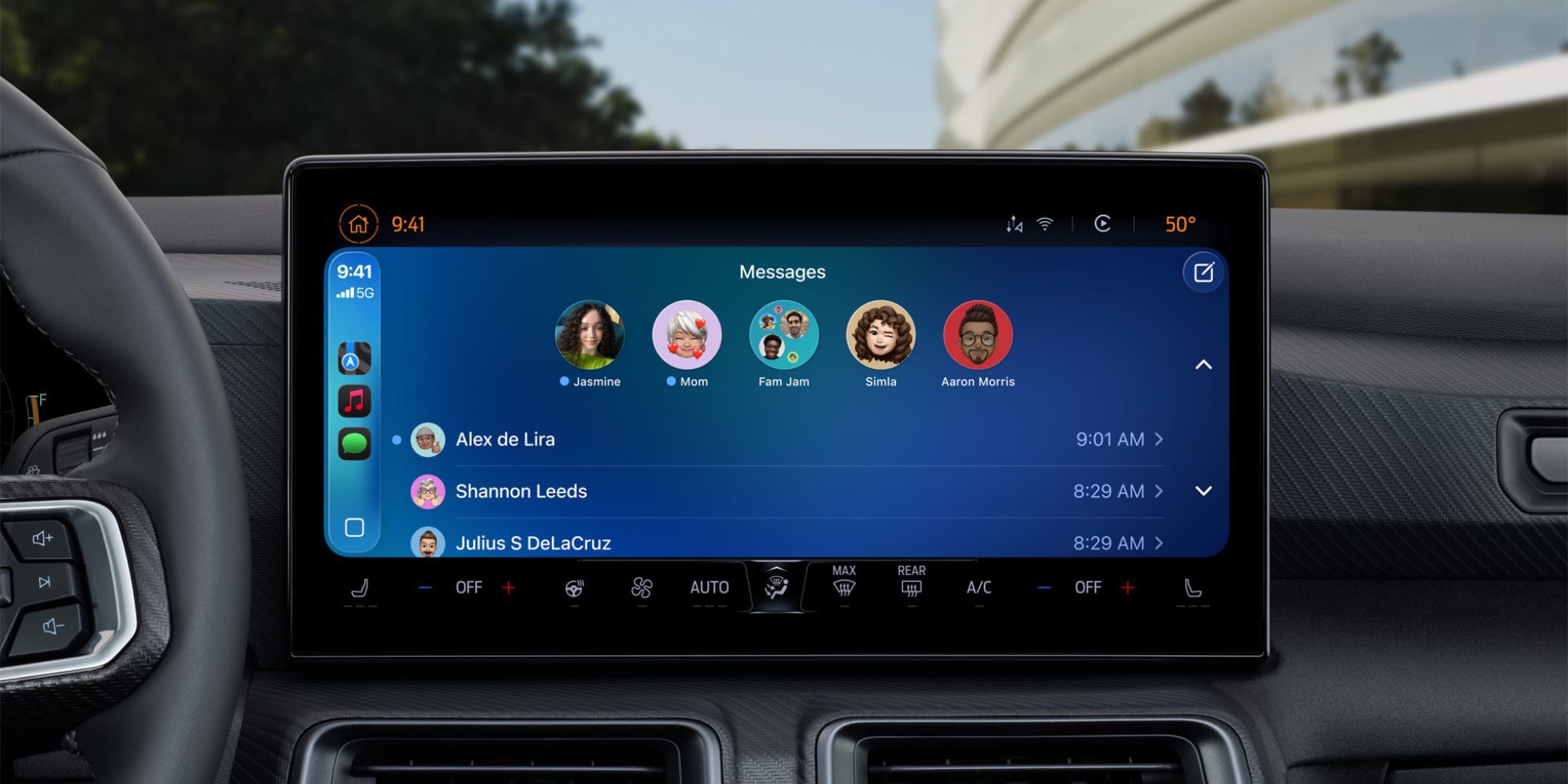
When iOS 26 launched, it brought two main changes to CarPlay’s Messages app.
Messages finally now supports tapbacks in the car, and also pinned conversations.
But it seems Apple has learned that the latter change isn’t always the best option for users, especially those with small in-car screens.
Top comment by GoldClover
Will they fix the major bug that seemingly only impacts iPhone 17 users? I have a pro max and since day 1 my CarPlay will drop off after a few mins and it cannot recover. Requires a full power cycle of the vehicle to reconnect for it to only happen again a few minutes later. Have tried wired, wireless, multiple cars, etc. Huge support thread on apple with no official response other than reinstall the OS and many users reporting that doesn't solve it either.
In iOS 26.2, Apple has added a new CarPlay setting that lets you disable pinned threads in Messages.
Open the Settings app in CarPlay and scroll down until you find ‘Pinned Conversations.’ Toggle the switch off, and your Messages app will revert to the old design that shows the most recent conversations first.
It’s a small change, but a welcome one for users who have smaller in-car screens and don’t need all their pinned conversations available.
If you’re on iOS 26.2, have you gotten more widget stacks in CarPlay? Let us know in the comments.
Best CarPlay accessories
- Apple AirTag for tracking your car (now only $19)
- AirTag 4-pack (now only $65)
- MagSafe Car Mount for iPhone
- 10-foot iPhone cable USB-C to USB-A
- FLYLEAD car charger with 2 USB-C and 2 USB-A ports


FTC: We use income earning auto affiliate links. More.



Comments