
iOS 26.4 is almost here, with a launch likely just days away. The update is packed with a lot of new features, including three that have a good chance of becoming daily go-tos for users.
#1: New emoji

New emoji typically only arrive once per year, and iOS 26.4 is this year’s emoji update.
After updating to iOS 26.4, you’ll find eight new emoji in the iPhone’s emoji keyboard:
- Ballet Dancer
- Distorted Face
- Fight Cloud
- Hairy Creature
- Landslide
- Orca
- Trombone
- Treasure Chest
It’s always fascinating to see which emoji become hits among users, and the various meanings they might take on. Some of my early favorites are Distorted Face, Fight Cloud, and Hairy Creature.
#2: Upgraded video experience in Apple Podcasts
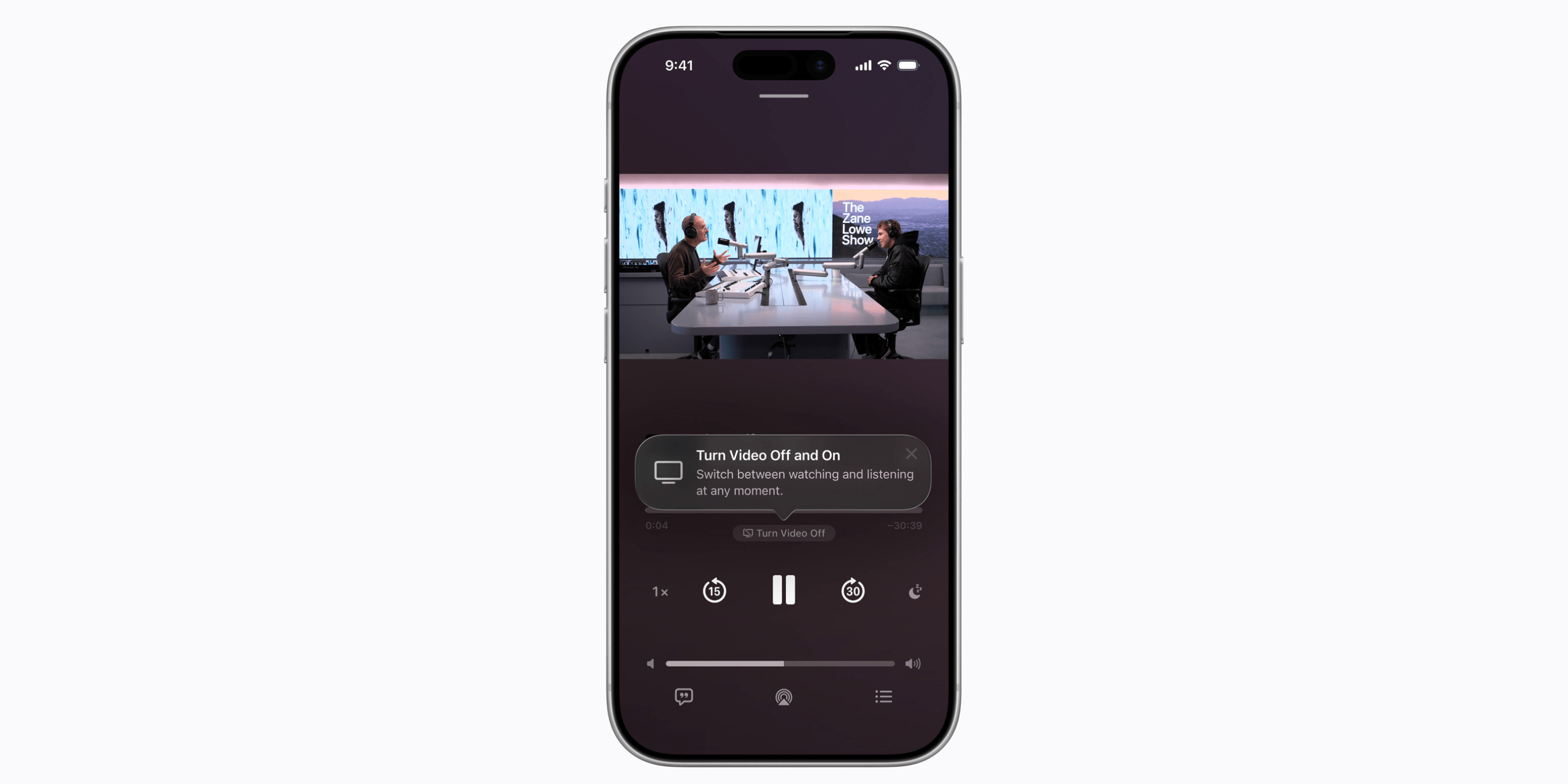
Apple Podcasts added one of my favorite new features recently in iOS 26.2: support for automatic chapters. But in iOS 26.4, Apple is upgrading the app once again.
iOS 26.4 introduces a new, more feature-rich experience for video podcasts.
It may take a little time after the update launches before we start to see more video podcasts on Apple’s platform. But with iOS 26.4, Apple will let users switch seamlessly between video and audio-only versions of episodes—with no need to worry about losing progress.
After the update, users will also be able to download video episodes for offline playback. And even when streaming over cellular, Apple’s HLS technology should provide a solid video experience.
#3: AI chatbot apps in CarPlay

iOS 26.4 adds support for a brand new category of CarPlay apps: voice-based conversational apps.
That’s right: AI chatbot apps like ChatGPT, Google Gemini, and Claude are coming to CarPlay.
Apple only allows certain types of apps to offer CarPlay support, and starting with iOS 26.4, ‘voice-based conversational apps’ join the list.
You won’t be able to replace Siri with a third-party AI assistant. But once developers add CarPlay support, you will be able to interact with your favorite AI tools via dedicated CarPlay apps.
Per Apple’s official developer documentation, these apps are strictly limited to voice interactions for safety reasons. So when you launch an app, it should go straight into voice mode, and won’t be allowed to show text or imagery in response to queries—nobody wants more distracted drivers on the road.
For an overview of more new features coming in iOS 26.4, see our full guide here.
Best iPhone accessories
- AirPods Pro 3 (now only $199, down from $249)
- 10-year AirTag battery case 2-pack
- MagSafe Car Mount for iPhone
- Apple’s new AirTag 2 (1-pack / 4-pack)
- 100W USB-C fast charging power adapter


FTC: We use income earning auto affiliate links. More.


Comments