
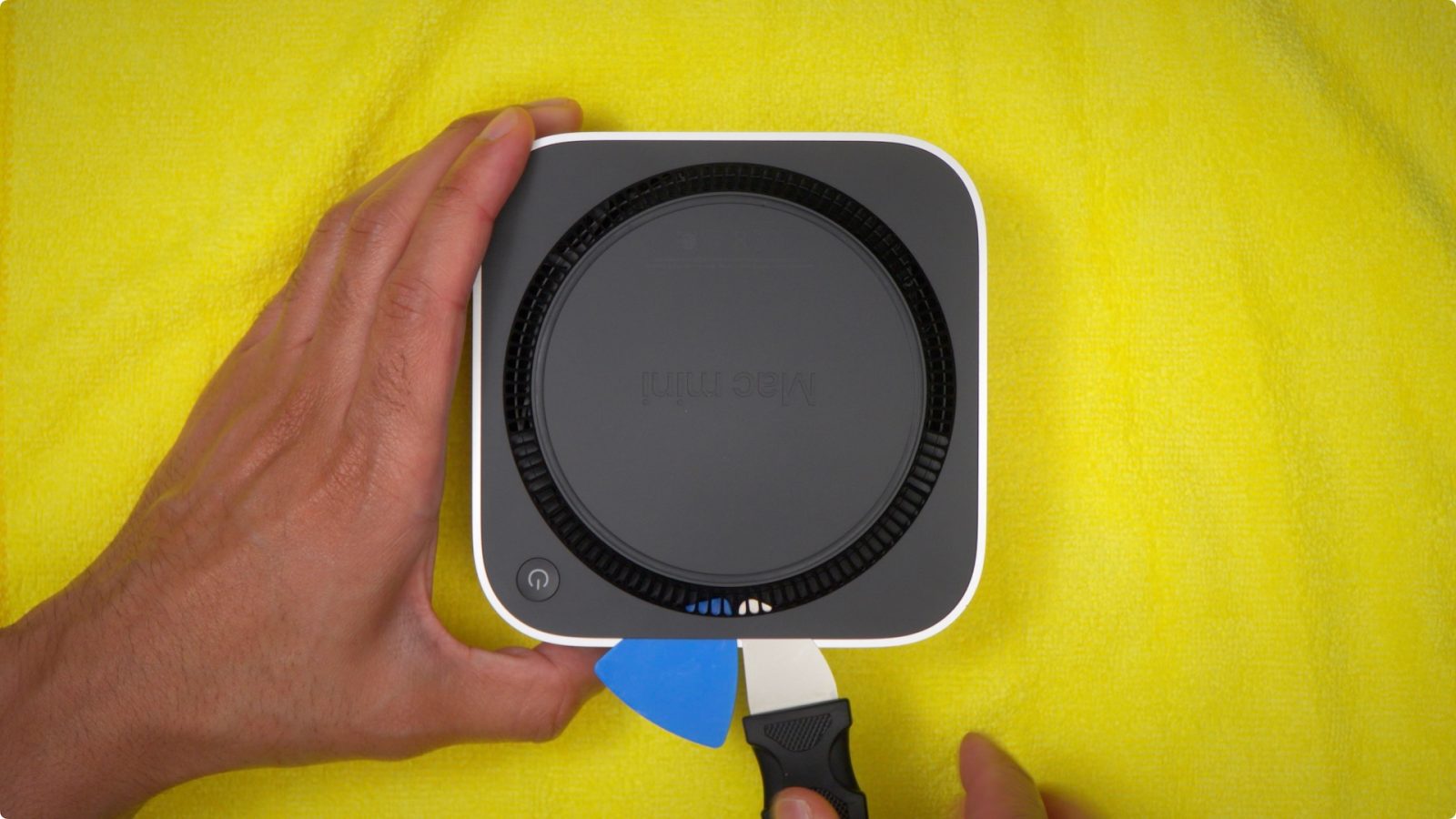
When Apple released the M4 Mac mini two years ago, teardowns quickly revealed a pleasant surprise: the internal SSD was not soldered to the logic board. This allowed for aftermarket storage upgrades, and we even showed you how to do it.
With the new M6 and M5 Pro Mac mini updates, however, it appears the storage is soldered to the logic board once again.
New Mac mini takes a step backward with soldered storage
In a blog post, the folks at Expand Mac mini revealed that the NAND is soldered to the logic board, similar to the M1 and M2 versions of the Mac mini. This means the SSD module is no longer removable.
Expand Mac mini sells storage upgrade modules for the M4 and M4 Pro versions of the Mac mini. As it stands right now, however, they say that “support for the M6 and M5 Pro now looks unlikely.”
No slot means nothing to swap, and very little room left for us. In August we said we would extend our coverage once we had tested real hardware. This is the result, and not the one we hoped for.
We will keep looking for an opening, but support for the M6 and M5 Pro now looks unlikely. If that changes, you will hear it here first.
For comparison’s sake, Expand Mac mini’s 1TB SSD expansion module for the M4 Mac mini costs $300. Apple charges $500 to upgrade the M6 Mac mini from 256GB to 1TB. Expand Mac mini’s 2TB module costs $420, while Apple charges $1,000 for the upgrade.
Top comment by John Atkinson
This is a big shame on the repairability side of things. Like completely ignoring increasing storage or even storage from third parties just purely for an Apple certified repair technician using official parts it now means if the storage dies the whole board needs to be replaced and maybe they’ll fix the logic board at one of their facilities but that’s additional logistics for something that was previously much simpler.
I was hopeful that with the NAND’s being on a separate module that Apple technicians would have been able to upgrade the storage officially(even if prices would have been not great) as it’d be a win/win/win; Apple gets to sell their inflated storage prices(even before the current market they were higher than the industry) and charge service revenue; the customer can buy more storage without needing to buy a new computer making it so they might be able to afford an upgrade they need where a new system may be out of their reach; and the environment wins by not needing to produce a whole new computer for one part change.
As for the Mac Studio, Apple’s repair guide still shows removable SSDs. We haven’t spotted any teardowns yet confirming that information.
- M6 Mac mini repair guide
- M4 Mac mini repair guide
- 2026 Mac Studio repair guide
- 2025 Mac Studio repair guide
If you have an M4 Mac mini and are considering upgrading the storage, 9to5Mac’s Jeff Benjamin has an in-depth tutorial you can follow along with.
While it’s not the same as upgrading the internal storage, Satechi makes a clever accessory that includes an SSD enclosure along with additional ports for the M6 Mac mini.
My favorite Mac accessories:
- Logitech MX Master 4 Mouse
- OWC Thunderbolt 5 Hub
- Beats Pill
- Twelve South BookArc
- Satechi’s USB-C 165W GaN Charger
Follow Chance: Threads, Bluesky, Instagram, and Mastodon.


FTC: We use income earning auto affiliate links. More.



Comments