
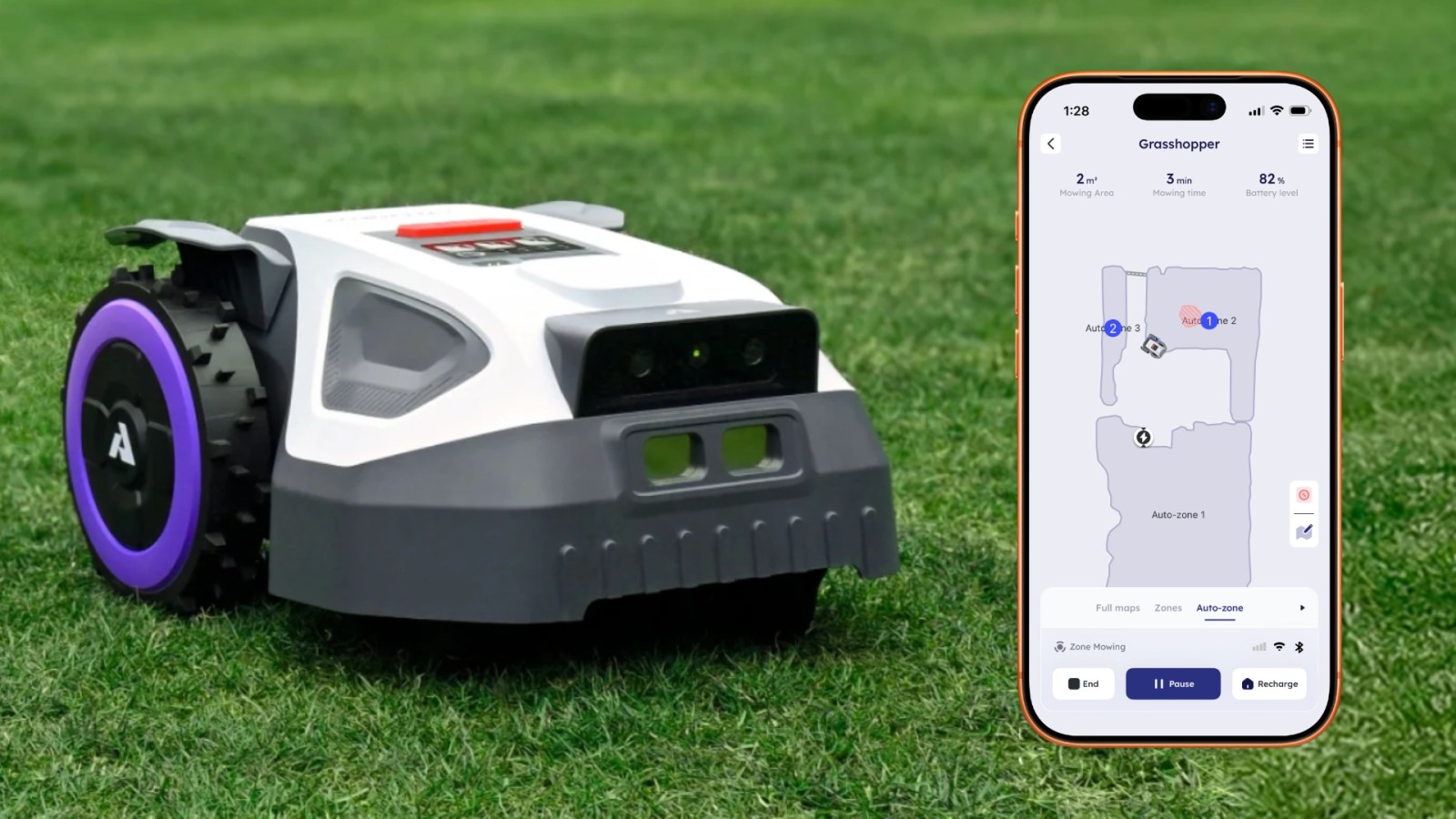
Update May 8: Anthbot M9 is currently 20% off on Amazon for the next few days, offering a big $180 discount off the regular price.
I haven’t mowed my lawn in over a month, but it’s manicured like a golf course. That’s because I switched from a push mower to a robot lawn mower that I manage from my iPhone. It’s the Anthbot M9, and it’s by far my favorite new piece of technology I’ve tried this year.
Anthbot M9 robot lawn mower is actually easy to set up and use
When the Anthbot M9 robot lawn mower arrived for testing, I put off setting it up until I had a few free hours to spend with it.
In reality, I needed less than 30 minutes to unbox everything, get the hardware in place, and set up the app. Since the moment the Anthbot M9 robot lawn mower arrived, I’ve been surprised and impressed with this thing.
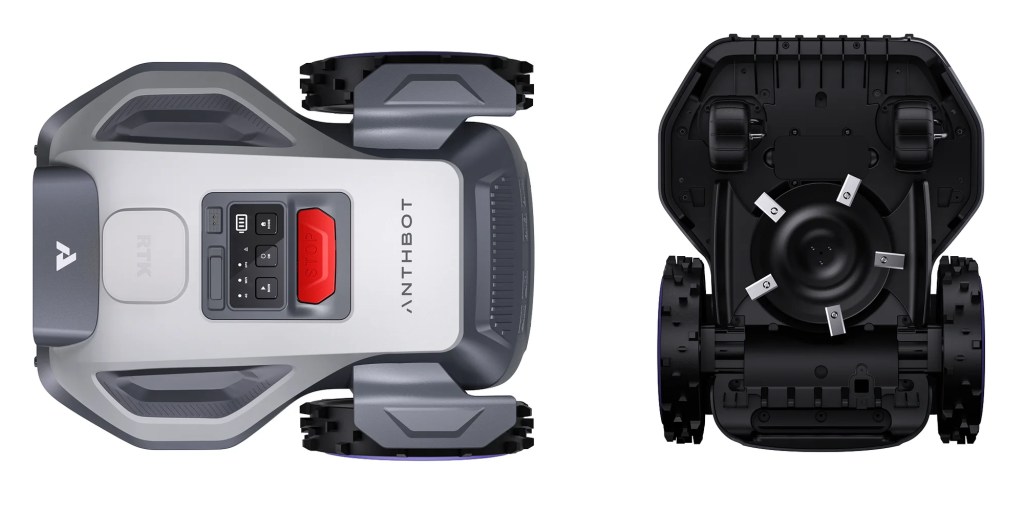
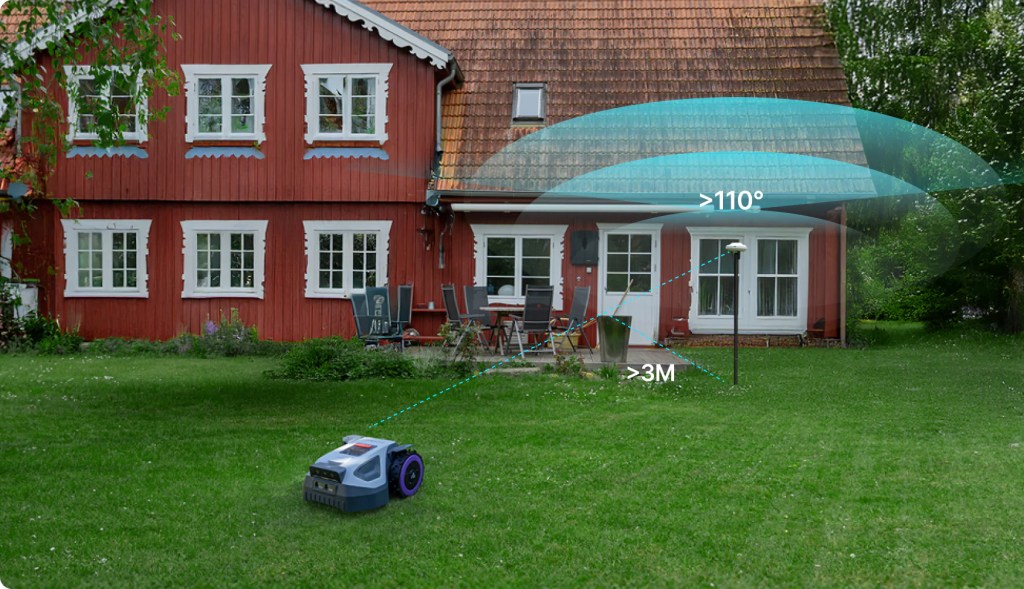
Anthbot M9 includes three pieces of equipment: the robot lawn mower, the charging station, and a sensor called the RTK reference station.
More primitive robot lawn mower systems rely on burying a perimeter wire. That’s not the case here.
I picked a spot with a clear view of the sky in the backyard for the RTK reference station. It attaches to a pole that includes a forked end for just sticking into the ground. No need to dig.
Then I positioned the charging station in a spot at the edge of my back patio area where the Anthbot M9 robot lawn mower can call home.
A wire connects the RTK sensor station to the charging station, and a power cable runs from the charging station to the nearest power outlet.
I was able to tuck both cords out of sight by running them along the patio concrete. The box contains a handful of plastic spikes that hold these cords in place. After more than a month of rain and robot lawn mowing, they’re still out of sight and haven’t required any attention.
The app lets you manage the experience from your iPhone
Once the hardware is in place, the rest takes place from the Anthbot iPhone app.
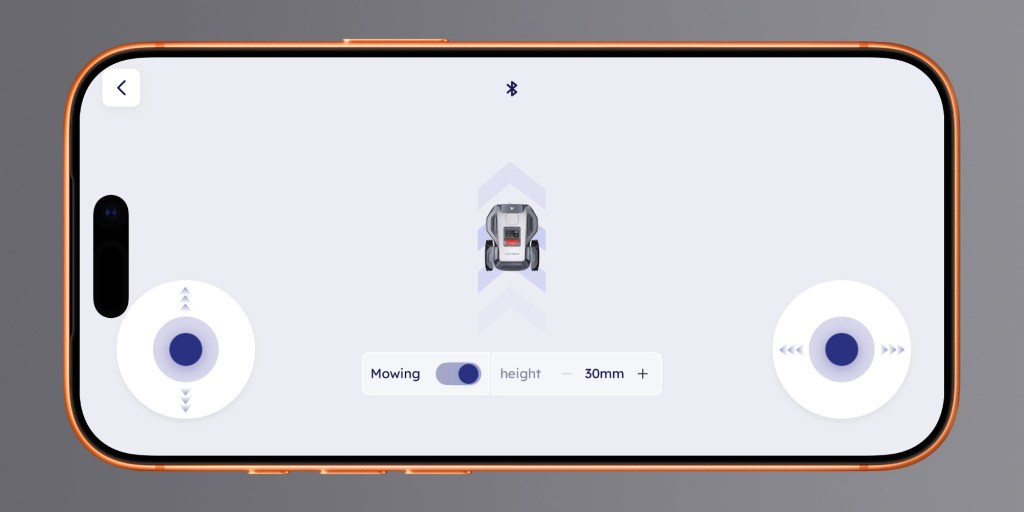
I completed the setup process by manually controlling the Anthbot M9 robot lawn mower from virtual controls on the iPhone to create a digital map of my backyard.
There are a few areas to avoid, like loose dirt near holes and large tree roots, where the robot lawn mower could get stuck. The app lets you mark these locations as areas to avoid on the map.
From there, Anthbot M9 got work. The robot lawn mower is impossibly quiet. If not for the mowing progress it makes, you might wonder if it was operating at all.
The app has changed a few times since I started testing Anthbot M9.
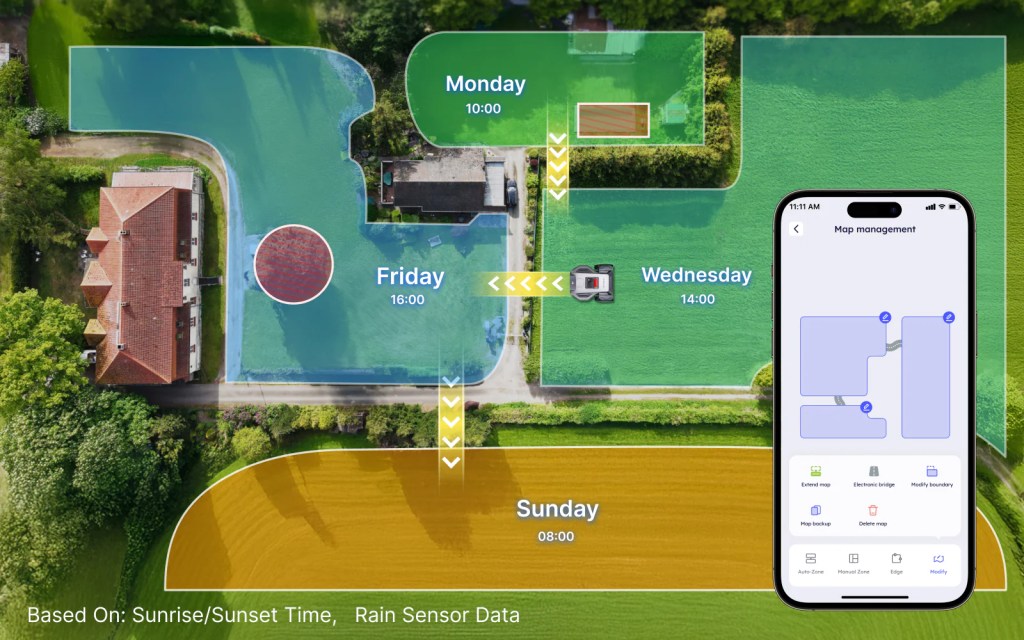
It lets you set the mowing direction with a lot of customization. The current version includes the ability to mow in a criss-cross pattern, mowing twice per job, to be completely thorough.
Because it’s so quiet and so thorough, I find it incredibly satisfying to just sit and watch it work.
Anthbot M9 comes ready for the weather, rain or shine
I’m new to the world of robot lawn mowers, so I still had questions after the first mowing job was complete.
For instance, what do I do with the robot when it rains? Anthbot sells a “garage” accessory that goes over the charging station, but it turns out that’s completely optional.
The Anthbot M9 system is designed to exist in the rain without issue, and several days of precipitation have successfully tested that claim.
The robot even has a sensor on it that detects water and pauses mowing jobs during rain. It can automatically resume the job after an assigned period of time once rain is no longer detected. This works well.
So the weather is no issue. Solid.
A single RTK reference station supports front and back lawn
The second happy surprise was when I fully realized how capable Anthbot M9 is as a robot lawn mowing system.
I figured I’d need a second RTK reference station to handle the front and side lawn on the other side of the fence. This was a goofy assumption on my part. Of course the Anthbot M9 robot lawn mower can handle my full yard without additional hardware. That’s the point of the product.
After a couple sessions of still mowing the front and side grass myself, I wised up and tested adding the rest of my yard to the app’s map.
Exposing the robot lawn mower to the rest of the yard introduced a few new challenges.
For example, there are areas to avoid, like a mulched area around a tree, the sidewalk, and the driveway.
To avoid the tree in the center of the yard, the app lets you map out the area to avoid by manually controlling the robot around the perimeter once. Works great. For the driveway, the app lets you assign it as a pathway between mowing areas.
Other tidbits and details
You can manually control the robot lawn mower from the iPhone app to cut wherever you guide it. This can be helpful for the occasional missed patch of grass. Assigning each job to run twice per session will also take care of those.
The robot is height-adjustable so you can assign how short or tall your grass grows, including by zone. I’ve favored 30mm height so far, but I may settle into 50mm height for thicker grass.
An anti-theft feature can make the robot make sounds if someone removes it from the designated mowing area. While I haven’t needed this, it’s nice to know it’s an option.
Anthbot M9 supports connectivity over either Wi-Fi or Bluetooth. Optional 4G cellular service is also supported.
During testing, I experienced a connectivity issue for a weekend that I think was related to cellular’s rollout, but it resolved itself automatically. I was relieved, because the M9 robot lawn mower really has been that reliable and useful before and after the connectivity blip.
Anthbot’s app lets you create zones for full control over lawn mowing preferences like direction, scheduling, and more. This is helpful since I need to open a gate for it to leave the backyard. I can easily tell it to just mow the back and not run a full job. You can also assign certain zones to certain days.
My dog is completely unbothered by the robot lawn mower. The M9 really does run quieter than a robot vacuum.
A single purchase without ongoing costs
I especially appreciate that it’s a one-time purchase that doesn’t require an active subscription. In terms of upkeep, Anthbot recommends flipping the five blades over every three to six months, and replacing the blades every six to twelve months. The company sells a 15-pack for $19.
Overall, I’m still surprised and delighted by how well Anthbot M9 has performed as my lawn maintenance solution over the last several weeks.
Anthbot M9 is remarkably resilient. If it gets stuck and the app alerts you, you just pick it up and press a couple buttons and it continues where it left off. When it starts a job, it will automatically return to the dock to recharge, then resume the job until it’s complete.
The most recent surprise for me was when I received a notification on my phone saying that it resumed a job after sunset. It used its built-in headlight to mow in the dark. I pulled out the app and told the robot to return to the charging station for the night, but it’s quiet enough that I didn’t even hear it start up.
9to5Mac’s Take
Top comment by Conrad7570
Lots of details missing:
How wide is the swath that the 5-blades cut?
What is the average run time before having to go back to the charging staton to recharge?
Is this only good for yards 1/4 acre and smaller (like the Amazon listing says) or can it be run on larger lawns.
Are the batteries replaceable?
Can it integrate with Apple Home?
The bottom line for me is that it absolutely has replaced any need for me to mow the lawn myself. I’ve really enjoyed spending time outside with my dog or doing other yard work while the Anthbot M9 cuts the grass.

The Anthbot M9 robot lawn mower keeps a routine that doesn’t change based on when I’m free. I also appreciate not needing to buy gas or deal with slow-charging batteries in my push mower.
Anthbot M9 retails for $899, and Amazon currently has the robot lawn mower for 20% off at $718.99. If a robot lawn mower fits your budget and sounds like an intriguing solution to a summertime chore, I highly recommend considering Anthbot M9.
Do more with your Apple products
AirPods 5 | Apple’s newest wireless headphones
Apple AirTag 2 | Add Find My tracking to keys, bags, bikes, more
AirPods Pro 3 | Apple’s best wireless headphones


FTC: We use income earning auto affiliate links. More.



Comments