
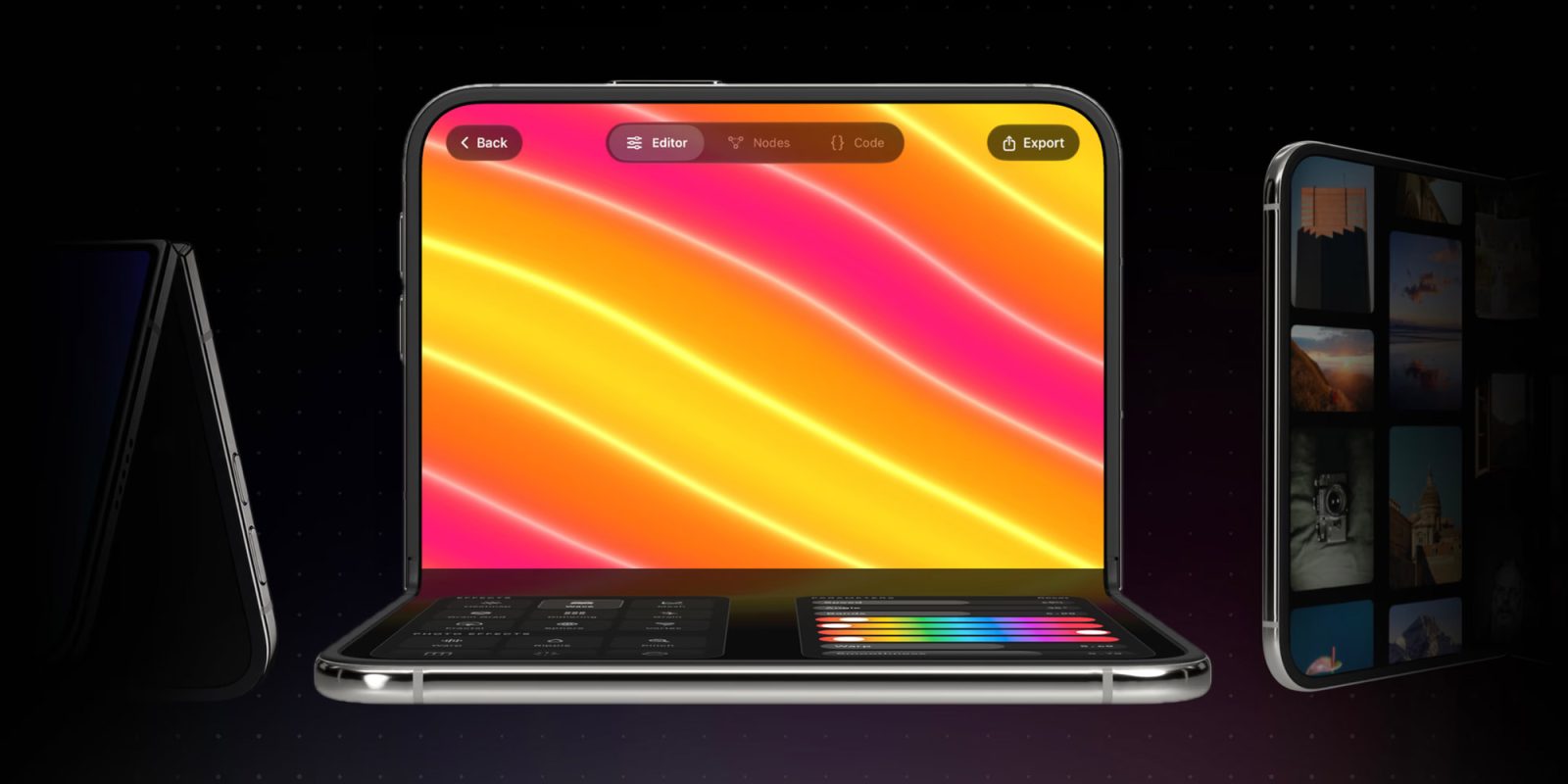
Following the release of Xcode 27.1 beta 1 last week, Bitrig has added support for building and testing iPhone Duo apps, complete with an interactive 3D simulator that lets developers fold, tilt, rotate, and position the device however they want. Here are the details.
Bitrig now lets users play around with a 3D iPhone Duo
Bitrig first launched as a simple vibe-coding app that allowed users to turn text or voice prompts into native SwiftUI apps that ran directly inside the main Bitrig app on their iPhone.
Since then, the platform has expanded considerably, adding a Mac app that gives users access to the full Xcode toolchain, an integrated iPhone simulator, on-device testing, and the ability to export projects to Xcode or distribute apps through TestFlight and the App Store.
Last Friday, following Apple’s release of Xcode 27.1 beta 1 with support for building and testing apps for the iPhone Duo, Bitrig rolled out its own iPhone Duo support with a more interactive take on the simulator.
Here’s Kyle Macomber, Co-founder and CEO of Bitrig, on what the update enables:
- Try every pose. iPhone Duo can sit on a table like a laptop or stand by your bedside like a tent. Open, closed, or partially folded, in portrait or landscape, your app needs to adapt. Bitrig’s 3D simulator lets you grab it, fold it, turn it, and watch your app respond.
- Respond to the hinge. Drive interactions and effects as the phone folds using
onHingeChange, like Apple’s unfold effect that makes the outer display feel like a window into the inner one. Read the hinge data live as you open and close it in the built-in simulator.- Build hands-free experiences. Use
ArrangementViewto lay out media on the upper half and controls on the lower half when iPhone Duo is sitting on table. Support landscape orientation so people can use your app on the outer display when it’s standing on its edges.- Use both displays at once. Add a
CameraCaptureAccessoryto the outer display and give the person facing the camera something useful to see.
MAcomber also notes that “Bitrig helps you manage multiple versions of Xcode, so you can start preparing your app for iPhone Duo with the beta and switch back to Xcode 27 to build and release updates.”
To learn more about Bitrig’s latest update and how to use its iPhone Duo simulator, follow this link.
Worth checking out on Amazon
- Apple Watch Series 12
- Apple Watch Ultra 4
- AirPods Pro 3
- AirPods 5
- AirTag (2nd Generation) – 4 Pack
- MacBook Neo
- Logitech MX Master 4


FTC: We use income earning auto affiliate links. More.



Comments