
Apple Podcasts isn’t the dominant force in podcasting that it once was. But if you still get your podcasts from Apple rather than YouTube or another third-party app, there are some nice Podcasts app additions in iOS 18.4—including a new widget that solves a key shortcoming.
Up Next queue has long felt like a regression in Apple Podcasts
I’ve used Apple Podcasts for years, but a while back my customer satisfaction went way down when Apple implemented its new Up Next queue.
Up Next, in theory, is meant to be your one-stop destination for what to listen to next.
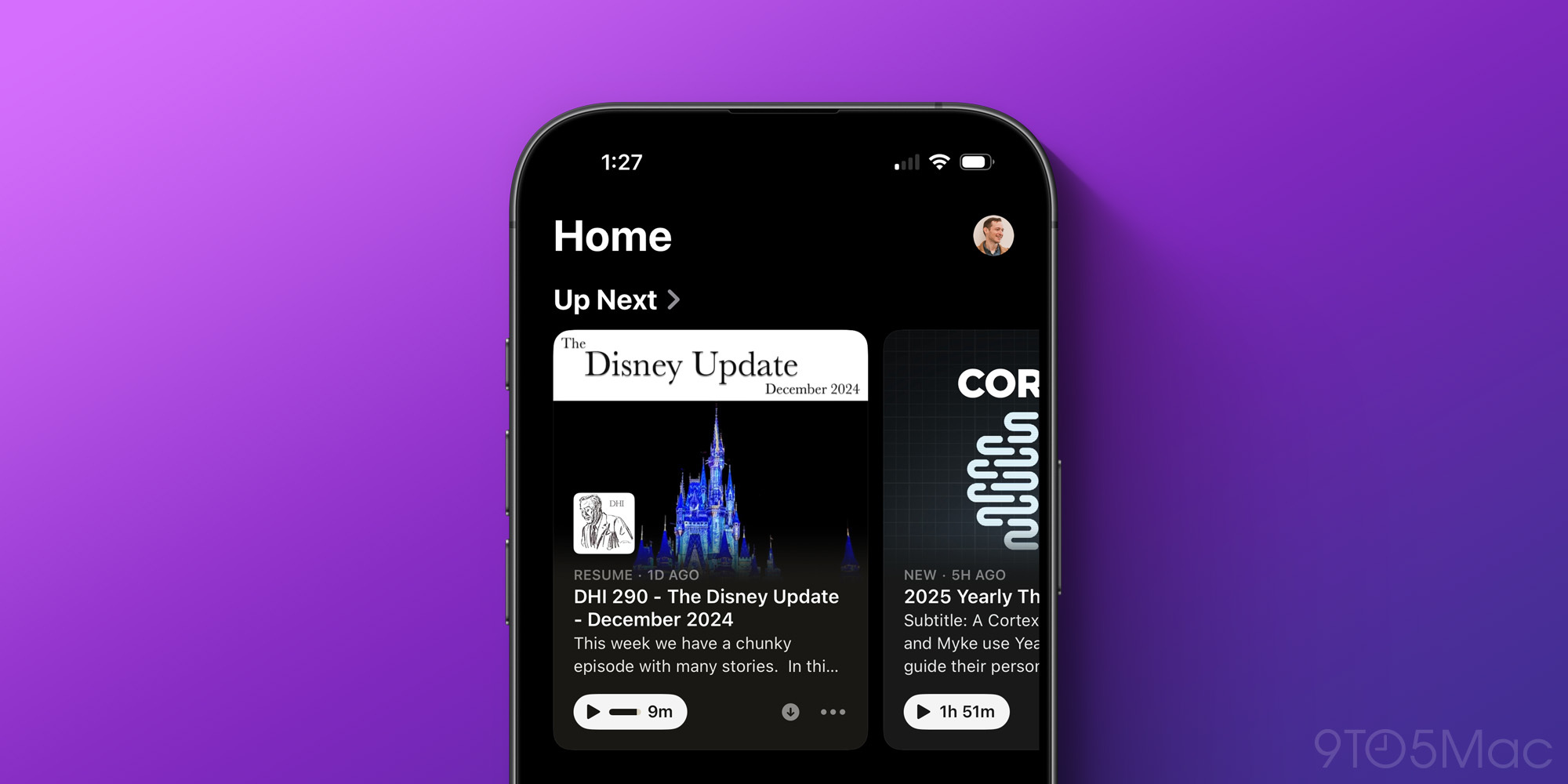
But the feature represented a big change from Podcasts’ previous interface, which showed a list of the most recent episodes published.
You can still access a ‘Latest Episodes’ view, but it requires a couple extra taps to get there.
I won’t go into detail on why Up Next doesn’t work well for me, as I’ve already done that elsewhere.
But I am happy to report that iOS 18.4 adds a new Podcasts widget that makes viewing your Latest Episodes list much easier than before.
New iOS 18.4 widgets can replace any need to open Podcasts app
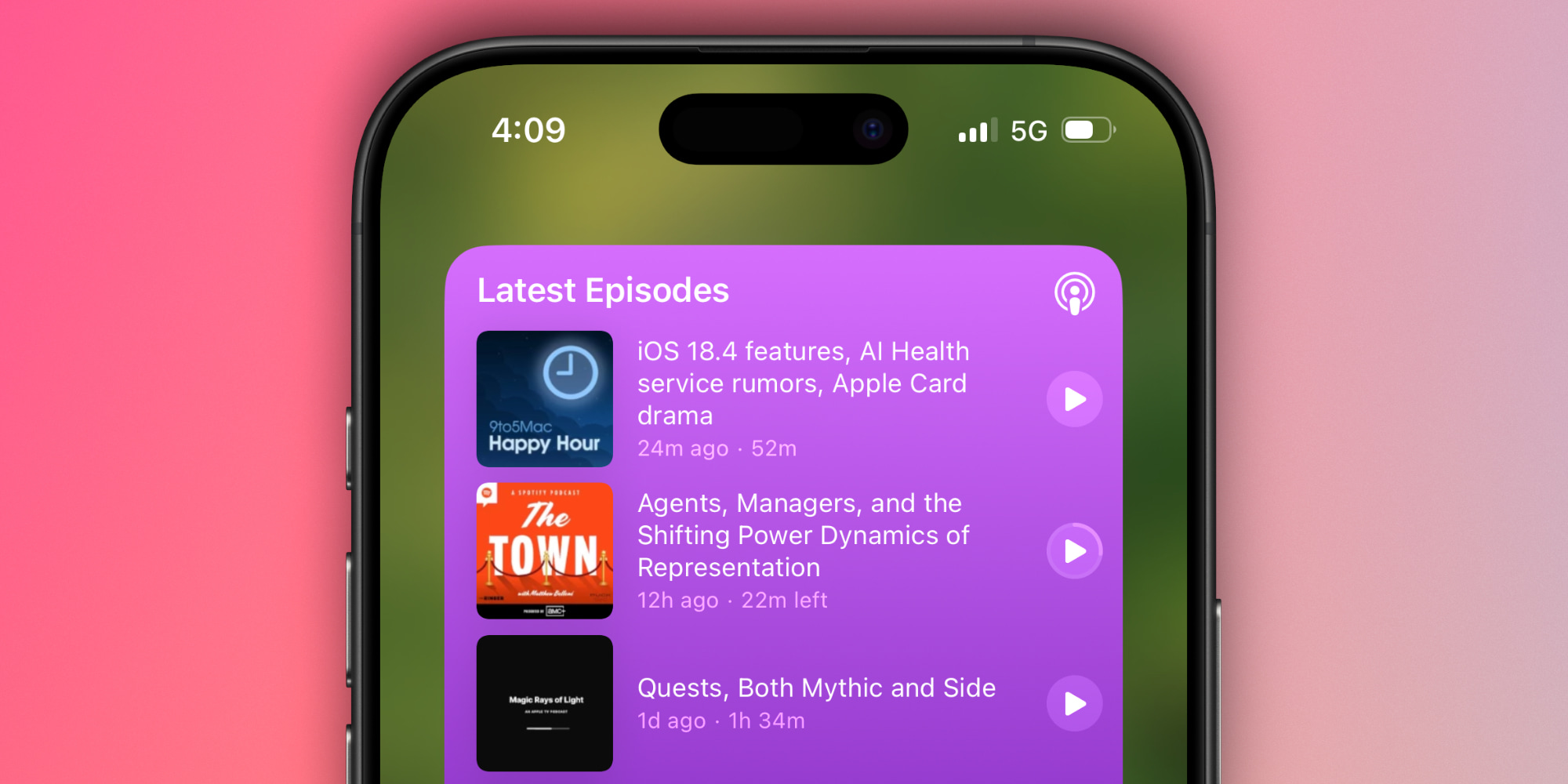
iOS 18.4 actually adds two new widget types for Apple Podcasts:
- Library, which features episodes from a list in your library
- and Shows, which does the same for a single show of your choosing
Each is available in various sizes to suit your needs, and there are even XL versions on iPad.
The Library widget is the one I’ve quickly grown to love, because you can configure it to display either Saved Episodes, Downloaded Episodes, or your Latest Episodes.
That latter option is what I went with.
Now, right from my iPhone’s Home Screen I can view and play any of the four most recently published episodes from shows I follow.
Essentially, it’s like the app’s old default setup, but without needing to open the app at all.
I continue to find Up Next a sub-par feature, but at least now in iOS 18.4, I can avoid it entirely without needing to jump around Podcasts’ various tabs and sections every time I’m ready to listen.
Have you used any of Apple Podcasts’ new widgets in iOS 18.4? Let us know in the comments.
Best iPhone accessories
- AirPods Pro 2 (now only $199, down from $249)
- MagSafe Car Mount for iPhone
- HomeKit smart plug 4-pack
- 10-year AirTag battery case 2-pack
- 100W USB-C power adapter for fast charging


FTC: We use income earning auto affiliate links. More.




Comments