

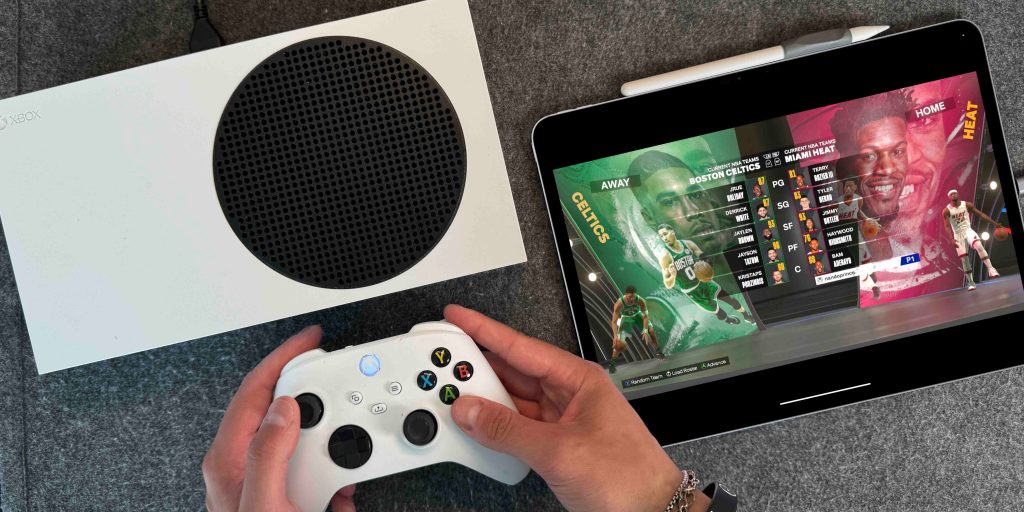
As your resident iPad advocate, I will continue to say that the iPad is the most versatile computer on the market. It can be a laptop, tablet, e-book, a notetaking machine, or even a portable display. In this post, we will be focusing on that final piece. iPads have always had fantastic displays for all things media consumption, especially now with the M4 iPad Pro. But what if I told you that you could use that same iPad as a dummy display to play your Xbox, PlayStation, or even your Mac mini? Here is how you do it.
Be sure to check out our video below to see how this is all done.
iPad as a dummy display
Most people are aware of USB-C to HDMI dongles that allow you to push video out from your iPad to an external display. It is simple and easy. But what if you want to push video in from another video source? Those same dongles would not know how to do that, nor would your iPad. But this one simple (free) app, Orion, tricks your iPad into taking video in.
Here is what you need:
- USB-C iPad running iPadOS 17 or later
- HDMI to USB-C capture card
- Please note that these capture cards look identical to an HDMI to USB-C dongle. So, if you walk into a retailer, please ensure it is a capture card. I have had a few friends go to big retailers and be recommended a regular dongle by employees just to realize it is not a capture card.
- The capture card reverses the HDMI input, allowing for all this to happen.
- As a casual gamer, I have used the Guermok Video Capture Card for three years and its less than $20. If you want better latency and frame rate, get the Elgato 4k.
- Orion App – allows for all this to work, and it’s free!

How to set it up
Once you have the gear, getting it running is easy:
- Connect your console’s HDMI cable to the capture card
- Plug the capture card into your iPad’s USB-C port
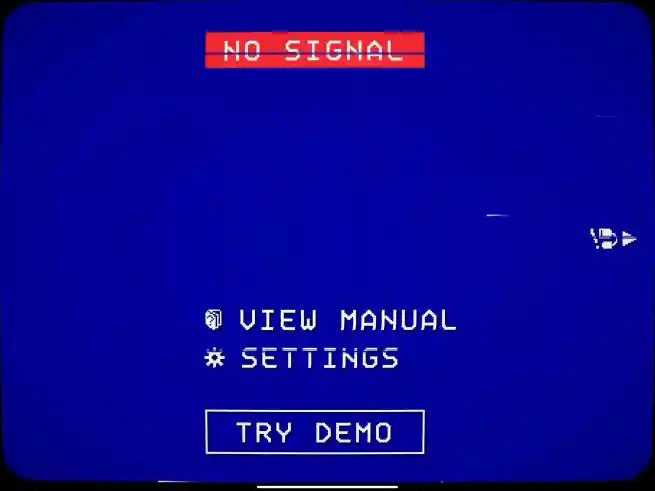
- Open the Orion App
- Power on your console
- Boom—you’re gaming on your iPad screen!
The Orion app acts as the “TV.” It automatically displays the feed from your console, including audio, which routes through the iPad’s speakers. And if you’re using a Pro model, the quad-speaker system makes it sound incredible. You can also connect your Bluetooth headphones and route audio that way.
Final take
Turning your iPad into a portable gaming monitor for just $20 is still one of the best hacks you can do. But again, it works with anything that has a video out. So you can use it as a portable Mac mini or Steam Deck monitor. It’s such a simple and useful trick. Whether you’re traveling, your TV is taken, or you just want to play in bed, this setup delivers. It’s simple, affordable and it’s another reason why the iPad continues to be the most versatile computer Apple makes.
What do you think? Would you try something like this? Are you in situations where you would need to do this? Let’s discuss below!


FTC: We use income earning auto affiliate links. More.


Comments