
Apple overhauled the Phone app in iOS 26 with a new design and added several powerful features, including a new call screening option that I don’t ever want to go without.
iOS 26 gives Phone app an overhaul with several new features
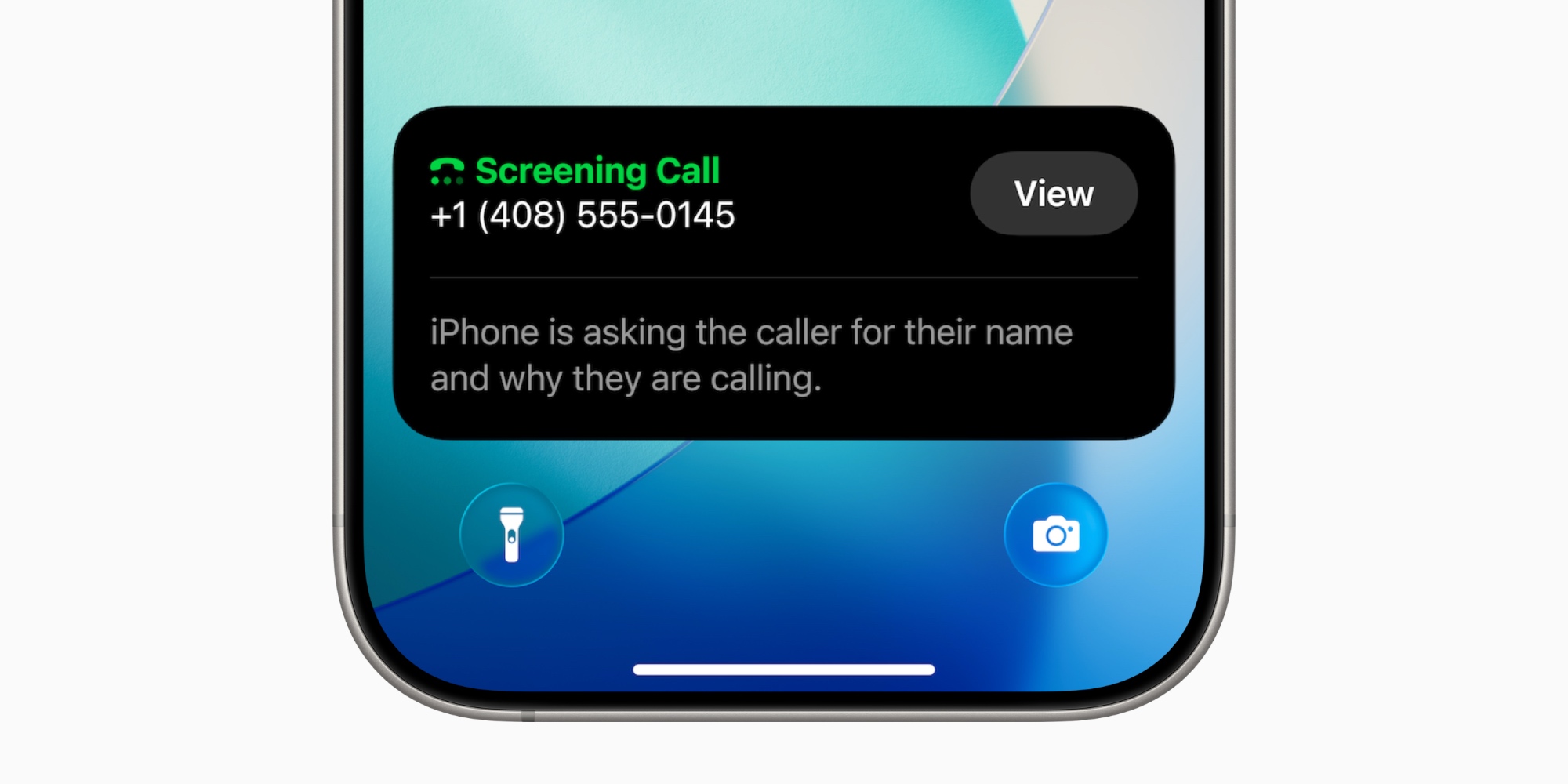
Among the hundreds of new features and changes introduced in iOS 26, Apple put a special emphasis on upgrading communication apps like Messages and Phone.
The Phone app got its biggest redesign in years, added some beautiful new ringtones, Live Translation, and a lot more.
But perhaps the standout new Phone feature for me has been call screening.
For a while now, iOS has let you automatically silence callers who aren’t in your Contacts, Mail, or Messages. The problem is, while that feature can filter out spam pretty well, it also hides away legitimate calls from unknown callers. So you’re left either allowing all calls to ring, or filtering out a bunch that might be important.
iOS 26 has a new solution that, for me at least, is a great middle ground.
‘Ask Reason for Calling’ is a new iOS 26 option for screening phone calls
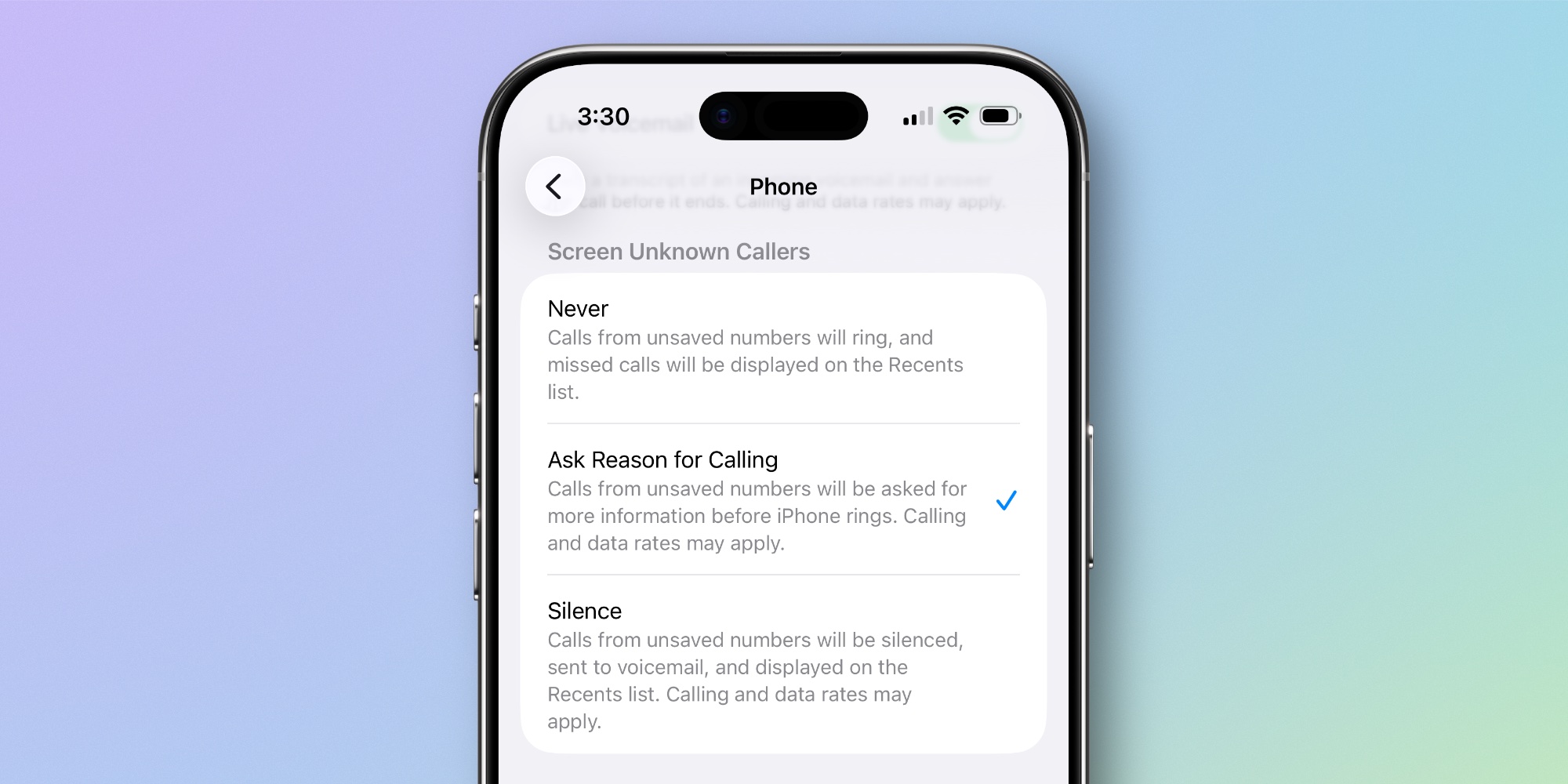
Inside the Settings app ⇾ Apps ⇾ Phone, you can scroll down to find a ‘Screen Unknown Callers’ section.
There are three options available in iOS 26:
- Never: Calls from unsaved numbers will ring, and missed calls will be displayed on the Recents list.
- Ask Reason for Calling: Calls from unsaved numbers will be asked for more information before iPhone rings.
- Silence: Calls from unsaved numbers will be silenced, sent to voicemail, and displayed on the Recents list.
’Ask Reason for Calling’ is new, and it’s proven a key tool when deciding whether to answer a phone call or not.
Like most people, whenever I get a call from an unknown number, I pause a moment and try to decide: is it spam, or is it legitimate?
If it’s a legitimate call about something that matters, I want to answer then and there. But there’s always the risk that it’s an unwanted caller.
iOS 26 helps make that decision a lot easier. By asking who’s calling and why, I get the information I need up front before ever being bothered by a ring.
If you ever get spam calls, but the nuclear option of silencing all unknown callers seems too extreme, I’d recommend trying the new screening feature.
Which iOS 26 features in the Phone app are your favorites? Let us know in the comments.
Best iPhone accessories
- AirPods Pro 3 (limited-time $209 price)
- 10-year AirTag battery case 2-pack
- MagSafe Car Mount for iPhone
- Apple’s new AirTag 2 (1-pack / 4-pack)
- 100W USB-C fast charging power adapter


FTC: We use income earning auto affiliate links. More.


Comments