
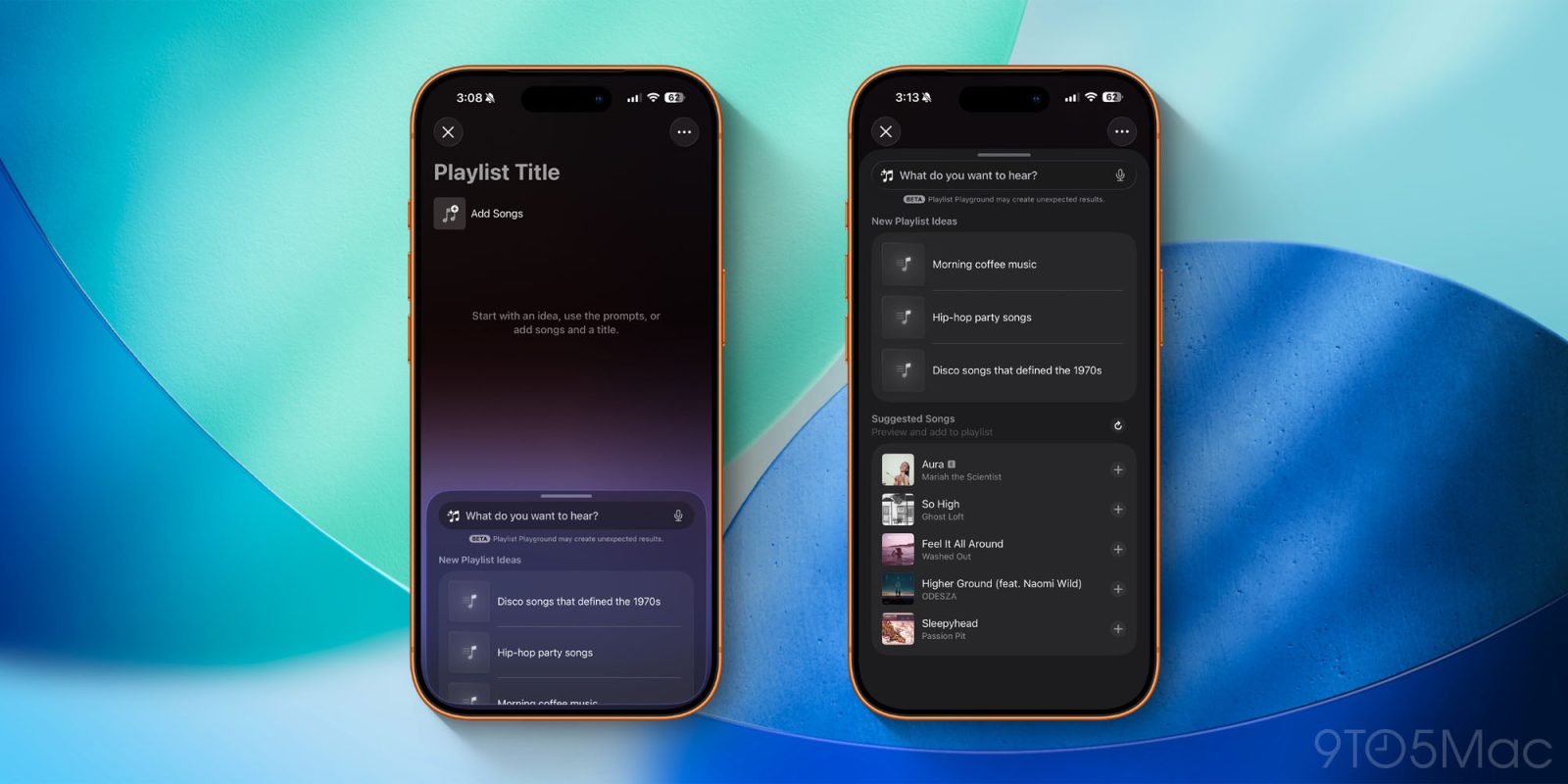
Apple released the first beta of iOS 26.4 for developers today, and it includes a new Apple Intelligence feature for Apple Music.
Dubbed “Playlist Playground,” this feature lets you create playlists based on text descriptions.
Apple Intelligence in Apple Music
The Playlist Playground feature is labeled as a “beta” for now. You can access it in the Apple Music app by tapping the new playlist icon in the upper-right corner of the “Library” page.
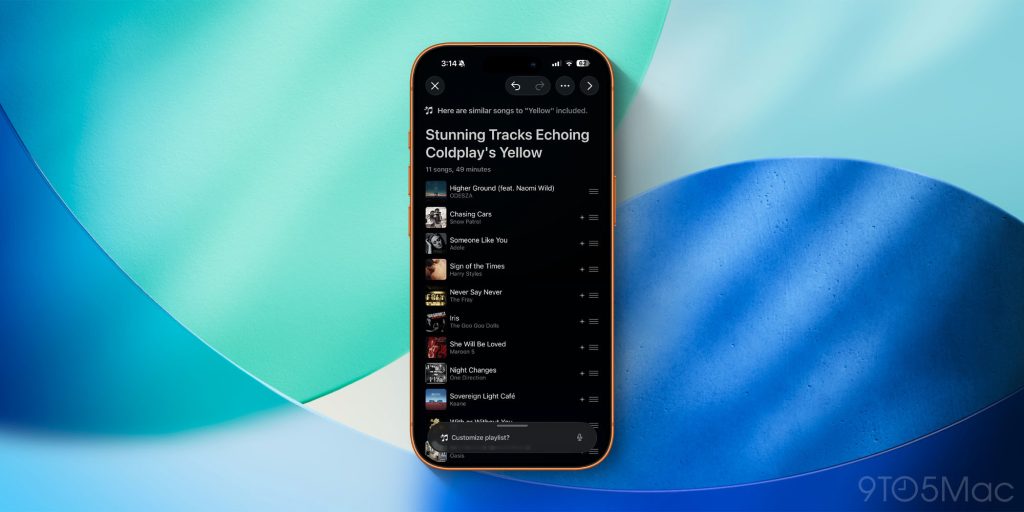
You can then simply enter a text prompt and Apple Music will generate a playlist based on your request. There are also built-in “New Playlist Ideas” prompts as well. Once a playlist is created, you can choose to add it to your Apple Music library. You can also manually add and remove songs and reorder the tracks.
Once Playlist Playground generates a playlist, you can then iterate on it with further prompts without starting the process over.
If you don’t see the new option in the Music app on your iPhone after updating to iOS 26.4, it’s likely because the new Apple Intelligence models are still downloading. You can check this by going to the Settings app and tapping the “Apple Intelligence & Siri” menu.
iOS 26.4 is currently available to developer beta testers. A public beta is expected within the next several weeks.
Must-have MagSafe accessories for your iPhone:
- Twelve South HiRise 3 Deluxe
- Baseus Picogo Qi2.2 25W MagSafe Battery
- Belkin MagSafe Vent Mount Pro
- Moft MagSafe wallet with kickstand
- MagSafe ring lights
Follow Chance: Threads, Bluesky, Instagram, and Mastodon.


FTC: We use income earning auto affiliate links. More.




Comments