
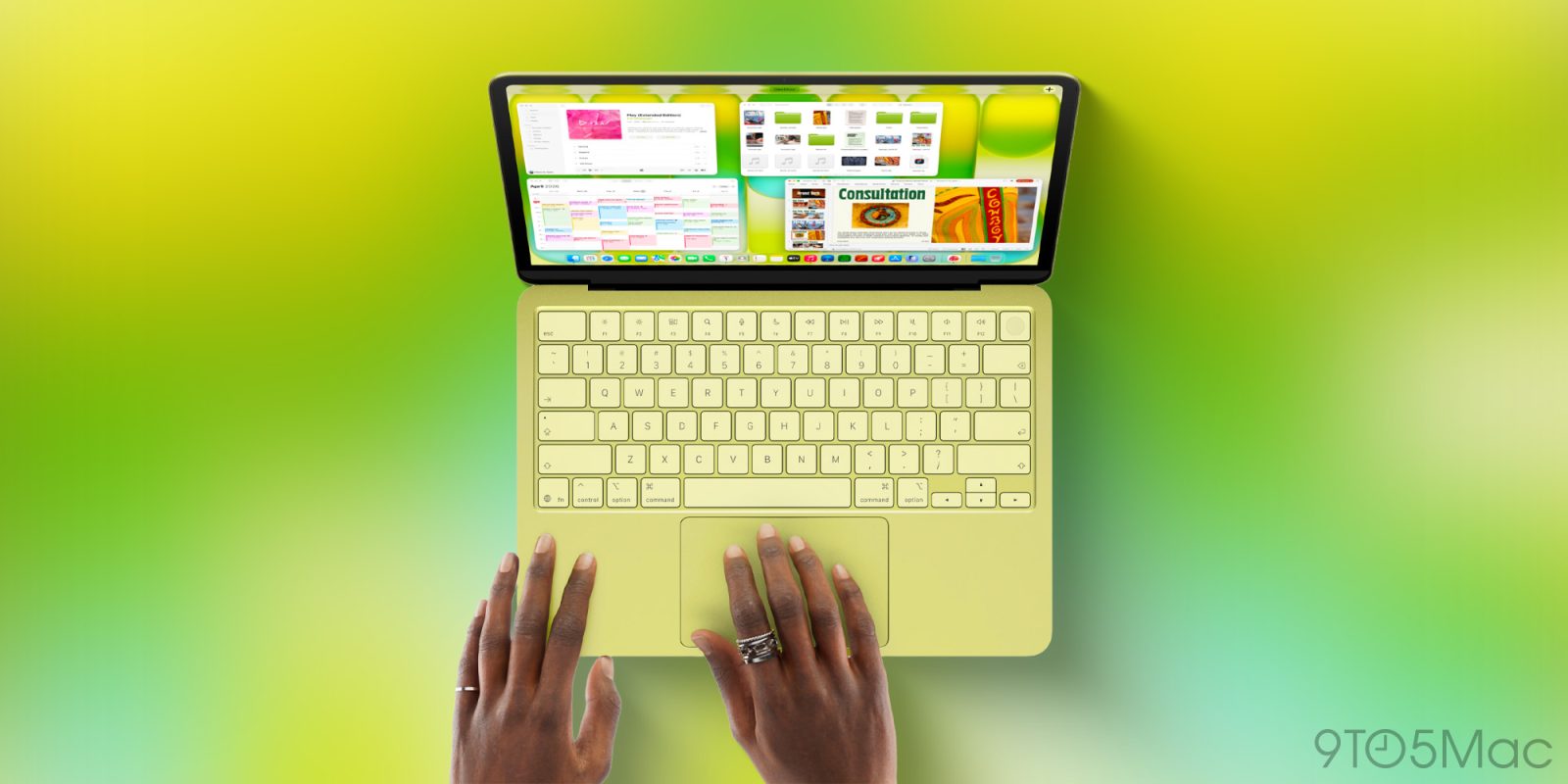
The US has long been an outlier when it comes to Apple’s keyboards, using text labels for things like the tab, return and delete keys. The company has long been using glyphs instead of text for all of its keyboards in the rest of the world.
That has now changed, with Apple switching from text to glyphs in the latest US versions of the MacBook Air and MacBook Pro, and matching this in the new MacBook Neo. There are some exceptions, however, and a likely practical reason for this …
The MacBook keyboard changes
Dan Moren noted the change last week in his MacBook Air review at Six Colors.
Gone, in this generation (including the new MacBook Pros), are several keys’ text labels: tab, caps lock, return, shift, and delete. In each case, they’ve been replaced by glyphs, of the same kind long used for keyboard shortcuts in drop-down menus.
Those outside the US may have been puzzled by this comment, as that has been the case for a great many years. The US, however, was a holdout until now.
There are exceptions
Several keys have completely made the switch from text to glyphs:
- Tab
- Caps lock
- Return
- Shift
- Delete
Two keys have retained their text labels (albeit in abbreviated form):
- Esc
- Fn
While the remaining modifier keys also now match the rest of the work, with both glyphs and text labels:
- Control ⌃
- Option ⌥
- Command ⌘
The likely explanation
I think John Gruber’s suggested explanation is almost certainly correct.
I suspect this is because documentation — including Apple’s own — often uses names for these keys (Option-Shift-Command-K), not the glyphs (⌥⇧⌘K). It’s only in the last few years that Apple began including the glyphs for Control (⌃) and Option (⌥) — until recently, those keys were labelled only by name.
I personally think the text labels are also needed when you are verbally explaining to a non-techie what they need to do. Without the text labels, they would likely have no idea which key to press when you tell them to do something like “Command-R.” That’s less of an issue with the more familiar typewriter-style keys: most people aren’t going to have any difficulty with you telling them to hit the Shift or Tab key, for example.
- MacBook Neo on Apple’s official Amazon store
- Apple’s iPhone cases: iPhone 17 | iPhone 17 Pro and Pro Max | iPhone Air
- Wireless CarPlay adapter (2026 update)
- AirTag holders and accessories
- Mac Pro-style Mac mini casing
- NordVPN – privacy-first VPN with no logs and independent audits to verify


FTC: We use income earning auto affiliate links. More.


Comments