
The iPhone 18 Pro Max offers a huge jump in battery life, partly because the battery itself is physically larger.
In a new support document published today, Apple says the iPhone 18 Pro Max has such a big battery that it has additional shipping requirements.
iPhone 18 Pro Max: New battery feature
Apple says the iPhone 18 Pro Max has a battery capacity over 20 watt-hours (Wh). As it turns out, most countries and regions have additional shipping requirements for products “with a single-cell battery over 20 Wh.”
To accommodate these requirements, Apple says the iPhone 18 Pro Max uses an “innovative battery-firmware solution.” That firmware will limit the battery capacity of the device to below 20 Wh until it’s activated by the user:
To address these requirements, iPhone 18 Pro Max uses an innovative battery-firmware solution that limits battery capacity to below 20 Wh from the time it’s manufactured through its transport from the factory. When you activate your iPhone, the limit is removed and the battery’s full charging capacity is available.
The shipping requirements, however, also apply to other scenarios like shipping the iPhone 18 Pro Max for repair, trading it in, returning it, selling it, or gifting it to someone else.
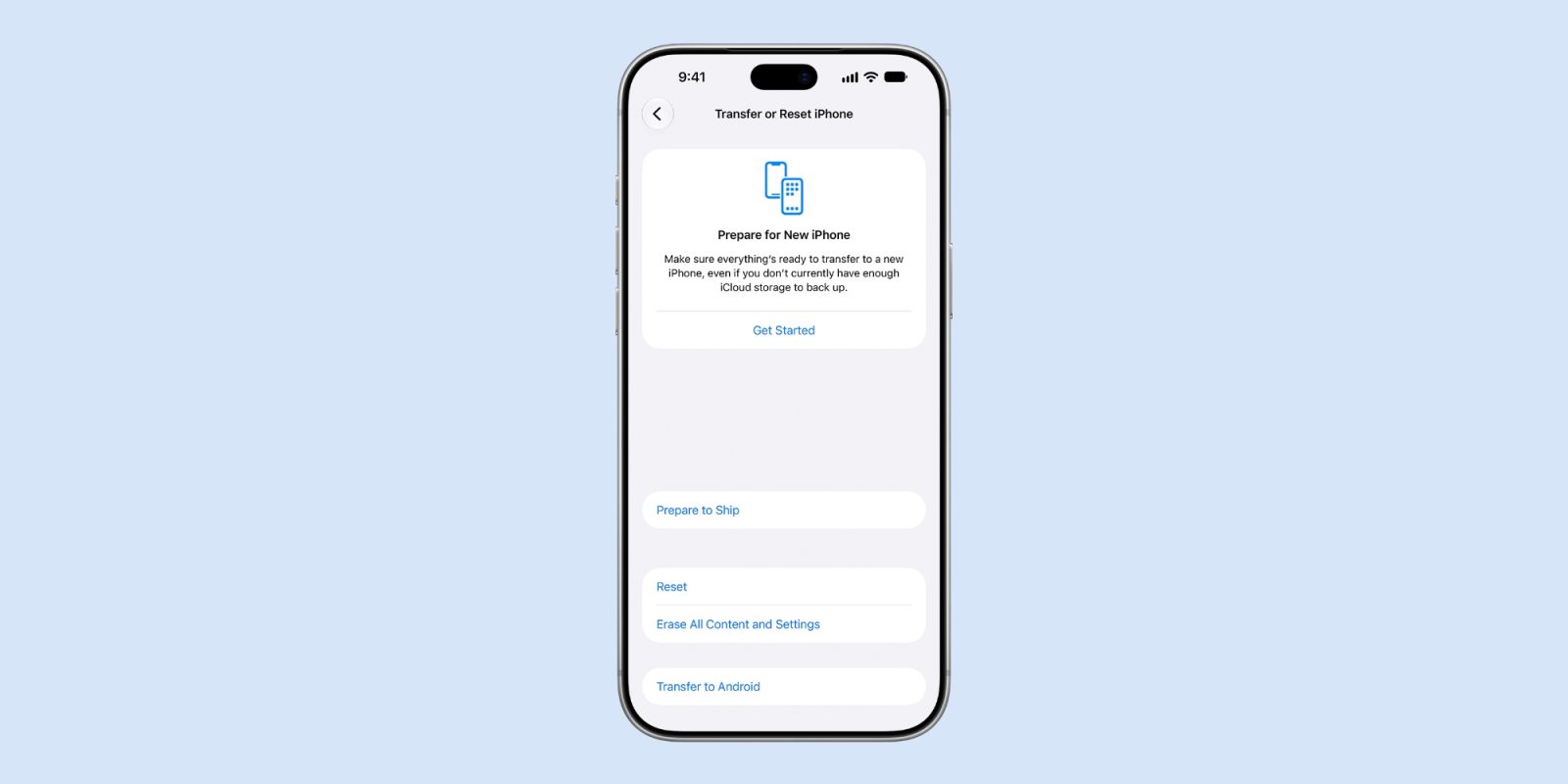
For this, Apple has added a new “Prepare to Ship” feature in the Settings app. This will discharge your device’s battery below 20 Wh and set a charge limit to keep it below that threshold.
Your iPhone 18 Pro Max might need to discharge for Prepare to Ship to complete. While your iPhone battery discharges, it might become warmer than usual. This is expected. Your iPhone will cool down again when it’s ready to ship.
You can use your device as usual while your iPhone 18 Pro Max discharges. This might take only a few minutes, but if you start with a full charge, it can take up to a couple of hours. When the Prepare to Ship process is complete, the Settings app will display “Ready to Ship” with a red badge. If you erase your iPhone, you won’t be able to use it while the battery discharges.
The new option is in the Settings app. Open Settings, tap General, tap Transfer or Reset iPhone, then tap Prepare to Ship.
You can learn more in the full Apple support document.
My favorite iPhone accessories:
- Anker Nano USB-C wall charger with built-in screen
- AirPods Pro 3: Check the current sale price
- Charge all your Apple gear at the same time
- Bring wireless CarPlay to any car
- USB-C cable that shows how fast you’re charging
Follow Chance: Threads, Bluesky, Instagram, and Mastodon.


FTC: We use income earning auto affiliate links. More.




Comments