
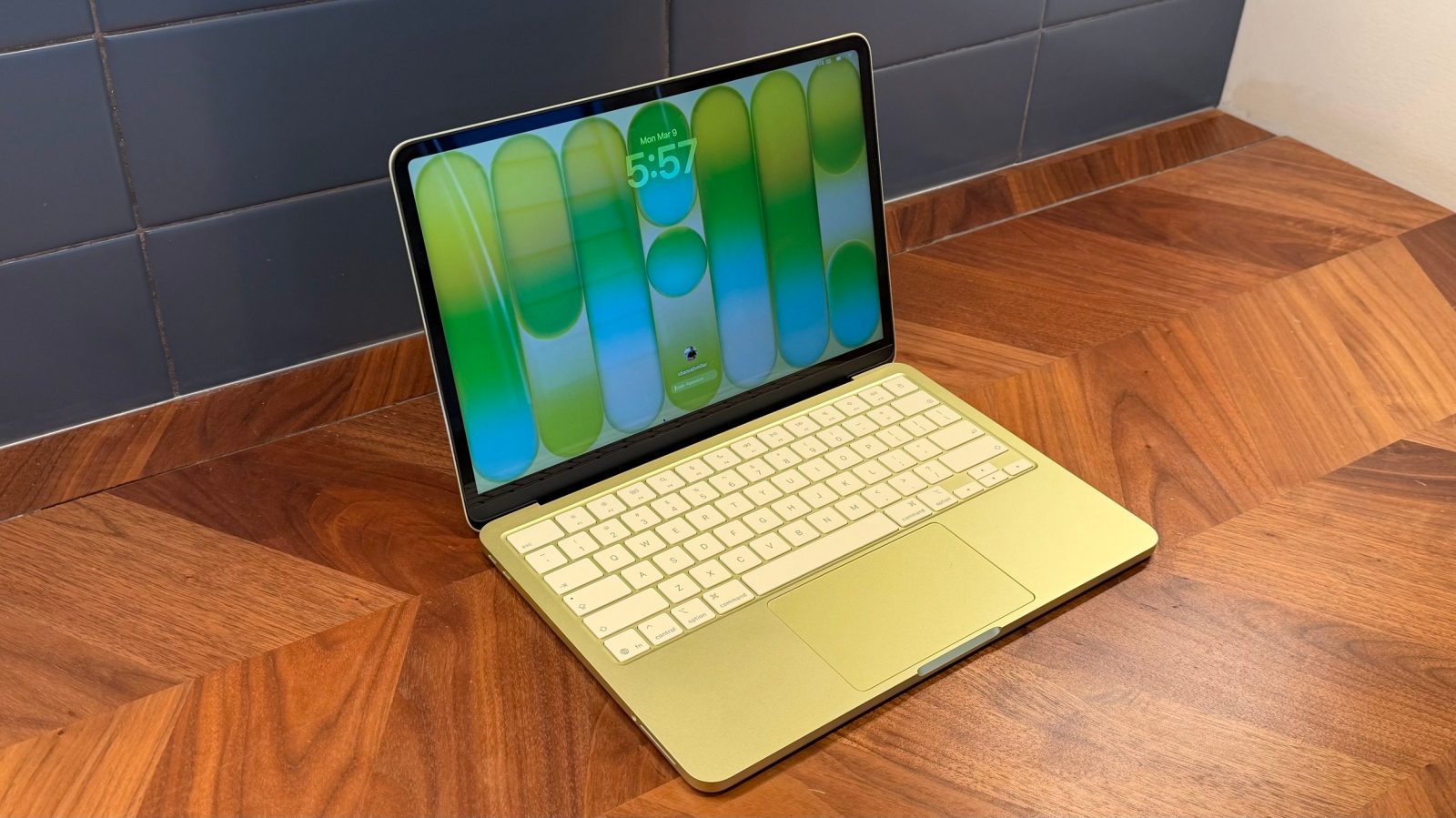
I bought my first Mac in 2007: a black polycarbonate MacBook. To this day, I think it’s the most consequential purchase I’ve made in my life.
Last week, Apple introduced MacBook Neo. It’s a fascinating Mac, and not just because of the price. After using it for the past six days, I think it’s set to drive a new wave of people to the Mac ecosystem. Here’s why.
Limited time: Pre-order MacBook Neo at Best Buy and score a $25 gift card.
MacBook Neo: Design
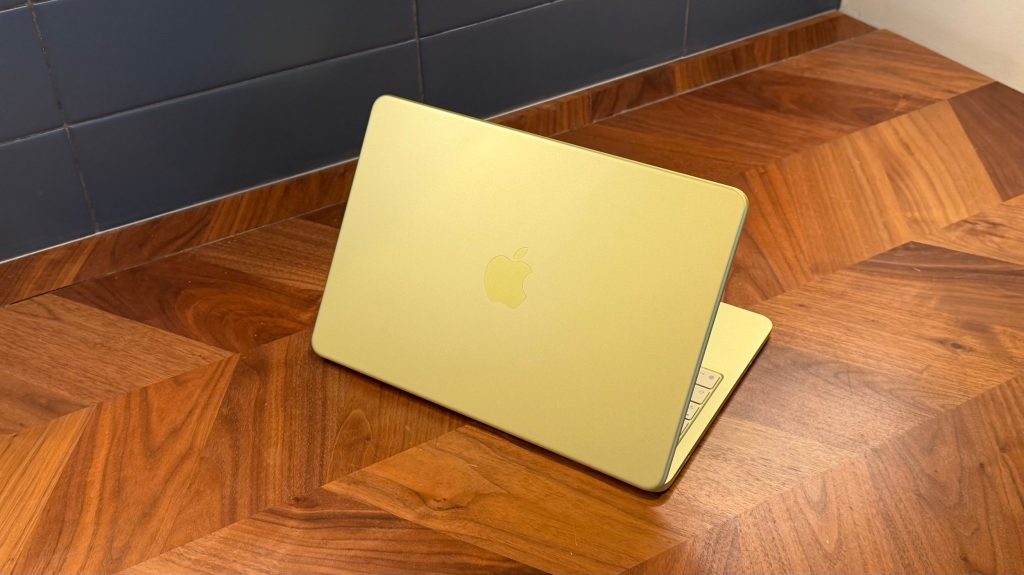
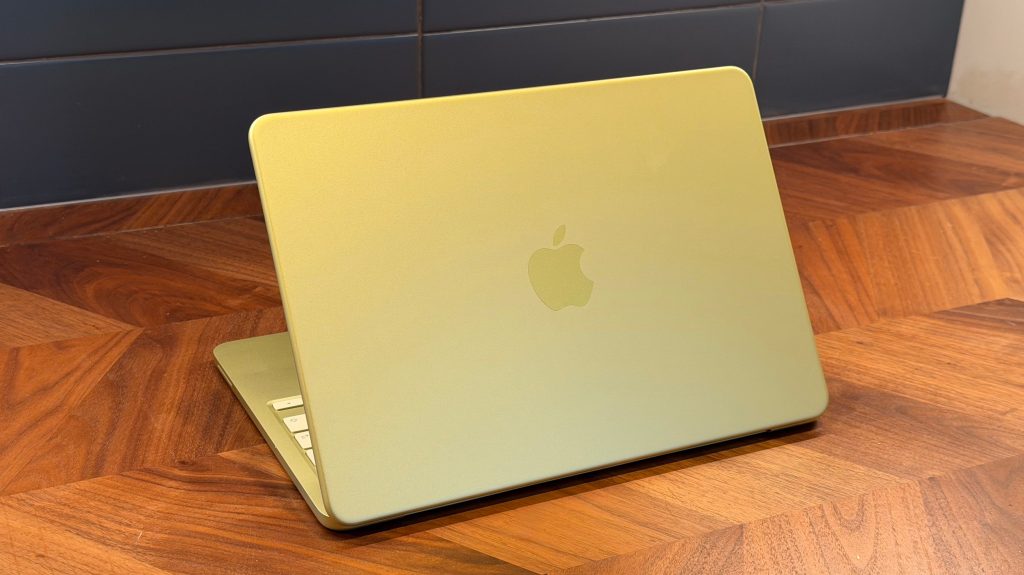
From a hardware perspective, MacBook Neo is rock solid. It has the same build quality you’d expect from an Apple-made laptop. It’s not plastic, but rather the classic Apple aluminum build quality. The only real difference is that the Apple logo on the back isn’t shiny, and there isn’t a notch on the display.
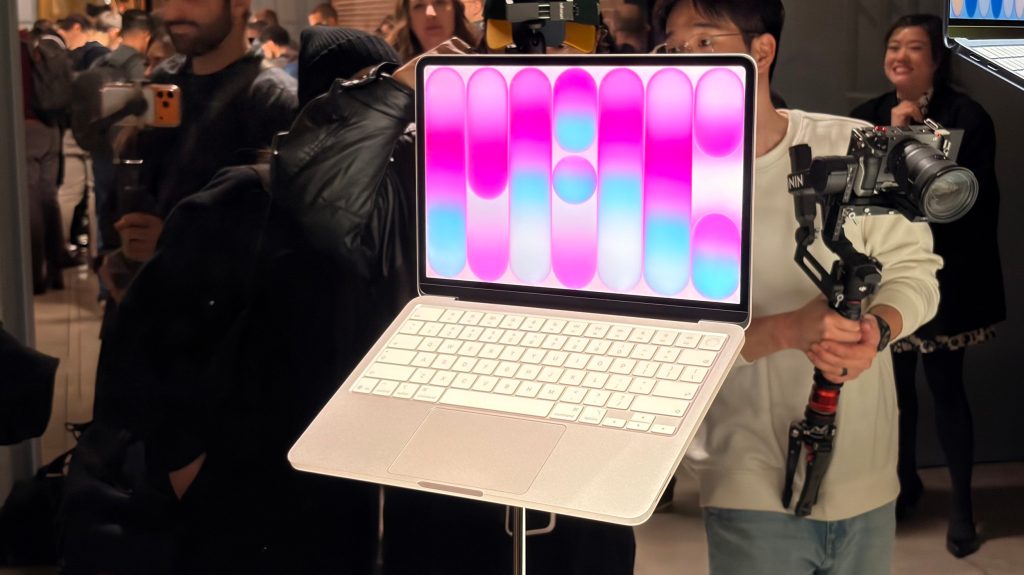
One of the demos at Apple’s experience in New York City last week was a direct comparison to an HP laptop in MacBook Neo’s price range.
The goal was to compare things like display quality and speakers to those of a similarly priced PC. What I noticed right away, however, was the difference in build quality. As the Apple representative demoed the HP laptop, it creaked and rattled with every press of the trackpad or keyboard. MacBook Neo, meanwhile, was silent.
It’s the same attention to detail and build quality that makes MacBook Neo stand out, just as any other MacBook would. Apple made compromises to keep MacBook Neo’s price down, but build quality is one thing it did not compromise.
MacBook Neo comes in four colors: silver, citrus, blush, and indigo. My review unit is citrus, and it’s caused quite a rift in my house the last few days. My wife is convinced that it’s green, while I’m convinced that it’s yellow. I don’t know who’s right (she probably is), but we both agree that it’s an incredibly fun color.
Apple could’ve shipped MacBook Neo in one or two plain colors under the guise of reducing the number of SKUs for efficiency’s sake. Instead, it shipped one plain color (silver) and three fun ones. Well done.
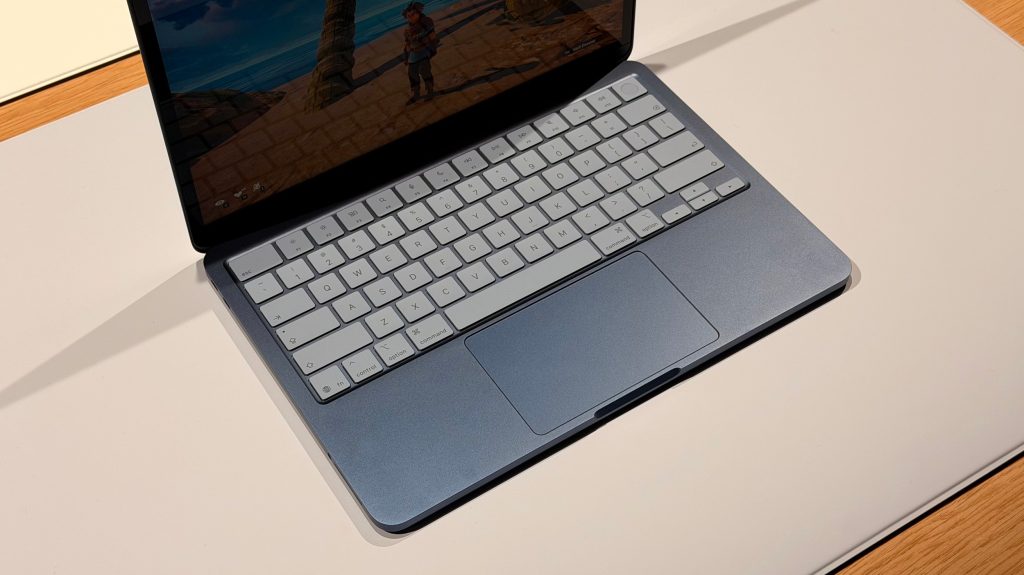
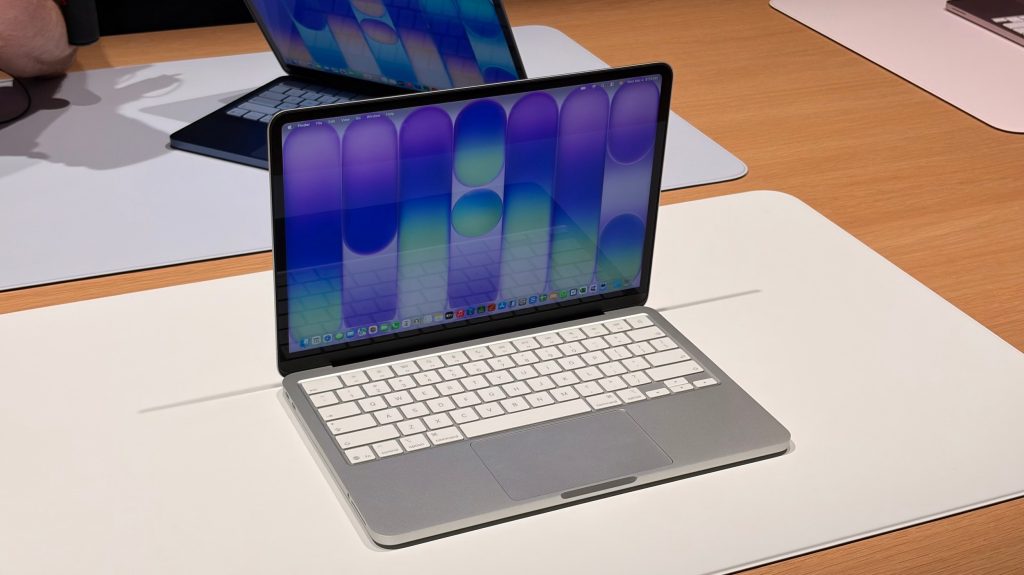
Another fun aspect is that the keyboard is color-matched to the rest of MacBook Neo’s casing. This is most notable on the indigo model, which has a keyboard that is clearly infused with blue. It’s more subtle on the citrus and blush models, but it’s definitely noticeable in most lighting.
There was a contingent of people who had hoped MacBook Neo would not only be Apple’s most affordable Mac, but also its thinnest and lightest. Most of this came from the vocal group of people who adored the 12-inch MacBook that Apple released in 2015.
I adored that laptop more than almost anyone, but I don’t think it was ever realistic to expect MacBook Neo to fill that gap.
| MacBook Neo | MacBook Air 13″ | MacBook Pro 14″ | |
|---|---|---|---|
| Width | 11.71 in | 11.97 in | 12.31 in |
| Depth | 8.12 in | 8.46 in | 8.71 in |
| Thickness | 0.50 in | 0.44 in | 0.61 in |
| Weight | 2.7 lbs | 2.7 lbs | 3.5 lbs |
| Display | 13.0 in | 13.6 in | 14.2 in |
MacBook Neo weighs the same as MacBook Air, but is slightly thicker. It actually has the smallest footprint of all Apple’s laptops, though, thanks to the smaller 13 inch screen.
The difference in footprint is noticeable when carrying MacBook Neo around. It also means it feels pretty “dense” in comparison to MacBook Air.
So even though it’s not the ultra-thin and light design some 12-inch MacBook fans still dream of, the smaller footprint is a nice benefit of the smaller screen.
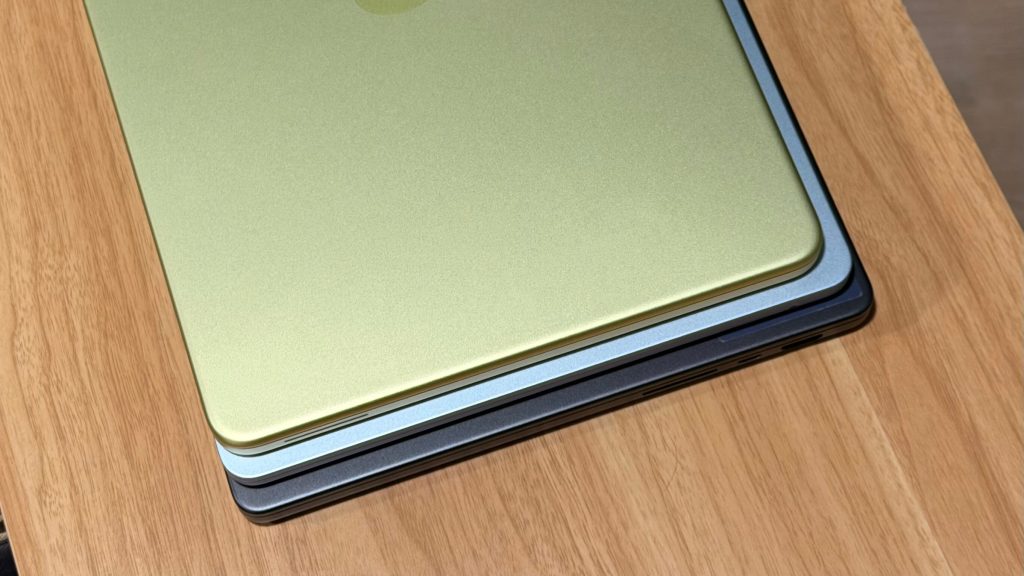
MacBook Neo footprint vs 13″ MacBook Air vs 14″ MacBook Pro
Display
MacBook Neo’s 13-inch screen has a 2408-by-1506 native resolution at 219 pixels per inch, compared to MacBook Air’s slightly higher 224 pixels per inch. Like MacBook Air, it has 500 nits of brightness and support for 1 billion colors.
What you won’t get with MacBook Neo, however, is support for P3 wide color. The display uses the standard sRGB color space rather than the wider P3 found on every other current Mac.
On paper, this means the colors are less vibrant, and it’s not ideal for color-sensitive creative work. In a side-by-side comparison, you can see the difference in color between MacBook Neo and MacBook Air. In most cases, however, it’s not something you’ll notice on a regular basis.
MacBook Neo’s screen supports automatic brightness adjustment, but it does lack support for True Tone.
True Tone is more of a personal preference. I know a lot of Mac users who have it turned off because they don’t want anything affecting the color of what they see on their Mac’s screen. On the other hand, I really like the feature, and it’s one of the first things I noticed when I started using MacBook Neo.
MacBook Neo performance
MacBook Neo is powered by the A18 Pro chip with a 6-core CPU and 5-core GPU. This is the same chip used in the iPhone 16 Pro — the flagship iPhone from 2025 — just with one fewer GPU core. It’s the first time Apple has used an iPhone chip in a Mac, though there’s a lot of broader overlap between the A-series iPhone chips and the M-series Mac chips.
This is important because it means there aren’t any oddities that come with using a Mac powered by an iPhone chip from a software perspective. I’d go as far as to wager that most people who buy a MacBook Neo won’t even realize it’s using an iPhone-class processor. It’s the same macOS experience you’d get if you were using any other Mac.
The quirks, however, are more apparent when it comes to the hardware side of things. MacBook Neo only has two USB-C ports. One of those ports (the back) has USB 3 speeds (up to 10Gb/s) and the other (the front) has USB 2 speeds (up to 480Mb/s).
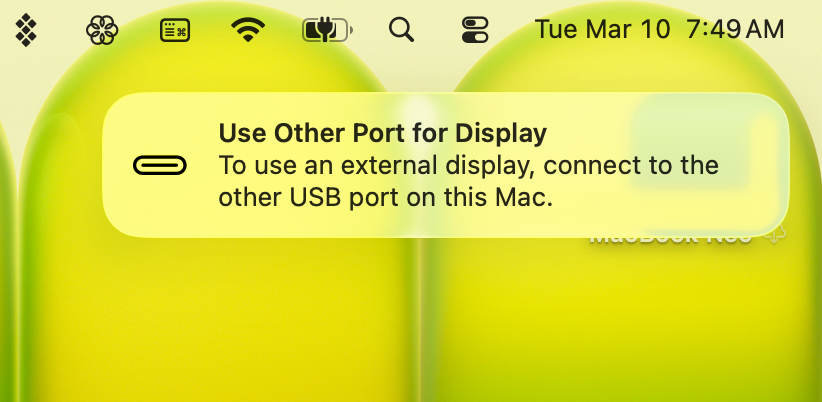
There are no markings on MacBook Neo to help you decipher which port is which. macOS Tahoe, however, will show you a popup if you connect something like an external display to the USB 2 port. Apple puts markings on the back of the Studio Display denoting which port is which, so I wish it had done the same here.
In an ideal world, both of these ports would be USB 3 or even Thunderbolt. This, however, goes back to the fact MacBook Neo uses the A18 Pro chip. It was an engineering challenge, and a first for an A-series chip, to have two USB-C ports at all.
I am relieved Apple opted for two USB-C ports rather than one USB-C port and MagSafe. Having two USB-C ports gives enough versatility for a few different combinations of charging, displays, and other peripherals.
What about performance?
In benchmarks, MacBook Neo performs exactly as you’d expect an A18 Pro device to perform. In single-core benchmarking, this means MacBook Neo is around:
- 47% faster than the base M1 MacBook Air
- 34% faster than the base M2 MacBook Air
- 10% faster than the base M3 MacBook Air
- 6% slower than the base M4 MacBook Air
- 13% slower than the base M5 MacBook Air
And in multi-core performance, MacBook Neo is around:
- 4% faster than the M1 MacBook Air
- 10% slower than the M2 MacBook Air
- 28% slower than the M3 MacBook Air
- 41% slower than the M4 MacBook Air
- 49% slower than the M5 MacBook Air
While benchmark results only tell a fraction of the story, these numbers do paint a clear picture of what you can expect from MacBook Neo. It will feel plenty fast for everyday tasks, which are mostly single-threaded. This includes things like web browsing, documents, basic photo and video editing, and more.
It will hit a ceiling for things that stress all available cores simultaneously. Think tasks like video exports, compiling code, working with local AI models, and more.
If you fall into the category of people who do those multi-core-intensive tasks on a regular basis, then MacBook Neo probably isn’t for you. It can get the job done, it’s “good enough,” but you’d be better served moving up the price ladder to MacBook Air or MacBook Pro.
In my use of MacBook Neo for the last six days, I’ve yet to hit the ceiling or have any performance bottlenecks. The vast majority of my job is writing, editing, and researching — all of which are served adequately by the A18 Pro’s CPU single-core performance.
The other performance aspect of MacBook Neo is that it has 8GB of RAM. It doesn’t start at 8GB of RAM. It has 8GB of RAM. You can’t upgrade that to 12GB or 16GB. Again, it’s a hardware side effect of using the A18 Pro chip in a Mac, as the chip was designed for the iPhone 16 Pro with 8GB of memory.
More people are likely to feel the side effects of the limited RAM than they are the slower multi-core performance. Still, for most people in the target audience of MacBook Neo, it won’t be a huge bottleneck.
macOS is also very good at managing RAM. This is due in part to something called swap. This is when macOS intelligently moves data that’s sitting idle in RAM out to the SSD to free up space for whatever the processor actually needs right now, then swaps it back in when needed. It’s not a new feature, but it’s an example of why hardware specs don’t always tell the full story.
As I sit here writing this review, I have around 25 tabs open in Safari on MacBook Neo, as well as Music, Messages, Ulysses, Notes, Things, Mimestream, and a handful of other odds and ends running in the background. It’s not a crazy workflow by any stretch of the imagination, but it’s the exact type of work MacBook Neo is designed to handle. It’s also the exact type of work most people do on their laptops.
As for battery life, here’s what Apple says:
| MacBook Neo | MacBook Air 13″ | MacBook Pro 14″ | |
|---|---|---|---|
| Video streaming | 16 hrs | 18 hrs | 24 hrs |
| Wireless web | 11 hrs | 15 hrs | 16 hrs |
| Battery size | 36.5Wh | 53.8Wh | 72.4Wh |
The Neo gets remarkably good battery life relative to its battery size — 16 hours of video from a 36.5Wh battery is impressive and speaks to how efficient the A18 Pro is. MacBook Air has a nearly 50% larger battery and only gets 2 more hours of video streaming.
Battery life is going to vary wildly depending on how you use your Mac. For me, however, I’ve found Apple’s 11 hours of wireless web browsing to be accurate enough.
MacBook Neo tradeoffs
In addition to the limitations I’ve already touched on (display quality, connectivity, etc.), there are a few more MacBook Neo tradeoffs worth mentioning.
One change is that MacBook Neo doesn’t have a Force Touch trackpad. When you “click” the trackpad on MacBook Air or MacBook Pro, the trackpad doesn’t actually move. Instead, a bit of haptic feedback provides the illusion of a click. MacBook Neo’s trackpad, however, does physically move when you click it.
Unlike a lot of PCs in this price range, however, MacBook Neo still lets you click anywhere, not just on the bottom half of the trackpad. This alone goes a long way towards masking the downgrade from the Force Touch trackpad.
I noticed the difference in the trackpad right away compared to my MacBook Pro, but not everyone will. My wife, who uses an M4 MacBook Air, couldn’t tell a difference until I specifically pointed it out to her.
The trackpad is one of the absolute best things about using a Mac. It’s huge and has robust support for multi-touch gestures in macOS. I reckon most PC users switching to MacBook Neo will notice how much better the trackpad is, and they won’t notice whether the trackpad is physically moving when they click on it.
MacBook Neo has dual side-firing speakers with support for Spatial Audio. I was skeptical of this at first. Why would a laptop have speakers that face away from the user? In reality, though, it’s basically impossible to tell they’re firing away from you. Apple’s computational audio is so good that these speakers mimic that they are facing you, just as you’d expect. They don’t sound as good as MacBook Pro, but they’re surprisingly comparable to the Air.
Next, the cheapest configuration of MacBook Neo doesn’t have Touch ID support. This was the biggest surprise to me when Apple announced MacBook Neo, but I haven’t found it to be as big of a bottleneck as I expected. In particular, if you wear an Apple Watch, you can just head to the “Login Password” pane in System Settings and toggle on the “Use Apple Watch to unlock your applications and your Mac” option.
A few other compromises worth noting:
- 1080p webcam without support for Center Stage
- No fast charging
- WiFi 6E instead of WiFi 7
- No support for Spatial Audio with dynamic head tracking on AirPods
- One fewer microphone than on MacBook Air
The three MacBook Neo compromises that stand out to me most are the lack of a backlit keyboard and the lack of True Tone (as I touched on earlier), and external display support.
To me, a backlit keyboard is table stakes for a laptop in 2026, and many PCs in this price range (and even lower) will have it. The fact that the keys are white instead of black helps visibility in low-light rooms, but not enough.
MacBook Neo also only supports a single external display, and support is limited to just 4K at 60Hz. While this is “good enough” for most people, you won’t get the full experience of something like the new Studio Display.
Ultimately, no MacBook Neo compromise is as egregious as the iPhone 16e’s lack of MagSafe. That decision alone made it really, really hard for me to recommend that phone to most people. MacBook Neo, on the other hand, I’d feel confident recommending to most people without any big disclaimers.
9to5Mac’s Take
I vividly remember the feeling of unboxing that black MacBook in 2007. I saved for over a year to buy it. Before that, I did everything I could to “theme” my PC to look like a Mac.
I adored that computer so much that I bought one as a keepsake as a birthday present to myself a few years ago. That MacBook is what opened me up to the Apple ecosystem. It sent me on a career path that led me to where I am today: writing about Apple and reviewing the Mac that is likely to be many people’s first MacBook.
The question is how to decide between MacBook Neo, MacBook Air, and MacBook Pro. It’s honestly a pretty standard “good, better, best” situation, which historically hasn’t been the case in the MacBook lineup.
MacBook Neo can handle everything that most people will throw at it. MacBook Air can handle even more, while also offering better battery life, a better screen, more robust connectivity, and higher-end configuration options. MacBook Pro is the best of the best, with a stunning screen, mind-boggling performance, and tons of ports.
I think even Apple knows that MacBook Neo’s target audience isn’t existing Mac users. Apple’s marketing page for MacBook Neo says “love at first Mac,” for instance, alongside information on using Migration Assistant to move from PC to Mac. Apple even touts that MacBook Neo has “free antivirus protections” built in — a clear acknowledgment of how PC users think.
The configurator for MacBook Neo is remarkably straightforward. There are two tiers from which to choose:
- 8GB RAM, 256GB of storage, no Touch ID ($599)
- 8GB RAM, 512GB storage, Touch ID ($699)
I appreciate this clarity. It creates a clear delineation between MacBook Neo and MacBook Air. There’s no overlap, so you can’t awkwardly configure a MacBook Neo that costs more than a MacBook Air (like you can when comparing MacBook Air and MacBook Pro).
This also gives another way to determine which Mac is best for you. For example, if you need 1TB of storage, you have no choice but to opt for MacBook Air. This probably does price out a segment of the market (people who want a bunch of storage for local videos and photos, but who don’t need a bunch of power). Still, it’s yet another clear delineation in the “good, better, best” lineup.
Leading up to MacBook Neo’s announcement, I was hoping for a price in the realm of $699. Historically, when trying to predict the price of an unreleased Apple product, the best strategy was to “make your guess, then add $100 to that guess.”
It blew me away when Apple said MacBook Neo would start at $599 ($499 for education!). There was an audible gasp in the room as we watched the MacBook Neo launch video in New York City last week.
At $599, MacBook Neo is an incredible value. No asterisks required.
During Apple’s special experience last week, John Ternus made a comment that stood out to me: “Life is just better when you’re using a Mac.”
It’s a marketing line, of course, but a very good one, I think. It’s a great representation of the confidence Apple has in how much better the Mac user experience is than the PC’s.
I certainly agree with that, and I bet most of you reading this agree, too.
MacBook Neo exists so more people can come to that realization. So more people can have the experience that I had in 2007 of what it’s like getting your first Mac.
MacBook Neo is not just a great Mac because it’s $599. It’s a great Mac, full-stop.
Buy MacBook Neo today
Best Buy, free $25 gift card with purchase:
Amazon:
Follow Chance: Threads, Bluesky, Instagram, and Mastodon.


FTC: We use income earning auto affiliate links. More.



Comments