Bradley started his career in telecommunications, working for the original IP TV provider in the US, and also was part of their fiber-to-the-home rollout. From 2009-2021, Bradley worked for a private school, running the information technology department and technology integration in the classroom. He manages a network of 15 switches, 100+ access points, hundreds of Macs and iPads, and multiple phone systems across four separate campuses across the city. He’s well-versed in enterprise Wi-Fi, macOS and iOS system management, school technology, and SaaS tools. Currently, he works at Cribl, where he runs content marketing, helping companies understand how to manage observability data best. At 9to5Mac, Bradley covers HomeKit technology, enterprise software, enterprise hardware, and how Apple fits into the enterprise environment.
If you have any tips, feedback, corrections, or questions, they can be sent to Bradley@9to5mac.com.
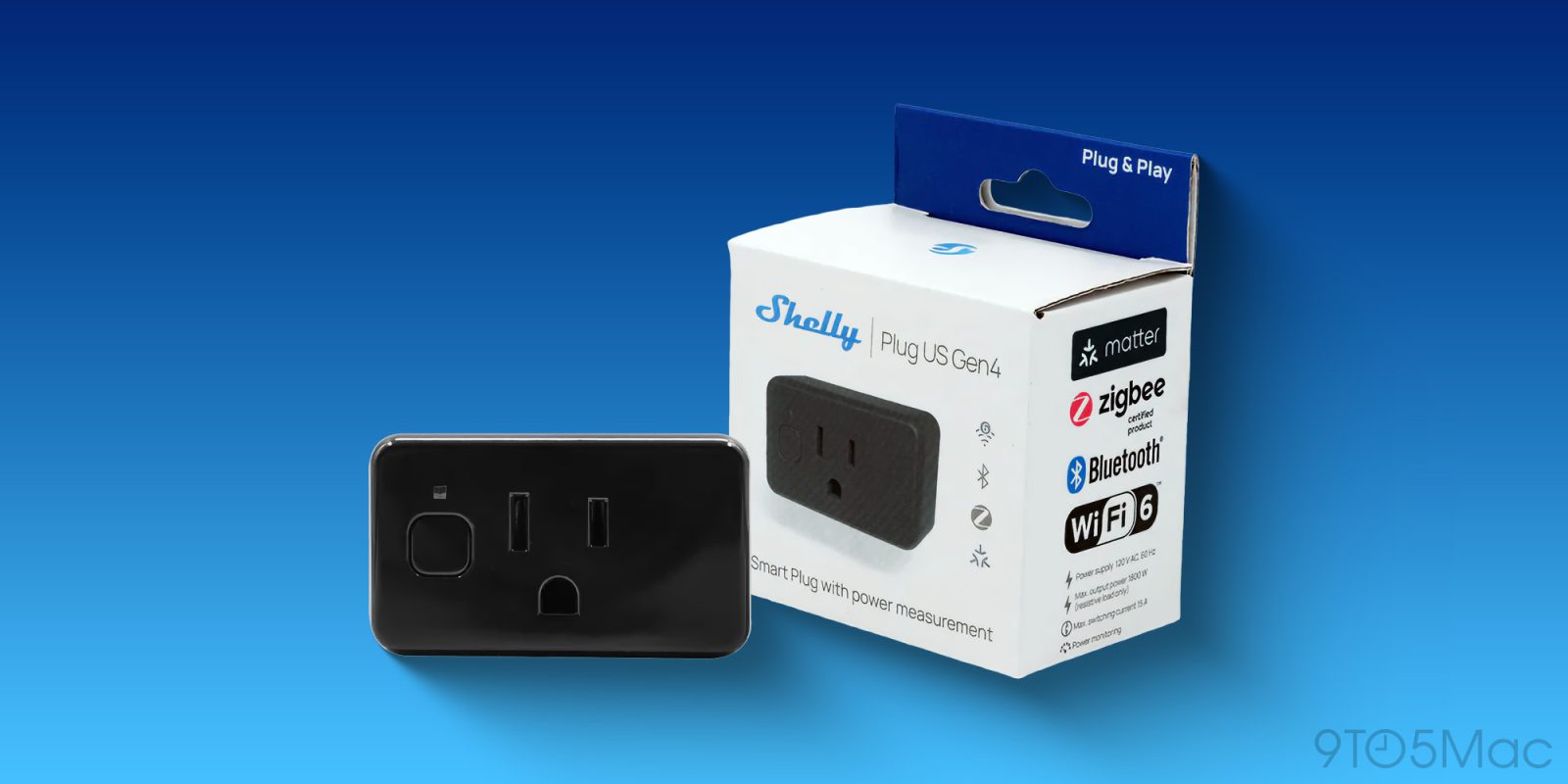
Choosing a smart plug usually feels like a gamble on which protocol will win the war. Belkin recently ended support for its Wemo line as well. Shelly has apparently decided to stop gambling and just include everything. I’ve been testing the Shelly Plug US Gen4, and it’s great! It supports Matter, Bluetooth, Zigbee, and, in a rare move for a smart home device, Wi-Fi 6. It also includes precise power metering, a feature I think is awesome for a modern smart plug.
Apple @ Work is exclusively brought to you by Mosyle, the only Apple Unified Platform. Mosyle is the only solution that integrates in a single professional-grade platform all the solutions necessary to seamlessly and automatically deploy, manage & protect Apple devices at work. Over 45,000 organizations trust Mosyle to make millions of Apple devices work-ready with no effort and at an affordable cost. Request your EXTENDED TRIAL today and understand why Mosyle is everything you need to work with Apple.
In this episode of Apple @ Work, Kevin Pickhart, Executive Chairman of Pharos, joins the show to talk about the hidden security risks lurking in office printers, and why zero-trust security needs to include print workflows, not just endpoints and networks.
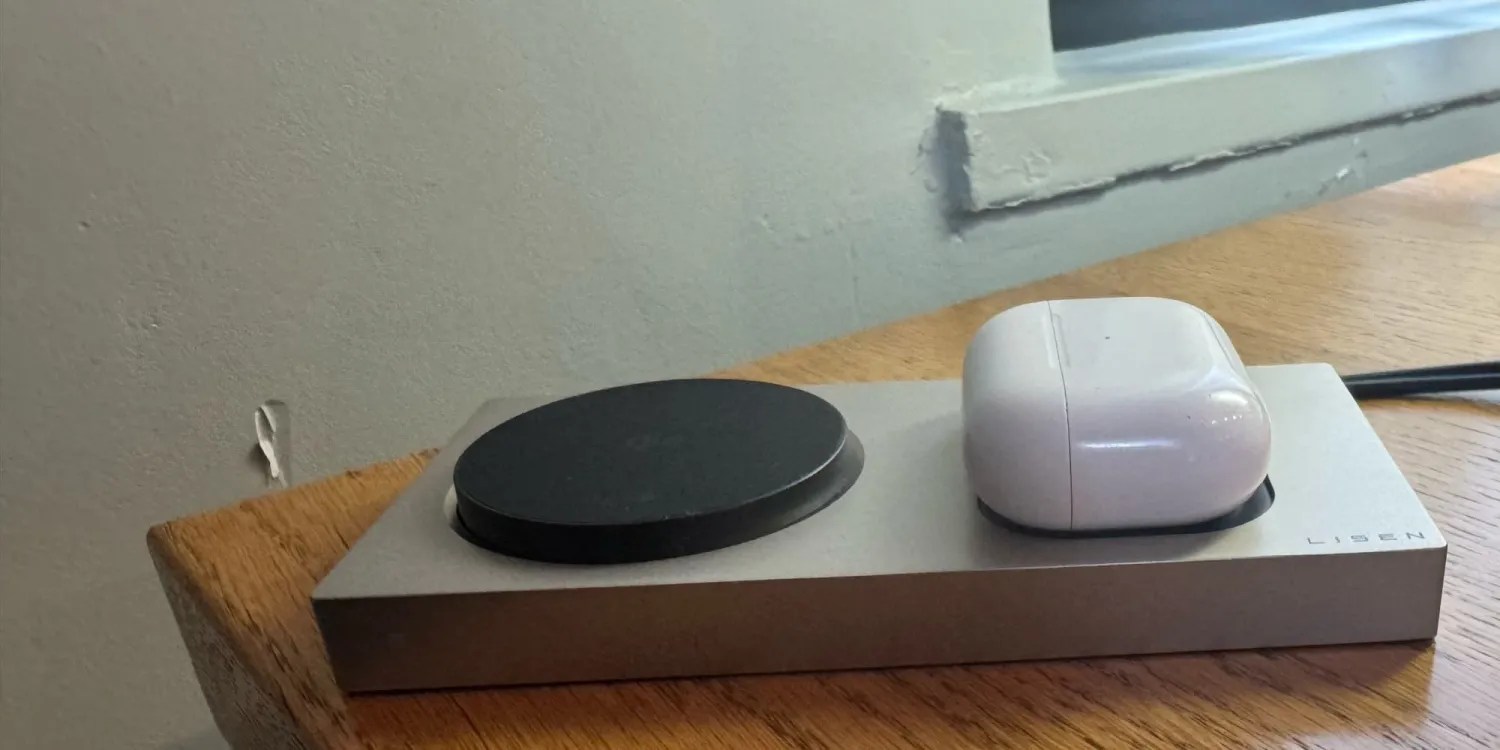
I like a simple desk setup. The LISEN Qi2 3-in-1 charging station might be the one charger to rule them all if you feel the same. With Qi2 standard support for up to 15-watt fast charging and an Apple-inspired design, it is a perfect companion for anyone all in on MagSafe charging. This is what makes it a great purchase and how it fits nicely with the existing Apple setup.
Apple @ Work is exclusively brought to you by Mosyle, the only Apple Unified Platform. Mosyle is the only solution that integrates in a single professional-grade platform all the solutions necessary to seamlessly and automatically deploy, manage, and protect Apple devices at work. Over 45,000 organizations trust Mosyle to make millions of Apple devices work-ready with no effort and at an affordable cost. Request your EXTENDED TRIAL today and understand why Mosyle is everything you need to work with Apple.
Apple Business Manager (and Apple School Manager) is the source of truth for Apple device management. If a device isn’t in ABM, it doesn’t really exist for your fleet is concerned. While the web portal has improved over the years, it is still a web portal. It generally takes me longer to log in, approve 2FA, etc., than it does to actually search. This is why I was excited to come across ABMate recently.
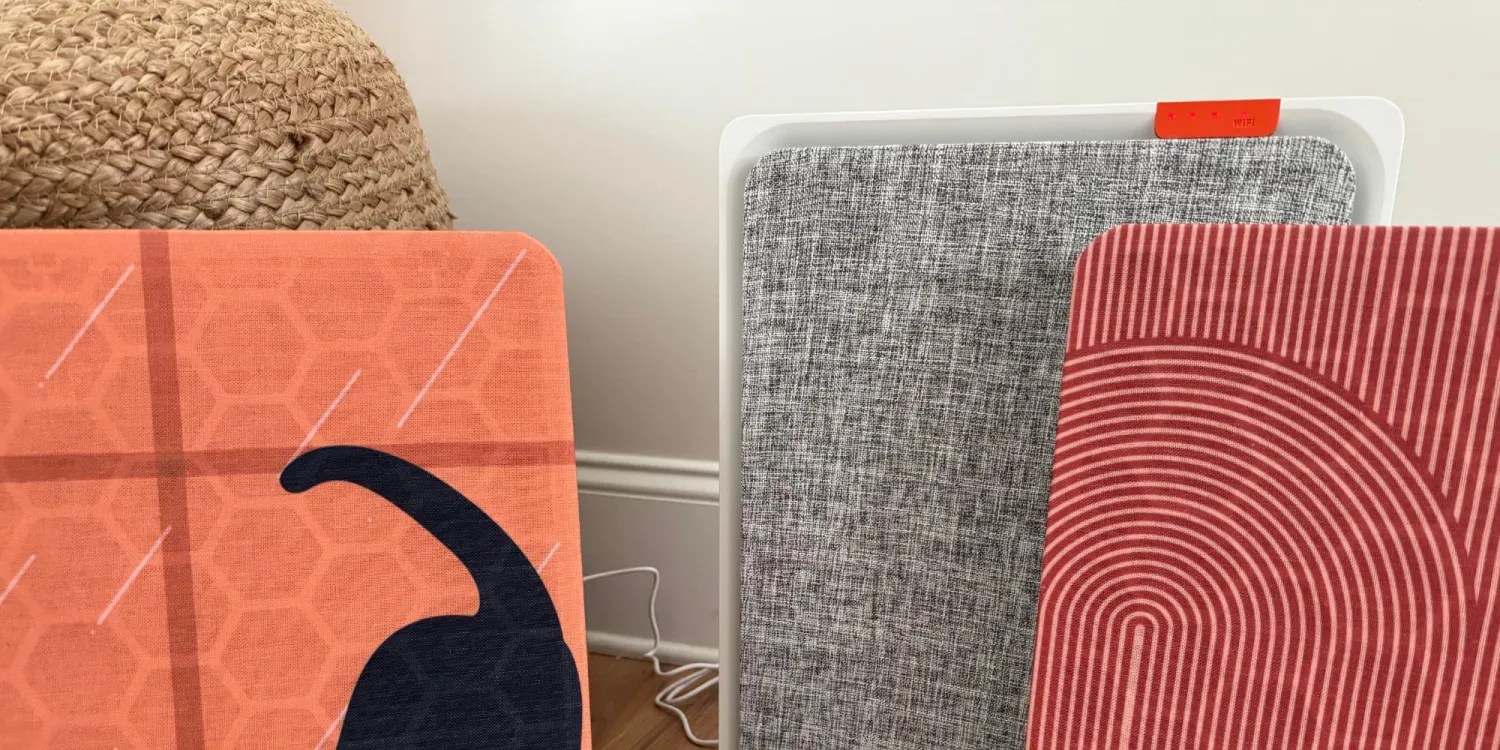
Air purifiers are one of my favorite HomeKit accessories. Even though I live in an area with pretty decent air quality, I keep them running in our home to help clean the air for my family, especially in the spring. The problem is that most of them look like medical equipment. I love the Smartmi E1, and it effectively ends the era of ugly appliances. It is hands-down the best-looking HomeKit/Apple Home air purifier on the market.
Apple @ Work is exclusively brought to you by Mosyle, the only Apple Unified Platform. Mosyle is the only solution that integrates in a single professional-grade platform all the solutions necessary to seamlessly and automatically deploy, manage & protect Apple devices at work. Over 45,000 organizations trust Mosyle to make millions of Apple devices work-ready with no effort and at an affordable cost. Request your EXTENDED TRIAL today and understand why Mosyle is everything you need to work with Apple.
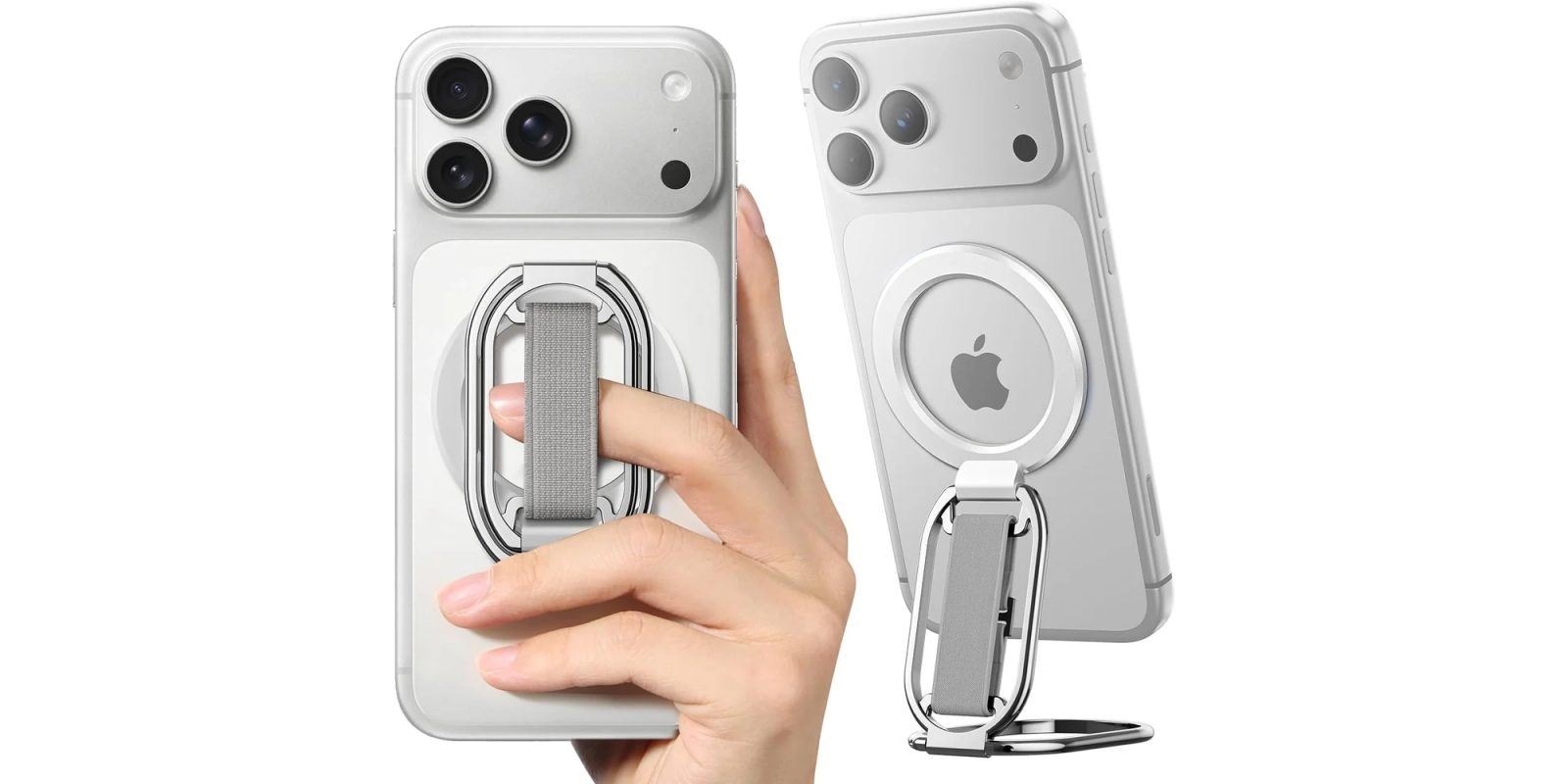
I miss the iPhone 13 mini. I just prefer smaller iPhones. If you are using an iPhone 17 Pro Max, holding it with one hand for extended periods can get uncomfortable. A lot of people rely on permanent grips, but sticking something directly to the back of your phone ruins the ability to use wireless chargers. The SUPERONE MagSafe phone grip solves this by giving you a secure hold and an impromptu stand that you can easily remove whenever you need to. Read on to learn more.
Apple @ Work is exclusively brought to you by Mosyle, the only Apple Unified Platform. Mosyle is the only solution that integrates in a single professional-grade platform all the solutions necessary to seamlessly and automatically deploy, manage & protect Apple devices at work. Over 45,000 organizations trust Mosyle to make millions of Apple devices work-ready with no effort and at an affordable cost. Request your EXTENDED TRIAL today and understand why Mosyle is everything you need to work with Apple.
If you have walked into a conference room with a MacBook Air in the last five years, you know the struggle. You look for the cable, realize it does not fit your laptop because it’s HDMI, hunt for a USB-C dongle, find one that is broken or doesn’t do the handshake right, and eventually just join the Zoom call from your laptop screen. Owl Labs has been a staple in small conference rooms for a while with their 360-degree cameras. I really saw them take off during COVID and remote work. They look unique, but they solved the camera angle problem of getting everyone on the screen. Recently, they announced the Meeting Owl 5 Pro. While the camera specs are improved, the real upgrade story for Mac users is the connectivity that this new model brings.
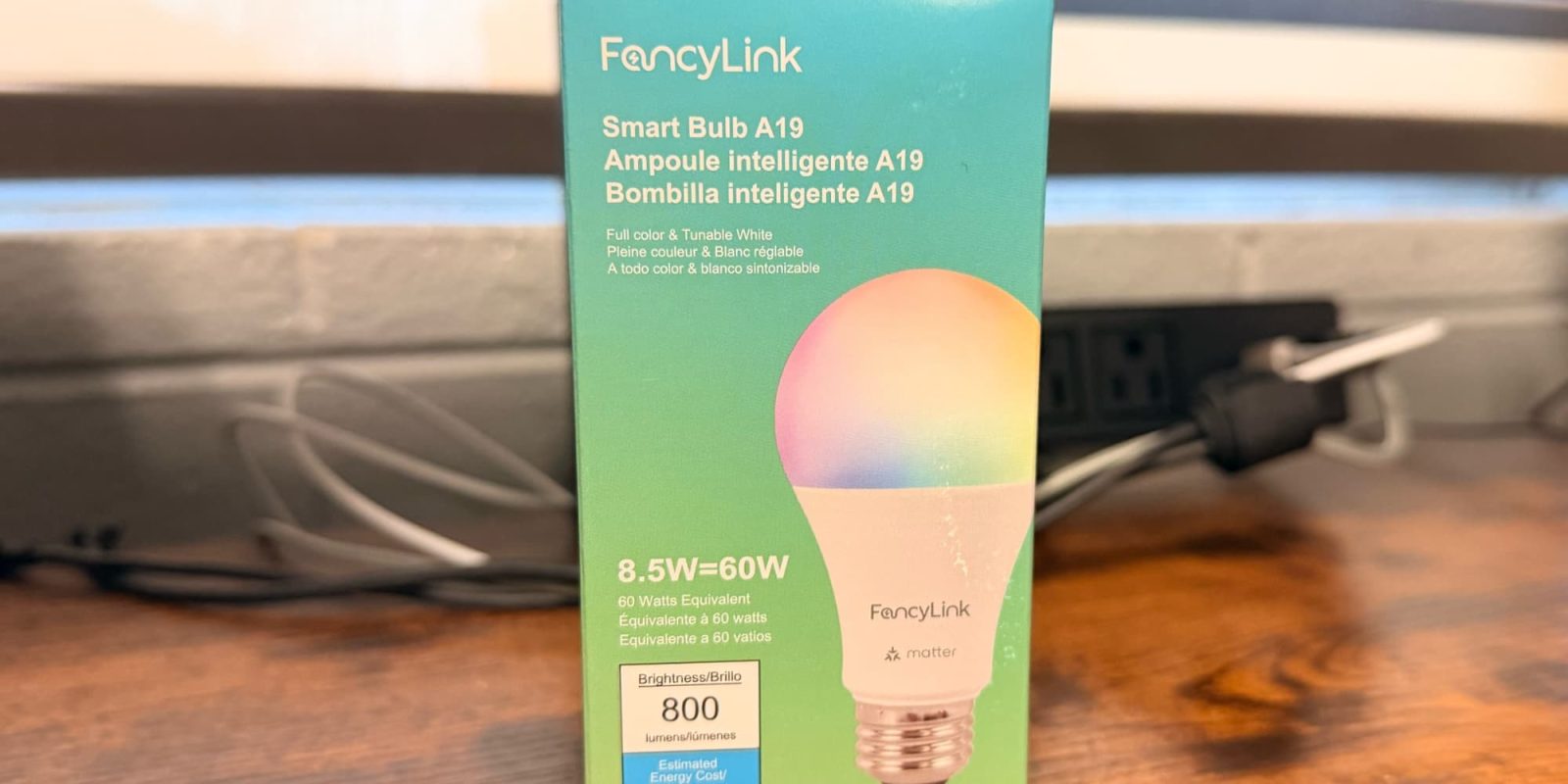
I have been a Philips Hue user for a number of years. They are rock solid, but they aren’t cheap. Recently, one of the bulbs in my hallway finally gave up the ghost. Instead of dropping $45 on a replacement, I decided to look at what the “Matter era” has brought to the table in terms of Wi-Fi only bulbs. I found a Matter-native option that costs less than $10 per bulb. It connects directly over Wi-Fi, requires no hub outside of a HomePod/Apple TV, and works with Apple Home right out of the box.
Today, Apple announced that the iPhone and iPad have become the first consumer devices approved for use on classified NATO networks. This means an off-the-shelf iPhone running iOS 26 can access restricted NATO data without requiring any specialized security software or custom hardware modifications.
Enterprise access control is what I would consider “legacy” technology. A lot of the systems are Windows-based and look like a fancy Access database. On top of that, you are still dealing with physical cards. It is a fragmented mess for users and an onboarding nightmare for IT departments as well. Today, the Connectivity Standards Alliance is stepping in to fix that with the official release of the Aliro 1.0 specification aiming to create a standard for how mobile devices unlock doors, badge in, etc.
Level has been building smart locks that feel like they were made for Apple users since the very beginning, and the new Level Lock Pro (affiliate link) might be its most exciting upgrade yet. I have been testing it ahead of my full hands-on review, and it is clear that this is the direction smart locks need to go. Home key support is still the gold standard for Apple users, and Matter over Thread brings the speed and reliability that make it work extremely well with your daily schedule. The only thing it’s missing is UWB support.
Apple @ Work is exclusively brought to you by Mosyle, the only Apple Unified Platform. Mosyle is the only solution that integrates in a single professional-grade platform all the solutions necessary to seamlessly and automatically deploy, manage & protect Apple devices at work. Over 45,000 organizations trust Mosyle to make millions of Apple devices work-ready with no effort and at an affordable cost. Request your EXTENDED TRIAL today and understand why Mosyle is everything you need to work with Apple.
In this episode of Apple @ Work, Monzy Merza from Crogl joins the show to talk about how AI is going to evolve the work that security analysts do.
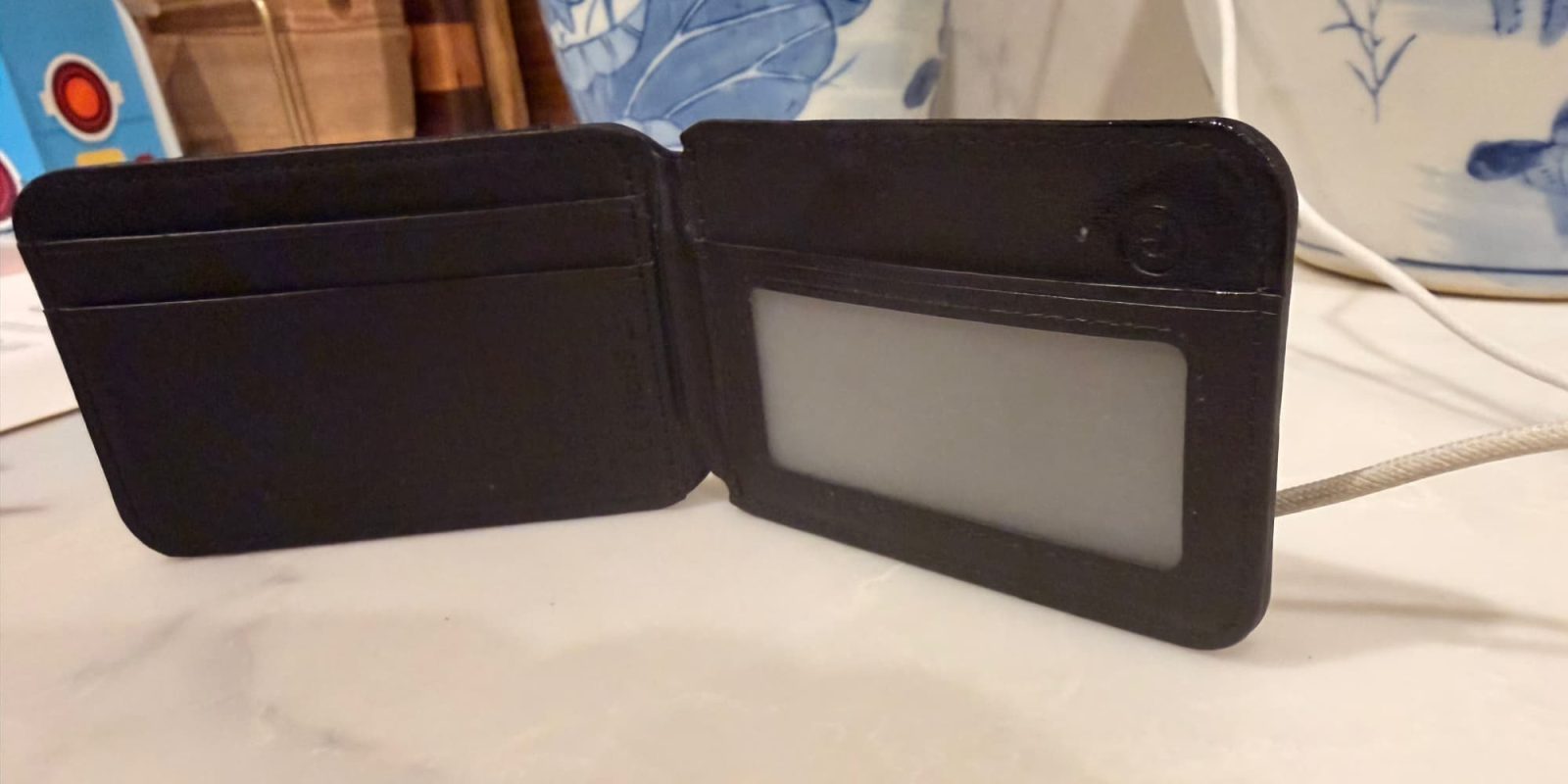
Find My is quietly one of the best things Apple has done in the last decade. It started with tracking your iPhone, expanded to the Mac and iPad, and eventually covered physical items with AirTags. Now that third-party accessories are adopting the standard, it is becoming a true platform that I think is highly underrated. The TopMade MagSafe Wallet integrates this technology directly with Find My. It removes the need for a separate AirTag bump while keeping your wallet trackable within the native Apple ecosystem.
Apple @ Work is exclusively brought to you by Mosyle, the only Apple Unified Platform. Mosyle is the only solution that integrates in a single professional-grade platform all the solutions necessary to seamlessly and automatically deploy, manage & protect Apple devices at work. Over 45,000 organizations trust Mosyle to make millions of Apple devices work-ready with no effort and at an affordable cost. Request your EXTENDED TRIAL today and understand why Mosyle is everything you need to work with Apple.
If you worked in IT during the 2000s and the early 2010s, you know that printer driver management was the absolute worst part of the job and was a huge part of OS X upgrades. Manufacturers delayed support for the new OS X for months, and it was generally just an absolute nightmare. Then the iPhone and iPad arrived and changed everything… slowly.
I have tested dozens of smart locks over the years for HomeKit Weekly, from the August lock to the latest Level Lock Pro. They all solved the problem of having to fish your keys out, but they never quite solved the problem of “my hands are full.” Even with Home Key, you’d still have to either get your Apple Watch to your lock or pull out your iPhone. Yes, plenty of locks offer various flavors of auto-unlock, but none are perfect and work 100% of the time. That is the problem Ultra-Wideband (UWB) technology aims to solve. This week, I am taking a deep look at the Aqara UWB Smart Lock U400.
Apple @ Work is exclusively brought to you by Mosyle, the only Apple Unified Platform. Mosyle is the only solution that integrates in a single professional-grade platform all the solutions necessary to seamlessly and automatically deploy, manage & protect Apple devices at work. Over 45,000 organizations trust Mosyle to make millions of Apple devices work-ready with no effort and at an affordable cost. Request your EXTENDED TRIAL today and understand why Mosyle is everything you need to work with Apple.
In this episode of Apple @ Work, I am joined by Justin Etkins from Tropic to talk about SaaS sprawl and how Apple IT admins should be thinking about it in the AI era.
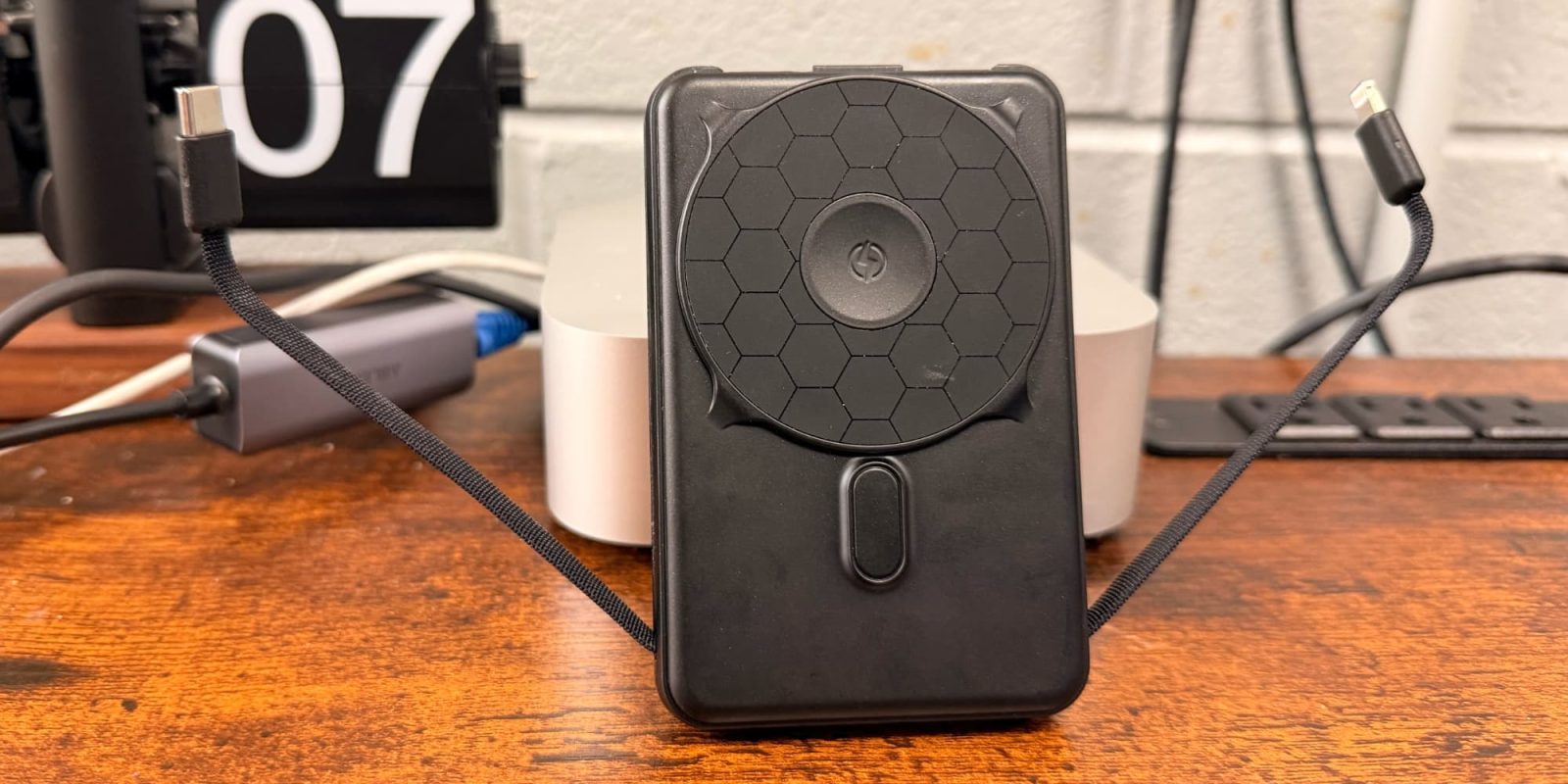
Ridge is best known for its minimalist wallets, but it’s now taking a crack at the MagSafe industry as well. I came across this battery through a social media ad and purchased it right away. The Ridge 5-in-1 Magnetic Power Bank aims to be the best all-around battery with great colors, built-in cables, and more.
Apple @ Work is exclusively brought to you by Mosyle, the only Apple Unified Platform. Mosyle is the only solution that integrates in a single professional-grade platform all the solutions necessary to seamlessly and automatically deploy, manage & protect Apple devices at work. Over 45,000 organizations trust Mosyle to make millions of Apple devices work-ready with no effort and at an affordable cost. Request your EXTENDED TRIAL today and understand why Mosyle is everything you need to work with Apple.
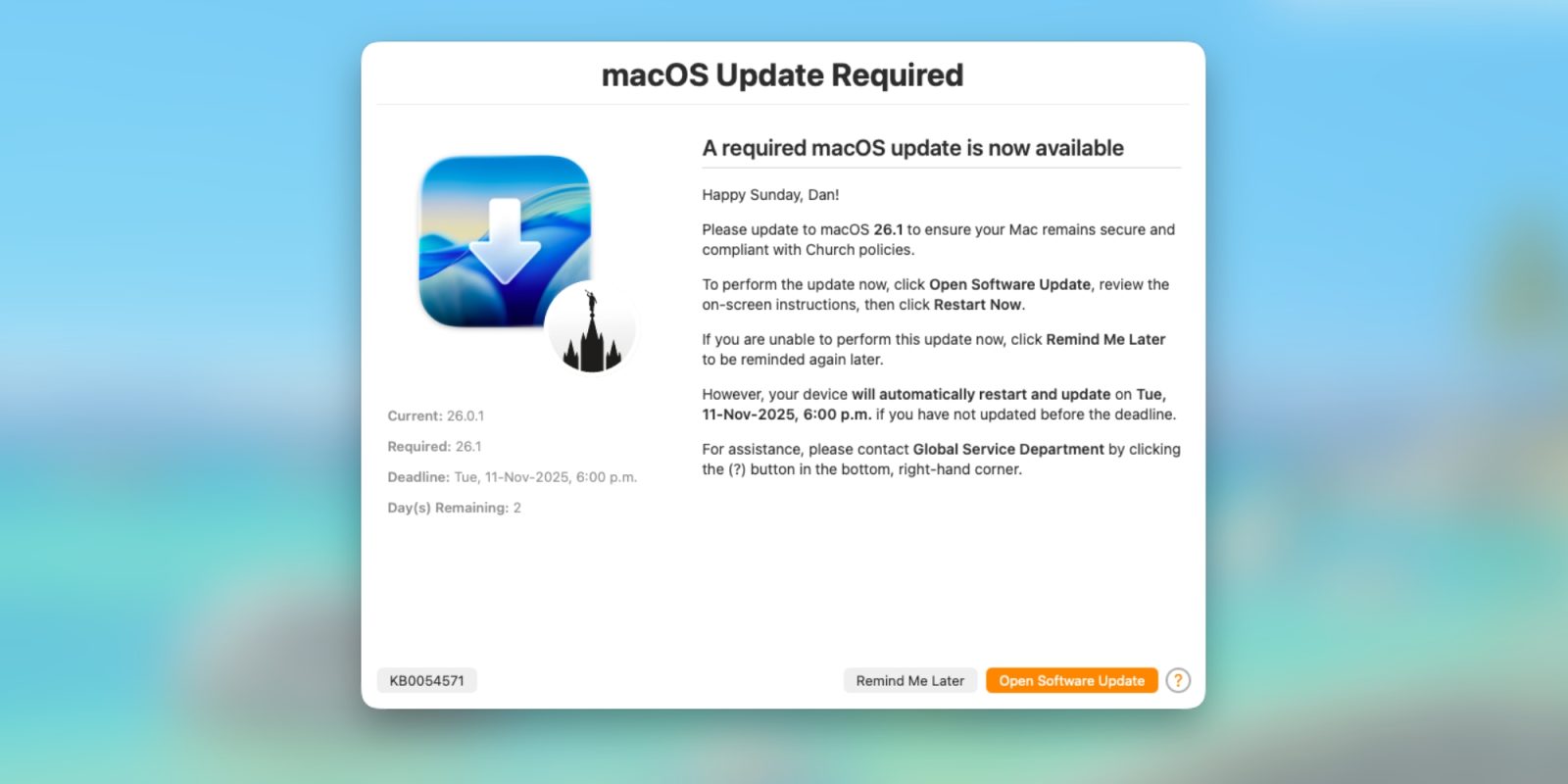
Declarative Device Management is no longer the future of Apple device management for IT teams, it’s the present. There is no debate there. It moves the logic from the server to the device, making things faster, more autonomous, and more reliable. One of the best uses of DDM is managing software updates. You set a deadline, and the device enforces it. Coming from the legacy technology, DDM for software updates was a huge upgrade that really solved some major pain points.
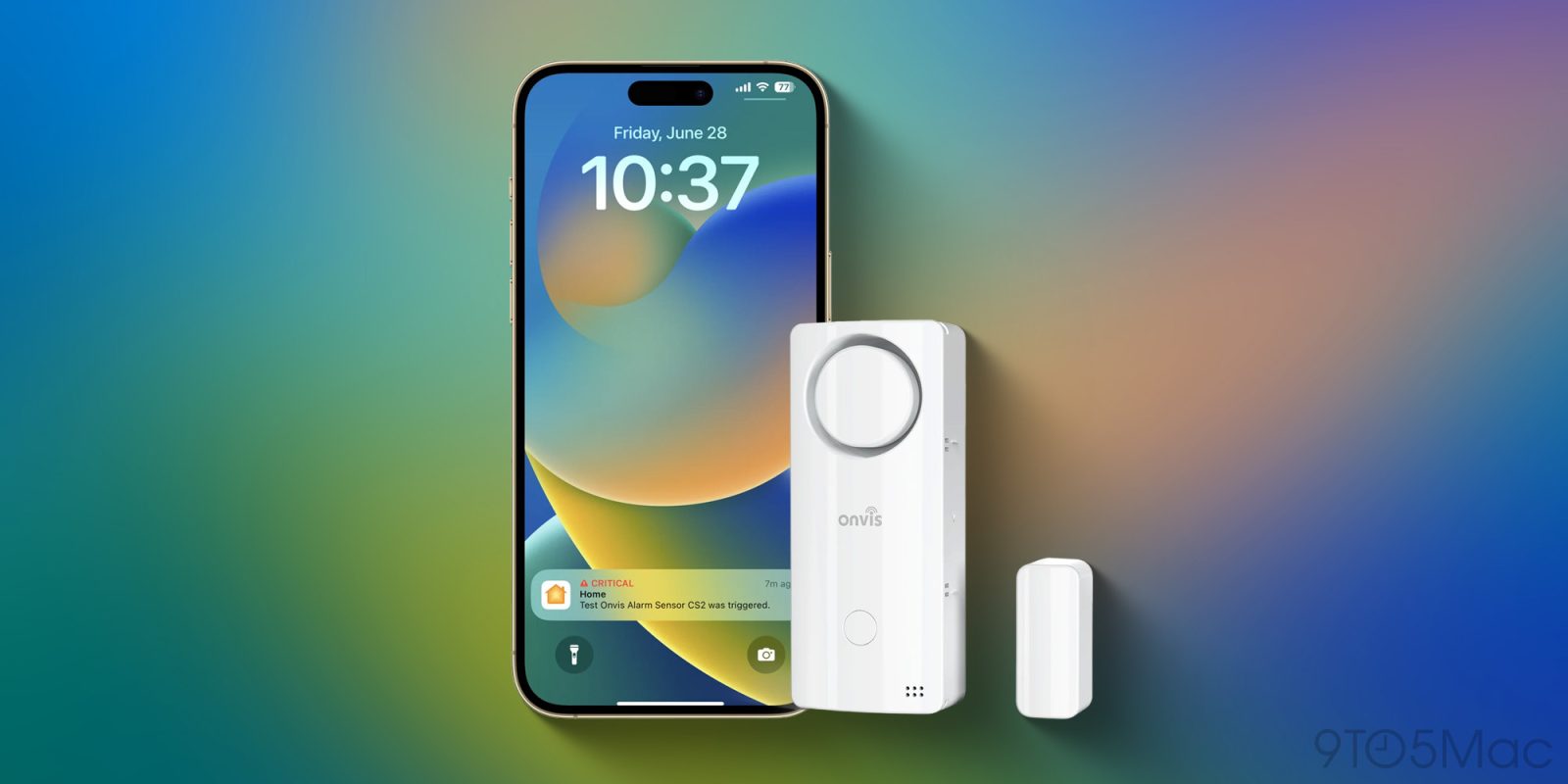
When automating your smart home, much of the attention centers on cameras and lights, but I believe HomeKit door sensors are arguably among the most critical devices to add to your setup. I’ve written about Onvis before, but the Smart Security Alarm Contact Sensor (CS2) takes the concept of a simple door sensor and turns it into a lot more. It supports Thread, but the really cool add-on here is a 120dB siren built right into the sensor. Let’s take a look at the Onvis CS2.
JumpCloud is expanding its footprint in the enterprise security landscape, but this time, it’s not with a new software feature. The company today announced the launch of JumpCloud Ventures, a new investment arm designed to support early-stage companies building solutions in identity, security, AI, and IT productivity. Along with the launch of the fund, JumpCloud has announced its first strategic investment in Tofu, a startup focused on combating identity fraud during the hiring process.
Apple @ Work is exclusively brought to you by Mosyle, the only Apple Unified Platform. Mosyle is the only solution that integrates in a single professional-grade platform all the solutions necessary to seamlessly and automatically deploy, manage & protect Apple devices at work. Over 45,000 organizations trust Mosyle to make millions of Apple devices work-ready with no effort and at an affordable cost. Request your EXTENDED TRIAL today and understand why Mosyle is everything you need to work with Apple.
In this episode of Apple @ Work, Avery Pennarun joins the show to discuss zero trust in the age of AI, building for technologies that don’t yet exist, and more.
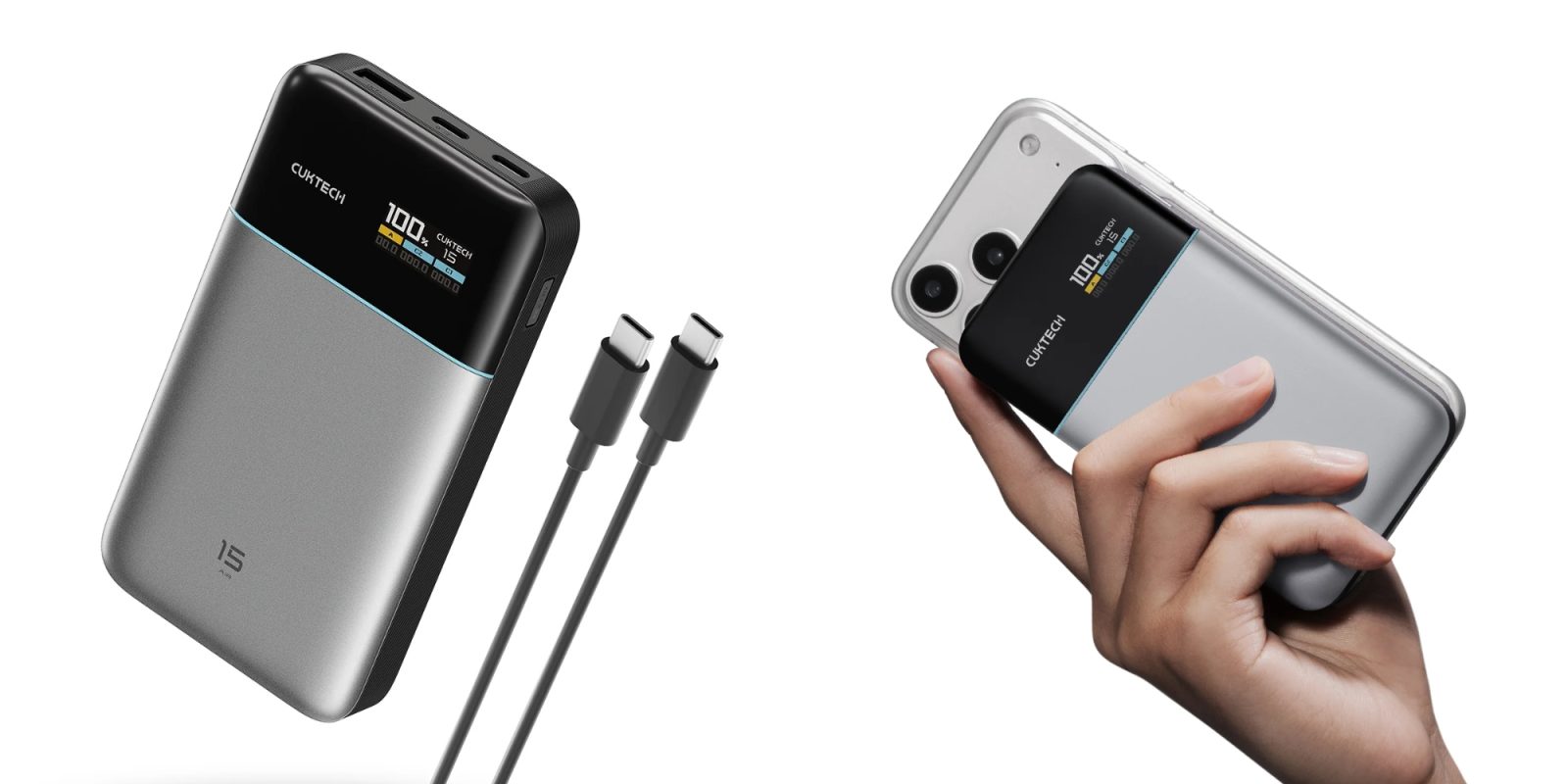
Battery technology has somewhat finally caught up with our devices and mobility. For a long time, if you wanted enough power to charge a MacBook Air or fast charge an iPhone, you had to carry a really heavy brick. You accepted the bulk because we needed the power. The CUKTECH 15 Air aims to solve that problem. It offers 65-watt charging speeds and a surprisingly slim design, making it a perfect companion for your mobile office.
Apple @ Work is exclusively brought to you by Mosyle, the only Apple Unified Platform. Mosyle is the only solution that integrates in a single professional grade platform all the solutions necessary to seamlessly and automatically deploy, manage and protect Apple devices at work. Over 45,000 organizations trust Mosyle to make millions of Apple devices work ready with no effort and at an affordable cost. Request your EXTENDED TRIAL today and understand why Mosyle is everything you need to work with Apple.
For the last fifteen years, Mac admins have been chasing a ghost: the “Single Glass Pane” of identity. We spent years trying to bind Macs to Active Directory, only to realize it was a nightmare to manage. Then we moved to other tools to sync local passwords with the cloud. These were great tools, but they were band-aids. They were third-party software trying to connect two different worlds (local and cloud).
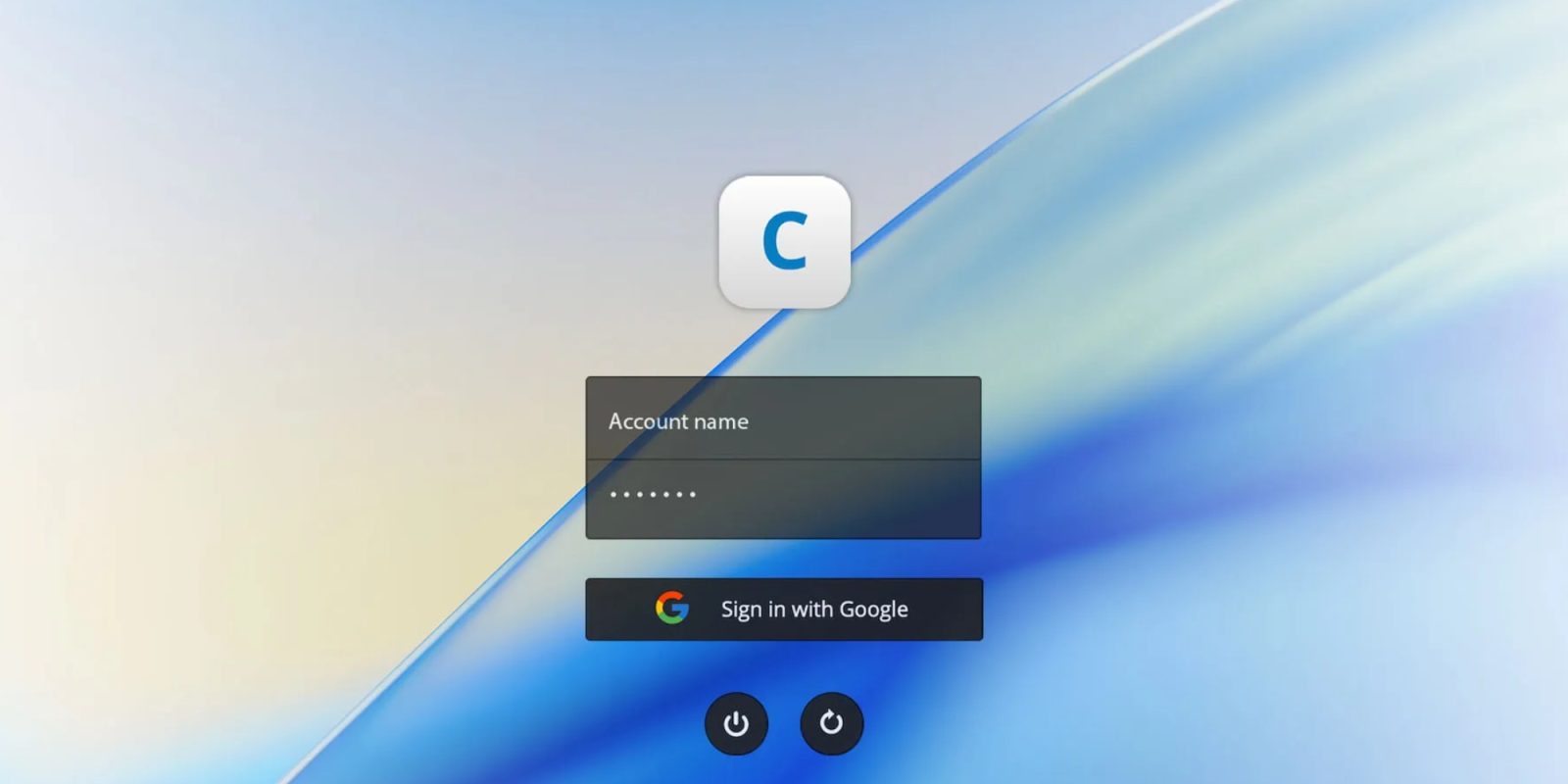
With Platform SSO, Apple has built that glue directly into the foundation of macOS. I will go on record: this is the most critical enterprise technology Apple has shipped since the foundation of device management. It marked the moment where the Mac became a direct extension of your cloud identity.