iOS Devices

See All Stories

The devices that run the world’s most advanced mobile operating system

Check out our top stories on iOS Devices:

iOS devices refer to any of Apple’s hardware that runs the iOS mobile operating system which include iPhones, iPads, and iPods. Historically, Apple releases a new iOS version once a year, the current version is iOS 10. Here is the complete list of iOS 10 compatible devices.

Telephony for iPhone All But Assured

Site default logo image

iphone telephony Apple let the cat out of the bag today posting a job advertisement for a iPhone Telephony and Network Engineer.

Oh really?  I didn’t know that the iPhone was going to have a Telephony component?!  Will it be through iChat?  Or perhaps our friends at Skype?  Or Apple’s new best buddy Google and the GTalk Jabber client?  All will soon be revealed.  If you are a Telephony Engineer and want to work at Apple, here’s the rest of the post:

Edit: There is the assumption that Telephony in this case refers to IP telephony and not just the broader used generic Telephony which includes most mobile calls. See Wikipedia for details:
http://en.wikipedia.org/wiki/Telephony

This may just be a huge over-reaction on our part….

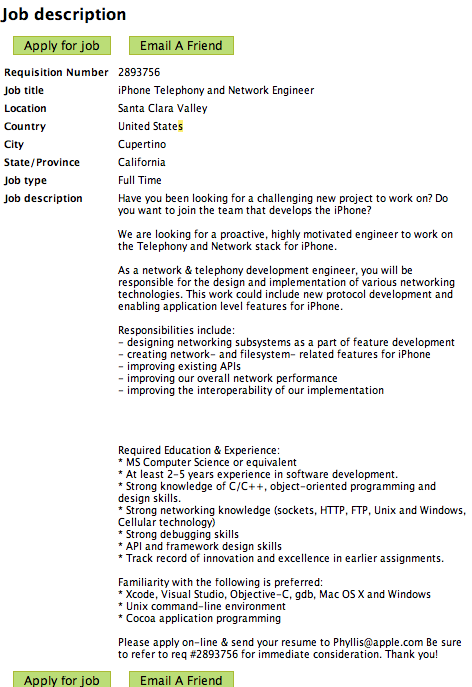
    Have you been looking for a challenging new project to work on? Do you want to join the team that develops the iPhone?

    We are looking for a proactive, highly motivated engineer to work on the Telephony and Network stack for iPhone.

    As
    a network & telephony development engineer, you will be responsible
    for the design and implementation of various networking technologies.
    This work could include new protocol development and enabling
    application level features for iPhone.

    Responsibilities include:
    – designing networking subsystems as a part of feature development
    – creating network- and filesystem- related features for iPhone
    – improving existing APIs
    – improving our overall network performance
    – improving the interoperability of our implementation

    Required Education & Experience:
    * MS Computer Science or equivalent
    * At least 2-5 years experience in software development.
    * Strong knowledge of C/C++, object-oriented programming and design skills.
    * Strong networking knowledge (sockets, HTTP, FTP, Unix and Windows, Cellular technology)
    * Strong debugging skills
    * API and framework design skills
    * Track record of innovation and excellence in earlier assignments.

    Familiarity with the following is preferred:
    * Xcode, Visual Studio, Objective-C, gdb, Mac OS X and Windows
    * Unix command-line environment
    * Cocoa application programming

    Please
    apply on-line & send your resume to Phyllis@apple.com Be sure to
    refer to req #2893756 for immediate consideration. Thank you!

In case the job ad goes offline:

Microsoft Unleashes OOXML Converter

Site default logo image

Weighing in at a hefty 25Mb and still in super-beta-preview “we aren’t responsible if it throws your computer out the window into oncoming traffic” mode, Microsoft has announced a converter for their Office 2007 OOXML file format for us Mac Users.  Yes, this is good news – as opposed to no news.  

This however doesn’t delay the fears of Macintosh Office 2008 not being compatible with Windows Office 2007 (or any version for that matter) Macros – which Microsoft has already said it will not support in future Mac Versions.  So the question still remains, what is the point in upgrading to Office 2008?  Oh yeah.  Office 2004 runs like a dog on my Intel Macs and Powerpoint 2004 presentations take five seconds to transition.  Hurry up Sun with that Star Office Package!

In other Microsoft-Macintosh news, I noticed a new Favicon in the Microsoft URL today (Pictured at the left). It looks familiar but doesn’t exist anywhere else on the site – is this the new look of Microsoft for Mac? Maybe the Office 2008 Beta?

The Microsoft Statement included the below:

Microsoft Office Open XML File Format Converter for Mac 0.1b (Beta)

With the Office Open XML Converter, that you can convert Office Open XML files to a format that is compatible with Microsoft Office 2004 for Mac and Microsoft Office v. X for Mac. You can choose to convert and open one file, or convert a large number of files.

This version of the Office Open XML Converter can convert the following Office Open XML file formats:

* Word Document (*.docx)
* Word Macro-Enabled Document (*.docm)

These files are converted to Rich Text Format (RTF), which can be opened in Microsoft Word 2004 and Microsoft Word X.

The converter is a Beta release, and might be unable to convert all the data in Office Open XML files. After you convert a file, you should review the file carefully to make sure that it contains all of the information that you expect.

The following issues are known to exist in this Beta release:

* Macros and Visual Basic content are not included in the converted file.
* Charts and SmartArt graphics are converted to pictures.

The following issues might occur in this Beta release:

* Graphics and other objects in the document might appear with a different size.
* Color fills and shading in tables might not be preserved.
* Conversion might not succeed if the document contains a bibliography or citations.
* Conversion might not succeed if the document contains WordArt.
* Document layout and formatting might not be preserved.
* Some Unicode characters might not be preserved.
* Conversion might not succeed if the document contains very large pictures.
* Conversion might not succeed if you use an SMB network volume as the preferred destination for converted files.
* Picture bullets might not be preserved.
* Fonts might be substituted.

This Beta release expires on December 31, 2007.

System requirements

Important You must use Office 2004 11.3.4 or later, or Office v. X 10.1.9 or later to open converted documents. To verify that you have installed the Office 2004 11.3.4 update, select the Microsoft Component Plugin file in the Microsoft Office 2004/Office folder on your hard disk, and then on the File menu, click Get Info. To verify that you have installed the Office v. X 10.1.9 update, select the Microsoft Component Plugin file in the Microsoft Office X/Office folder on your hard disk, and then on the File menu, click Get Info.

Additionally, your computer must meet the following minimum requirements:

Operating system: Mac OS X 10.4.8 (Tiger) or a later version of Mac OS

Note To verify that your computer meets these minimum requirements, on the Apple menu, click About This Mac.

Installation instructions

To install this update

1. Print this page if you want to use it as a reference when you are offline.
2. Quit any applications that are running, including all Office applications, Microsoft Messenger, and Office Notifications, because they might interfere with installation.
3. Make sure that your computer meets the minimum system requirements listed previously.
4. In the preceding table, click the English (.dmg) link.
5. Follow the instructions on the screen to save the file to your hard disk.

If you are using Safari, the downloaded file is saved to the desktop unless you specified a different location in the Preferences dialog box of Safari. To check your preferences, on the Safari menu, click Preferences, and then click General.

If you are using Internet Explorer, the Download Manager saves the file to the desktop unless you specified a different folder in the Preferences dialog box of Internet Explorer. To check your preferences, on the Explorer menu, click Preferences, and then click Download Options in the left pane.

6. Double-click the file you downloaded in step 5 to place the Office Open XML Converter volume on your desktop, and then double-click the Office Open XML Converter volume to open it. This step might have been performed for you.
7. In the Office Open XML Converter volume window, double-click the Install Open XML Converter application to start the update process, and then follow the instructions on the screen.
8. If the installation finishes successfully, you can remove the update installer from your hard disk. To remove the update installer, first drag the Office Open XML Converter volume to the Trash, and then drag the file you downloaded to the Trash.

To remove this update

1. If the converter is running, quit the application.
2. On your hard disk, locate the converter application.
3. Drag the converter application to the Trash, and then empty the Trash.
4. To remove your existing converter application preferences, in /Users/username/Library/Preferences/Microsoft, delete the com.microsoft.OfficeConverter.plist file.
5. To remove all converter files from your computer, in /Library/Application Support/Microsoft, delete the Office Converter Support folder.

Additional information

Technical support is not available for this beta release, and we cannot accept product feedback at this time. For information about using the converter after you install it, on the Help menu, click Converter Help. For further information, read to the Software License Agreement that is displayed during installation.

Note Converter application updates will be available from Microsoft AutoUpdate, an application that can automatically keep your Microsoft software up to date. To use AutoUpdate, open the converter application, and then on the Help menu, click Check for Updates.
Last Updated: May 07, 2007

Europeans Get a Price reduction on MacBooks…Finally

Site default logo image

The Euro has been hard charging all year against the dollar but seems to be settling comfortably in the $1.35-$1.37 area – at least in the near term. This obviously puts Apple’s products at a much higher price point in continental Europe (and an absurdity point in the UK). Now I know that the included tax has a great deal with it as the/us Europeans are a bit more on the socialist side. Digression…

Anyway, the playing field is about to get a bit more even now that Apple has, along with yesterday’s upgrades, announced a price cut on MacBooks in Europe, the most popular line of Apple’s computers. They are sure to follow at the WWDC across the board to level the playing field across the board/pond.

Cheers Apple! Especially from all of us who cross the Atlantic having to mule Apple Equipment to our compatriots overseas. Not that I’ve have ever carried 3 iPods and 4 MacBook Pros oversaes in one trip…but I’ve heard stories.

Apple mildly updates MacBook – blames iPhone for being behind the rest of the industry….

Site default logo image

Today Apple released its new MacBooks upon the World. Beyond the faster processors and more memory, nothing else is new. Kind of a letdown when every other Laptop manufacturer in the world has released Santa Rosa Laptops.

Blame the iPhone?

Hit up Apple’s website for the details.

http://www.apple.com/macbook/macbook.html

Apple today updated its MacBook consumer notebooks with faster Intel Core 2 Duo processors, 1GB of memory and larger hard drives in every model.

The new line of MacBooks remain just one-inch thin and feature built-in 802.11n wireless networking for up to five times the performance and twice the range of 802.11g. Every MacBook also includes a built-in iSight video camera for on-the-go video conferencing, Apple’s MagSafe Power Adapter that safely disconnects when under strain, and iLife ’06, Apple’s award-winning suite of digital lifestyle applications.

“The MacBook is a huge hit with customers, and is one of the reasons that Mac sales are growing three times faster than PC sales,” said Philip Schiller, Apple’s senior vice president of Worldwide Product Marketing. “The new MacBook is faster, has even more memory and storage, and is an ideal notebook for customers’ growing library of digital music, photos and movies.”

Featuring a 13-inch glossy widescreen display, the one-inch thin MacBook comes in three models: white 2.0 GHz and 2.16 GHz MacBook models, and a black 2.16 GHz MacBook model. The MacBook includes a built-in iSight video camera for video chatting on-the-go with friends or family using iChat AV, recording a video podcast or iMovie using iLife ’06, or taking fun snapshots with Photo Booth. Designed for the mobile lifestyle, the MacBook includes Apple’s MagSafe Power Adapter that magnetically connects the power cord to the MacBook and safely disconnects when under strain, and the latest generation of 802.11n wireless networking for up to five times the performance and twice the range of 802.11g.

The MacBook comes with iLife ’06, the next generation of Apple’s award-winning suite of digital lifestyle applications featuring iPhoto, iMovie HD, iDVD, GarageBand and iWeb. The MacBook also comes with the latest release of the world’s most advanced operating system, Mac OS X version 10.4.9 Tiger, including Safari, Mail, iCal, iChat AV, Front Row and Photo Booth.

Pricing & Availability

The new MacBook is available immediately through the Apple Store, Apple’s retail stores and Apple Authorized Resellers.

The 2.0 GHz, 13-inch white MacBook, for a suggested retail price of $1,099 (US), includes:

13.3-inch glossy widescreen 1280 x 800 display;
2.0 GHz Intel Core 2 Duo processor;
667 MHz front-side bus;
1GB of 667 MHz DDR2 SDRAM, expandable to 2GB;
80GB Serial ATA hard drive running at 5400 rpm, with Sudden Motion Sensor;
a slot-load Combo (DVD-ROM/CD-RW) optical drive;
Intel Graphics Media Accelerator 950;
Mini-DVI out (adapters for DVI, VGA and Composite/S-Video sold separately);
built-in iSight video camera;
Gigabit Ethernet port;
built-in AirPort Extreme 802.11n wireless networking and Bluetooth 2.0+EDR;
two USB 2.0 ports and one FireWire 400 port;
one audio line in and one audio line out port, each supporting both optical digital and analog;
Scrolling TrackPad;
the infrared Apple Remote; and
60 Watt MagSafe Power Adapter.

The 2.16 GHz, 13-inch white MacBook, for a suggested retail price of $1,299 (US), includes:

13.3-inch glossy widescreen 1280 x 800 display;
2.16 GHz Intel Core 2 Duo processor;
667 MHz front-side bus;
1GB of 667 MHz DDR2 SDRAM, expandable to 2GB;
120GB Serial ATA hard drive running at 5400 rpm, with Sudden Motion Sensor;
a slot-load 8x SuperDrive with double-layer support (DVD+R DL/DVD +/- RW/CD-RW) optical drive;
Intel Graphics Media Accelerator 950;
Mini-DVI out (adapters for DVI, VGA and Composite/S-Video sold separately);
built-in iSight video camera;
Gigabit Ethernet port;
built-in AirPort Extreme 802.11n wireless networking and Bluetooth 2.0+EDR;
two USB 2.0 ports and one FireWire 400 port;
one audio line in and one audio line out port, each supporting both optical digital and analog;
Scrolling TrackPad;
the infrared Apple Remote; and
60 Watt MagSafe Power Adapter.

The 2.16 GHz, 13-inch black MacBook, for a suggested retail price of $1,499 (US), includes:

13.3-inch glossy widescreen 1280 x 800 display;
2.16 GHz Intel Core 2 Duo processor;
667 MHz front-side bus;
1GB of 667 MHz DDR2 SDRAM, expandable to 2GB;
160GB Serial ATA hard drive running at 5400 rpm, with Sudden Motion Sensor;
a slot-load 8x SuperDrive with double-layer support (DVD+R DL/DVD +/- RW/CD-RW) optical drive;
Intel Graphics Media Accelerator 950;
Mini-DVI out (adapters for DVI, VGA and Composite/S-Video sold separately);
built-in iSight video camera;
Gigabit Ethernet port;
built-in AirPort Extreme wireless networking and Bluetooth 2.0+EDR;
two USB 2.0 ports and one FireWire 400 port;
one audio line in and one audio line out port, each supporting both optical digital and analog;
Scrolling TrackPad;
the infrared Apple Remote; and
60 Watt MagSafe Power Adapter.

Additional build-to-order options for the MacBook include the ability to upgrade to 120GB or 160GB (5400 rpm) or a 200GB (4200 rpm) hard drive, up to 2GB DDR2 SDRAM, Apple USB Modem, Apple Mini-DVI to DVI adapter, Apple Mini-DVI to VGA adapter, Apple MagSafe Airline Adapter and the AppleCare Protection Plan. Additional build-to-order options also include pre-installed copies of iWork ’06, Logic Express 7, Final Cut Express HD 3.5 and Aperture 1.5.

iPhone for Business? It's All About the Browser Platform

Site default logo image

Lately there’s been a lot of discussion in the blogosphere and beyond about whether or not the iPhone is a viable business tool. Most people cite Apple’s closed development environment, lack of strong application support and virtually non-existent enterprise legacy tools as reasons the iPhone will flop in Business – just ask impartial pundit Steve Ballmer..I am here to tell you it will be successful – perhaps only in isolated industries and for reasons that aren’t really being discussed in detail.


First, let’s talk about some of the business needs of smartphone users in a roundabout order of importance.

  1. Phone – it IS a iPhone afterall
  2. Email – currently the most popular means of business communications
  3. Address/Phone Book – a contact database
  4. SMS – quick and dirty way to contact another mobile phone user
  5. VoiceMail – a (up until now unweildy) database of voice messages
  6. Chat client – a meeans of "instant" messaging that is rapidly increasing in popularity
  7. WEB BROWSER – by far the most underpowered and underappreciated part of a mobile phone which is the lifeblood of the desktop machine
  8. Calendar, maps, spreadheets, document reader etc.

All of these things are important and all of them can be done to a greater or lessor extent on most business-focused PDA phones.

In the business domain, the mobile web browser is the key to the future of business apps. It is a becoming platform onto itself. One thing that Steve Jobs made abundantly clear at MacWorld was that the iPhone would include a FULL browser. Symbian/Linux platform’s best browser is Opera Mini – which isn’t that bad but by no means a full browser. Windows Mobile’s browser isn’t bad either but is again, well short of IE7. Additionally, the iPhone browser has a lot of zooming and panning tricks that make it more usable on the relatively small screen. In this crucial area, give the advantage to the iPhone.

Why is the browser crucial? Because most new business applications are being built around it. AJAX and other browser technology innovations over the past few years have turned the browser into a platform unto itself. Sure a lot of legacy applications still require browserless, platform specific, client applications. But those days are numbered.

Its not just the isolated applications that are moving to the browser. All of the stalwart office applications are also moving to the web. With Google Office, Soho Office and even web versions of Microsoft Office applications, the browser is truly the new business platform.

Perfect? No
The iPhone is not without its business-use flaws. It doesn’t natively sync up with Exchange – and Microsoft will most likely do everything in its power to try to keep it that way. It does have the capability to hook up to IMAP email, LDAP address book and WebDav for calendaring – which with a bit of tweaking will work well for Exchange-based companies. Microsoft SharePoint can also be browsed from the web interface but to what extent? Time (and your apps developers) will tell. A newly annointed relationship with Cisco on all things iPhone should also let your iPhone into the VPN. When and how are still unknowns. And of course, don’t forget the arduous task of getting your conservative IT department to accept the idea of an Apple phone, let alone Apple computer loose in the ofice.

Also the first generation iPhone isn’t the raw specs winner by any stretch – those belong to the Windows Mobile Phones coming from Toshiba (

  • EDGE wireless is SLOW by todays standards. Wifi will help but one can only wonder why Apple has forsaken the HSDPA/UTMS component and when the update will occur. As many have pointed out, battery life is a factor as the EDGE chips are much more efficient.
  • Also, the 4-8Gb limit on storage is an absolute killer. At a time when you can buy an 8Gb SD card for under $80 one has to wonder why the storage limit is so low. Hopefully Apple, like they have in the past, up their standards before launch. This underpromising thing is definitely a new trend to watch. I’d even settle for a micro/mini/SD card slot.
  • The hefty pricetag is a definite disadvantage. With somewhat comparable gear like Motorola Q’s going for almost free with a service plan, its going to require some justification to spend the equivalent of a budget laptop on something the size of a Hershy Bar. However something that you spend 1/2 your day on should justify the premium that this lovely piece of hardware demands.
  • The Konqueror-based Safari Web browser has its limitations. It doesn’t work fully or sometimes at all on some web applications (Yahoo mail, Google Apps, Microsoft anything) – though support is building and the browser continues to improve.

We can’t measure all metrics.
There are two other things that can’t be intrinsically measured that will give the iPhone a distinct advantage.

1. Usability. Apple’s legendary reputation for making painful tasks easy and intrinsic will totally transform the mobile phone industry. Until now the big players have been Microsoft Windows Mobile, Symbian, and Linux. They all have had their successes but the last 10% of usability that Apple is always able to squeeze out (which always requires 90% of the work) will be the differentiator. Apple did the same in the Computer industry until Microsoft caught up. Apple has learned from this and patented every minute detail of the iPhone which will make copying much more difficult. (Not that it won’t happen.)

The 2 seconds here and 5 seconds there that the iPhone saves quickly add up. So, too, does the amount of frustration that people have with their phones. This will be a big word of mouth selling point.

2. Business Bling, Baby. Everyone knows that this is THE phone to have. There is no question. It’s about Brand and everything the Apple iPhone stands for. Apple has spent the last few years building up its brand across all channels and is reaping the rewards like not other company in the industry. As much as the enterprise IT guys will read off better specs for the new Windows Mobile device, nobody wants to hear about the m600 – G900 – chocojack. I can hear the CEO now "I don’t give a F$ck! just make the iphone work on our systems!" Of course just like the fecal matter rolls down hill so does the corporate equipment. Oh, and sales? Show up to a meeting with an important client with last years phone? Might as well wear parachute pants as well.

Oh, and did I mention this thing is neat? Apple has the ability to turn adults back into kids at the toy store. How? I am not sure. But I need an iPhone like I needed that Atari 2600 and can’t wait for Christmas to come this June!