
My favorite moments with Apple Maps are when I’m not going anywhere physically, but rather browsing the app and saving new places to visit. And an iOS 18 upgrade has made that experience better than ever.
Browsing is my favorite pastime in Apple Maps
Apple Maps serves two primary needs for users:
- getting you from point A to B
- and helping you discover places to go
That first purpose, of course, needs to be done well. Errors in location data are what got Apple Maps into big trouble upon its debut.
But the vast majority of my own Maps use involves time at home.
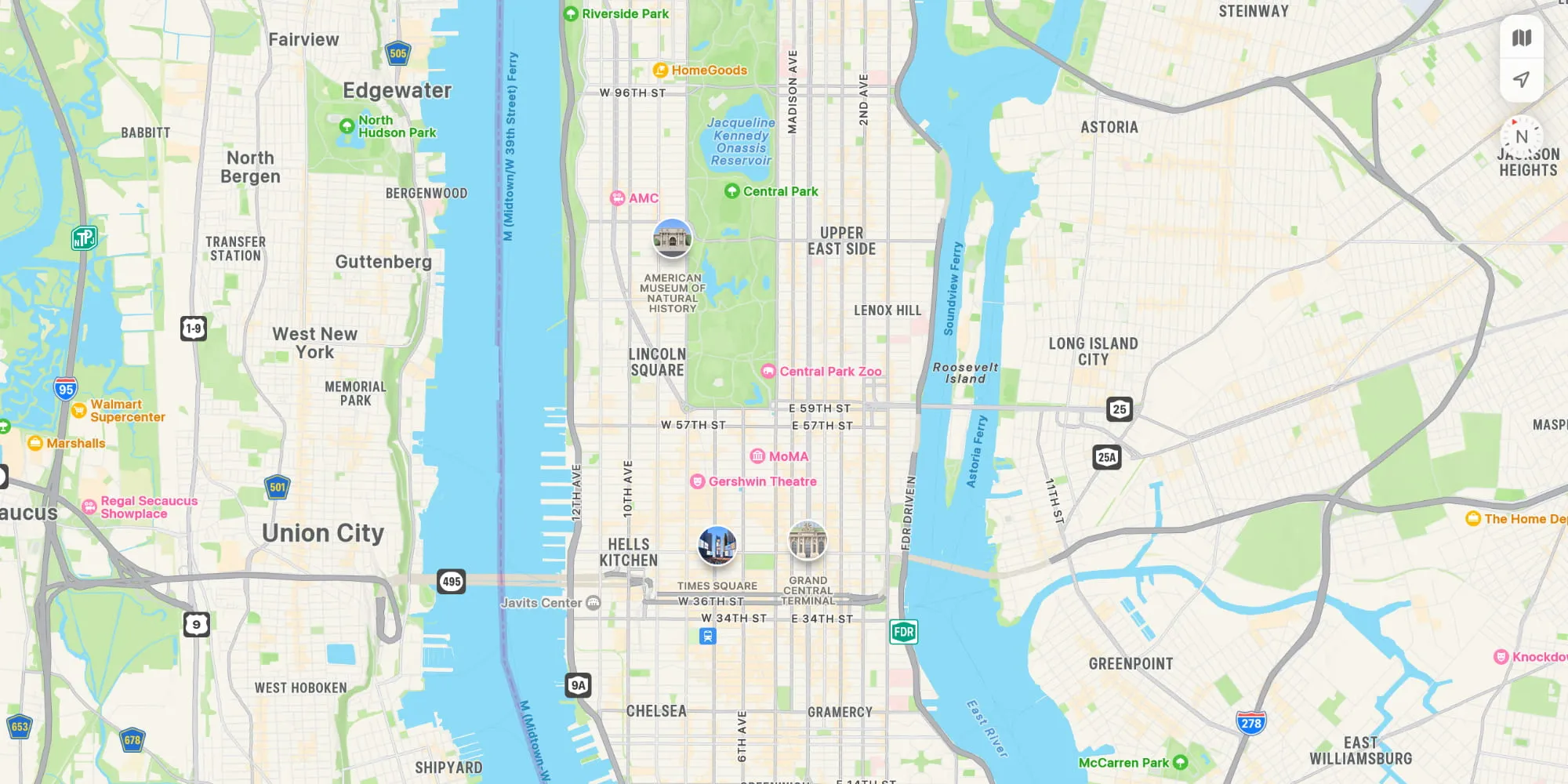
I’m lying in bed, or sitting on the sofa, and browsing a particular neighborhood or area where I’m considering a visit.
Sometimes this is done out of necessity. For example, if I know I’ll be traveling somewhere and want to find out what’s near the hotel.
Most of the time though, I’m browsing just for fun.
I want to see what’s out there, what I’m missing out on, and the Maps app is my virtual discovery method.
I live in Manhattan, a place that’s relatively small yet absolutely packed with places to explore.
And in iOS 18, Maps added a feature that has made that exploration easier than ever.
iOS 18’s new save button for places
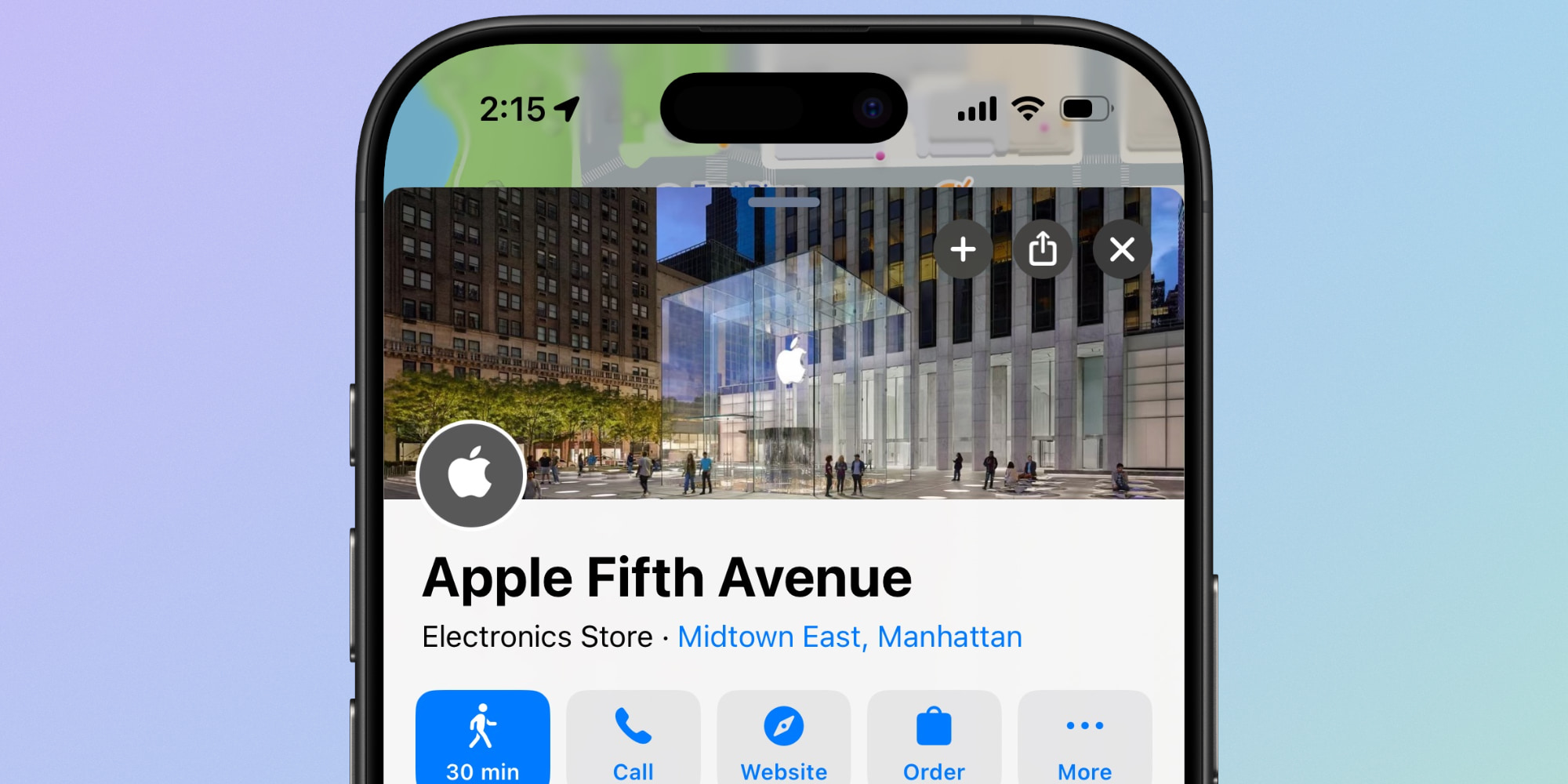
When you’re viewing a place inside Apple Maps, iOS 18 added a little save button (+) in the upper right corner next to the share and ‘x’ icons.
Hitting ‘+’ does two things:
- It saves the place to your Library
- It also makes the place more prominent on the map moving forward
One simple button with two great effects.
Your Library is always easily accessible inside the app, and it’s a quick way to browse every place you’re interested in checking out later.
But the latter of these two benefits has been even more impactful for me.
With a quick tap of the + button, I can keep browsing the map and easily stay aware of all places I’ve already saved. They’re easy to get back to whenever I need to, making the map more personalized to my interests.
Top comment by octothorpe8
The + button always feels a little loose to me. If I save a place, I want to also categorize it and add it to one of my Guides within Maps -- not just generally "save" it. Say I see a restaurant I want to check out. I'm going to add that to my own Restaurants guide, and then later when I'm hungry, I open that Guide and see what restaurants I've saved that are nearby. Unfortunately, that process involves quite a few taps as "Add to my Guides" is buried under More > Add to Guides. The + button just seems to add things to a general "Saved Places" bucket that is way too broad.
Previous versions of Apple Maps did have a Guides feature which had a similar effect. But it required more steps, more organization, and lacked some of the new Library tools available now.
I used Guides a lot before iOS 18, but now I get most of the same benefits with less effort and mental planning.
Thanks to Apple Maps’ new ‘+’ button, saving places while I browse and revisiting them later has never been faster or easier.
Do you use Apple Maps’ new save button in iOS 18? Let us know in the comments.
Best iPhone accessories
- AirPods Pro 2 (now only $199, down from $249)
- HomeKit Garage Door opener
- MagSafe Car Mount for iPhone
- 10-year AirTag battery case 2-pack
- 100W USB-C power adapter for fast charging


FTC: We use income earning auto affiliate links. More.




Comments