
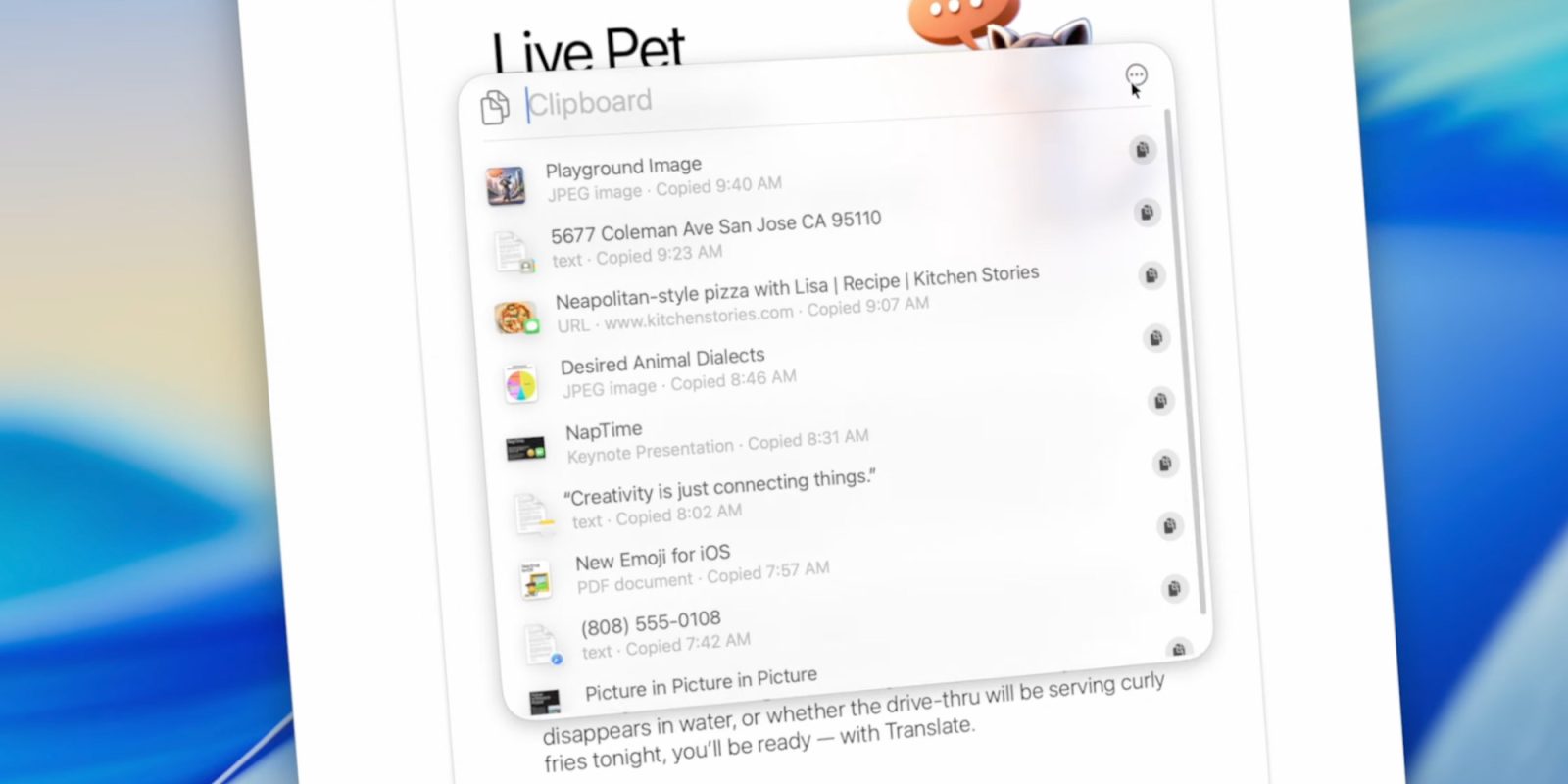
The new Spotlight is easily my favorite macOS announcement from WWDC25. It may even be my favorite update across all of Apple’s platforms this year. Still, I don’t plan on abandoning my current clipboard manager. Here’s why.
The addition of a native clipboard history tool to macOS feels like one of those small but meaningful quality-of-life upgrades we’ve been waiting forever to get.
That said… I’m not switching.
Don’t get me wrong: I love that Apple is acknowledging clipboard history as a power-user feature that’s ready for casual-user adoption. But for me, the new Spotlight clipboard just doesn’t go far enough.
And honestly, it probably shouldn’t.
Unlimited history
Granted, we’re still on Developer beta 1. But as it’s planned right now, Apple’s new clipboard history only goes back eight hours.
By comparison, my current clipboard manager, Keyboard Maestro’s Clipboard History Switcher, keeps a searchable archive of up to hundreds of clips (default is 200, but you can adjust that). It takes me a few seconds to look up at things I copied days or sometimes even more than a week ago.
I’ve lost count of how many times that’s saved my bacon from redoing work, rewriting text, or hunting down lost links, images, and even files. Once I copy something, I know it’ll be there for as long as I need it. And thanks to Apple’s Universal Clipboard, that goes for stuff I copy on my iPhone, too.
And then there’s the feature set. With Keyboard Maestro, I can:
- Exclude specific apps from being tracked
- Auto-protect clipboard items that look like passwords
- Preview images and get info like size and dimensions
- Merge multiple clipboard items into one
- Convert any clipboard entry to plain text before pasting
- Favorite certain clippings so they’re never auto-deleted
- Paste a previous clipboard, rather than the newest one
Spotlight’s clipboard manager is awesome
To be perfectly clear: Spotlight’s implementation is far simpler, as it should be.
Introduce a feature with this level of complexity right out of the gate, and you’ll end up driving away users who, given enough time and familiarity, might have grown into more advanced workflows and eventually sought out power tools like Keyboard Maestro, Paste, Pastebot, Maccy, and countless other great options out there. Not to mention full-on Spotlight replacements like Alfred and Raycast, which also have their own clipboard managers.
If you’re new to the clipboard management game, welcome. You’ll probably start relying on this feature sooner than you expect. And if you want to get a head start before the public beta or the final release of macOS Tahoe 26, there’s no shortage of great third-party options to explore.
Worst case scenario? You’ll figure out that a simpler tool does the job, just in time for Apple’s version to ship.


FTC: We use income earning auto affiliate links. More.


Comments