
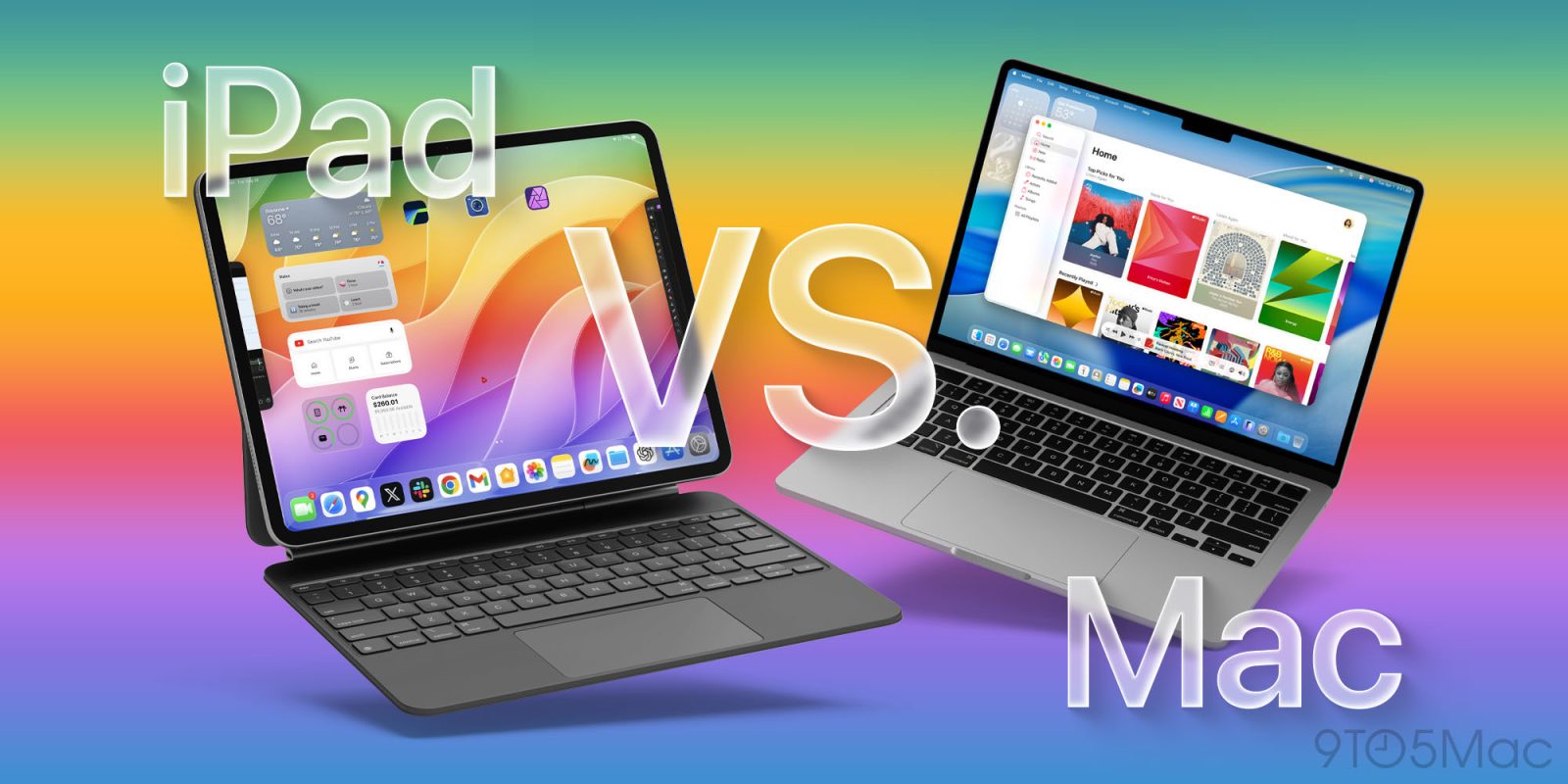
The moment Apple announced iPadOS 26, it felt like us iPad users have finally been heard. For years the iPad has always been “almost there”. It had the powerful hardware, but the software made the experience too limited for most people. But now with iPadOS 26, that gap is almost gone. The new windowing system, improved multitasking, and better file management make the iPad feel more like a computer than it ever has before.
So the next natural question is, can an iPad be your one and only computer? Let’s break this all down.
A big reason why this thought came up is that the current M4 MacBook Pro is being sold on Amazon for $1299 (absolutely insane value). The M4 iPad Pro retails for $1199. So I thought this would be a great comparison. Be sure to also watch our video below, going into detail and hands-on with both devices.
Internal specs
Let’s start with the “on paper” comparison. The M4 iPad Pro and the M4 MacBook Pro use the same chip, so the raw performance of each is basically identical.
- Geekbench single-core: ~3700 on both
- Geekbench multi-core: ~13,500–14,500
- GPU score: 50,000–60,000 depending on conditions
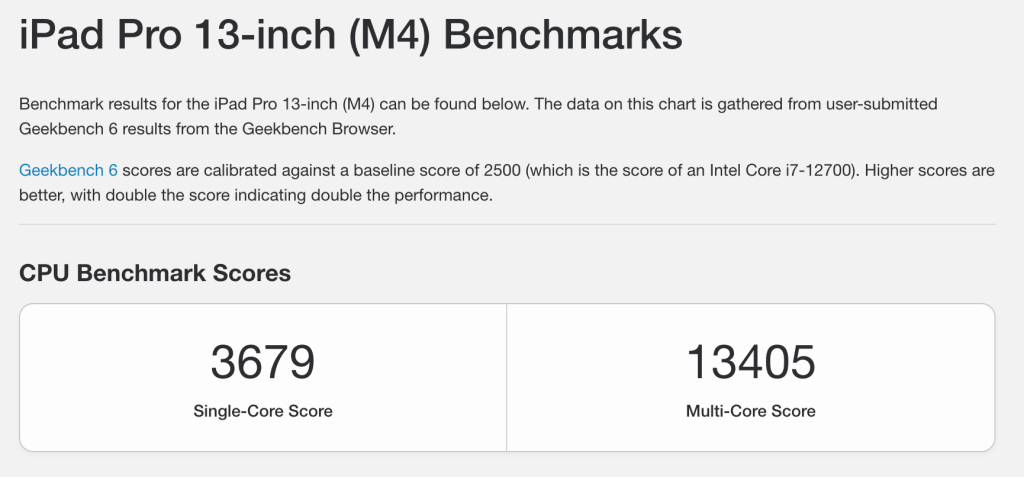
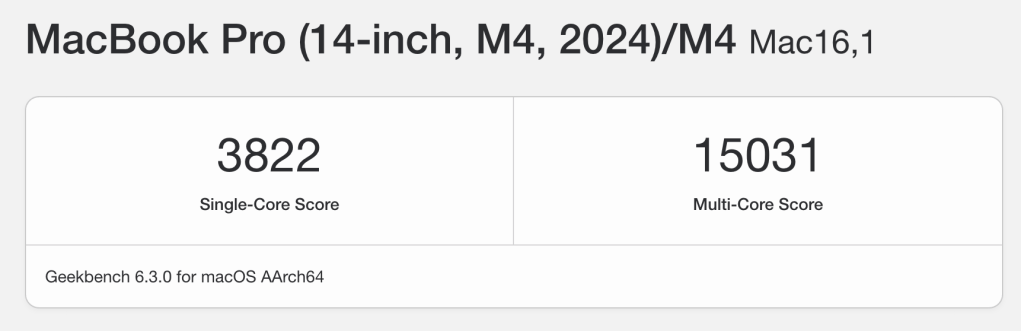
So from a power standpoint, you are not losing anything on either device. Things start to change a bit when you talk about the RAM on the baseline models. iPad Pro starts with 8GB of RAM, and you can only get the 16GB of RAM if you upgrade to the 1TB storage model. Meanwhile, the baseline M4 MacBook Pro comes with 16GB of RAM standard. So, sheer power is the same, but the MacBook Pro gives you a bit more headroom when you compare the baseline models.
External hardware
This is where you start to see that they are different devices (of course). One is a tablet first, and the other is a traditional laptop. Let’s start with the iPad Pro.
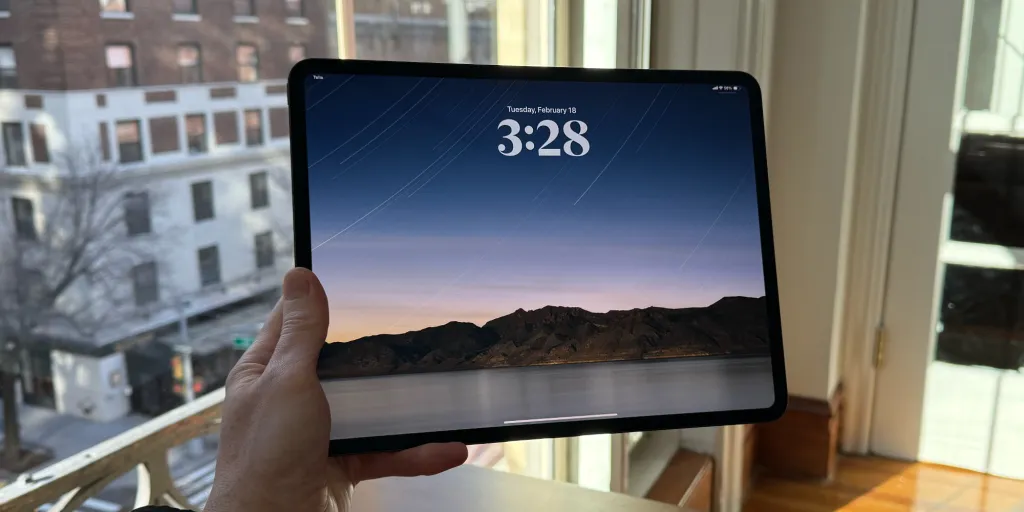
- iPad Pro: This thing is ultra-thin at just 5.1mm and has one of the nicest displays of any product in any price category, with its Promotion Tandem OLED. You get one Thunderbolt USB-C port, and if you buy the Magic Keyboard, you get an extra port in the hinge for charging.
- MacBook Pro: This will obviously be thicker, but for the amount of power you get, it’s still relatively thin. Its display also packs a punch with its 120Hz promotion mini-LED display. I would still give the edge to the iPad on just the display. Where the MacBook really pulls ahead is I/O. You get two Thunderbolt 4 ports, HDMI, an SD card slot, MagSafe, and a headphone jack.
Then you have battery life. The iPad Pro can give you 8-12 hours of use, depending on how you use it, but the MacBook Pro can easily get you 16 to 20 hours of battery life without issues. So, if you need true all-day battery life, then the MacBook Pro takes that.
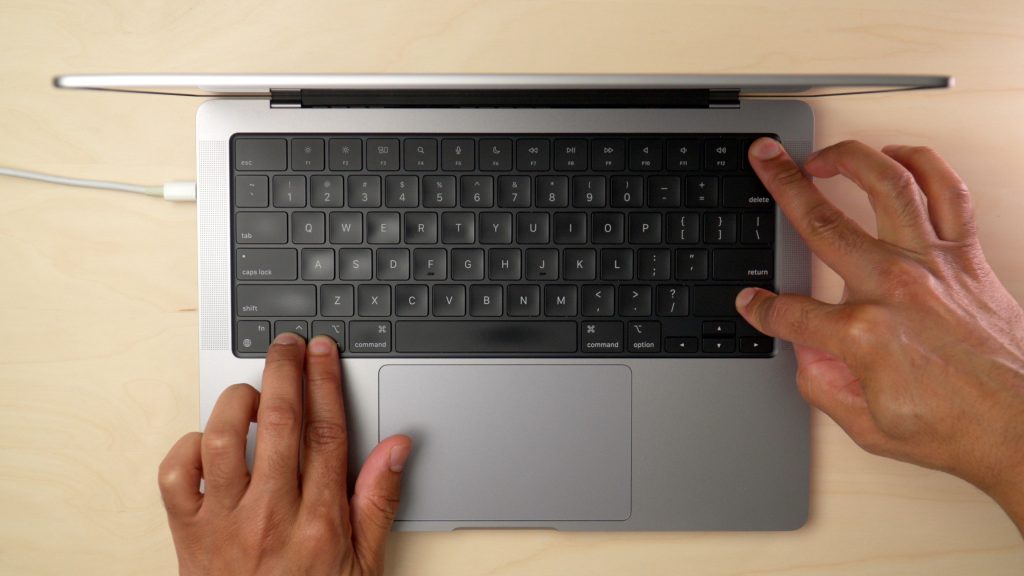
iPadOS 26 vs macOS 26
Now that we know that they have the same raw power and that there are some hardware differences, this is where things start to spice up. Even though iPadOS 26 has really transformed the iPad, they are still relatively different operating systems. The iPad is still, and forever will be, a touch-first computer, so a lot of the UI and UX of iPadOS 26 still hold onto that, but you get some of the best parts of macOS. Let’s break it down.
iPadOS 26
What does iPadOS 26 do well:
- New windowing system with infinitely resizable floating windows
- New Multitasking layouts: split view, triple split (vertically and horizontally), quad view, and up to 12 floating windows
- Expanded dock allowing up to 29 apps (previously could only do 18 apps)
- Files app overhaul with background downloads, customizable columns and filtering, pinned folders and files to the dock, and new color tagging folders.
- Supports one external display and scales perfectly.
- Then, of course, all the tablet stuff it does well, like pencil support and touch first.
- Has a cellular data option.
- Has access to millions of iOS and iPadOS apps in the App Store
What iPadOS still can’t do:
- No terminal access
- Support multiple external displays or clamshell mode
- Missing some desktop apps like Final Cut Pro, Logic Pro, Xcode, and full Photoshop. (Yes, these apps have some iPadOS counterparts, but they are not nearly as good.)
macOS 26
What macOS 26 does well:
- Run traditional legacy apps like Final Cut Pro, Logic, Xcode, and Adobe Suite.
- Terminal and automation tools.
- Multi-monitor support (up to 2+ external displays).
- Mature software ecosystem with decades of desktop-class apps.
What macOS still can’t do:
- No touch input
- No pencil or tablet mode versatility
- No cellular connectivity
- Far more limited app store in terms of the number of apps available
So the bottom line here is simple. iPadOS 26 does make the iPad Pro feel closer to a Mac and has made the iPad much more computer-like. But the MacBook Pro is the safer bet if you rely on those pro apps, coding, or heavy multitasking.
Final thoughts – which is right for you?
Top comment by LesterKrimbaugh
The iPad will be a real computer when Apple adds multiple user login support.
At the end of the day, the iPad Pro is about versatility. It can be a laptop with the Magic Keyboard, then instantly switch into being a tablet for reading, drawing, or taking notes. It’s the best “two-in-one” Apple has ever made.
The MacBook Pro, on the other hand, is about reliability and maturity. You get more ports, better battery life, and a software ecosystem that’s been battle-tested for decades.
This is the simplest way to decide:
- Students and casual users – iPad Pro. Perfect for note-taking, reading, content consumption, and light productivity. The Apple Pencil and new multitasking make it great for school life. Just make sure the apps you need for your situation exist in app store.
- Creative professionals – It depends. If your work involves drawing, sketching, and touch-first apps (Procreate, Lightroom, Affinity), the iPad Pro is unbeatable. If you need heavy video editing, music production, or Adobe tools, stick with the MacBook Pro. (Although I edit all of my videos on iPad Pro, but MacBook Pro could handle more)
- Power users and developers – MacBook Pro. If you need Xcode, terminal, or multiple external displays, there’s no contest, macOS is the only option.
- Everyday users – Both work. If you want something more familiar and straightforward, go MacBook Pro. If you like the idea of one device that can double as your entertainment tablet and your work machine, go iPad Pro.
So my closing thought is this: If you need one device to just get the job done, get the MacBook Pro. If you’re okay living a little more “flexible,” the iPad Pro is closer than ever to replacing a laptop. I personally pick the iPad Pro 10 out of 10 times. Which are you going with?
Best Apple deals & accessories
- M4 MacBook Pro – Under $1299
- M4 iPad Pro 11-inch — $899
- M30 Magnetic Smart Connector Charger
- Airpods Pro (Under $170)
- Kuxiu X55 3 in 1 charger (Only $40!)
- Try Card Pointers!


FTC: We use income earning auto affiliate links. More.


Comments