

The Apple Watch lineup is available in a number of different options and configurations, ranging from different case materials, colors, sizes, and more. One of the most important things to consider, however, is whether or not you should buy an Apple Watch with cellular connectivity.
An Apple Watch with cellular lets you go out in the world without your iPhone while still remaining connected. It’s a useful feature but one that comes at a cost.
Which Apple Watch models offer cellular?
According to Apple:
Apple Watch cellular models with an active service plan allow you to make calls, send texts, and so much more — all without your iPhone. With International roaming, make calls, send texts, stream music, and get help in an emergency in many of the places your travels take you. You can complete a call to emergency services even when you’re traveling abroad just by pressing and holding the side button. And now with Apple Watch For Your Kids, members of your family who don’t own an iPhone can use Apple Watch
Apple currently sells the Apple Watch SE, Apple Watch Series 11, and Apple Watch Ultra. The Apple Watch SE starts at $249 with GPS connectivity and $299 with GPS and cellular. Meanwhile, the Apple Watch Series 11 starts at $399 for GPS and $499 for cellular and GPS. This year, the Apple Watch Series 11 and Apple Watch Ultra were also upgraded with 5G connectivity.
- 42mm Apple Watch Series 11 from $299 (Reg. $399)
- 46mm Apple Watch Series 11 $329 (Reg. $429)
- 42mm Apple Watch Series 11 Cell $399 (Reg. $499)
- 46mm Apple Watch Series 11 Cell $429 (Reg. $529)
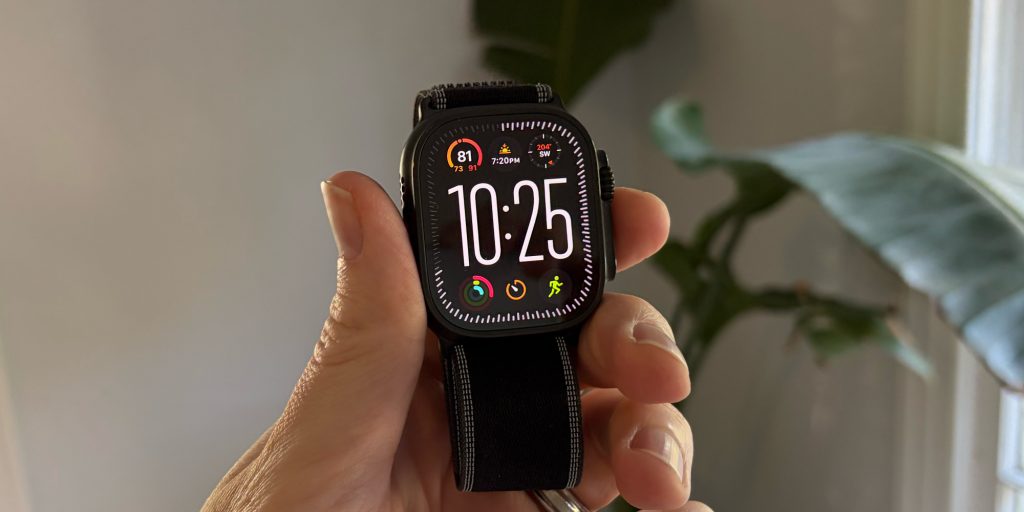
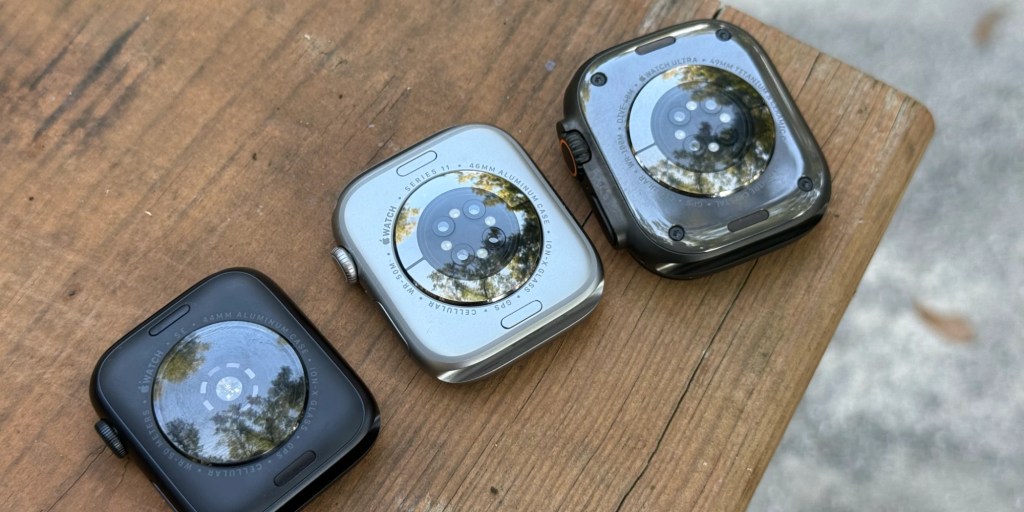
One thing to consider, however, is this: The Apple Watch Series 11 in titanium, the Apple Watch Series 11 Hermès, and the Apple Watch Ultra are only available with GPS and cellular connectivity. This means that your Apple Watch will have the necessary hardware for cellular connectivity, but you’ll have to decide whether to pay the monthly price.
Associated costs with cellular
Most plans will cost you at or around $10-$15 each month, still much cheaper than many iPhone plans. You may be able to get a deal on a cellular plan if you purchase a watch directly from a carrier like Verizon, AT&T, or T-Mobile.
It’s also important to keep in mind that if you buy a standard Apple Watch with GPS, you cannot add a cellular plan later. You have to purchase an Apple Watch GPS + Cellular in order to have access to a plan now or in the future.
No need to keep your iPhone around
For those people who want to get into a habit of leaving their iPhone behind in favor of an Apple Watch, it makes sense to have a cellular plan. Especially for those who run or take walks – with a cellular model, you don’t need to keep a bulky iPhone with you to have access to calling, texting, music, and more. Paired with AirPods, you can take calls, listen to music, and more without your iPhone around.
However, if you find yourself always having your iPhone on you, cellular may not be worth it for you. When making the decision, take into consideration your current iPhone usage to see if a cellular Apple Watch could be justifiable.
Emergency SOS on Apple Watch
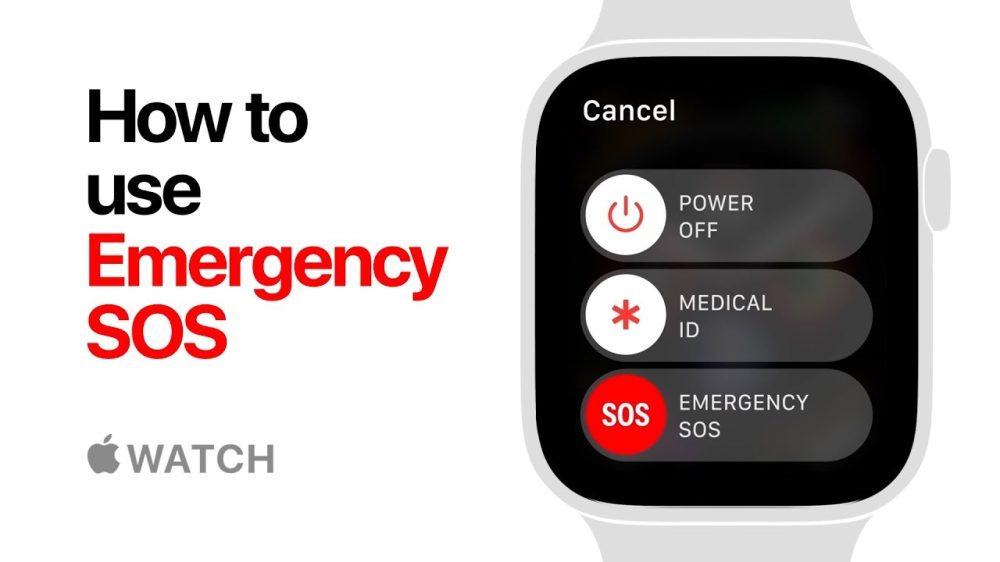
Apple explains that Emergency SOS requires a satellite connection, cellular connection, or Wi-Fi calling. If you have a cellular Apple Watch without an active cellular plan, you can still place emergency calls in most locations. If you have an Apple Watch without cellular capabilities, you’ll need an iPhone nearby or Wi-Fi calling setup.
Emergency SOS requires a satellite connection, cellular connection, or Wi-Fi calling with an internet connection from your Apple Watch or nearby iPhone.
You can use cellular models of Apple Watch to make an emergency call in many locations, provided that cellular service is available. Some cellular networks may not accept an emergency call from your Apple Watch if your Apple Watch isn’t activated, if it isn’t compatible with or configured to operate on a particular cellular network, or if isn’t set up for cellular service, or if the cellular network does not support emergency calling over IMS
This is one of the biggest things to consider. If you plan on being without your iPhone, a cellular Apple Watch can offer peace of mind. The Apple Watch offers an array of health features, and cellular is arguably a health feature, too.
Family Setup
Family Setup is popular with parents who want to be able to contact their children without having them own an iPhone. With this feature, the parent can set up a cellular Apple Watch for their child on their personal iPhone. The child can then use their Apple Watch to call, text, or use any other available feature, all with their own phone number and Apple ID. With Family Setup, the parent’s iPhone does not need to be nearby.
Some reasons for choosing this option include the fact that it’s more cost-effective. Not only is the device cheaper than most iPhones, but it’s also cheaper to add a data plan and insure with Apple Care+. Also, since Apple Watches are worn on the wrist, they tend to be a bit harder to lose.
Finally, opting for an Apple Watch instead of an iPhone keeps your child behind a screen less, something many parents aim to do. There are parental controls to make the Apple Watch work for you. For example, there’s a Schooltime feature that turns off access to apps and notifications while the child is in school.
Overall thoughts
For most people, the Apple Watch with cellular is likely the right decision. While there’s a higher cost associated, it unlocks a number of the Apple Watch’s best features and helps it be truly independent of your iPhone.
Also, keep in mind that you can buy the Apple Watch with cellular and not activate it. This could be a good option if you plan to keep the Apple Watch for several years, as you might one day decide you want or need cellular after all.
My hope is that we one day don’t even have to have this debate and that all Apple Watch models will come standard with cellular, leaving it up to each person to activate it or not. But for now, it’s a decision you’ll have to make when buying an Apple Watch.
For me, I think cellular connectivity on my Apple Watch is absolutely worth it. I can go on walks without bringing my iPhone and still listen to my favorite music and podcasts. It’s also an excellent backup option if I go somewhere with my iPhone and it dies or I lose it.
Do you think cellular for the Apple Watch is worth it? Let us know down in the comments.
My favorite Apple Watch links:
- Apple Watch Series 11
- Twelve South Butterfly 2-in-1
- Anker 3-in-1 Charging Station for iPhone, AirPods, and Apple Watch
- Nomad Titanium Apple Watch Band
- Apple Watch Ocean Band
Follow Chance: Threads, Bluesky, Instagram, and Mastodon.


FTC: We use income earning auto affiliate links. More.


Comments