

Storage on Apple devices has always been a sensitive subject. Whether it’s for an iPhone, iPad, or Mac, you always pay the highest premium when upgrading the internal storage. An iPhone 17 Pro Max can go from $1199 for its 256GB entry-level model to $2000 for the 2TB model. That’s an additional $800 just for storage on your iPhone. So, for anyone shooting photos, working with large files, or recording Apple ProRes video on iPhone, those storage limits show up fast. I always recommend people get external storage rather than internal storage, since you can get 16TB for $800 these days! But external storage, specifically with iPhones, poses other challenges, like cables, mounts, and setups that can make things feel clunky. So when I saw the new Planck SSD and how tiny, compact, and purpose-built it was for iPhone, I had to check it out.
What is the Planck SSD
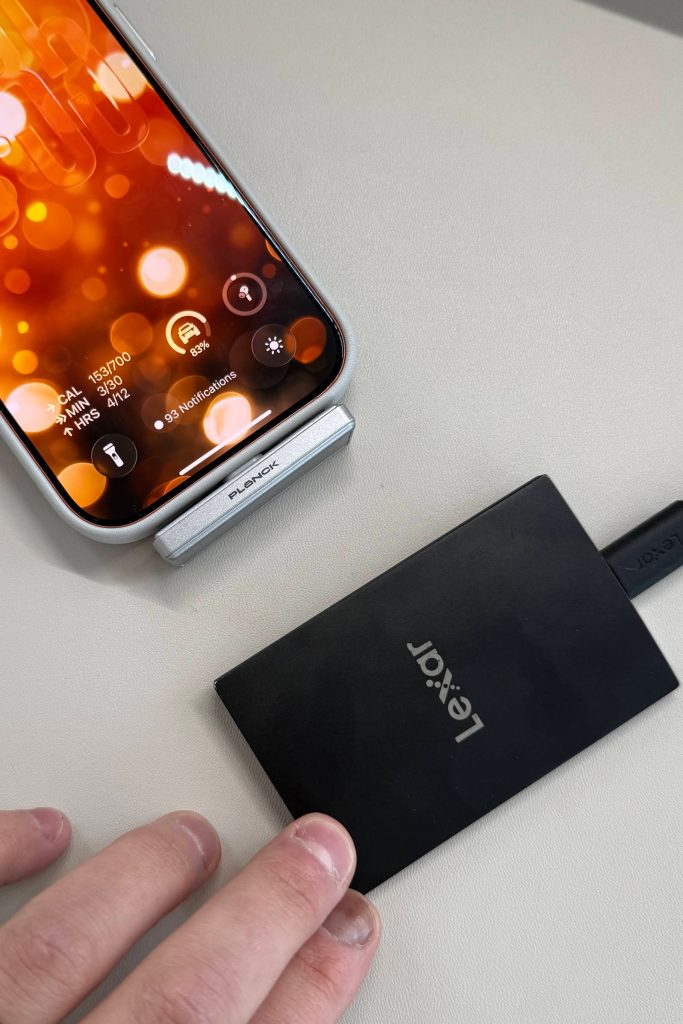
Before we get into my hands-on experience, let’s talk about exactly what this is. On paper, this is a high-end external storage accessory. You plug it directly into your iPhone, and you get an additional 1 or 2 TB of external storage. The secret sauce of this thing is the size, material choices, and form factor. It’s insane how small and convenient this is. The Planck SSD gives you:
- 1TB or 2TB options
- USB-C connection up to 10 Gbps
- Weights less than 10g!
- Tested write speeds up to 1050 MB/s
- Supports up to 4k120 Apple ProRes recording
- Made of aluminum and shock-resistant materials
- Water-resistant, dust-resistant, drop-tested up to 3 meters
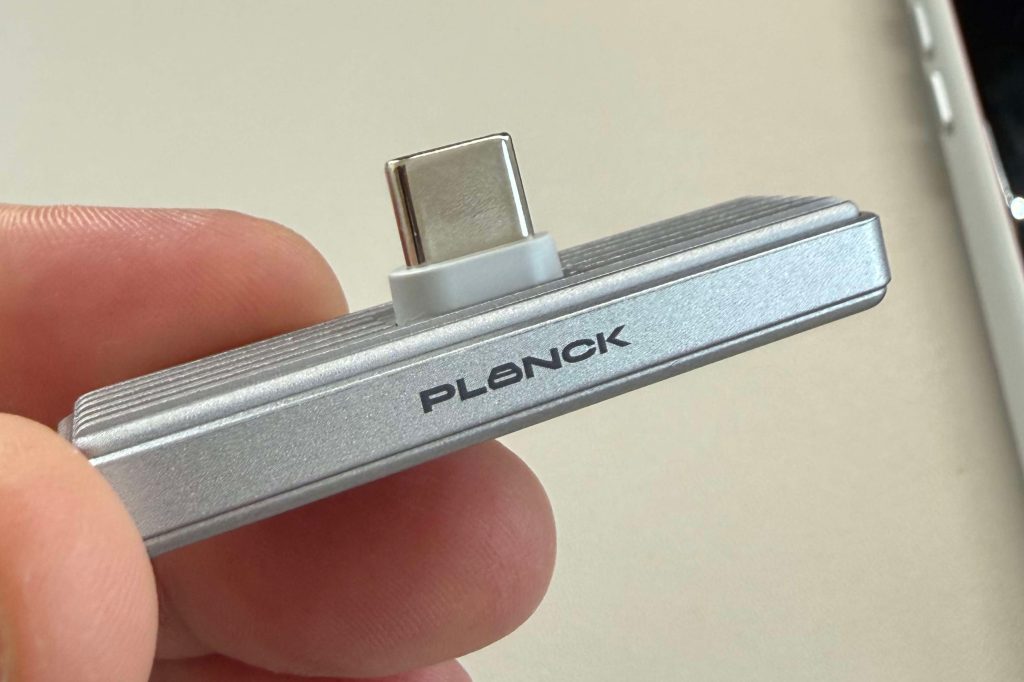
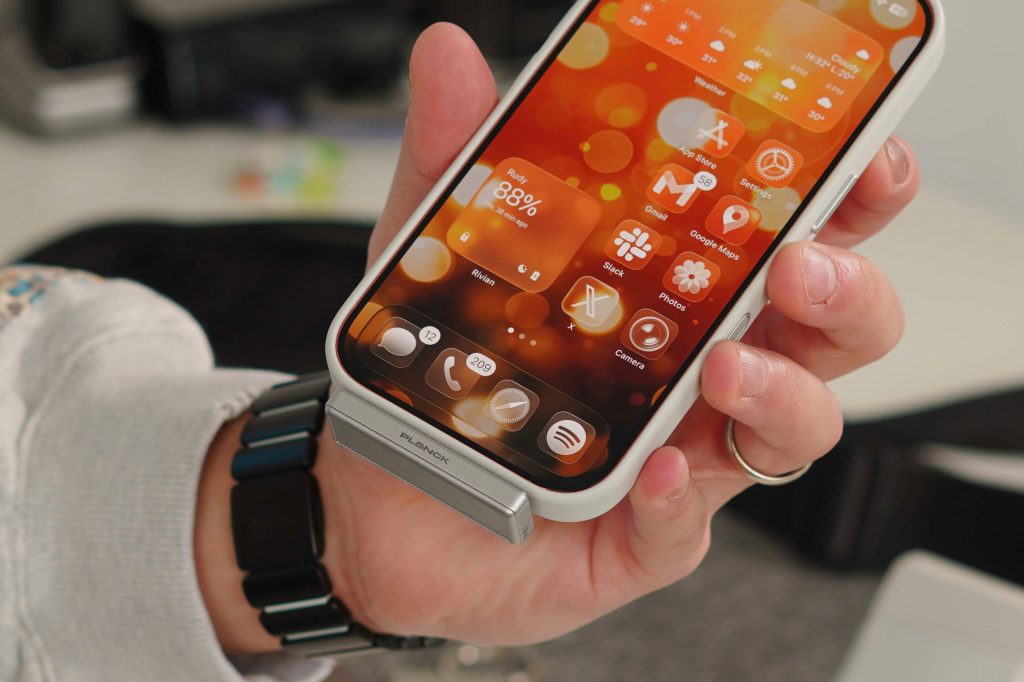
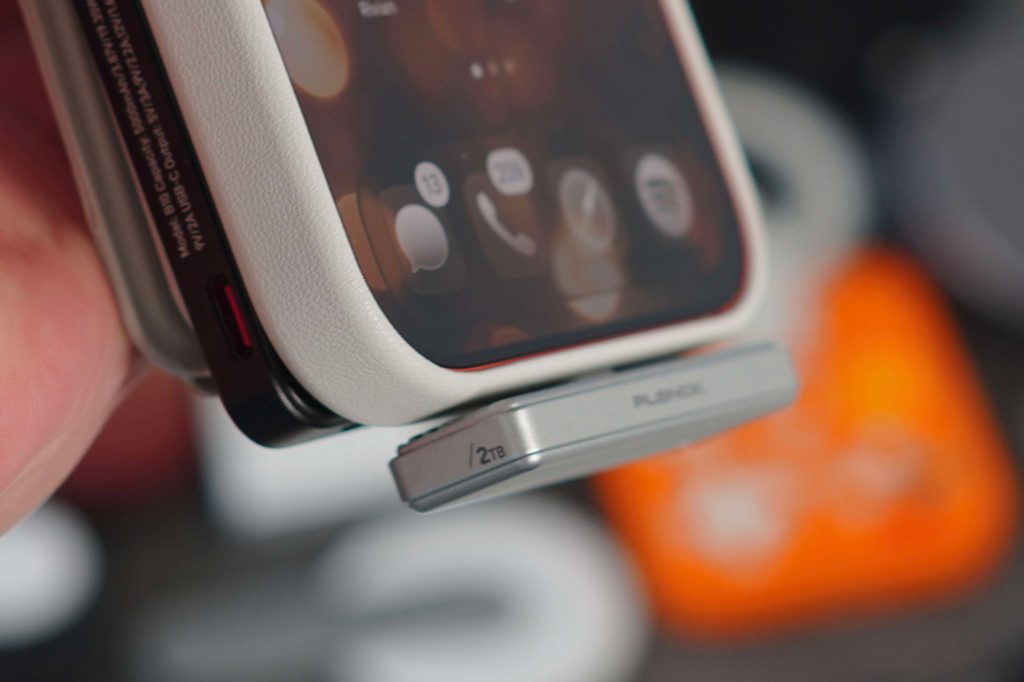
So what really stands out here isn’t the storage capacity or the read/write speeds, but the size, form factor, and how well it performs for such a small piece of kit. It is built to be used and record super-capacity, heavy Apple ProRes LOG footage, with the 2TB model able to record up to 5 hours of continuous filming.
My experience
I was introduced to this product a year ago, at CES 2025. It was one of those products that I saw that I knew would be a hit. At the time, it was still just a prototype, but I knew I needed to have it. The build materials, in combination with the size, made for a perfect storage accessory for iPhone users. Especially with someone like myself who likes to use their iPhone in video environments. There is a lot to like about this SSD, starting with the little things.
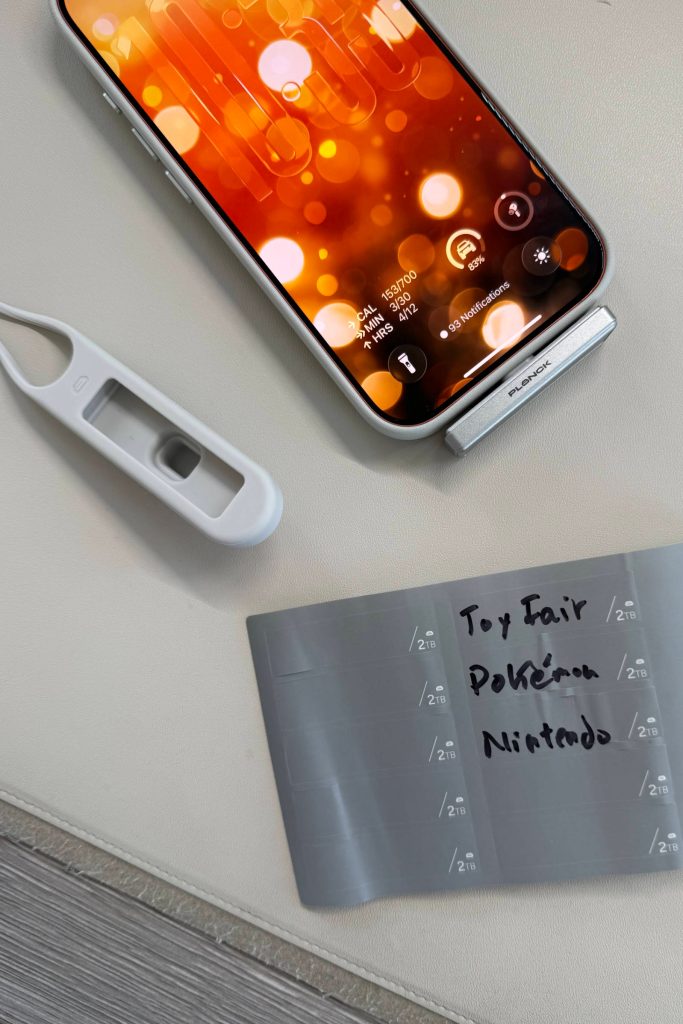
As I mentioned, this device weighs only 10g, so even though it plugs directly into the iPhone, it feels like nothing is there. Since it plugs in directly, there are no cables, mounts, or MagSafe attachments needed. It just plugs in and starts working. They even added a lip on the USB-C port to account for people using cases on their iPhones, which is a great quality-of-life feature. Some thick SSD cables sometimes don’t fit when you have an iPhone case on. Another bit they added was labels in the packaging. The bottom of the Planck is flat, so you can add these labels as needed. A nice touch. Then, in the packaging, they include a rubber holder with a loop, so it’s easier to store and find. Again, this thing is small, so if you just slide it into a heavy jacket, you could forget it!
How I used the Planck SSD
There are a ton of use cases for this SSD. Of course, it can be used as regular storage for all of your devices. This works great with an iPad or even a MacBook, as well as just external storage. The read and write speeds are fast enough that you can use it even while video editing. But I used it to record my footage directly to this Planck SSD. I own an iPhone 17 Pro with 512GB of storage. I like to save that storage for my apps, music, and personal photos that I know I need on the device. But when I record YouTube videos or footage at a show, I do not like using up my on-device storage.
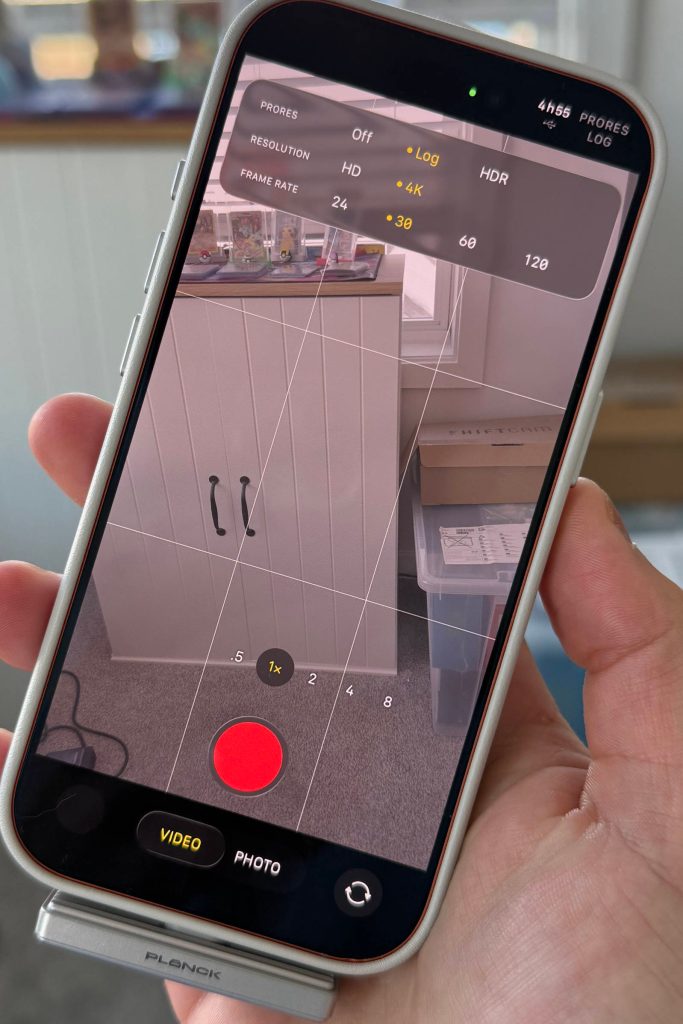
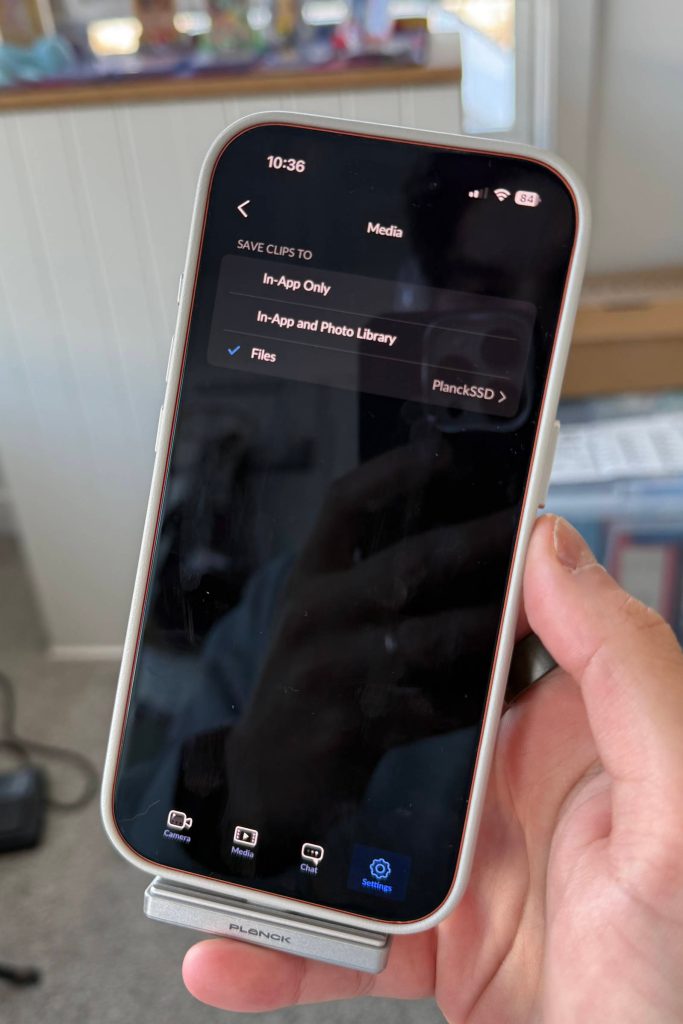
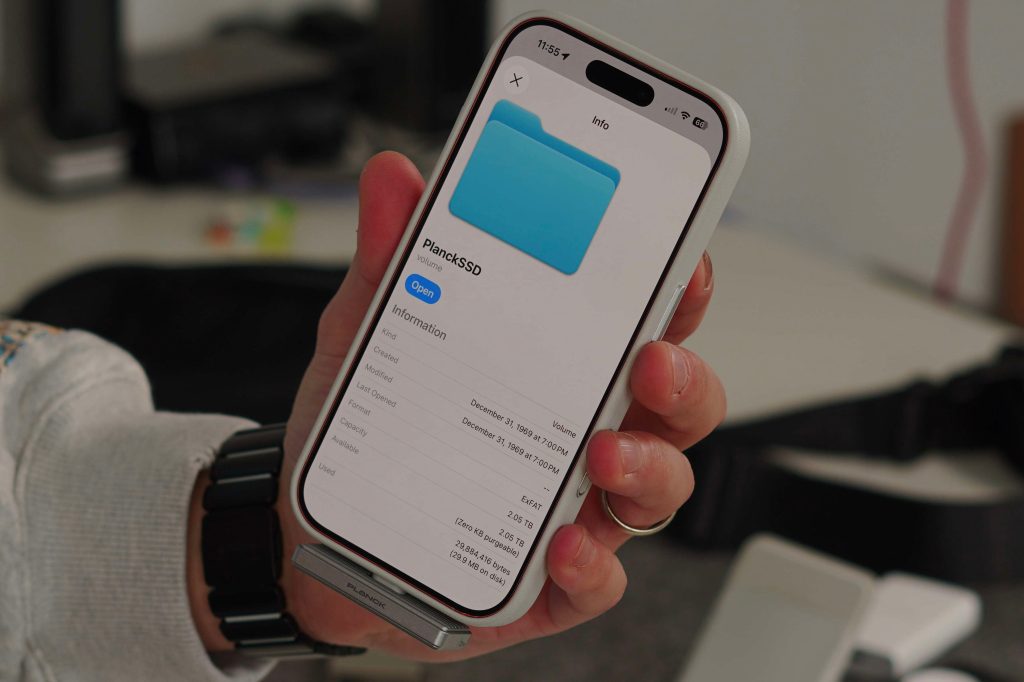
The first way I used the SSD was to record Apple ProRes LOG. This is super simple and can be done directly in the camera app. You simply plug the Planck SSD in, turn on Apple ProRes LOG, and the camera app will immediately recognize the external SSD. On the top right of the camera, you will see a USB logo and the time. That lets you know that you are recording to an external drive and how much time you can record. The 2TB Planck supports recording 5 hours of video directly to the drive. I personally do not use Apple ProRes because the files are just too large, and I personally do not work with LOG footage. Since the Apple camera app doesn’t let you record regular 4K footage directly to an SSD, I use the Blackmagic Camera App to do so. It does the same function, but I can record regular 4k footage, which is much smaller. This use case for me has been fantastic. I simply record to the Planck, then plug that into my iPad or Mac and offload the footage. Again, no cables, no fluff, super convenient.
Pricing and availability
You can get the 1TB and 2TB Planck SSD directly from Amazon. The 1TB version is $189, and the 2TB version is $269. So instead of paying Apple $800 extra for a 2TB iPhone, just get the base-level iPhone and one of the 2TB Planck SSDs, and you will be good to go! Also, just for a price reference, the Samsung T9 2TB SSD is about $275. So the Planck is cheaper and more convenient. The Planck SSD comes with a rubber loop holder and 10 label stickers in the packaging.
Final thoughts
As I stated above, I have been trying to get my hands on this SSD for about a year. So it had a lot to live up to in my mind. It satisfied those expectations, and my review is pretty positive. If you have iPhone storage anxiety because you have 10,000s of photos and videos in your camera roll, or if you are a mobile creator who just needs more storage but does not want to pay Apple’s premium, the Planck SSD is worth considering. It’s small and compact, supports Apple ProRes recording, and solves the clunky external storage issue. All the while, still competitive in price with the competition.
What do you think? Is this something you would use? Is it almost too small? Let’s discuss below.
Best Apple deals
- iPad mini $399 (down from $499)
- Best slim magsafe powerbank for iPhone
- Best Qi2 charger for iPhone
- AirPods Pro 3
- Favorite MagSafe Wallet


FTC: We use income earning auto affiliate links. More.




Comments