
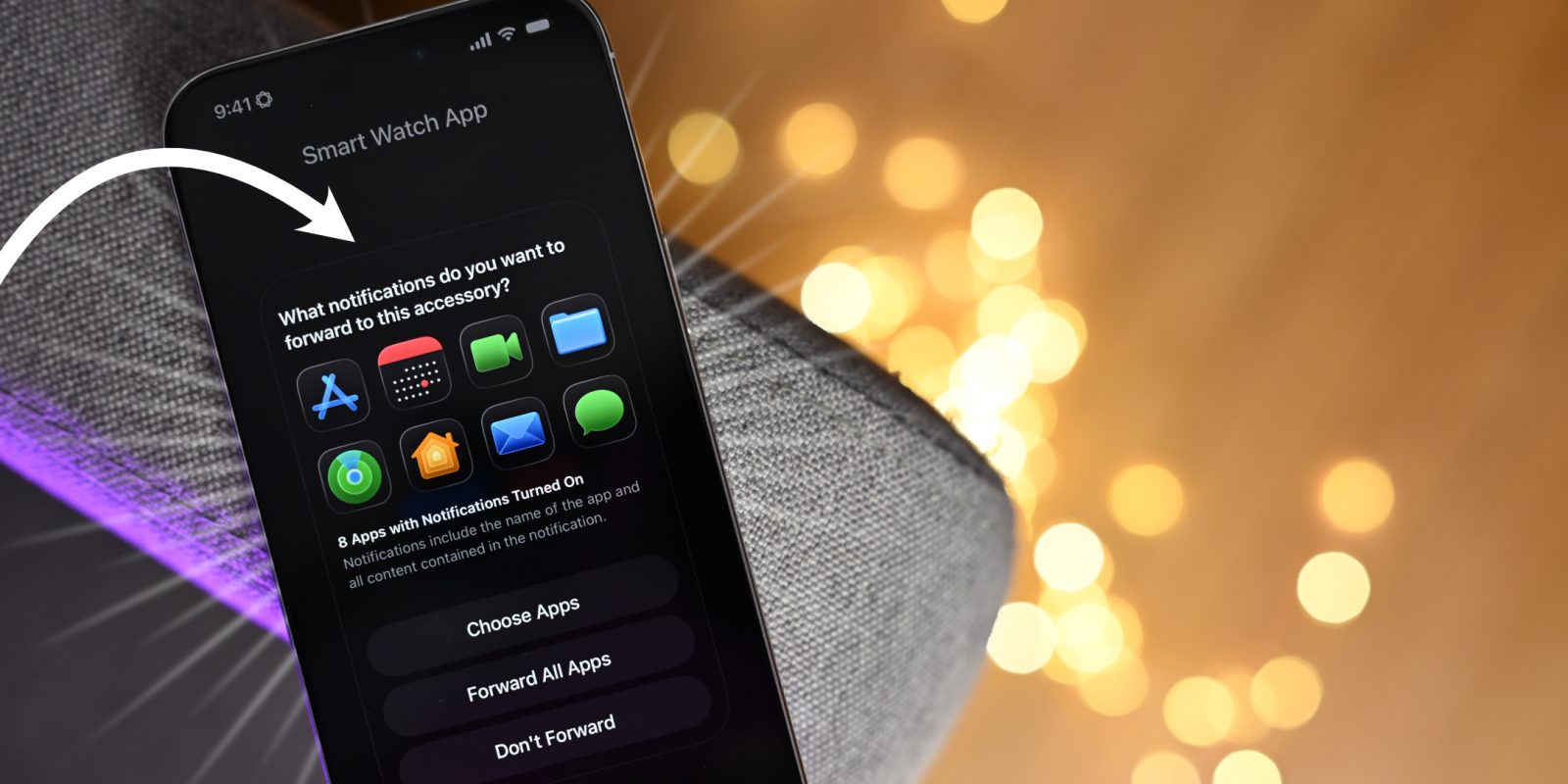
In this new episode of iOS Decoded, we take a deep dive into what’s new in iOS 26.4 beta 1, with in-depth looks at dozens of new features and changes. For example, we get our first look at the Notification Forwarding setup for third-party smart watches and other hardware devices in the EU, along with new iCloud.com functionality that brings secure Photos and iCloud Drive search to the web.
In this post, we’ll consider five standout features included with the update, but watch the full video for a look at everything new, and be sure to subscribe to 9to5Mac on YouTube for more in-depth walkthroughs.

What’s new in iOS 26.4 beta 1?
Notification Forwarding
iOS 26.4 beta 1 gives us our first look at the setup process for the upcoming notification forwarding feature, scheduled to hit EU users later this year. Apple includes a simple onboarding process for compatible Bluetooth devices, such as third-party smartwatches, in the first 26.4 developer beta.
Pairing a third-party smartwatch is similar to how users set up new AirPods. Once iOS 26.4 finds a nearby compatible accessory, the pairing process can begin. When an accessory is paired, you can choose to connect or unpair the device, send a test notification, and request notification forwarding.


After requesting notification forwarding, a permissions dialogue will appear, and users can choose to set up forwarding notifications to the third-party device. After confirming the setup, users are presented with a screen to select which messages to forward to the accessory.
The “What notifications do you want to forward to this accessory” dialogue will indicate how many apps currently have notifications enabled, and you can choose to forward all of them. Alternatively, you can selectively forward notifications from specific apps to the third-party device.

As of now, this feature is limited to the EU, and Apple notes that you can enable notification forwarding on a single device. This means you couldn’t have an Apple Watch and a third-party smart watch receive notifications at the same time. There are also privacy ramifications, as third parties may gain access to notifications that even Apple isn’t normally privy to.
Video: iOS 26.4 Beta 1 – Everything new
Subscribe to 9to5mac on YouTube for more videos
Allow Search on iCloud.com
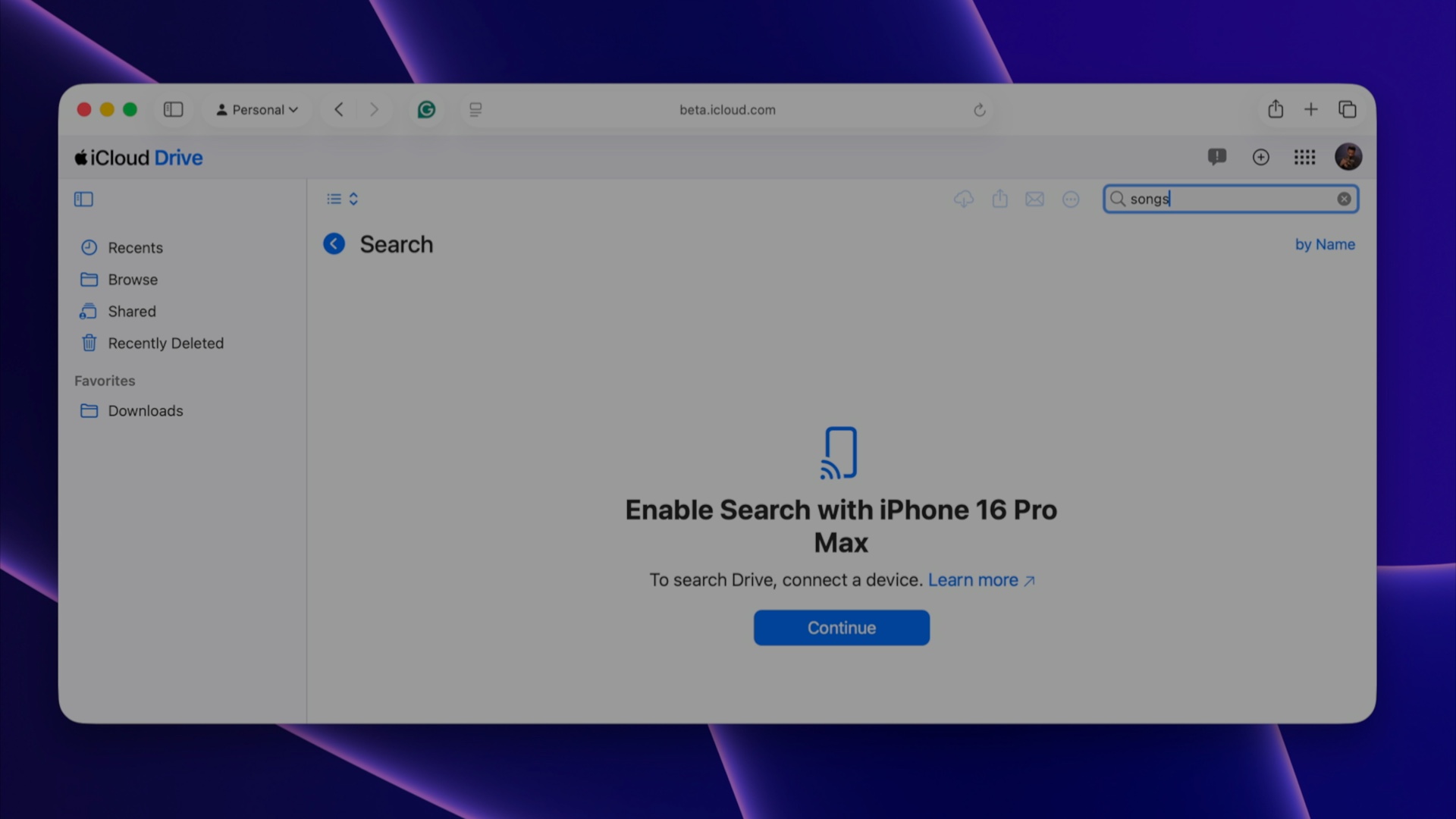
A new iCloud feature in iOS 26.4 beta 1 lets users enable a setting that lets them search for Photos and iCloud Drive content on iCloud.com. This feature, accessible by navigating to Settings → User → iCloud → iCloud.com, reveals a new option that allows trusted devices to provide search results when using iCloud.com.
Since the feature is still in beta, you’ll need to navigate to the iCloud Beta website to use it. Once there, you’ll see search fields in both the Photos and iCloud Drive sections of the website. When you attempt a search, you’ll see a prompt to enable search on your trusted device. After clicking continue, you’ll see a notification appear on your trusted device to allow search access. You’re then able to gain search results from the iCloud Drive and Photos section of iCloud.com.
Migrate Data between browsers
The browser data export and import features in Safari settings have been around since iOS 18.2, but starting with iOS 26.4, Apple is making it easier to move data between your favorite web browsers. Before this update, exporting or importing data was limited to the Files app, but with iOS 26.4, users can import or export data directly from a compatible web browser.
New Ambient Music widgets
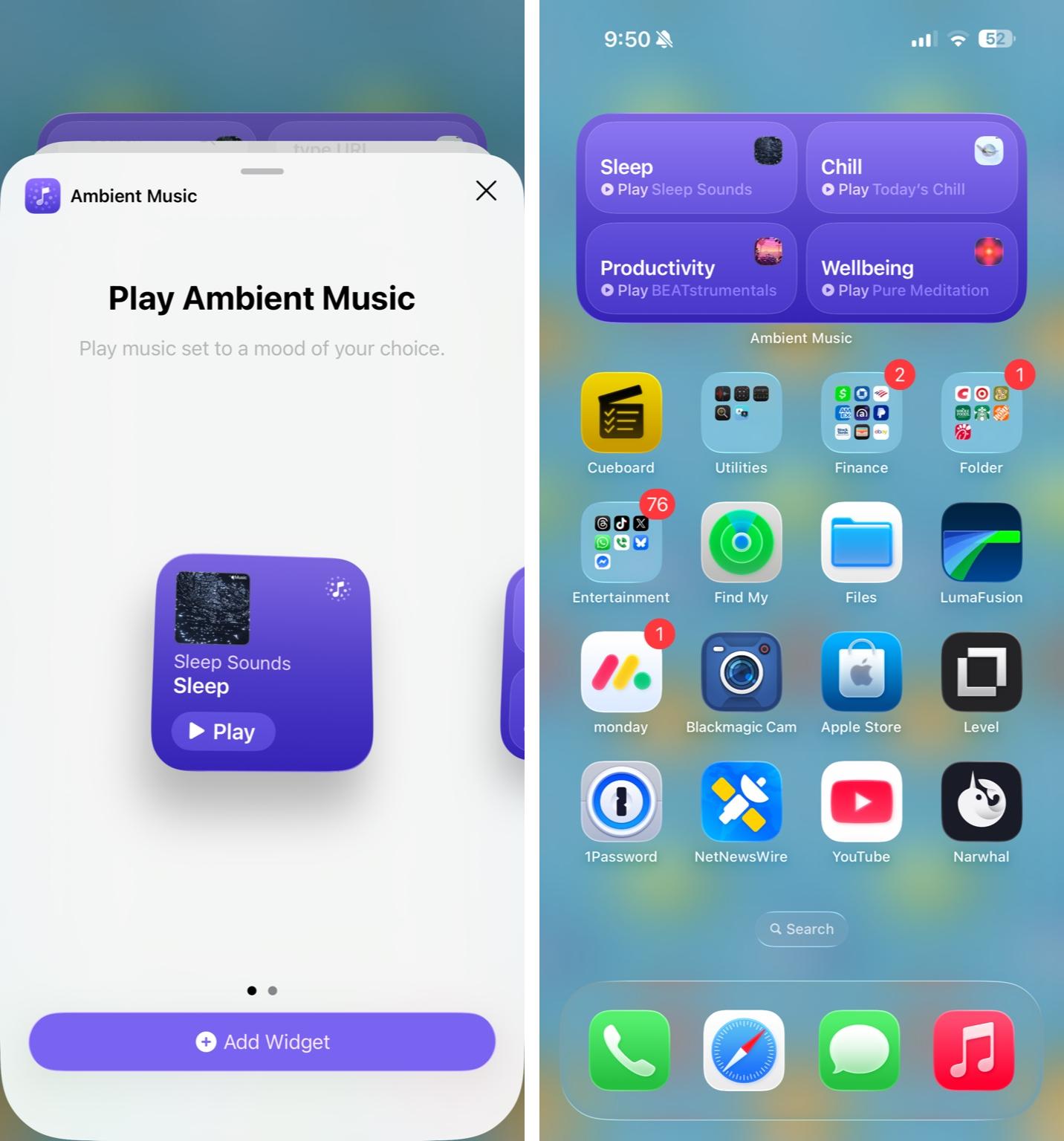
Since iOS 18.4 we’ve been able to invoke ambient music playlist playback via Control Center, but in iOS 26.4 Apple is making this easier thanks to two new ambient music widgets. The widgets, available in small and medium sizes, enable one-tap playback of Apple’s suggested or custom playlists directly from the iOS Home screen.
More HomePad evidence
As if we needed any more smoke, iOS 26.4 includes even more clues about Apple’s upcoming HomePad smart home device, including a new CompanionSetup system app that will likely be used to pair the “HomePad” device. The app also includes an interesting new chime we haven’t heard before. We’ve extracted it for your listening pleasure and included it in the video.
Folks, that’s just the beginning as far as new features and changes are concerned. Be sure to watch the full video walkthrough for a look at many more new updates in iOS 26.4 beta 1.


FTC: We use income earning auto affiliate links. More.





Comments