
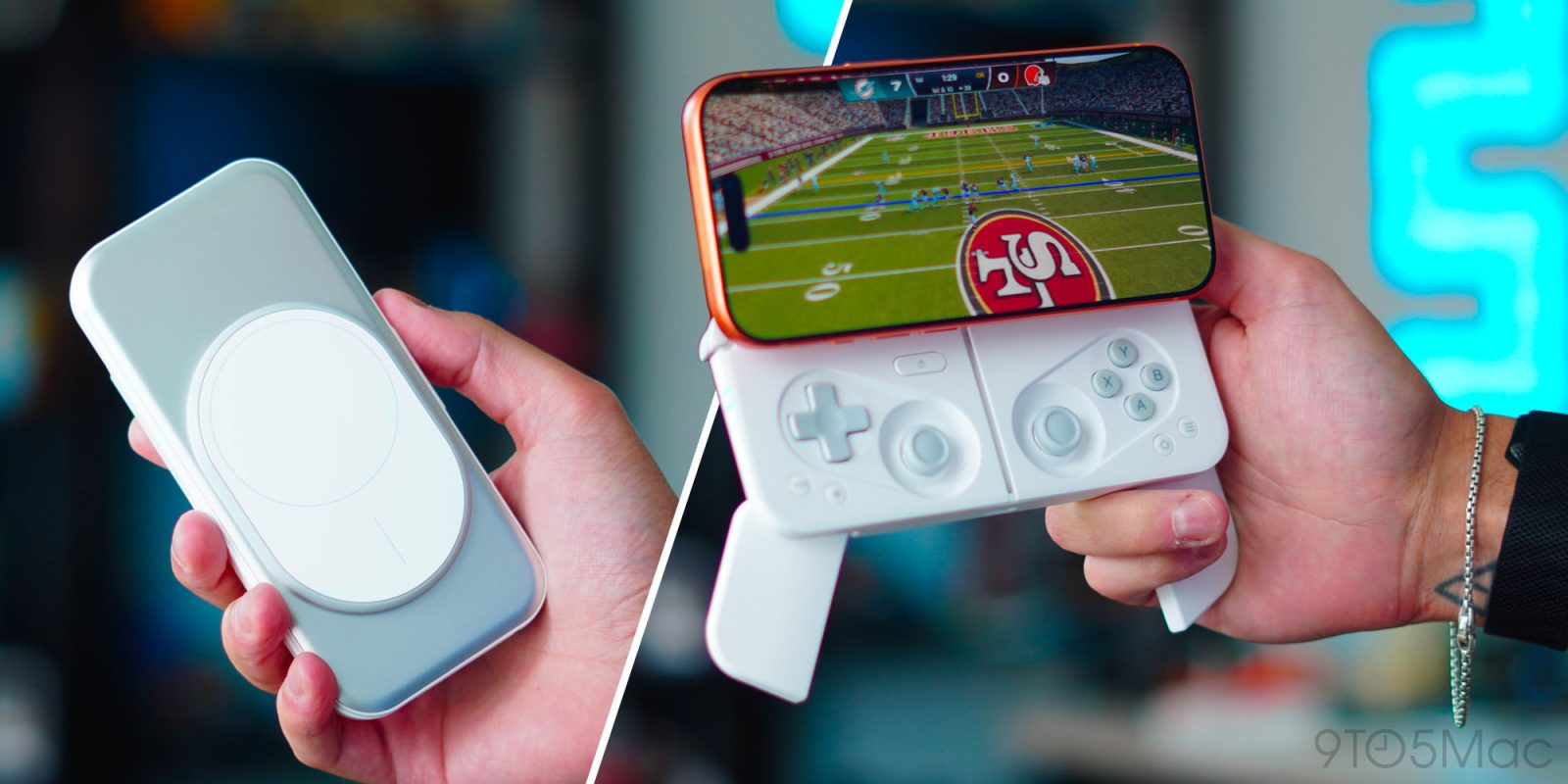
I first saw the Ohsnap MCON controller at CES last year, and I immediately fell in love with the concept. The idea was simple: give people a full-featured mobile controller that attaches to your phone via Magsafe, slides open when ready to use, and collapses into something compact that can go with you anywhere. Over the last two weeks, I have put it through its paces. I have tossed it around, pressed the launch mechanism 100s of times, used it with emulators, Apple Arcade games, and with multiple phones. Here is how it has held up, along with everything you need to know.
Be sure to check out our video to get a true hands-on look at how this works!
MCON Controller
At first glance, the MCON looks like a large MagSafe battery pack. On the front, you see the adjustable magnetic puck where you place your phone, and everything from the buttons, joysticks, and grips is neatly tucked behind that puck. Some key specs to consider are:
- Full-size GameSir Mag-Res TMR joysticks
- Hall-effect analog triggers
- Buttons include: ABXY buttons, D-pad, shoulder controls, Start, Select, and Home
- Modular design with kickstand mode
- Up to 9 hours on a single charge
- Bluetooth 5.4 and USB-C connectivity
- Only 197g
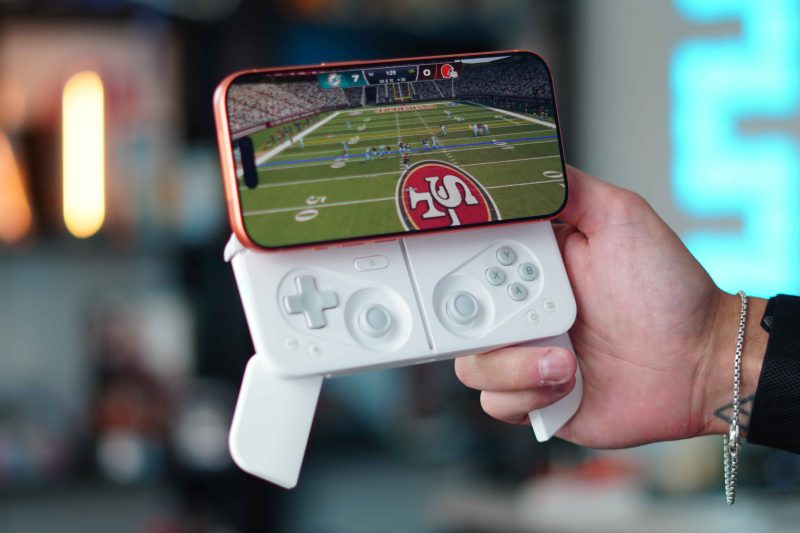
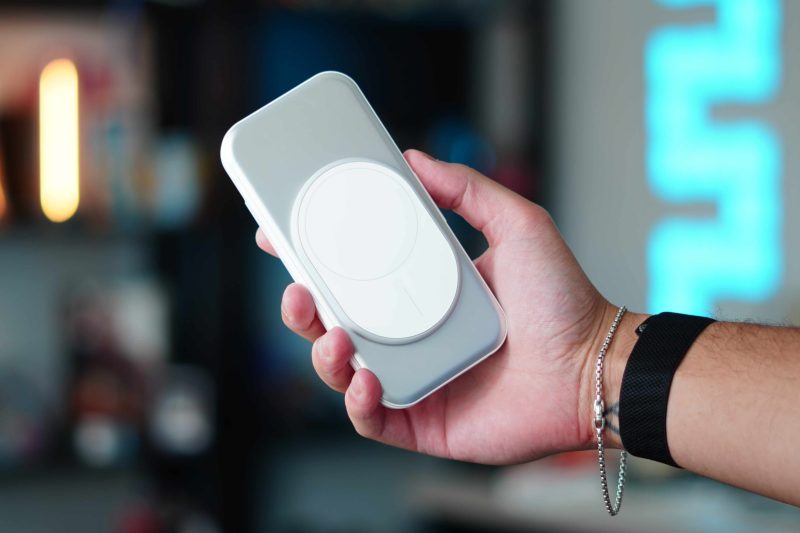
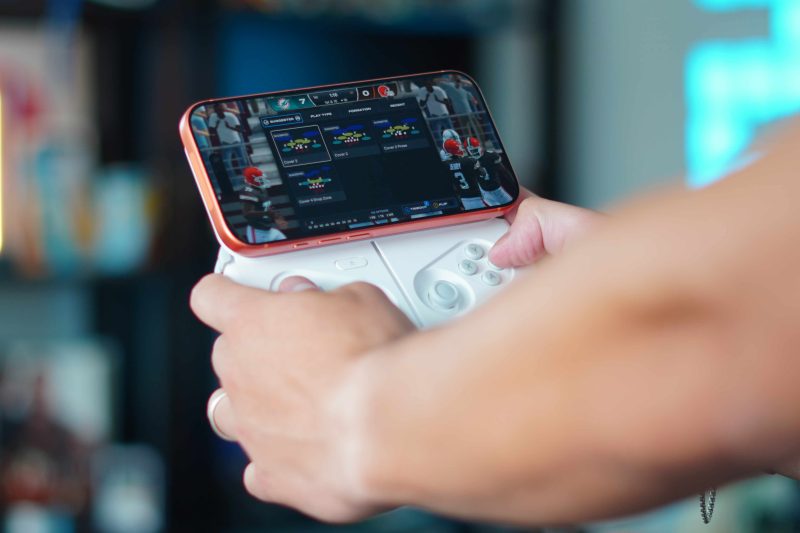
On paper, it sounds like a great standard controller that will get the job done, but it’s the actual hardware that really impresses. The magic of this design comes from the Launch button. Pressing this button slides the phone upward to reveal the controls. Then, on the rear, two grips fold out and lock into position, giving the MCON a more traditional controller shape and much better ergonomics. I have played with this mechanism over and over and over again, and it is very well made. Even with heavier phones like the 17 Pro Max or an unfolded Fold 7, the sliding mechanism moves the phone with ease.
Kickback mode
But it does not stop there. It also has a secondary playing mode called Kickback mode. This allows you to detach the metal MagSafe plate your phone rests on, which also has a hidden kickstand. So you can place your phone on a table in kickstand mode and play with the controller wirelessly, giving you a Switch-like mobile console experience. So if you are tired of holding up the entire controller with the phone, you can reduce the weight heavily by just removing the phone and playing in this Kickback mode.
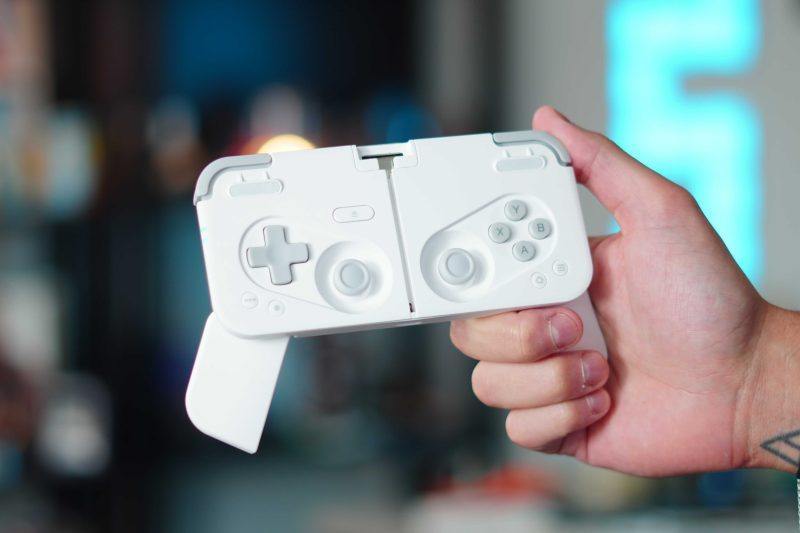
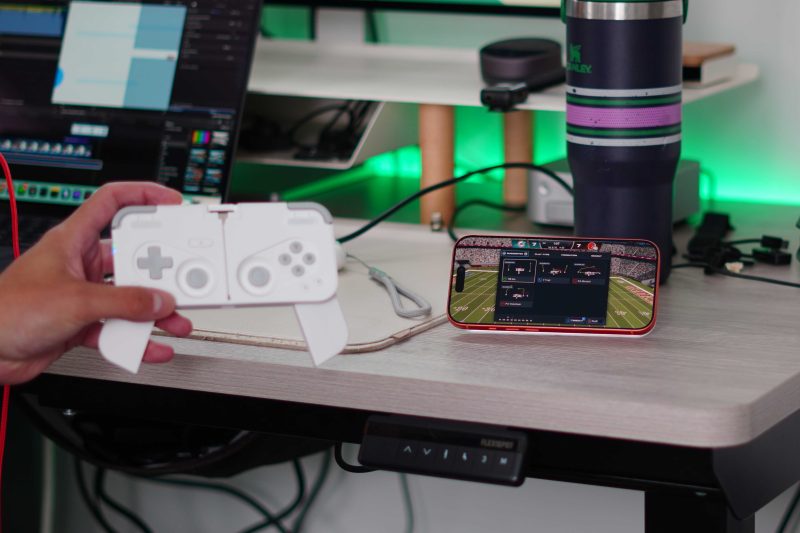
The MCON controller works with any iPhone that has MagSafe and any Android phone that has a built-in magnetic ring or a case. In the packaging, they even include a magnetic ring you can attach to a non-MagSafe-ready device. MCON is compatible with controller-supported mobile games, Apple Arcade, emulators, Steam Link, PlayStation Remote Play, GeForce Now, and Xbox streaming. Now let’s talk about my experience with it.
My experience
Of course, the first thing that stood out to me was how well they engineered this. They use a great combination of magnets, metal, and plastic to really give you a strong feel in the hand. Usually, something with this many moving parts has some sort of sticking point or compromise, but I experienced none of that. From using the sliding mechanism to removing and reattaching the metal plate for KickBack mode, everything felt natural. I also appreciated the physical toggle to turn the controller on and off. This makes it incredibly easy to pair with any device you use. Once paired, it will automatically connect to your most recent device every time you turn it on.
I tested this controller with three main use cases. The first one was cloud gaming for Xbox. I play a lot of NCAA football on my Xbox, so I wanted to see if I could have a good experience playing NCAA on my iPhone with the MCON. The controller easily gave me a console-level playing experience in the palm of my hand, which was awesome. I then used it for Madden 27 from Apple Arcade. This game has native MFI controller support, so it also worked flawlessly. It honestly felt even better than the cloud gaming experience because there was zero latency during gameplay. The new Madden 27 game is also great for anyone wanting to scratch the Madden console-level experience itch on the go. Lastly, I used it for a more passive Game Boy emulation use case. I love playing my Pokémon games on my iPhone. Since the emulator I use fully supports external controllers, this also worked flawlessly.
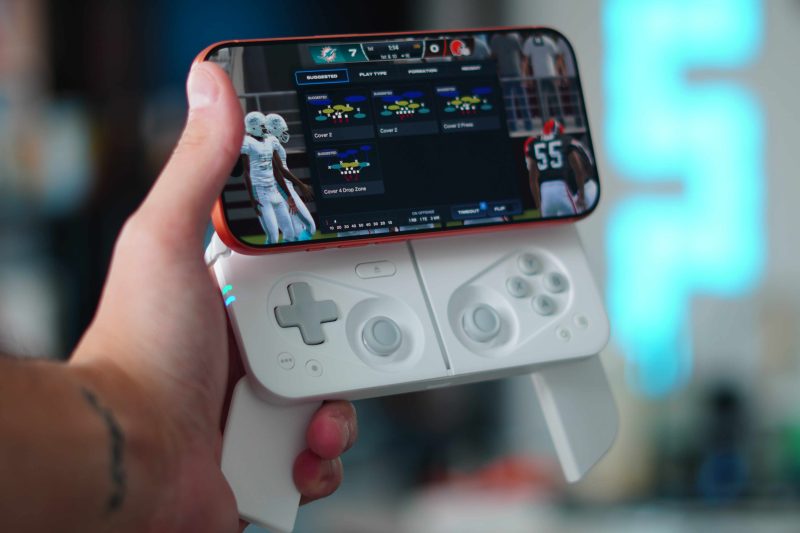
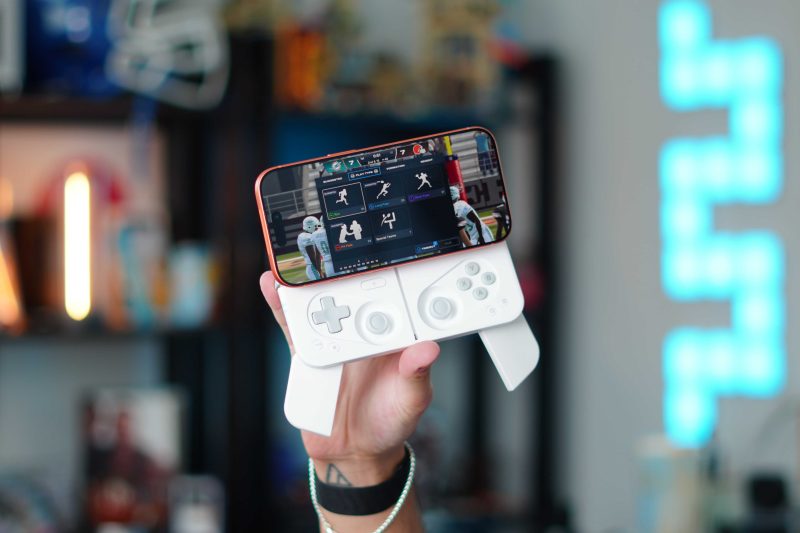
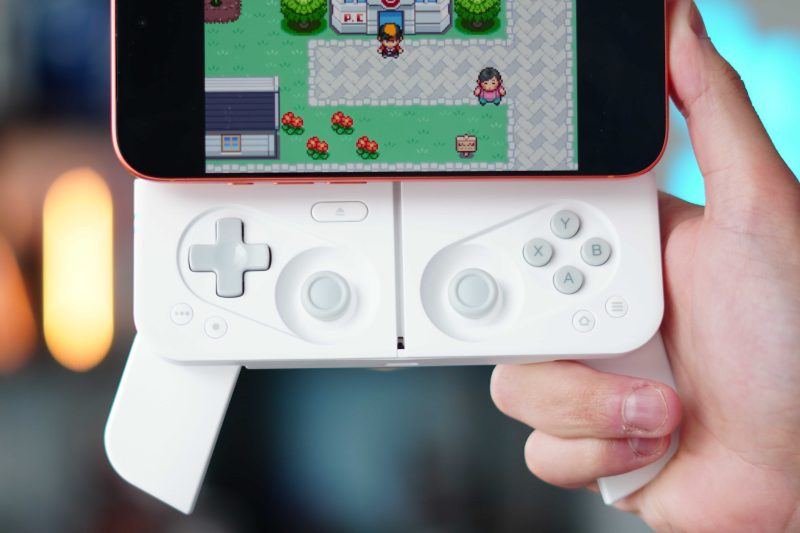
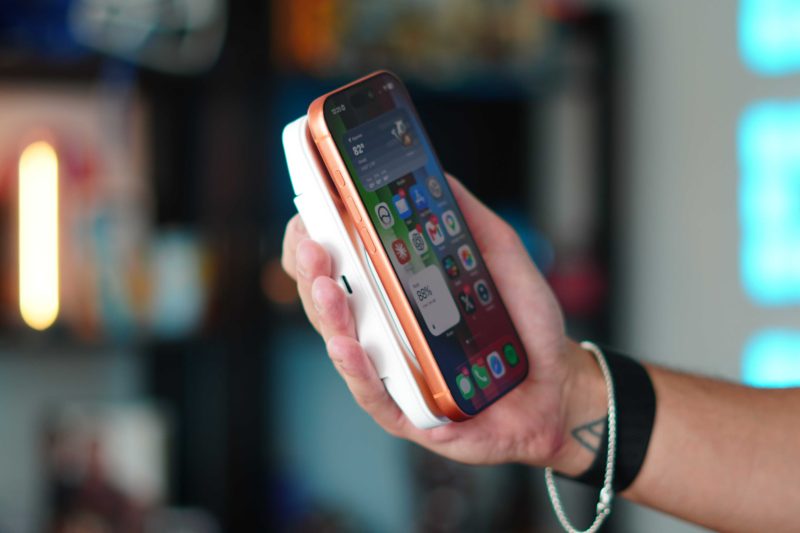
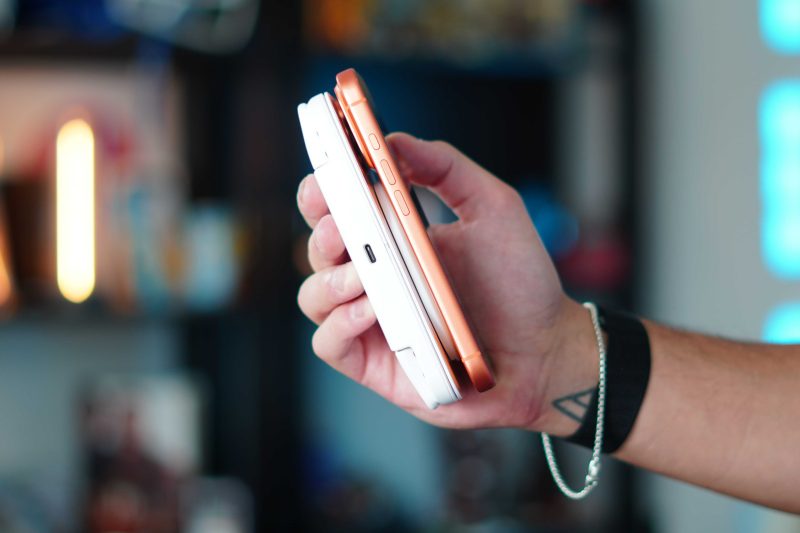
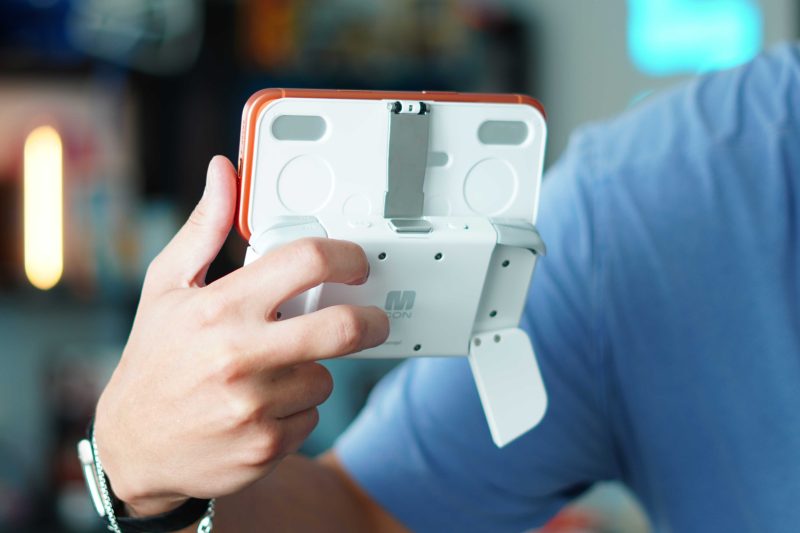
I had gaming sessions that lasted nearly two hours, multiple times, and I felt zero hand fatigue. I also used it in that Kickback mode, which is super comfortable. The kickback mode works even better with a folding phone because you get a huge display to play our games.
The only compromise I noticed is that the controller cannot charge your iPhone. There is no MagSafe or wired charging for your iPhone. Otherwise, this controller has been fantastic for my uses.
Pricing and availability
The Ohsnap MCON controller is on sale on Ohsnap’s site for $99.(normally $149). It comes in two colors: Black and White. There is also a nice little ecosystem of accessories that you can bundle in. They have a carrying case, a Switch-like dock that lets you cast to your TV, and a few others worth checking out.
Final thoughts
For me, this controller has lived up to the hype. As I mentioned, I saw it in person over a year ago and knew I needed it to have it. For those of you old enough to remember the T-Mobile SideKick, this is what it reminds me of. The ability to just spring your phone up and reveal a full pro-level controller that fits in your pocket has been awesome. The combination of strong build quality, unique and functional design, and game compatibility support makes this an easy recommendation for anyone looking for a mobile gaming controller. What do you think of this? Do you play console-like games on your iPhone? Do you use a mobile controller now? Let’s discuss below!
Best Apple deals
- AirPods Pro 3 (limited time $189)
- Best Studio Display Alternative
- Best 3-in-1 Apple Charger, Kuxiu D5
- My favorite travel battery bank, HyperTower 170W
- Thinnest MagSafe battery, SolidSafe Air 5K
- Best HomePod alternative, Denon Home 200


FTC: We use income earning auto affiliate links. More.


Comments