
Apple @ Work is exclusively brought to you by Mosyle, the only Apple Unified Platform. Mosyle is the only solution that integrates in a single professional grade platform all the solutions necessary to seamlessly and automatically deploy, manage, and protect Apple devices at work. Over 45,000 organizations trust Mosyle to make millions of Apple devices work ready with no effort and at an affordable cost. Request your EXTENDED TRIAL today and understand why Mosyle is everything you need to work with Apple.
Virtualization on macOS has become rock-solid in the Apple Silicon era. Parallels Desktop 27 pushes that further with a new Metal-based graphics driver, OpenGL 4.3 support for Windows virtual machines on Apple silicon, faster local AI workloads, and a host of enterprise features aimed at IT teams, helping them manage and deploy Windows on macOS. Here’s my look at what’s new after spending some time with it.
About Apple @ Work: Bradley Chambers has been an Apple IT admin since 2009. Through his experience deploying and managing firewalls, switches, a mobile device management system, enterprise grade WiFi, 1000s of Macs, and 1000s of iPads, Bradley will highlight ways in which Apple IT managers deploy Apple devices, build networks to support them, train users, share stories from the trenches of IT management, and ways Apple could improve its products for IT departments.
Graphic performance improvements
The headline feature of Parallels Desktop 27 is a new Metal-based graphics driver that delivers hardware-accelerated OpenGL 4.3 support to Windows virtual machines on Apple silicon, something Parallels says is unique among Mac virtualization tools right now. OpenGL 4.3 is the minimum graphics level required by many professional Windows apps. ArcGIS Pro, ZWCAD, and Blender 4.3 can now run in a virtualized environment on macOS thanks to this enhancement.
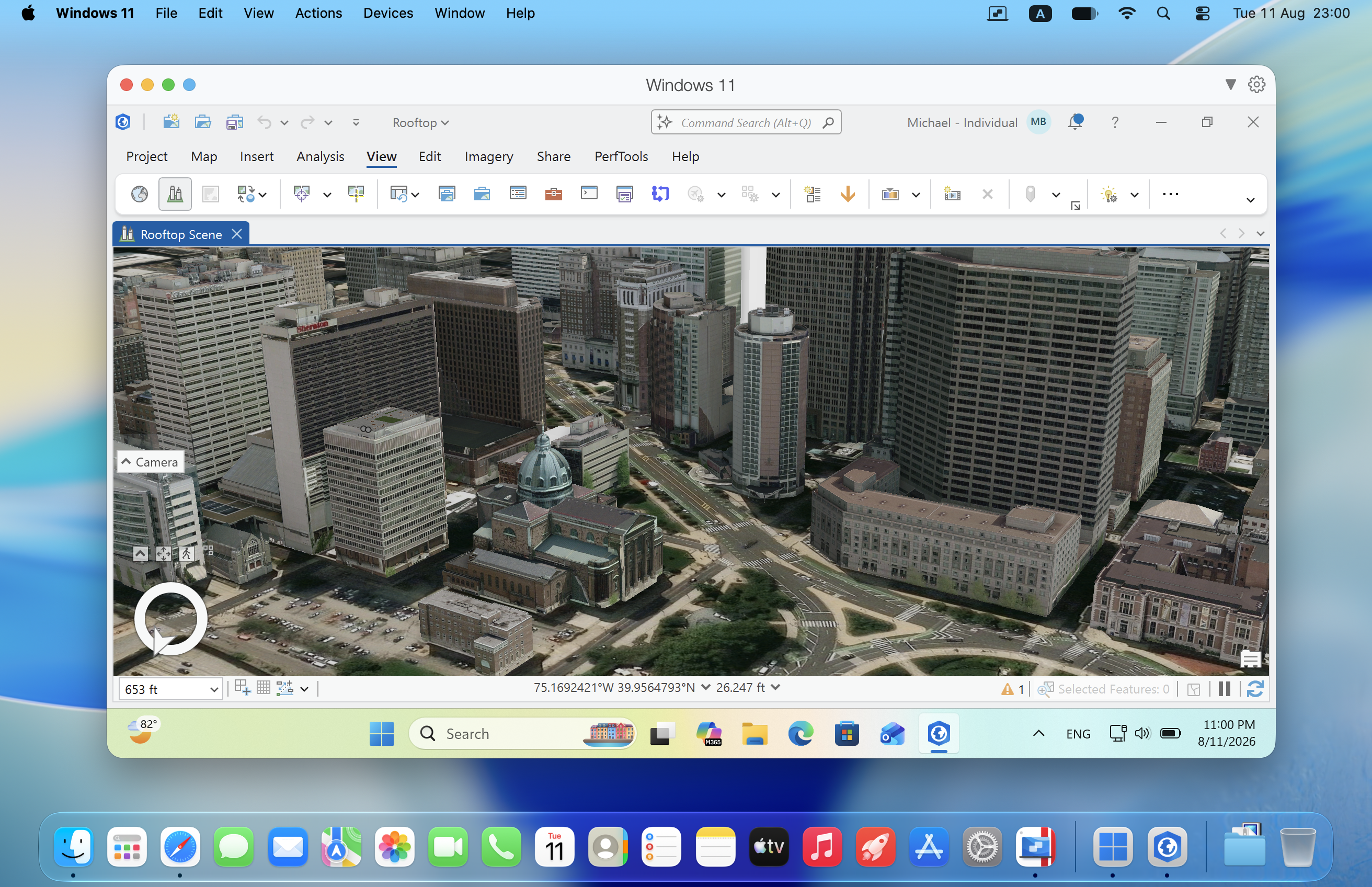
Parallels claims up to 160% faster OpenGL graphics performance on M3 and newer Macs. While boasting up to 35% faster 3D rendering in ArcGIS Pro, which cuts overall workflow time by up to 24%.
Better OpenGL support doesn’t just help professional engineering software. It helps anything that leans on that graphics stack, including games. I’m gaming on a PC for the first time in 20 years right now, all of it in a Windows VM on my M5 Pro, and it’s been incredible as I’ve been testing Parallels Desktop 27.
Local AI development gets faster
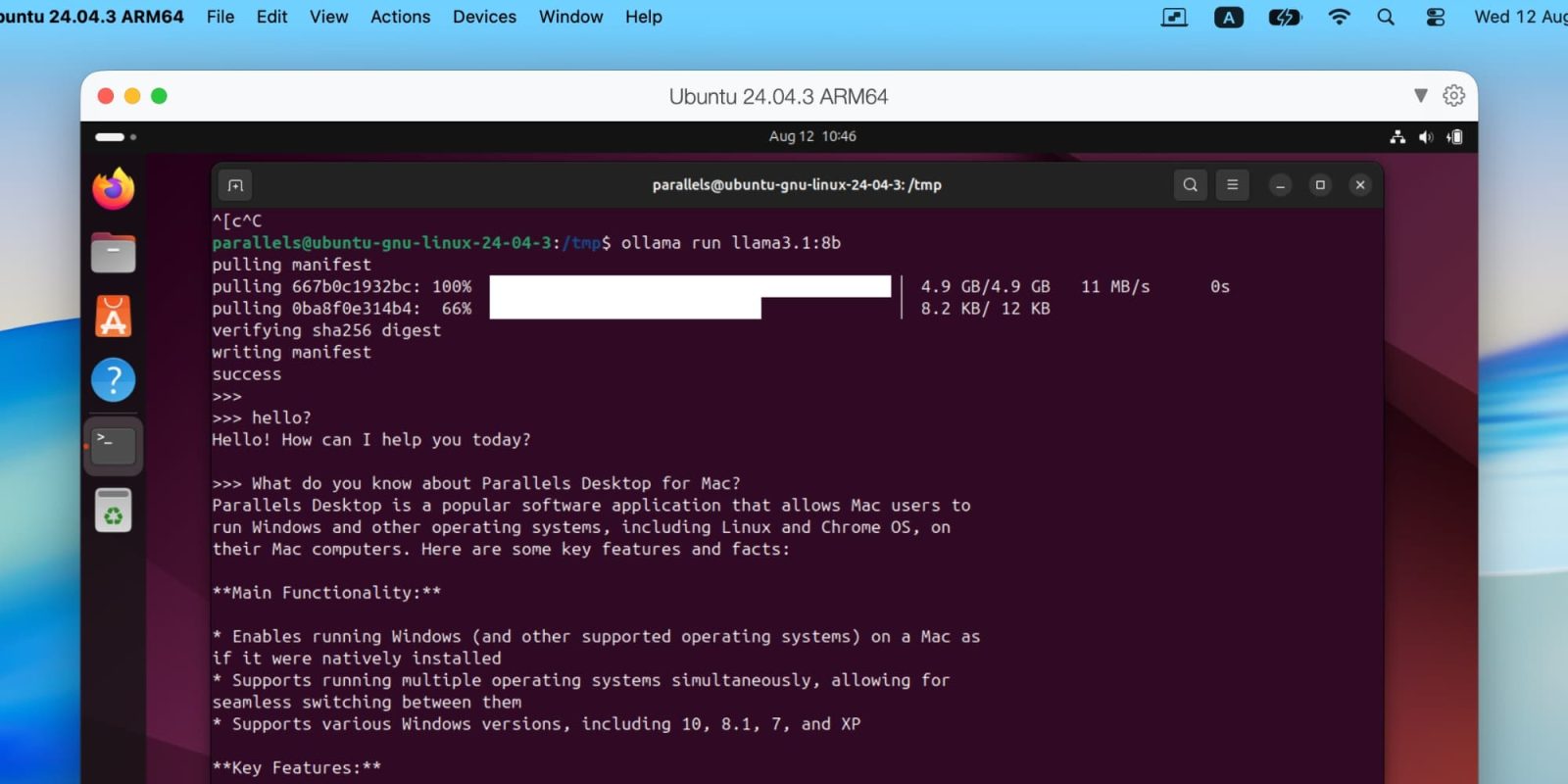
Parallels Desktop 27 also adds support for Scalable Matrix Extension (SME2) instructions in Linux and Windows VMs on M4 and newer Macs. Parallels notes that this translates to up to 7x faster AI and machine learning matrix operations and up to 1.75x faster neural network inference, with better performance for tools like Ollama and llama.cpp running inside a VM. For developers who want to build and test AI workloads locally rather than using cloud credits for every prompt, that’s a nice upgrade and further highlights the importance of Apple Silicon in the AI era.
What’s new for IT?
Parallels Desktop for Enterprise now lets you use the CLI to determine whether a copy was activated with a license key or SSO, enabling organizations on Jamf to build extension attributes based on that for device management and reporting.
With the release of Desktop 27, Parallels also renewed its SOC 2 compliance. On top of that, Secure Golden Images Provisioning now supports distributing approved VM images via enterprise storage, including Azure Blob Storage and SharePoint, and includes improved declarative deployment for fully provisioned, zero-touch Windows VMs. For deploying at scale, this is important.
Wrap up
There’s a lot to like in Parallels Desktop 27 for everyone, depending on whether you are an engineer, developer, or gamer. So much of our ecosystem is either cross-platform or web-based, but when you need to run a Windows app on macOS, it’s never been better or felt more native. This is the best edition of Parallels Desktop, and if you have a demanding Windows app to run on the Mac, it’s worth the upgrade. I know some customers don’t like the subscription model, but if you rely on running VMs on macOS, it’s worth the annual upgrade as it’s much more of a rolling development to match Apple’s latest features.
To see if your Windows apps are compatible with Parallels Desktop, you can search the database of more than 200,000 supported apps at www.parallels.com/apps
Parallels Desktop 27 is available now in Standard, Pro, Business, and Enterprise editions.
Apple @ Work is exclusively brought to you by Mosyle, the only Apple Unified Platform. Mosyle is the only solution that integrates in a single professional grade platform all the solutions necessary to seamlessly and automatically deploy, manage, and protect Apple devices at work. Over 45,000 organizations trust Mosyle to make millions of Apple devices work ready with no effort and at an affordable cost. Request your EXTENDED TRIAL today and understand why Mosyle is everything you need to work with Apple.


FTC: We use income earning auto affiliate links. More.





Comments