
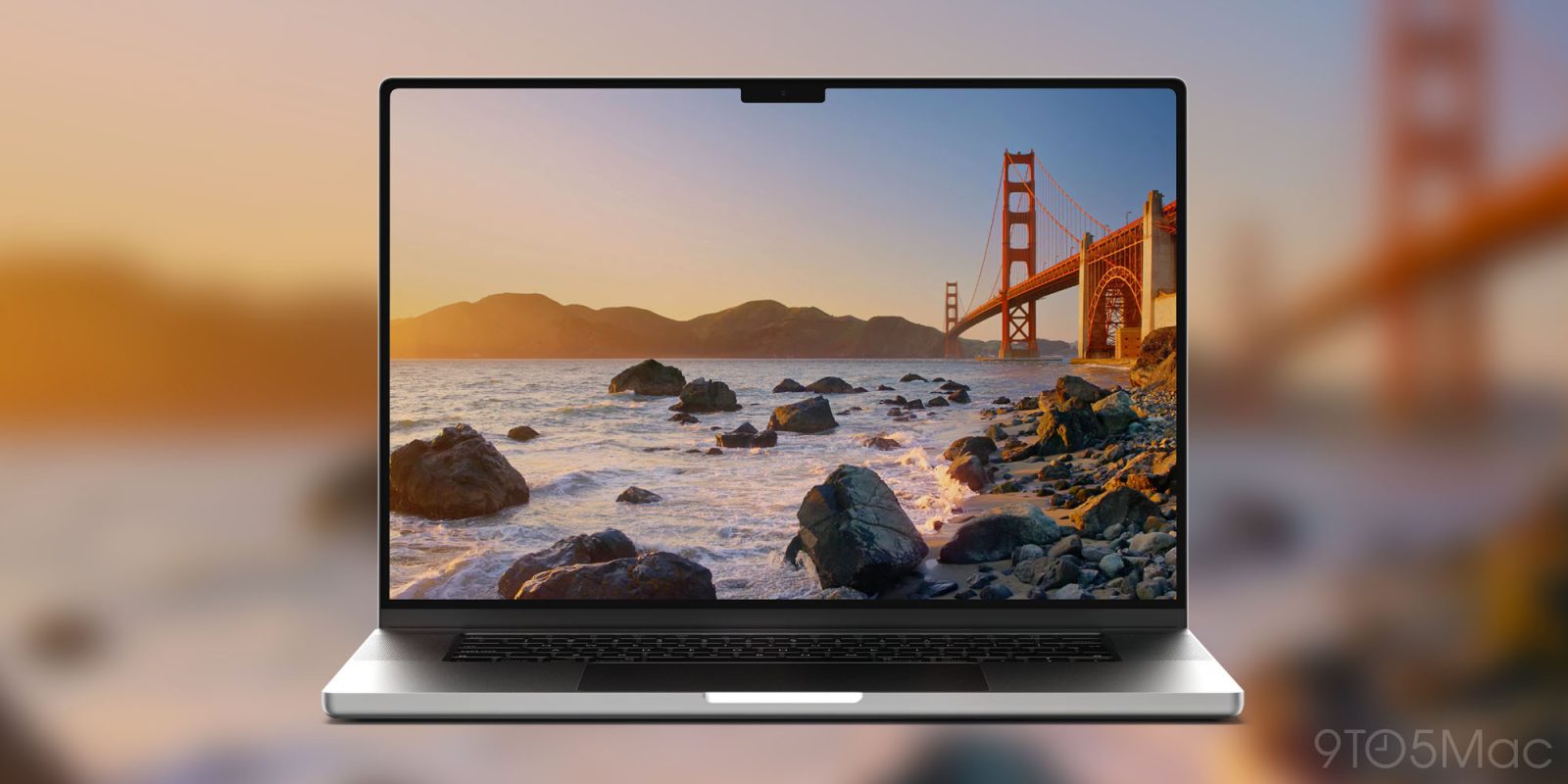
After months of beta testing, macOS 27 Golden Gate is now rolling out to everyone, bringing Apple’s new Siri AI, deeper Liquid Glass refinements, major Safari additions, and a long list of performance and quality-of-life improvements. Here’s everything new.
During this year’s WWDC, Apple presented its operating systems somewhat differently than users and developers were used to.
Rather than introducing new features for each platform individually, Apple spent relatively little time on each operating system and focused much of the event on cross-platform features and improvements, largely because many of them rely on the new Apple Intelligence framework.
That said, macOS 27 Golden Gate still includes several welcome improvements of its own, both in design and functionality, starting with some much-needed tweaks to Liquid Glass.
Liquid Glass and UI improvements
While macOS Tahoe 26 featured Apple’s revamped look, it fell short visually compared to other systems, particularly iOS 26 and iPadOS 26.
With macOS 27 Golden Gate, Apple spent some time further integrating the new Liquid Glass into the system, while also bringing over some of the visual tweaks introduced in iOS 27 and iPadOS 27. That includes a new Liquid Glass slider, which lets users customize just how transparent or opaque they want the effect to be.

The Liquid Glass appearance setting also includes a fun little easter egg featuring Clarus the Dogcow, which appears when you scroll the demo pane all the way down, and then keep going.
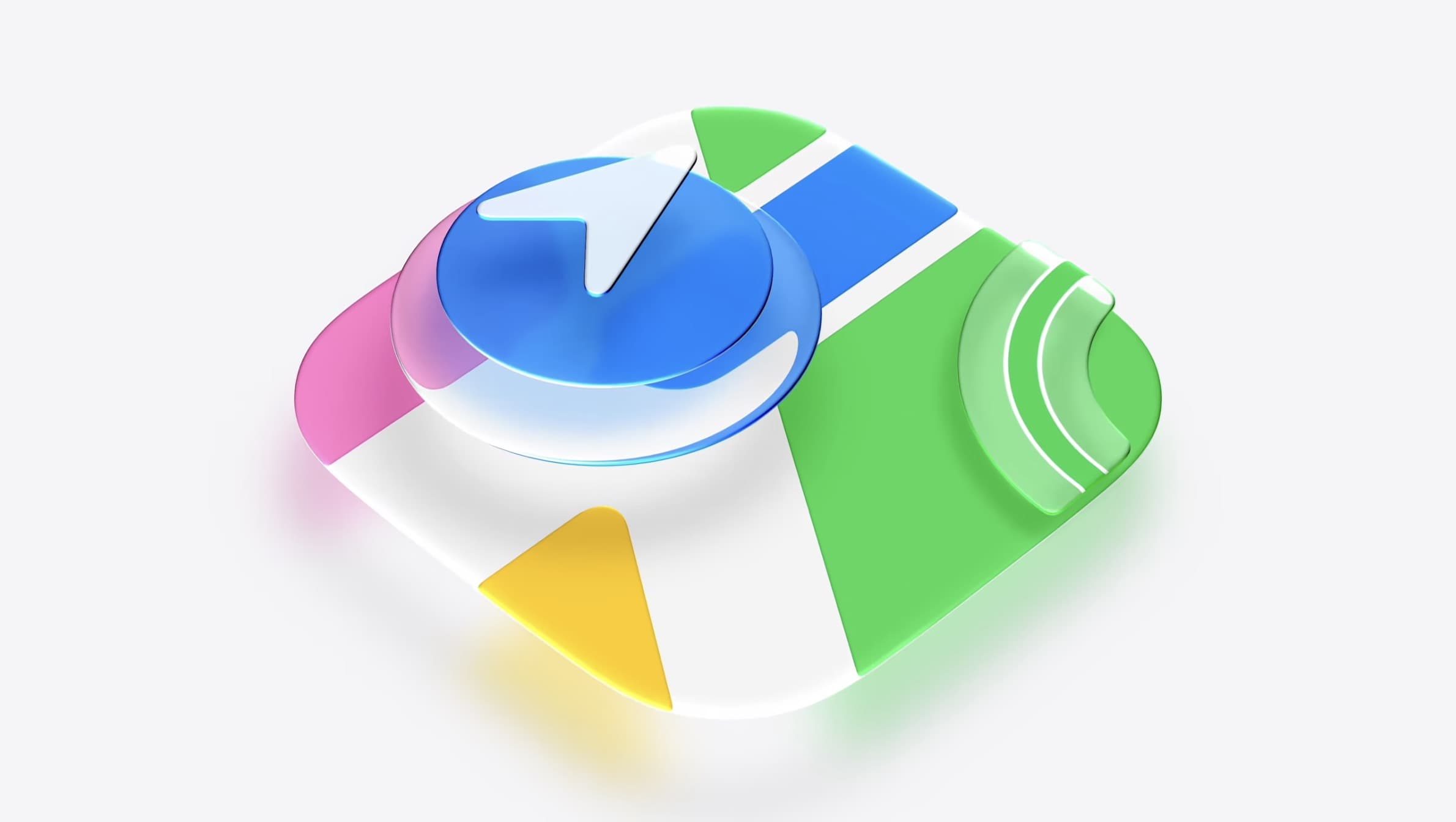
macOS 27 Golden Gate also introduces revamped app icons, more in tune with the Liquid Glass look, with additional layers that add depth and detail across light, dark, tinted, and all-clear global system settings.
The same goes for the revamped traffic light buttons Apple introduced midway through the beta period. Rather than the old flat green, yellow, and red controls, they now feature a Liquid Glass look, complete with a playful bouncing effect when users click (or perhaps, soon, touch?) and drag them before letting go.
Another welcome interface improvement in macOS 27 Golden Gate is Apple’s decision to standardize the corner radius across system windows and apps, rather than making it dynamic based on the UI elements present in a window’s menu bar.
Although Apple’s intentions were deliberate, many assumed the inconsistent corner radii were a bug, prompting Apple to specifically call attention to the change during the WWDC keynote.
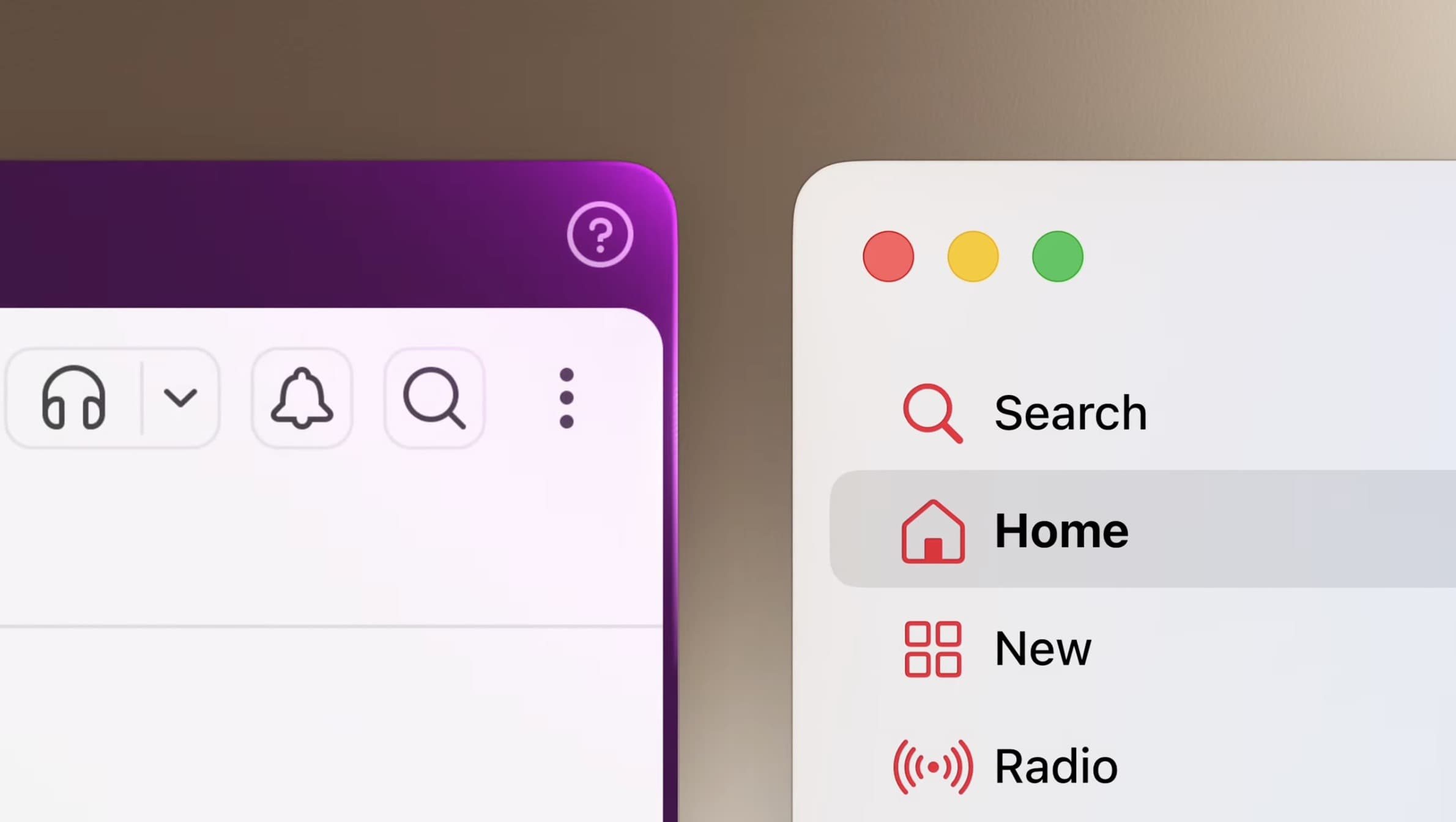
An equally divisive design decision Apple rolls back with macOS 27 Golden Gate is the sheer number of icons shown alongside menu items. With macOS 26 Tahoe, Apple added symbols next to nearly every command across its apps, an attempt to make menus more visually descriptive that instead drew criticism for making them busier and, in some cases, harder to scan.
With macOS 27 Golden Gate, Apple has (thankfully) reversed course, removing most of those icons and returning menus to a cleaner, less visually cluttered look.
Other visual tidbits in macOS 27 Golden Gate include edge-to-edge sidebars and more distinct active windows, both of which were also divisive in macOS Tahoe 26.
Siri AI and the new Siri app
This is perhaps the most significant new feature of macOS 27 Golden Gate. Apple’s revamped Siri, developed in partnership with Google’s Gemini model, gets its own app, in addition to an in-depth, system-wide integration.
The new Siri AI leverages a new per-device indexing system for the user’s data and lives in both Spotlight and the new Siri app.
The Siri app looks and works just as users are mostly used to with other AI assistant apps: a left-hand panel lists the user’s chat history across all compatible platforms, while the main chat panel lets the user type in prompts, attach images and files, or dictate to start a voice-based conversation. The app also supports search and pinned conversations, which is a nice plus depending on the user’s workflow.
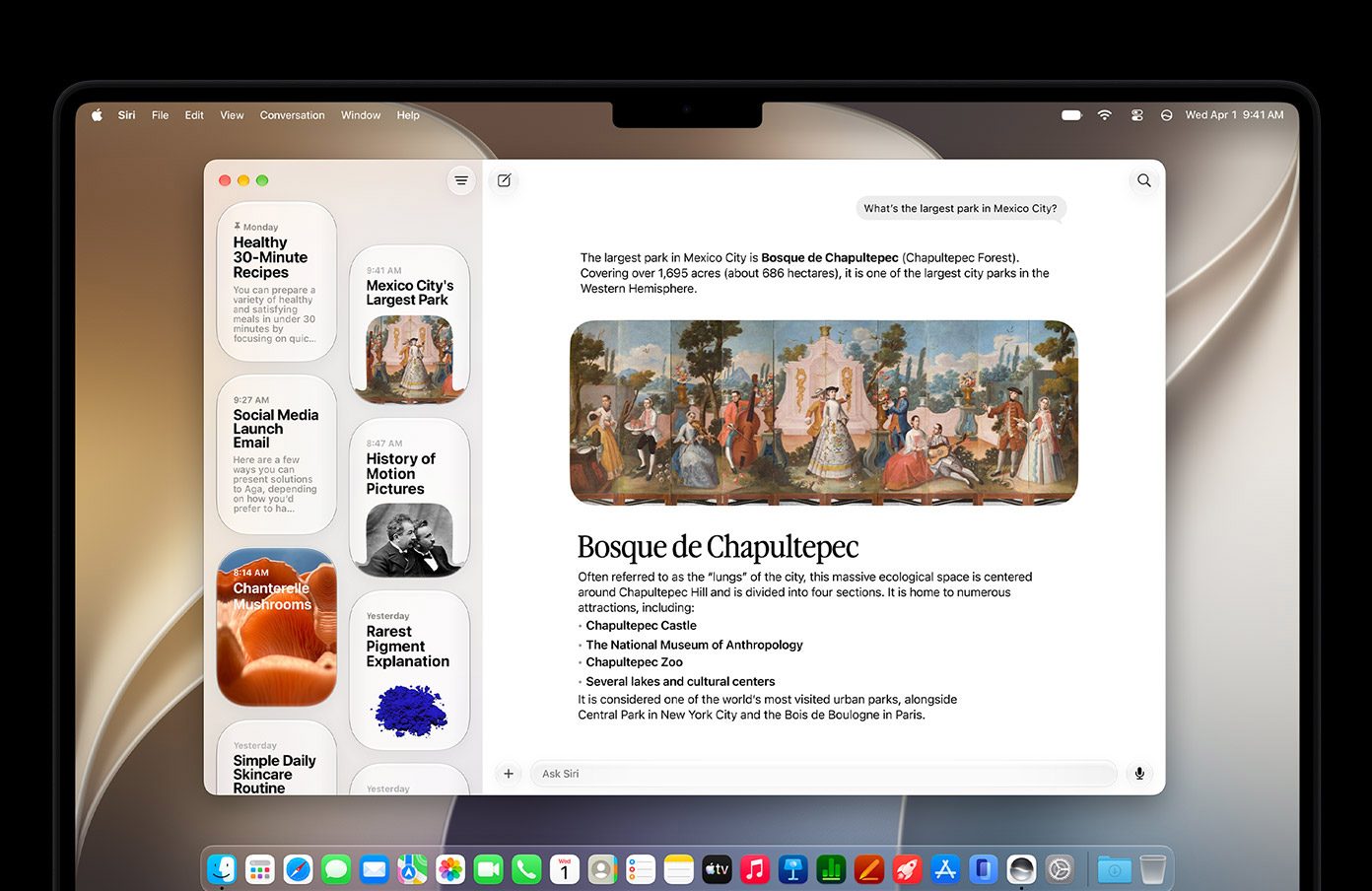
The new Siri AI can pull information from the web and the user’s context to provide useful, actionable answers. During the beta period, the new Siri received overwhelmingly positive feedback, even though it can sometimes be slower than users accustomed to other LLM-powered AI assistants expect.
Another useful ability of the new Siri AI is its ability to interact with native and third-party apps, in addition to taking actions directly, taking the app integration available with the old Siri significantly further.
Importantly, developers need to expose their apps’ content and capabilities through the App Intents framework, so expect this aspect of the new assistant to improve over time as more developers update their apps for macOS 27 Golden Gate.
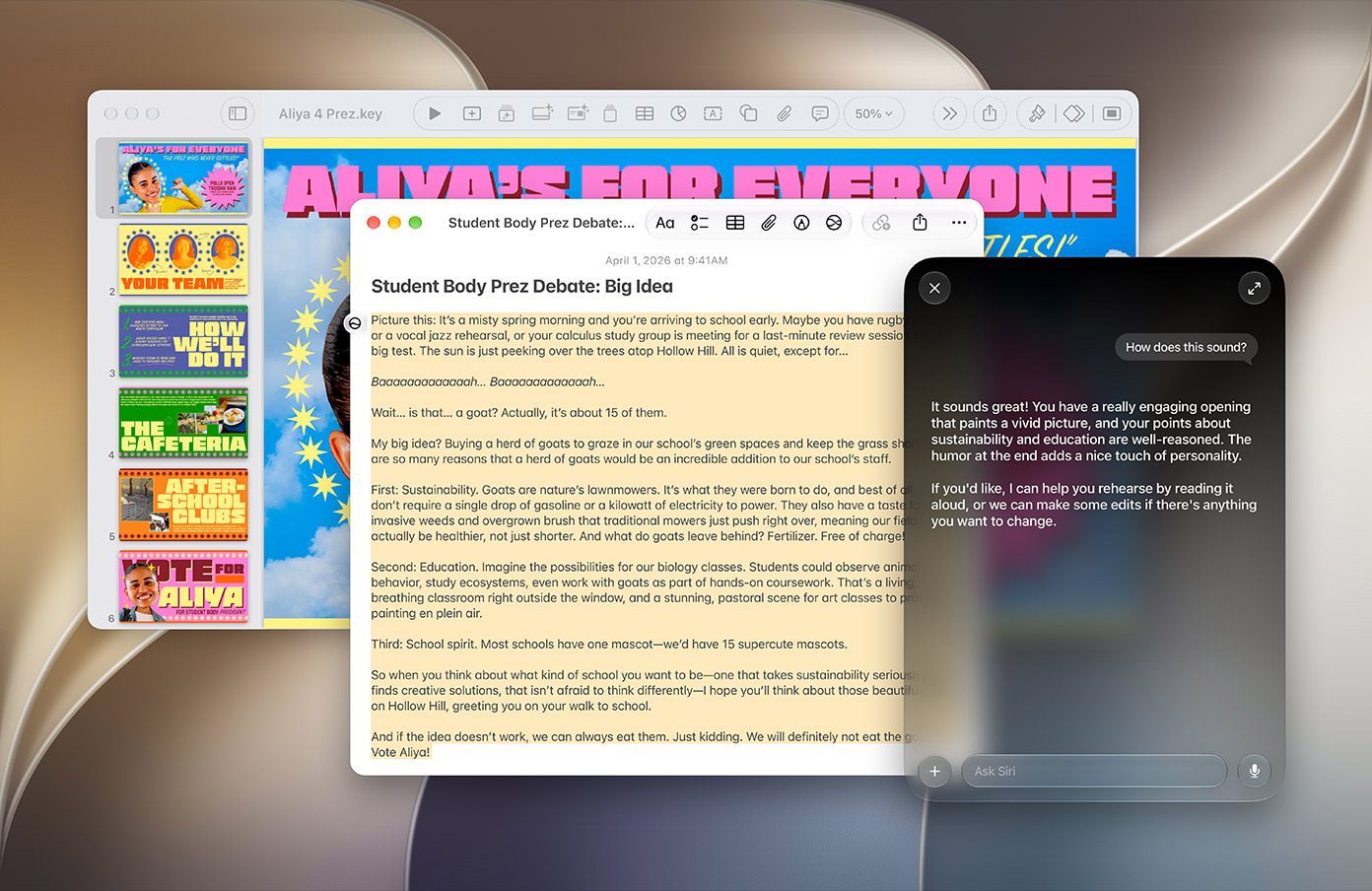
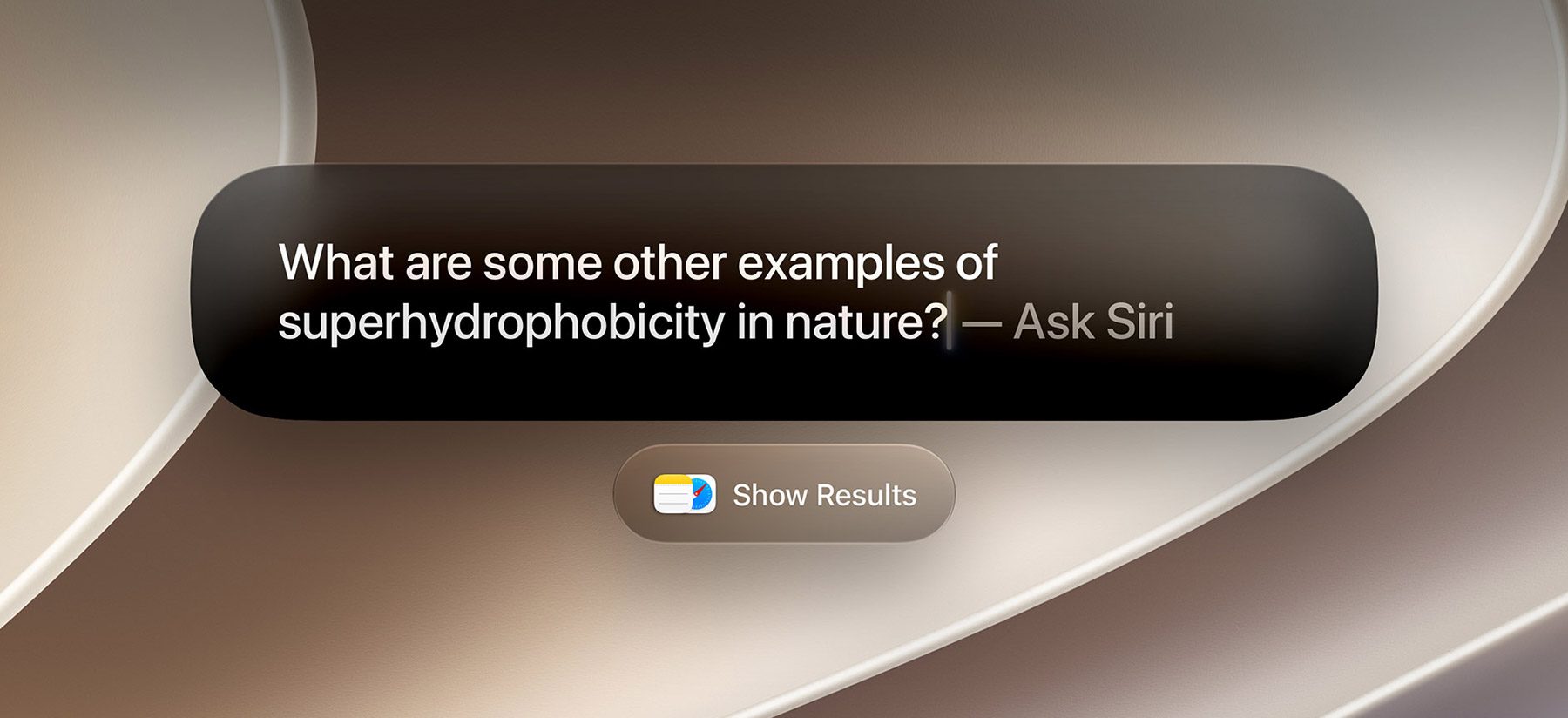
Finally, there is a systemwide “Ask Siri” option in context menus that lets users select text, images, or files and ask Siri about them directly. For example, users can Control-click an image in a document and ask Siri to help them learn more about it, or select a portion of text and ask Siri to rewrite it, proofread it, change its tone, or provide feedback on the writing.
Siri AI is available in English at launch, with support for French, Japanese, Korean, Portuguese, and Spanish coming in October. For now, Siri AI won’t be available in China or in the EU due to regulatory issues.
Apple Intelligence
We went in-depth on Apple’s new foundation models here, but the gist is that for its 2027 OS releases, the company developed a new version of its Apple Intelligence models. Here’s Apple on each one:
- AFM 3 Core, the next generation of our 3-billion-parameter dense model that delivers a step up in quality.
- AFM 3 Core Advanced, our most powerful on-device model. It’s natively multimodal, enabling helpful features like expressive voices and higher-accuracy dictation. Built on cutting-edge Apple research, this 20-billion-parameter model uses a sparse architecture, activating just 1 to 4 billion parameters at a time depending on the request. AFM 3 Core Advanced is unlocked by and optimized for our most capable Apple silicon systems.
- AFM 3 Cloud, our server-side workhorse, optimized for speed, efficiency, and performance.
- ADM 3 Cloud (Image), for image generation and editing, which unlocks advanced photo-editing tools, the all-new Image Playground, and more.
- AFM 3 Cloud Pro, our most capable server-based model, which powers our most demanding use cases, like agentic tool use and complex reasoning.
In practice, macOS 27 Golden Gate leverages two local models, AFM 3 Core and AFM 3 Core Advanced, while the other models are cloud-based. The performance of these two local models depends on the Mac’s hardware, particularly how much memory it has available to run their active parameters and other AI workloads.
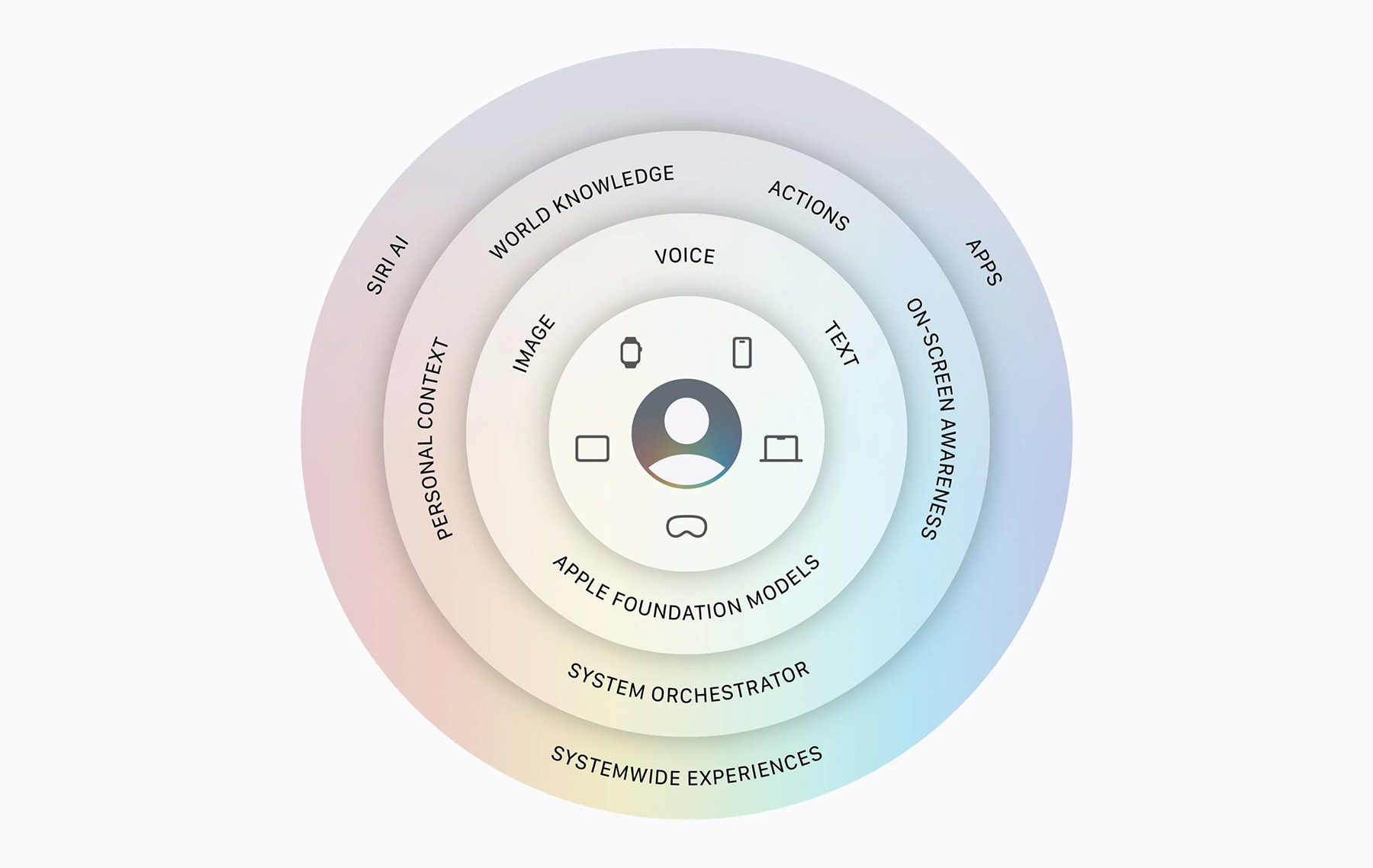
When it comes to how Apple Intelligence is implemented in macOS 27 Golden Gate, it is somewhat of a mixed bag. The models themselves are quite good for everyday tasks, such as getting help to draft an e-mail, proofreading a document, or summarizing text.
The problem is that Apple is currently going somewhat overboard on how and when Siri AI is presented to the user, which can sometimes be a bit overwhelming or get in the way of what the user is trying to accomplish.
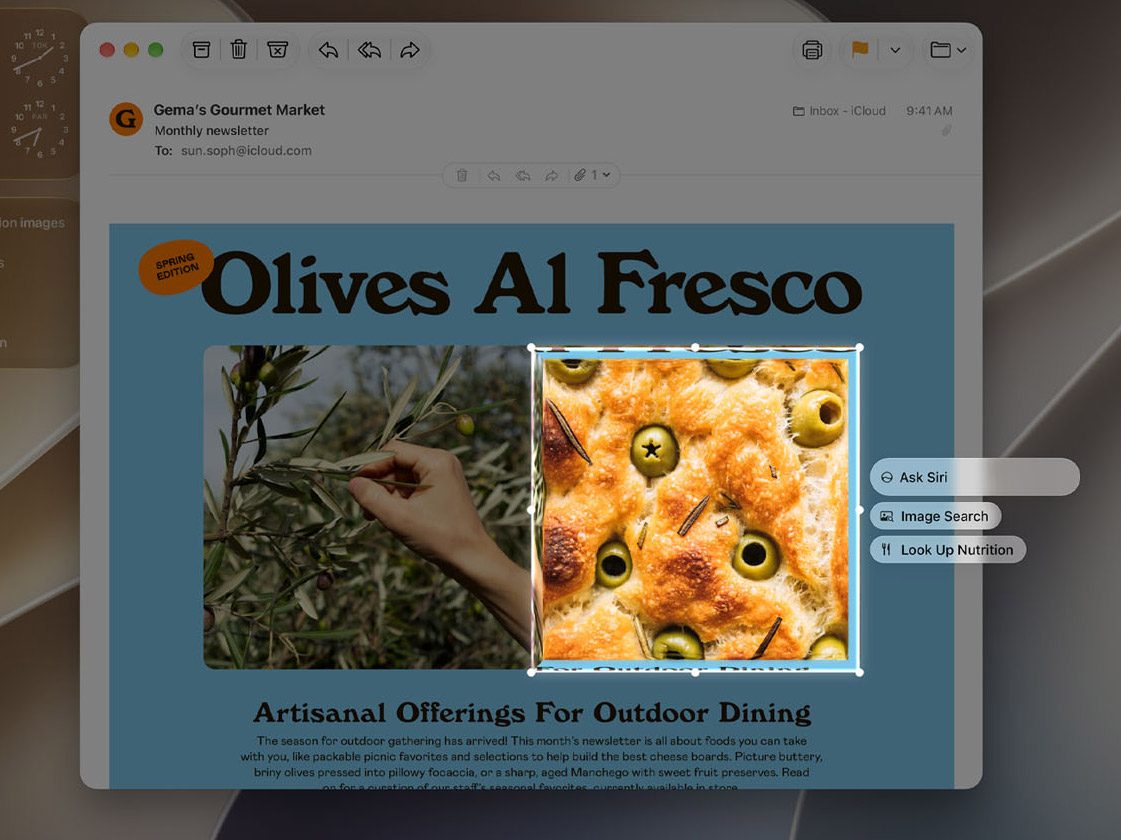
One great Apple Intelligence addition to macOS 27 Golden Gate is a new Visual Intelligence shortcut. By pressing Command-Shift-Space, users can select any region of the display and immediately ask Siri about it. That works with images, PDFs, text, or just about anything else shown on screen.
Alas, not every macOS 27-compatible Mac will run the new Apple Intelligence, which requires an A18 Pro, M1, or later chip. Here’s Apple’s official list of Macs that support the new features:
- MacBook Neo (2026)
- MacBook Air with Apple silicon (2020 and later)
- MacBook Pro with Apple silicon (2020 and later)
- iMac with Apple silicon (2021 and later)
- Mac mini with Apple silicon (2020 and later)
- Mac Studio (2022 and later)
- Mac Pro with Apple silicon (2023)
Most Apple Intelligence features are available in the same languages supported by the current version of Apple Intelligence, including Chinese (Simplified), Chinese (Traditional), Danish, Dutch, English, French, German, Italian, Japanese, Korean, Norwegian, Portuguese, Spanish, Swedish, Turkish, and Vietnamese.
Apple Intelligence is currently unavailable in China due to regulatory issues. Additionally, Apple says there will be usage limits for certain Apple Intelligence and Siri AI features, although the company has yet to share specific details on that.
Performance and reliability improvements
During the WWDC26 keynote, Apple highlighted dozens upon dozens of improvements coming to all its operating systems.
On macOS 27 Golden Gate, this means faster AirDrop transfers, improved network file browsing, faster Spotlight indexing (particularly for shortcuts and actions), and faster iCloud Photos uploads with selective priority syncing.
macOS 27 Golden Gate also improves Safari and Calendar scrolling, as well as the animations in Mission Control and Spaces. Apple also tweaked Mail indexing and search, as well as the underlying system for Spotlight suggestions.
Other tidbits include improved window position consistency and persistence across external displays, HDR support for system UI elements, a broader range of high-resolution and high-refresh-rate modes for external monitors, and more complete touch support in Sidecar, including tapping controls, one-finger scrolling, system gestures, and Markup.
Safari
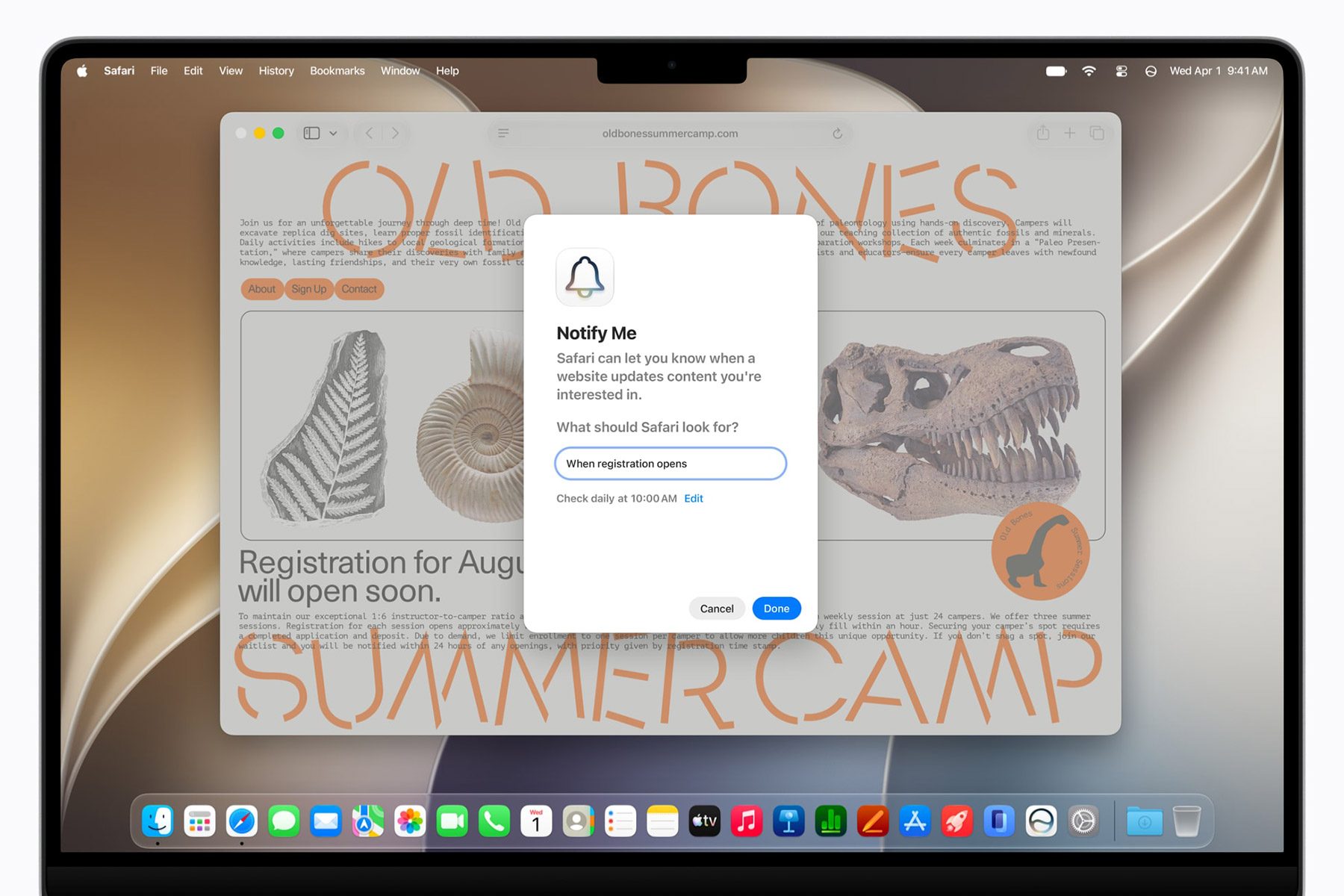
macOS 27 Golden Gate introduces Notify Me, a new Safari feature that can monitor webpages and alert users to relevant changes, such as price drops, product restocks, event registrations opening, or virtually anything else they ask it to track.
Notify Me can check for changes hourly, daily, weekly, or monthly, with additional options to specify the days of the week and times when those checks should run.
Additionally, Safari on macOS 27 Golden Gate introduces “Describe an Extension,” which lets users create extensions using natural language.
To help users get started, Apple provides several examples across productivity, focus, creativity, and design and development. Users can also simply describe what they need in their own words and let Apple Intelligence handle the rest.
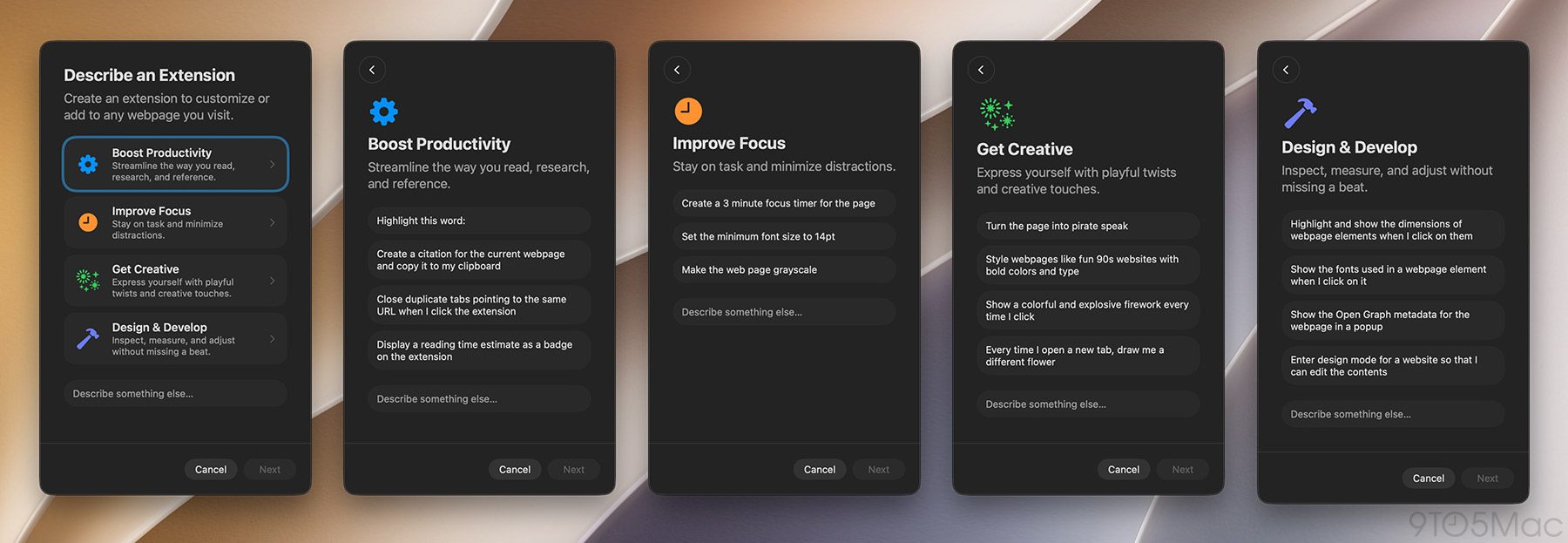
Both features can be accessed from the “More Options” hamburger menu on the right side of the active Safari tab.
For users who tend to open way too many tabs as the day progresses, Safari can now automatically organize and group tabs together based on topic.
Another interesting tidbit in Safari in macOS 27 Golden Gate is the new pull-to-refresh gesture, which, like on iOS and iPadOS, lets users refresh the page by swiping down past the rubber-band effect.
This gesture is also available in other system apps, such as Mail, News, and Calendar, which many see as further foreshadowing of touchscreen Macs rumored to be announced as early as this year.
iPhone Mirroring
With macOS 27 Golden Gate, users can now resize the iPhone Mirroring window to different aspect ratios, a change many saw as an early sign that Apple was preparing the feature for a foldable iPhone.
Now that the iPhone Duo is official, Mac users can get an early taste of what that experience will look like. Alas, Apple notes that iPhone Mirroring remains unavailable in the European Union.
Shortcuts
This is perhaps one of the most useful additions to Apple Intelligence in Apple’s OS updates this year.
Despite its relatively approachable take on automation, Shortcuts can still feel intimidating to more casual users. Now, users can simply describe what they want to accomplish, and Apple Intelligence will build it as a native shortcut.
To help users get started, the Shortcuts app also highlights several suggestions on the new shortcut creation screen, including:
- Dictate and translate to Spanish
- Write a weather forecast haiku
- Play my exercise playlist when I arrive at the gym
- Create a recipe from these leftovers
- Summarize my day every morning
- Prioritize my to-do list every morning
- When I get in the car, get directions
- Dictate my idea and save it to the clipboard
- Dim screen brightness when Bedtime begins
- Turn on Do Not Disturb when I open the TV app
As a side note, if you’d like to get deeper into Shortcuts, make sure to follow Stephen Robles’s fantastic work on YouTube and on Instagram. Also, check out Shortcuts Playground, from MacStories, an even more powerful natural-language-based shortcut creation tool.
Photos
The Photos app now offers three Apple Intelligence-powered editing tools: an enhanced version of Clean Up, which removes objects, people, or other undesired elements from photos; Extend, which generates the surrounding area of an image in case the user decides the original photo is too cropped-in; and Spatial Reframing, which lets users change the angle and composition of a photo after it has been taken.
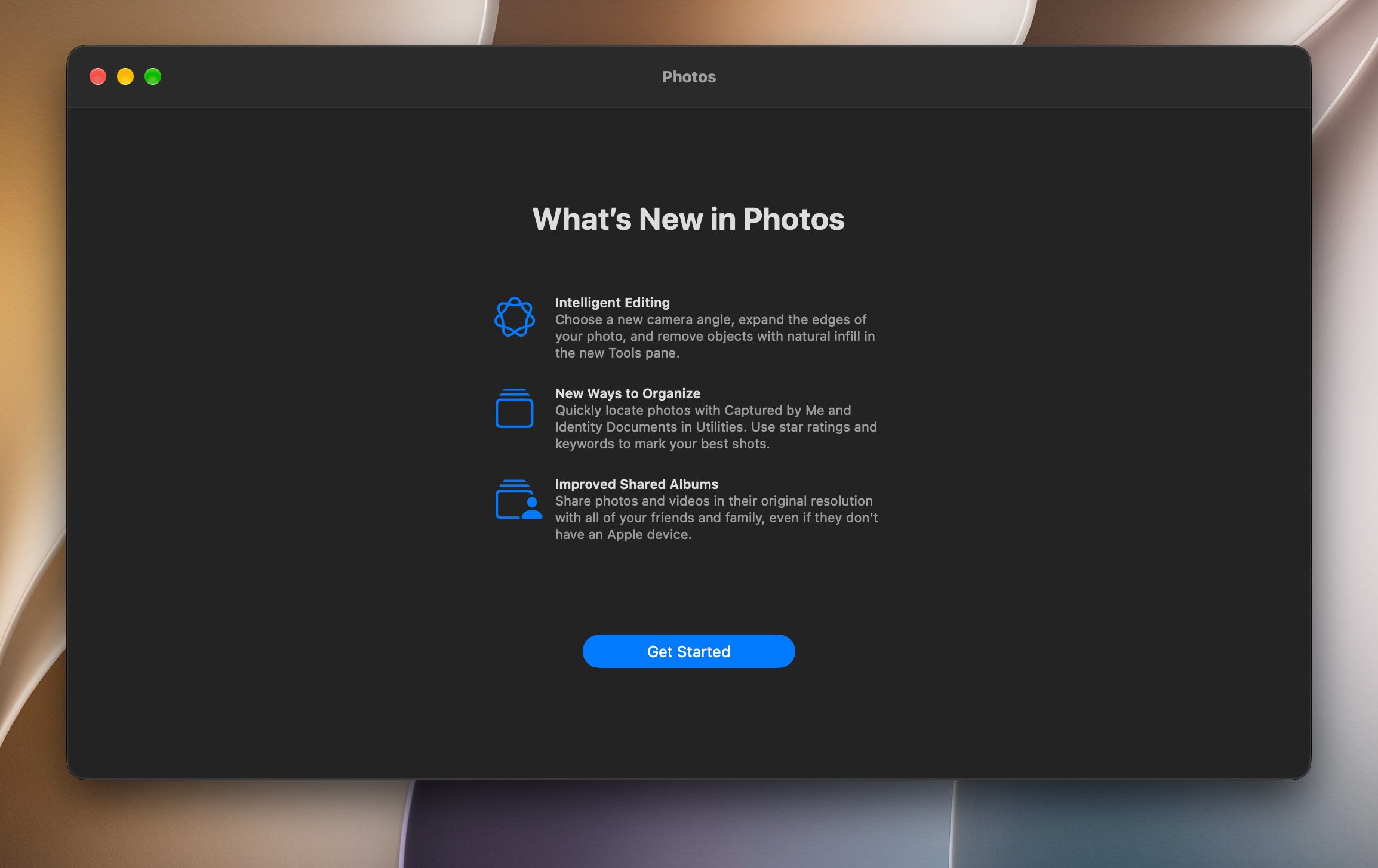
Additionally, iCloud Shared Albums now supports full-resolution sharing and lets Windows and Android users join in via iCloud.com.
Top comment by bondinspace
The menu bar now automatically expands items that are hidden behind the notch - no more third-party tools needed, which is great because a lot of them had memory leak issues.
Other new features include playing any set of photos and videos as a slideshow with custom music, transition styles, and duration, photo ratings with a new star system, and a new, dedicated “Captured by Me” collection.
More macOS 27 Golden Gate tidbits
- Calendar lets users add, edit, or update events by describing them.
- Finder can now intelligently suggest file and folder names, based on their contents.
- Image Playgrounds expands support for different styles, and leverages a new foundation model for even better results
- Maps gets an enhanced Flyover experience with improved textures, more details, and sharper rendering for hundreds of cities around the world.
- Messages now (finally) consolidates tapback notifications and improves syncing across devices.
- *Notes supports trackpad-handwritten notes and sketches, expands Markdown support with copy/paste, and adds Section Links.
- Podcasts now supports video podcasts, complete with support for picture and picture playback.
macOS 27 Golden Gate also marks the final release to support Rosetta. As Apple explains, “only apps will no longer run on Mac computers with Apple silicon after this update,” and you can read more about that here.
Compatibility
According to Apple’s official list, macOS 27 Golden Gate is compatible with the following Macs:
- MacBook Neo (2026)
- MacBook Air with Apple silicon (2020 and later)
- MacBook Pro with Apple silicon (2020 and later)
- iMac with Apple silicon (2021 and later)
- Mac mini with Apple silicon (2020 and later)
- Mac Studio (2022 and later)
- Mac Pro with Apple silicon (2023)
Do you have a favorite new feature? Let us know in the comments.
Worth checking out on Amazon
- AirPods Pro 3
- AirTag (2nd Generation) – 4 Pack
- MacBook Neo
- David Pogue – ’Apple: The First 50 Years’ book
- Logitech MX Master 4
- Wireless CarPlay adapter


FTC: We use income earning auto affiliate links. More.



Comments