
Apple Weather adds two convenient features in iOS 27 that make it easier to track rain and wind forecasts. Here are the details.
iOS 27‘s Weather app adds rain and wind forecast views to home page
iOS 27 is packed with new features for Apple Wallet, Calendar, Notes, Messages, and more.
While Apple Weather is lighter on changes, there are two convenient additions worth noting:
- Rain forecast view
- Wind forecast view
Essentially, Apple has taken a bunch of data that was previously buried behind different menus and hidden screens and made it conveniently front and center.
We’re all familiar with the default forecast view in the Weather app. It’s one of the first things you see every time you open the app.
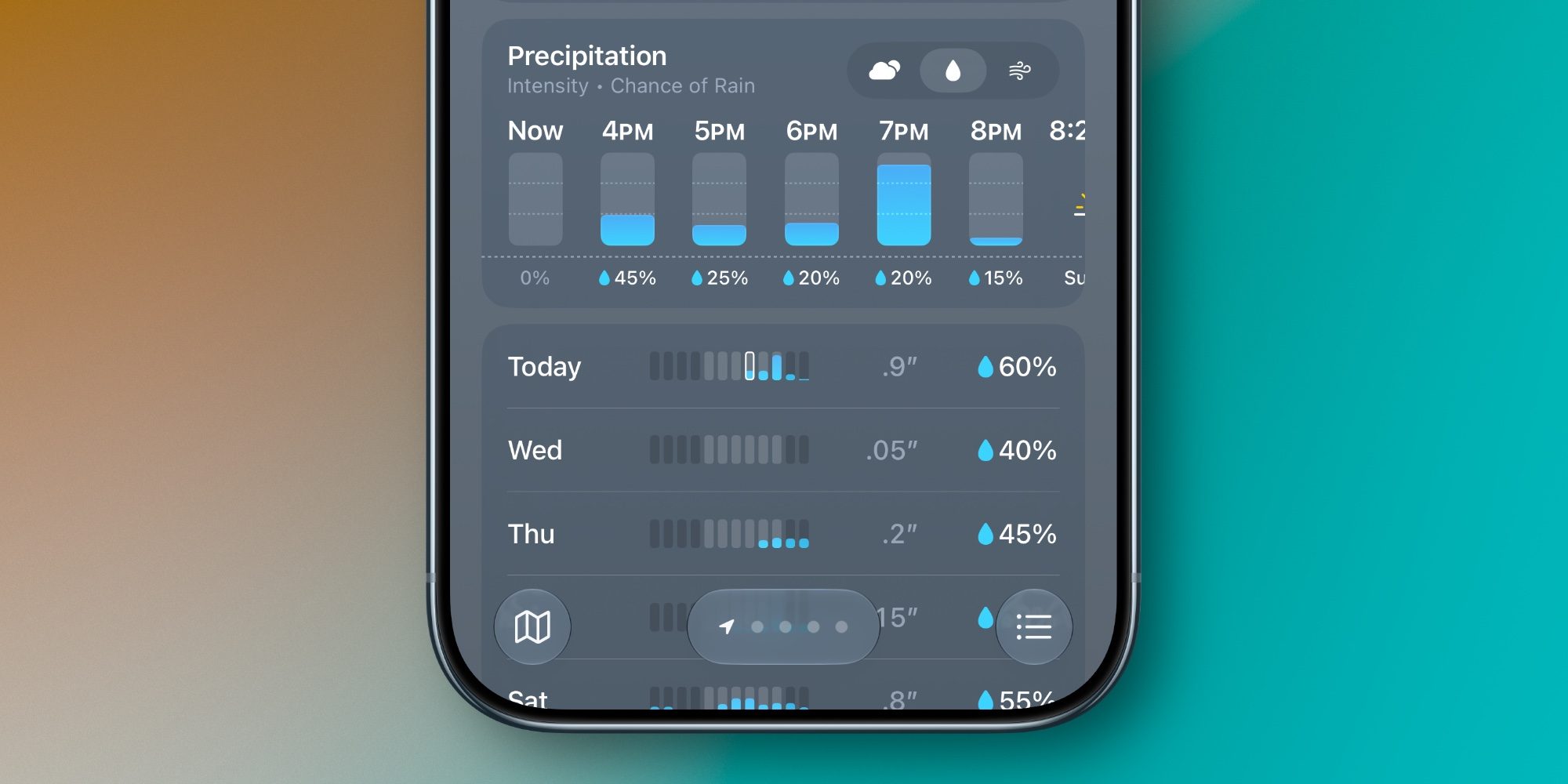
In iOS 27, Apple has split the forecast view into three options: Conditions, Precipitation, and Wind.
Conditions is the same view that was there before. But now, you can tap the new rain and wind icons to switch to Precipitation and Wind views.
When you hit each icon, both the hourly and 10-day forecasts instantly change.
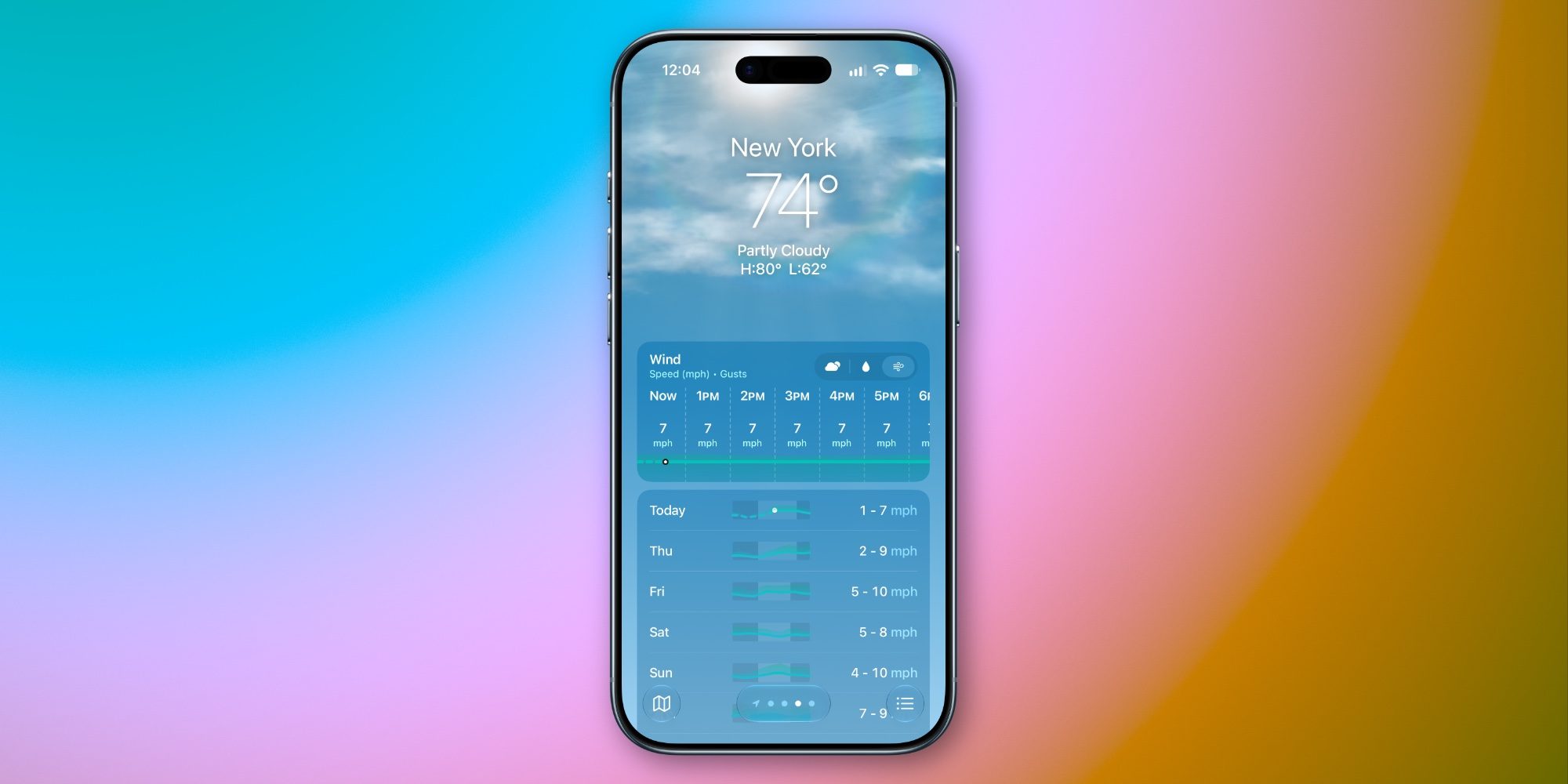
The Precipitation view offers the chance of rain for each hour coming up, plus chances of rain with helpful measurements and time-of-day estimates for the next 10 days. Similarly, the Wind view shows the speed of gusts per hour, and ranges of what to expect in the days ahead.
I’ve been loving these changes during my time using iOS 27. They make key information more accessible than before while letting you stay in the familiar environment of the home screen.
What do you think of Apple Weather’s iOS 27 changes? Let us know in the comments.
*Buy iPhone with 15% discount from Apple refurbished
Best iPhone accessories
- AirPods Pro 3 (now only $199, down from $249)
- MagSafe Car Mount for iPhone
- 10-year AirTag battery case
- AirTag 2 (1-pack / 4-pack)
- 100W USB-C fast charging power adapter


FTC: We use income earning auto affiliate links. More.



Comments