

Apple Podcasts is my podcast app of choice, but I’ve long had major issues with its central Up Next queue feature. I’m happy to report that iOS 27.2 introduces the solution.
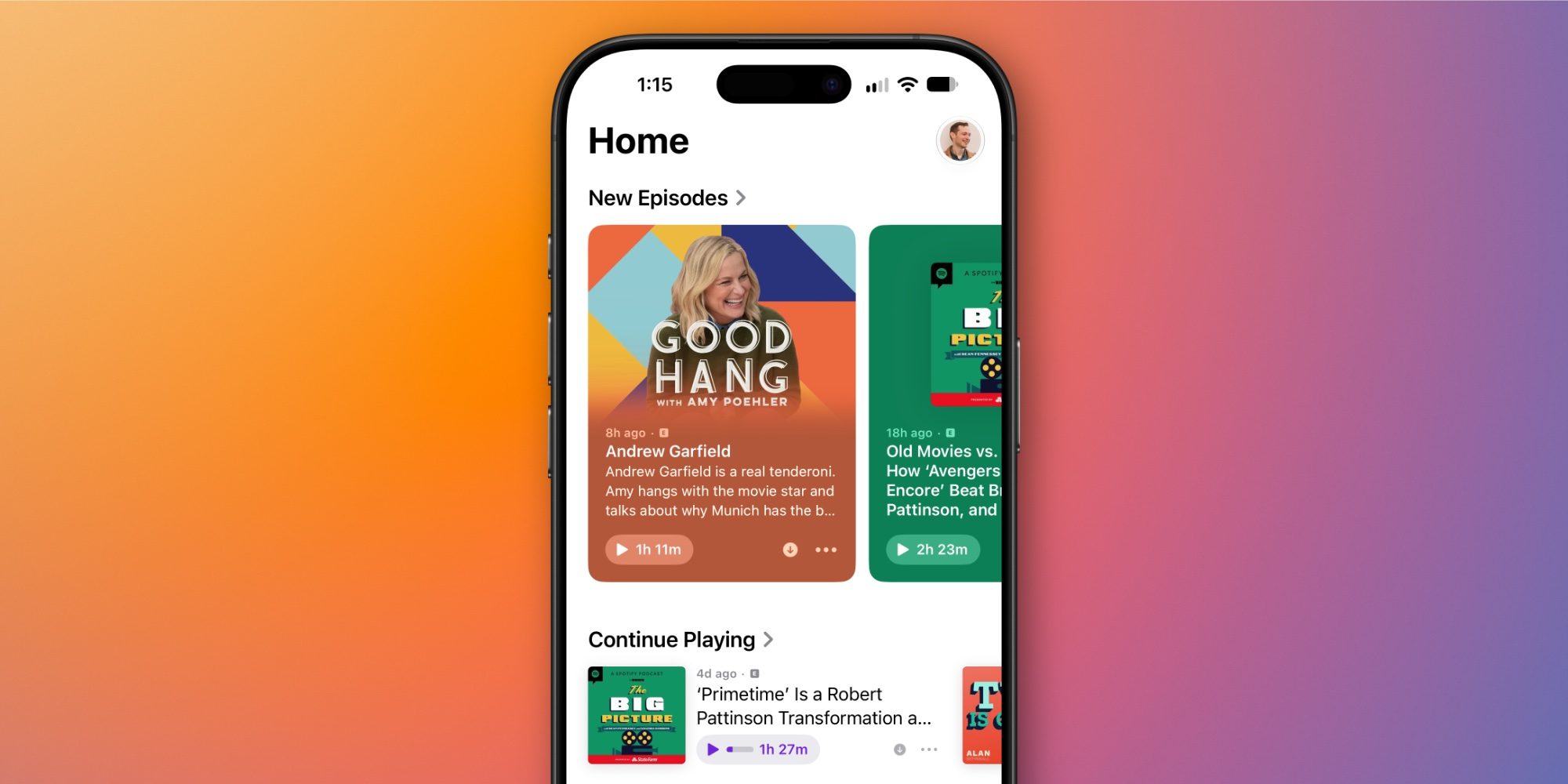
iOS 27.2 splits Apple Podcasts ‘Up Next’ queue into two sections: New Episodes and Continue Playing
There’s a lot I appreciate about Apple Podcasts. Transcripts and automatically generated chapters are two killer features that make the app my go-to. And I love all the recent video-related upgrades, too.
But for years, Apple Podcasts’ central ‘Up Next’ queue has regularly tempted me to use a different app.
I’ve written before about why Up Next feels broken. To summarize:
- it does a poor job letting you see what podcasts are available
- episodes can easily get lost, even when you’re mid-listen
I’m very excited to report, however, that iOS 27.2 brings an overdue fix for Up Next. And it does that by splitting the feature up into two separate sections:
- New Episodes
- Continue Playing
At the top of the app is New Episodes, which looks and mostly works just like Up Next did. Except as the name implies, it will only ever show you the latest episodes for each show you follow.
Continue Playing is right underneath it as a central hub for all episodes you’ve started, but haven’t yet completed.
These two sections jointly address all of my biggest issues with the previous Up Next queue.
It’s easy to see what’s new at a glance, and I never lose track of episodes anymore, since anything I’ve started will be available in Continue Playing. I still have some smaller quibbles, but these changes alone address my main issues with Up Next.
If you haven’t tried Apple Podcasts in a while, iOS 27.2 is a great time to revisit it.
Do you use Apple Podcasts or another podcast app? Let us know in the comments.
Best iPhone accessories
- MagSafe Car Mount for iPhone
- 10-year AirTag battery case
- 100W USB-C fast charging power adapter
- AirTag 2 (now only $24, down from $29)
- HomeKit Garage Door Opener


FTC: We use income earning auto affiliate links. More.



Comments