
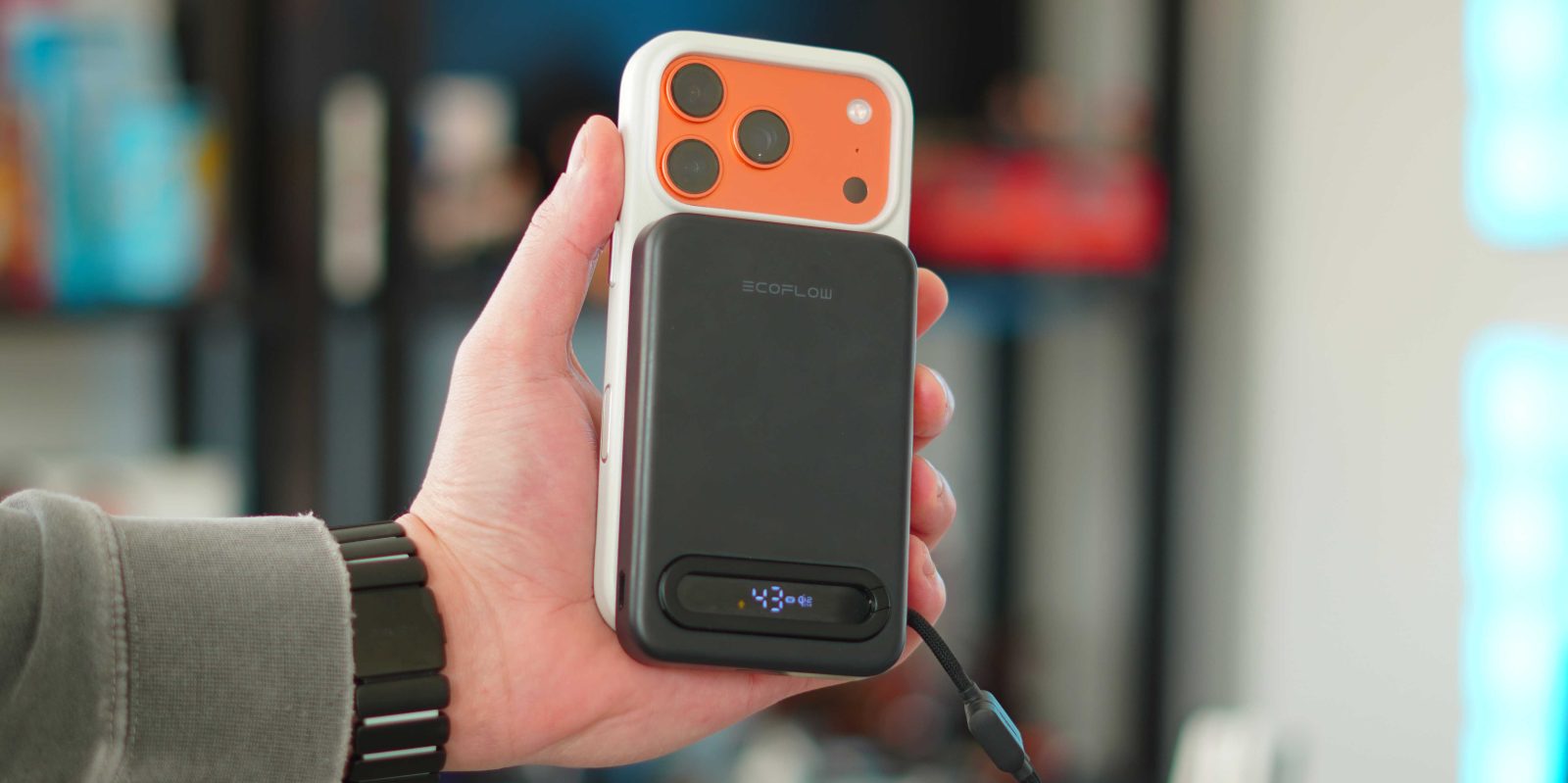
EcoFlow is most well-known for its home energy and large power station solutions. They have power stations that hold enough energy to run entire houses for days or weeks at a time. But recently they have been bringing that same battery know-how to a smaller and more consumer-friendly form factor. They have expanded their lineup with the new Rapid Mag power bank product line. The star of the show is their new MagSafe power bank that combines Qi2.2 wireless charging, a built-in USB-C cable, and an integrated kickstand into a slim 10,000mAh design. Here is why I think this is worth your consideration.
RAPID Mag Qi2.2 Power Bank specs
Let’s start with the on-paper specs. The RAPID Mag battery brings a lot of features and specs to like. It is multifunctional, charges multiple devices, and supports the fast Qi2.2 standards. Here are the specs:
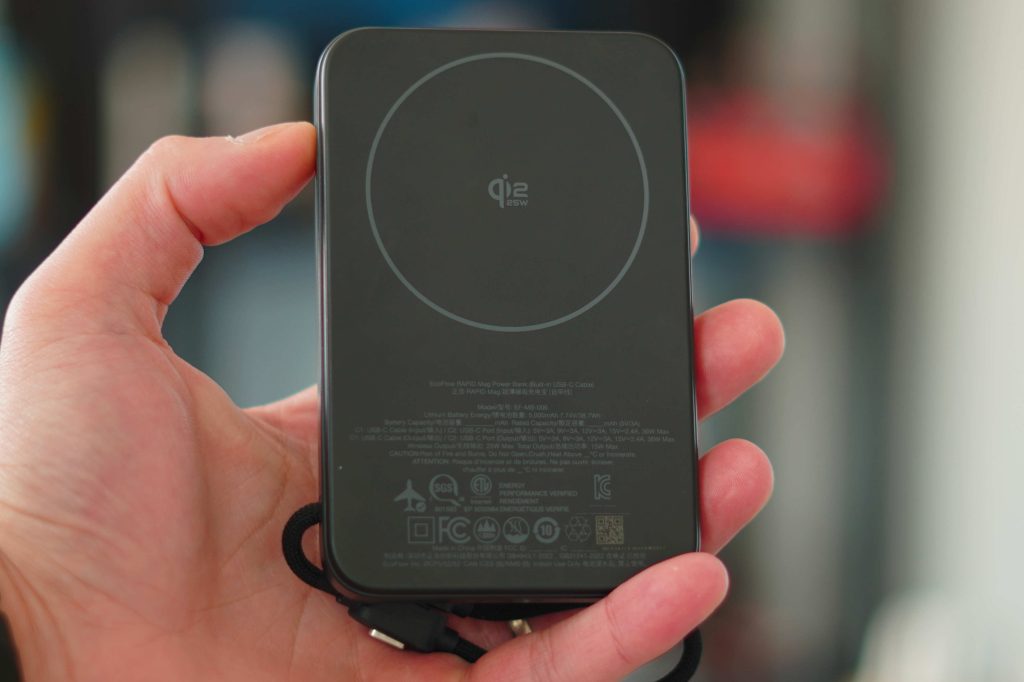
- Qi2.2 wireless charging up to 25W
- Qi2 wireless charging up to 15W for compatible devices
- 36W wired charging via built-in USB-C cable
- 10,000mAh battery capacity
- Charges up to three devices simultaneously
- Pass-through charging support
- Integrated kickstand for portrait or landscape viewing
- Slim, pocket-friendly design
According to the spec list, EcoFlow states that you can charge an iPhone 16 up to 1.9 times with its 10,000mAh battery. Let’s see if that held up during my day-to-day use.

My experience
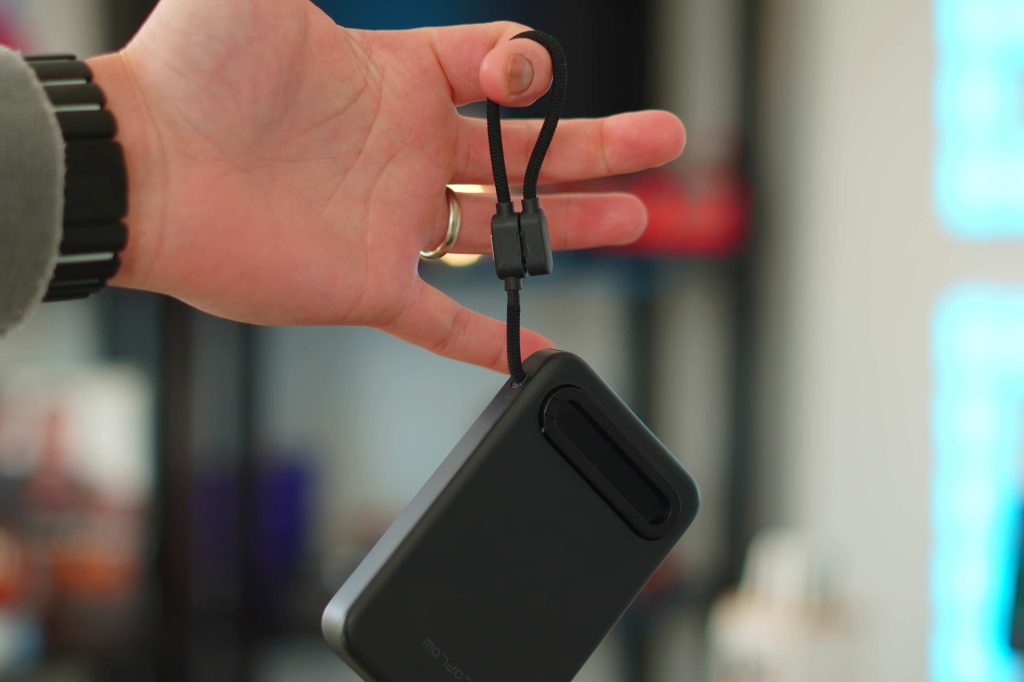
The first thing that drew me to this power bank was the design and feel. It’s slim, sleek, and has this soft rubber finish on it that makes it feel like an Apple device. It feels very similar to the iPad Pro Magic Keyboard material. It also includes a small built-in display for charging info, and because of how they designed the kickstand around it, it almost looks like a little window in the power bank. Honestly, very cool.
But how well does it work? There are multiple ways to take advantage of this charger. The first way is to use it as a MagSafe battery pack. That was my main use case with my iPhone 17 Pro. I was able to get the full 25W fast wireless charging out of the battery, and easily got 1.5 or more charges out of the battery. It also has a little icon that appears when the device you’re charging supports Qi2.2 wireless charging. Neither the battery nor the phone ever overheated, and it charged up my iPhone 17 Pro very quickly. If you need even faster charging on your iPhone or on another device, you can use the built-in cable that doubles as a lanyard. If you wire in, the charging speed goes up to 36W, which is fast enough to charge even a MacBook Air! One small detail about the cable is that the connector is L-shaped, which makes things so convenient. The final way to charge is with the USB-C port it has. If you have an additional cable, you can plug it in there and get 36W out and in as well.
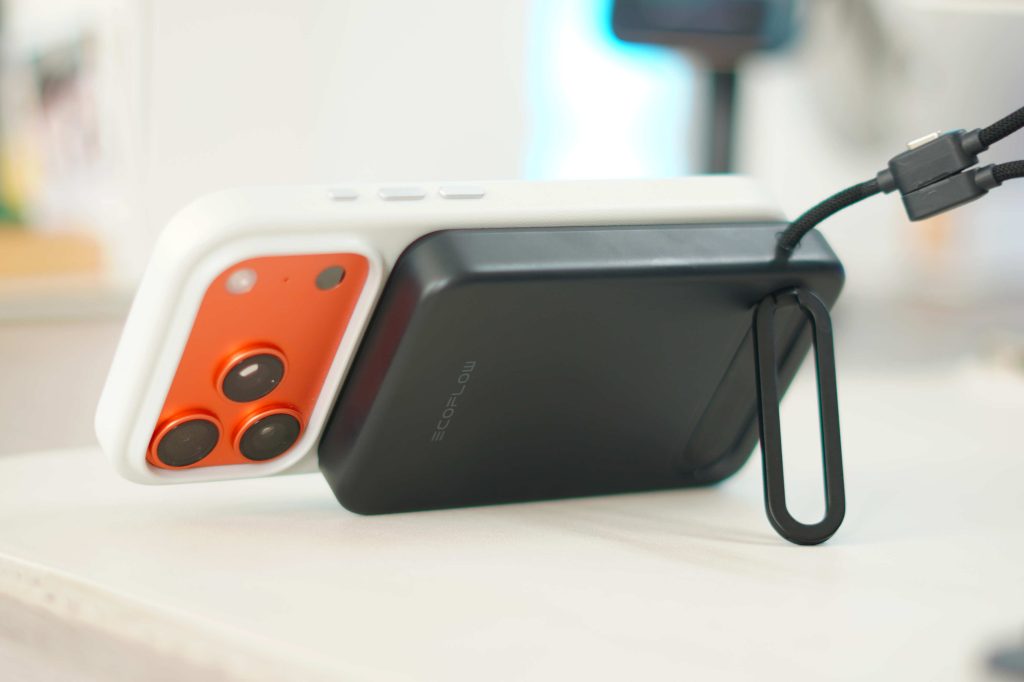
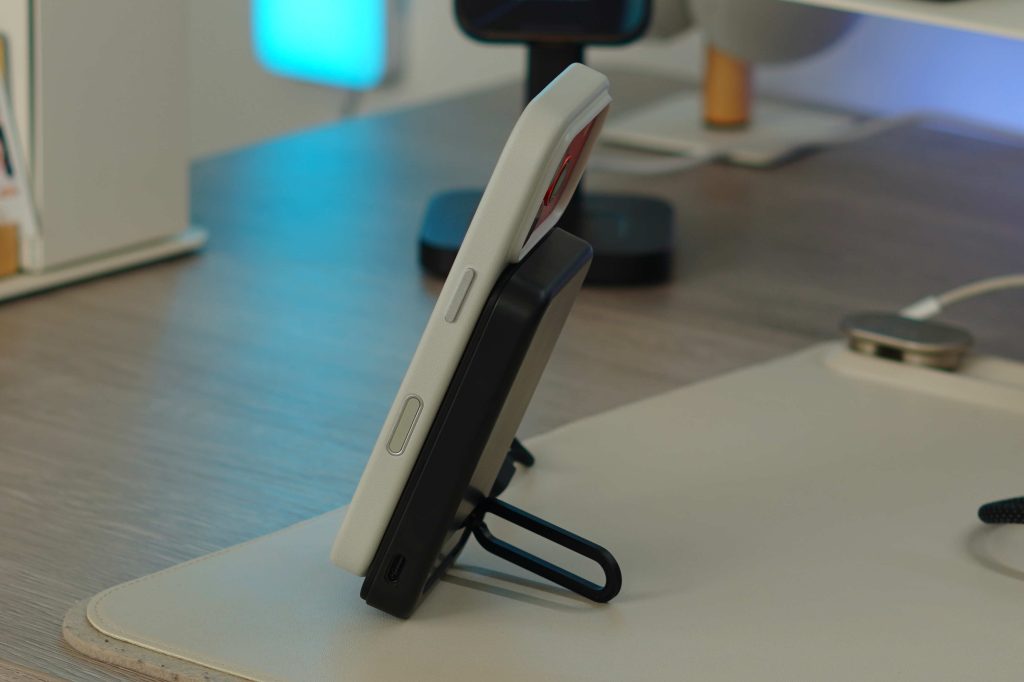
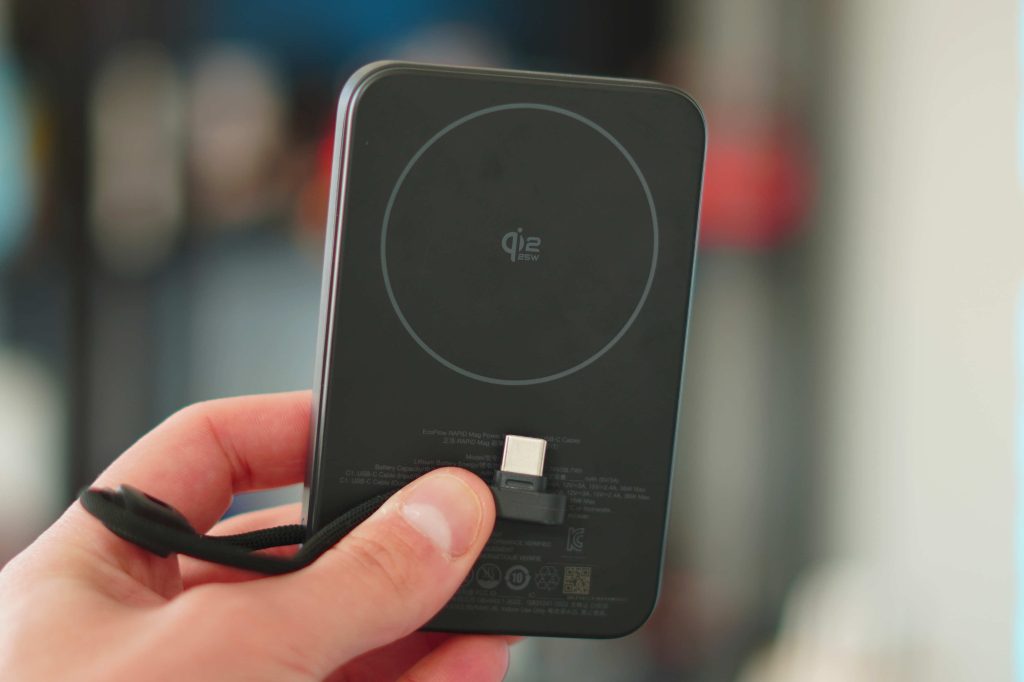
The kickstand is another practical touch. It works well for watching content, FaceTime calls, or using Standby mode on your iPhone, and it doesn’t feel like an afterthought. The kick stand sits on top of the small LCD that gives you everything you need. It displays the battery percentage, active charging modes, Qi2.2 status, and when the power bank is being recharged. Overall, this feels like a thoughtfully designed power bank that focuses on reducing friction, fewer cables, faster charging, and more flexibility in how you use it.
Pricing & availability
The EcoFlow RAPID Mag power bank is currently available on Amazon for $69. It comes in two colors: Black and White. I had the black one, but from the images I’ve seen, the white one looks really sleek! If you want to save $5, EcoFlow also has their original one, which is an identical shape and size but only supports 15W wireless charging. But otherwise it’s exactly the same, but being sold for $64 and still comes in both colors.
What do you think of this? Do you have room for another power bank? What do you think of the design? Let’s discuss below!
Best deals
- iPad Mini ($100 off)
- Airpods Pro 3 ($40 off!)
- AirTags Gen 1, 4-Pack ($31 off)
- MacBook Air ($150 off!)
- Best MagSafe Battery


FTC: We use income earning auto affiliate links. More.




Comments