

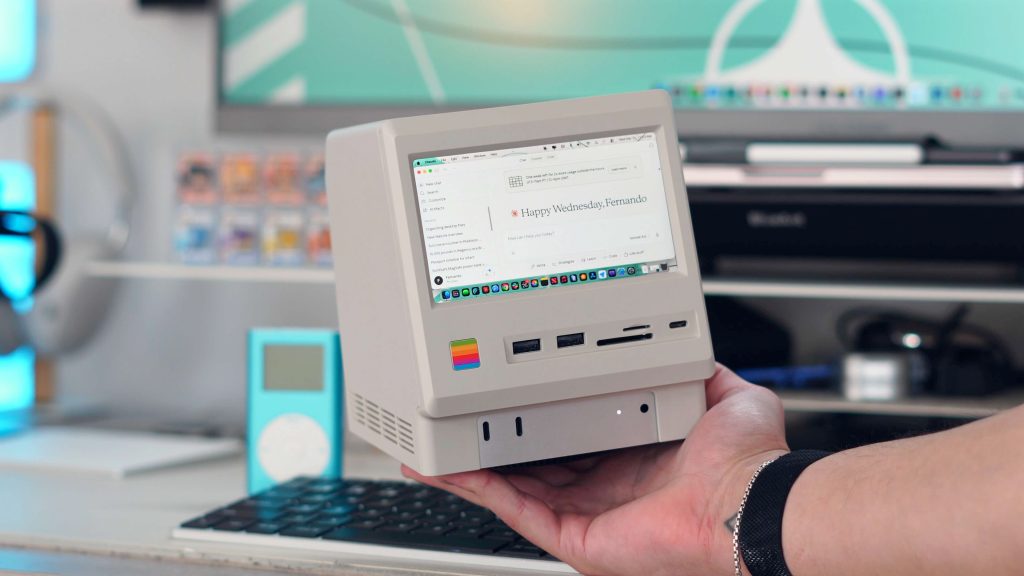
There are 100s of different docking stations and USB-C hubs for your Mac mini. They all tend to look and do roughly the same thing: they add a variety of additional ports to your Mac. So when I saw this retro Macintosh-inspired docking station that not only adds ports to your Mac mini but also a display and perfectly slides on top of it, I knew I had to check it out. Late last year, I reviewed the Kickstarter version and loved it, but now it’s officially available everywhere, and they added an even better and faster 80Gbps version. Here is what you need to know.
Be sure to check out our hands-on with the Wokyis Retro-Docking station and see how I use it!
Wokyis Retro Docking Station specs
Let’s first talk about all the ports you get with this dock, because at its core, it’s still a high-quality USB-C docking station that just happens to look really cool. There are two versions that have slightly different port selection. I will differentiate the two.
They both have:
- 4x USB-A (USB 3.2 Gen 2, 10Gbps)
- 2x USB-C (USB 3.2 Gen 2, 10Gbps) USB-C host connection to Mac mini
- SD and microSD card slots (UHS-II)
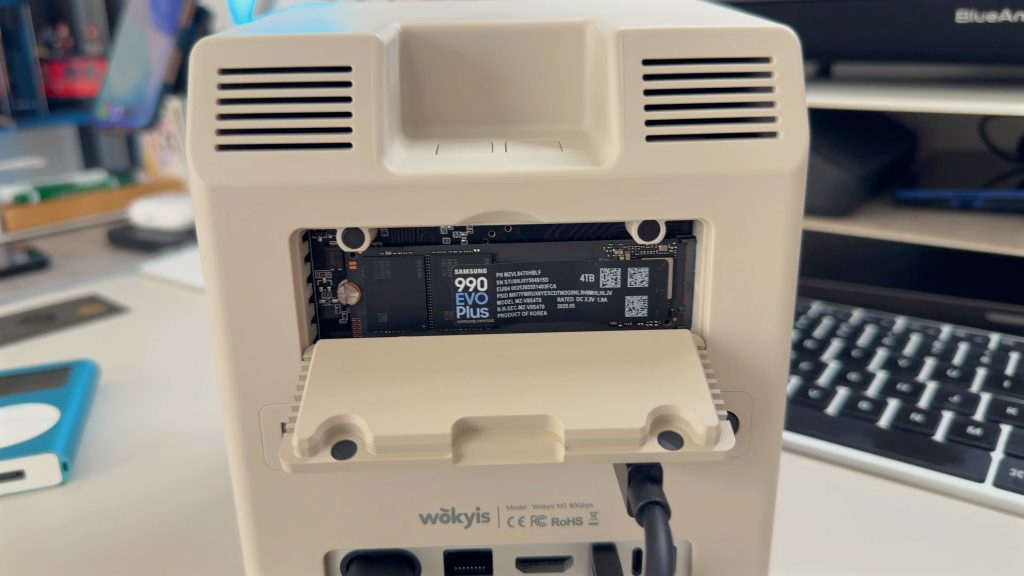
- M.2 NVMe SSD slot up to 8TB
- Headphone jack
- 5in IPS 720P display
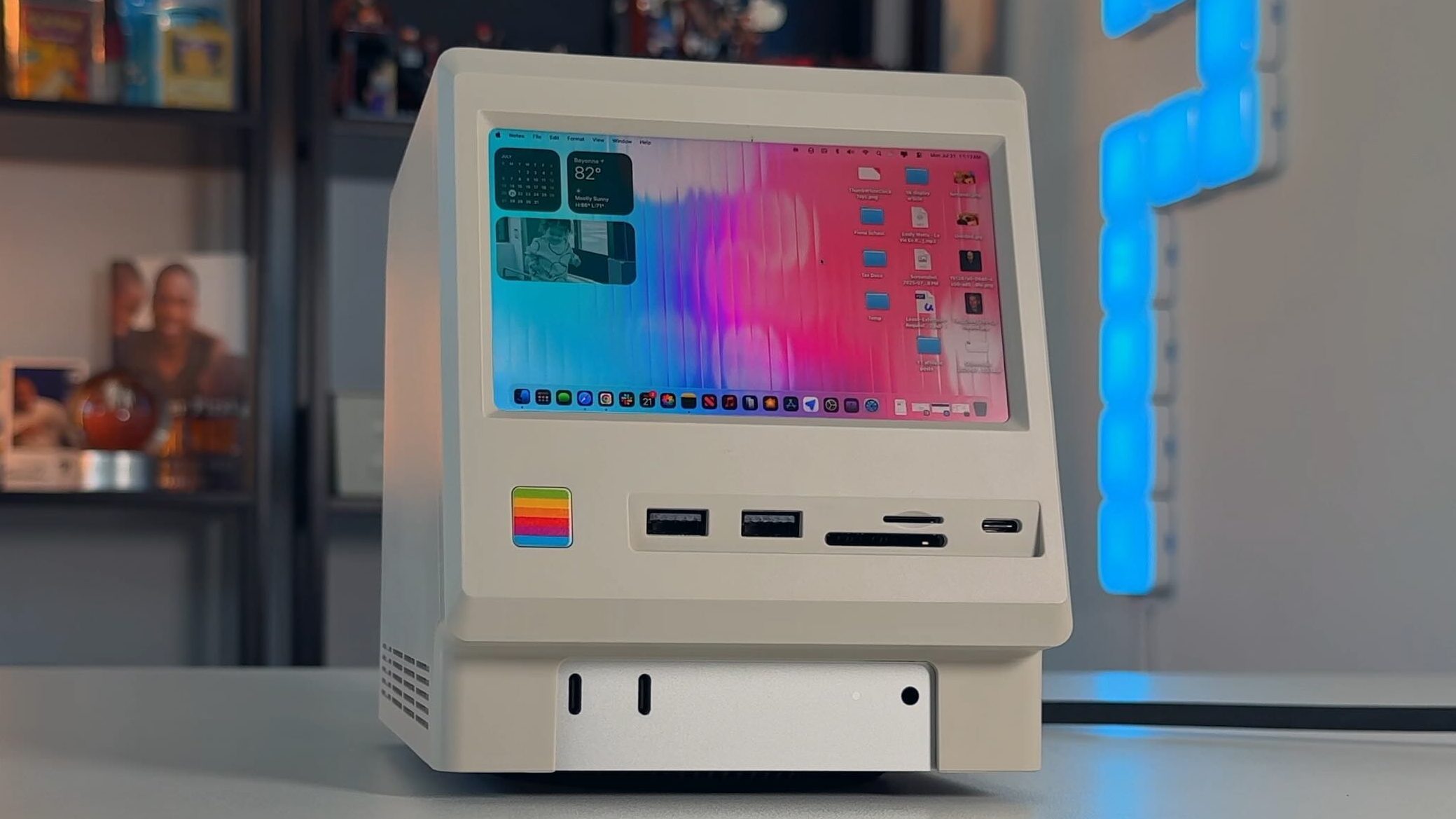
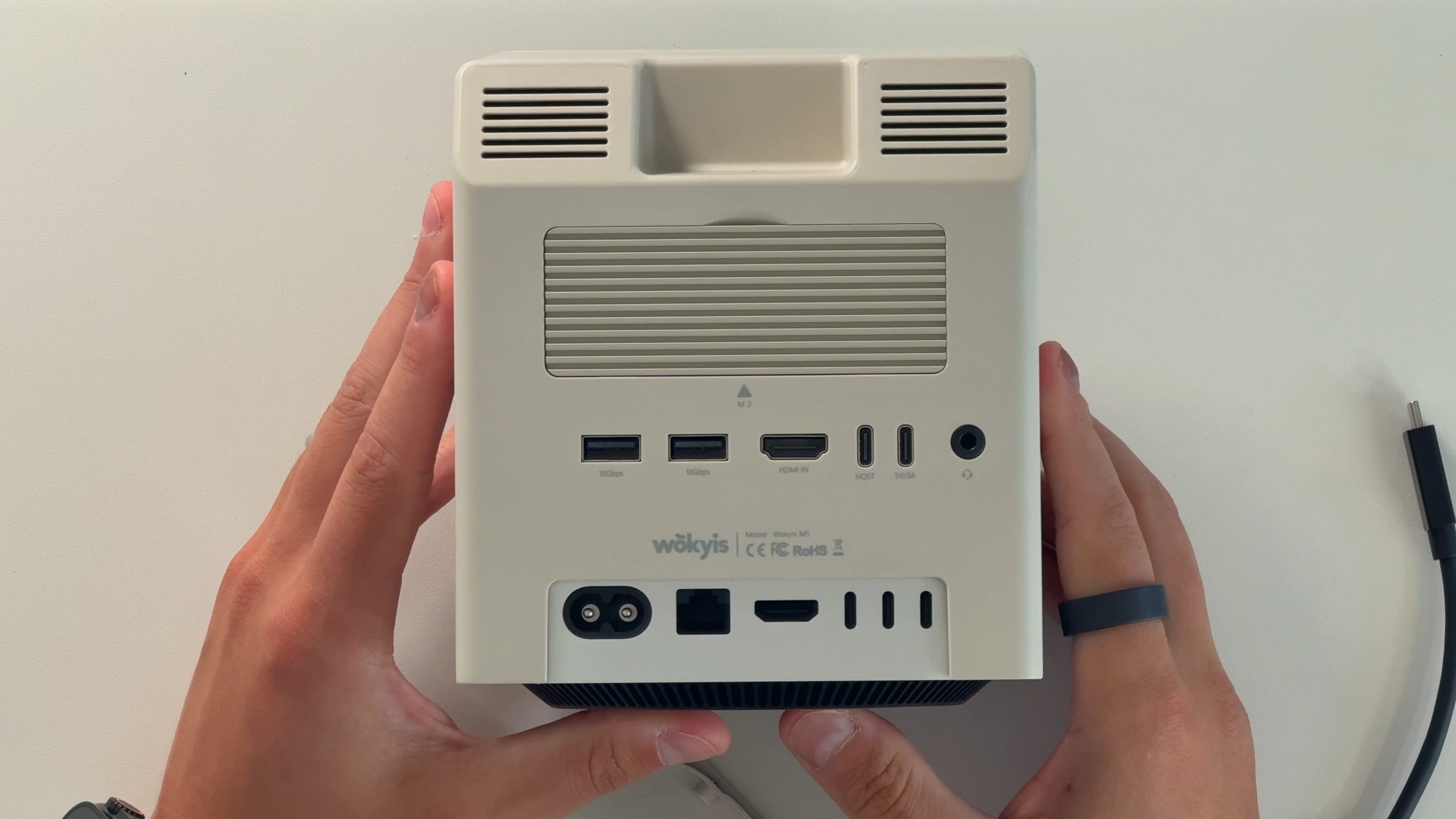
The main difference between the 10Gbps and the 80Gbps is the video out and the SSD speeds. The 10Gbps model comes with an HDMI port for video and supports up to 10Gbps, while the 80Gbps model replaces the HDMI port with a DisplayPort that supports 8k@60Hz and supports 80Gbps SSD speeds.
Otherwise, both of these docks are the same. They have the same form factor, they both fit perfectly on an M4 Mac mini, they both have the physical power button on the front, they both have the physical brightness controls, and they both still give you full access to all of your original Mac mini ports.
Compatibility
I did want to briefly mention that while this was made to physically fit perfectly on the M4 Mac mini, it works with any computer. It brings a cover for the bottom, so if you want to use it as a standalone display dock with a MacBook, a Mac Studio, or even an iMac, you can 100% do that. I think this dock is great for any desk setup, regardless of your computer. It is aesthetically pleasing, has all the ports that most people would want, it’s very well made, and it’s a beautiful, nostalgic piece of kit. But how does it work in practice?
My experience
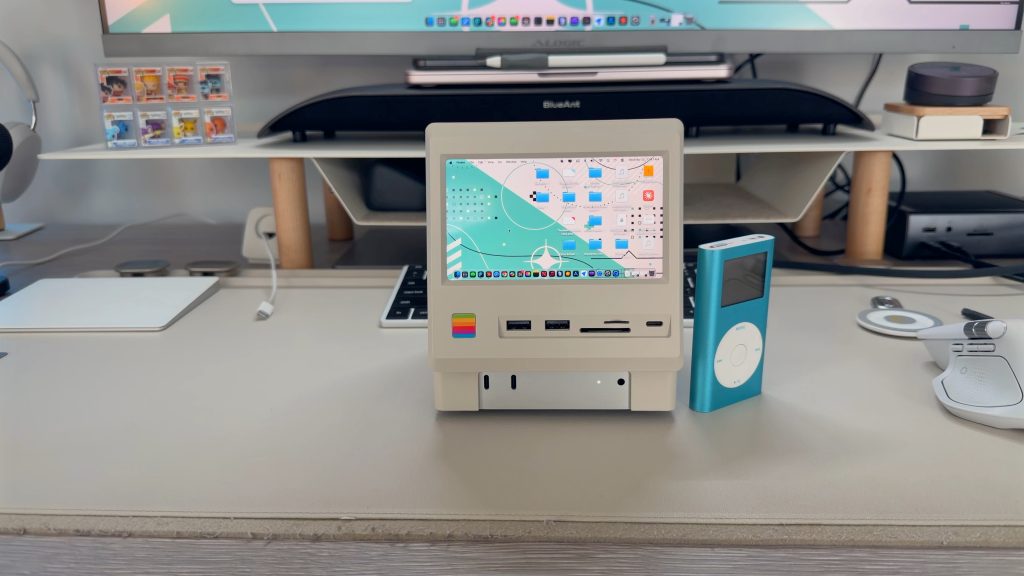
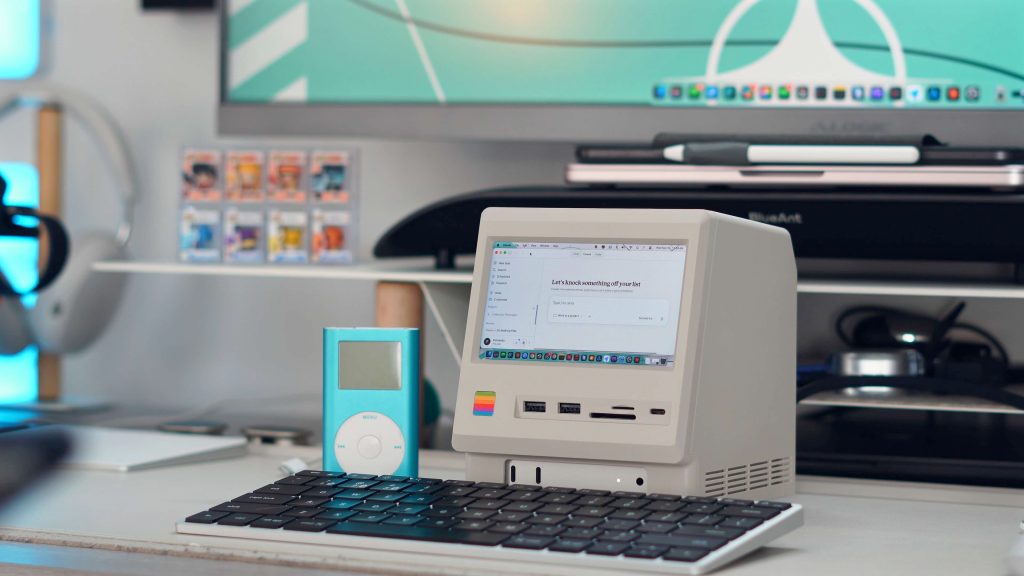
I used this dock in two different situations. The first is as a standalone dock for my desk setup, which is all run with my MacBook Pro. I keep it off to the side of my main display, so not only does it give me a bunch more ports, but it also makes them easily accessible and adds a small display that I use for static information. I like to put CPU diagnostic data on there, or even a video podcast, and it works great. Even though the display is only 720p, it’s still extremely sharp because it’s just a 5-inch display, so even next to my 5K monitor, it doesn’t feel like a step down in quality. I also use the SD card slot every single day for data dumps, and the built-in SSD is perfect for storing old footage and photos that I still need quick access to.
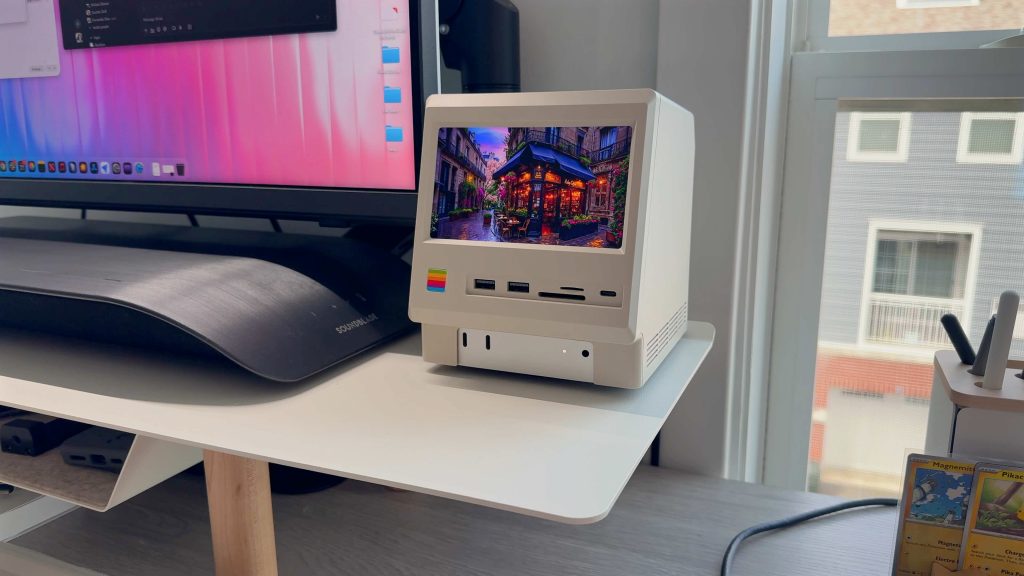
The second use case is more recent. With all the AI, Claude, ChatGPT, Cowork, and other agents, I wanted to try a more automated workflow. So I set up my M4 Mac mini with the Wokyis dock on top to act as its own AI workstation using Claude. I plug my SD card into the dock, import everything into the NVMe SSD, and then have Claude sift, sort, and organize all my video and audio files into folders ready for Final Cut Pro. So far, this has been my most practical use of the Claude Cowork agent, and honestly, it just looks really cool having a setup that resembles a 1980s Macintosh quietly handling all my file organization. If you want me to go deeper on this setup, let me know, and I can do a dedicated review.
Pricing & availability
Both of the docks are available today on Amazon and Wokyis’s website. The 10Gbps version is on sale for $169 but has a $17 coupon on amazon bringning it down to $153, and the 80Gbps version is on sale for $339 but has a $34 coupon brining it down to $305. They both bring everything you need, including the USB-C host cable that is the perfect size, they bring a small screw driver, and some adhesive thermal tape as well. It does not include an SSD; you have to buy that separately. I use the Samsung 990 Pro.
Final thoughts
A lot of tech these days does the same thing and also looks the same. USB-C and Thunderbolt hubs seem to be a dime a dozen. So when one comes around that looks a bit different, has some additional features, and actually works well, it’s a breath of fresh air. This can be used in so many facets. It can be a standalone dock, or you can use it to bring your Mac mini on the go; you can also use it as an AI Mac mini agent and so much more. Now I just hope they make one that fits the Mac Studio!
What do you think of this? Is this something you would use? Let’s discuss below!
Best Apple accessories
- Kuxiu X40 Turbo 3 in 1 25W MagSafe Charger
- Ultra slim MagSafe Battery SolidSafe
- Best Portable Display for Mac
- Aulumu M10 Portable battery
- iPhone Selfie Touchscreen Case
- Get Wallpapers here


FTC: We use income earning auto affiliate links. More.



Comments