
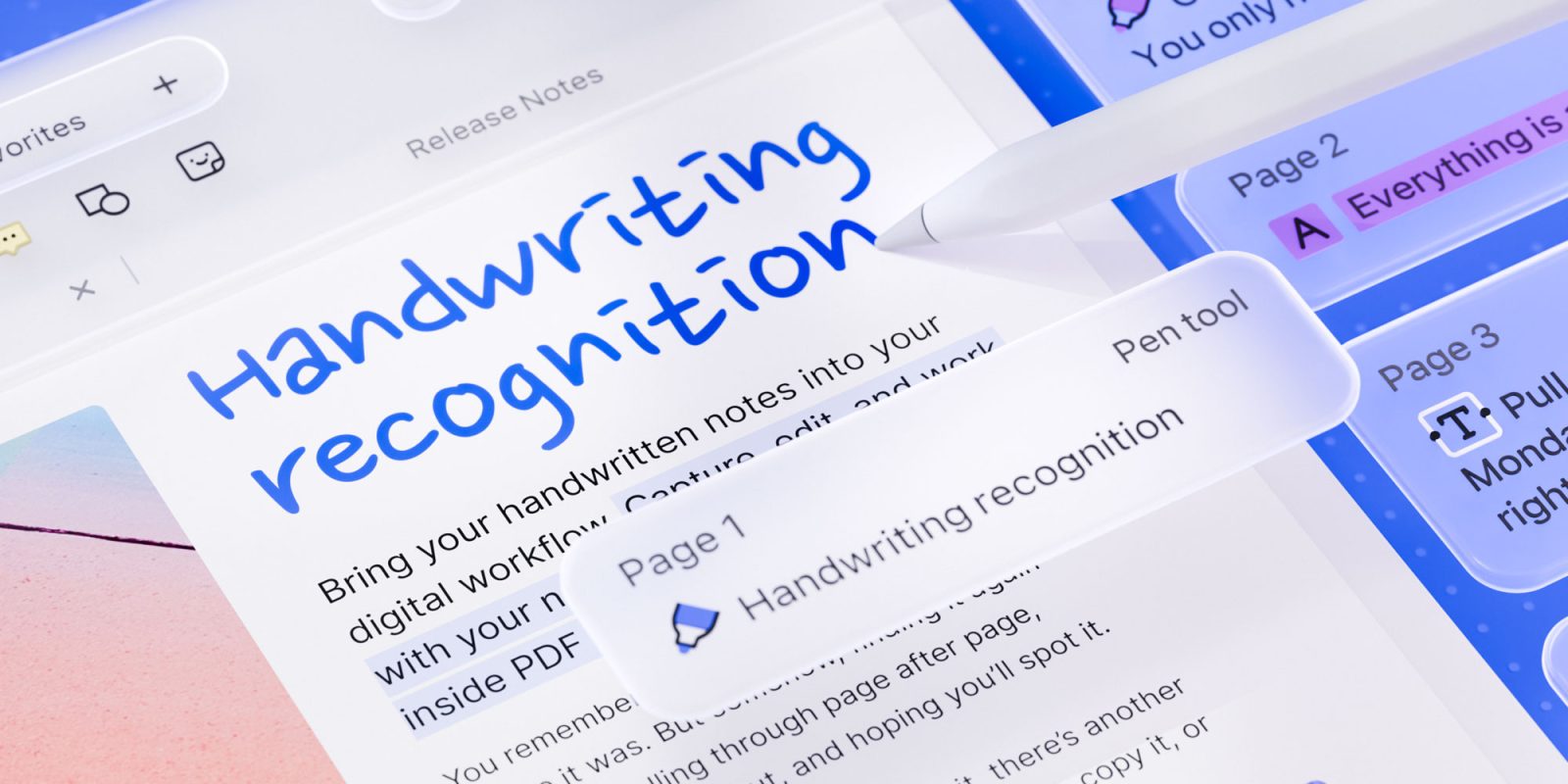
Readdle updated PDF Expert for iOS 27 and iPadOS 27 this week, adding several new features, including searchable handwriting in 29 languages. Here are the details.
PDF Expert now indexes handwritten notes
Readdle’s classic PDF editor, PDF Expert, was updated this week with several features that leverage new possibilities introduced with iOS 27 and iPadOS 27.
Chief among them is a new Handwriting Recognition feature, which works both within individual PDFs and across the user’s entire library, including existing handwritten annotations and notes added in other apps.
PDF Expert now indexes these notes as regular text, making it easier to find something the user might remember jotting down but can’t quite recall where it was.
The company notes that Handwriting Recognition currently works with 29 languages, matching the language support offered by Apple’s new PKStrokeRecognizer API. Presumably, as Apple expands language support for the API, PDF Expert and its users will benefit as well.
Importantly, Handwriting Recognition and library-wide search are available to PDF Expert Premium users. Free users can still use the Text tool to write by hand and have their handwriting converted to typed text as they write.
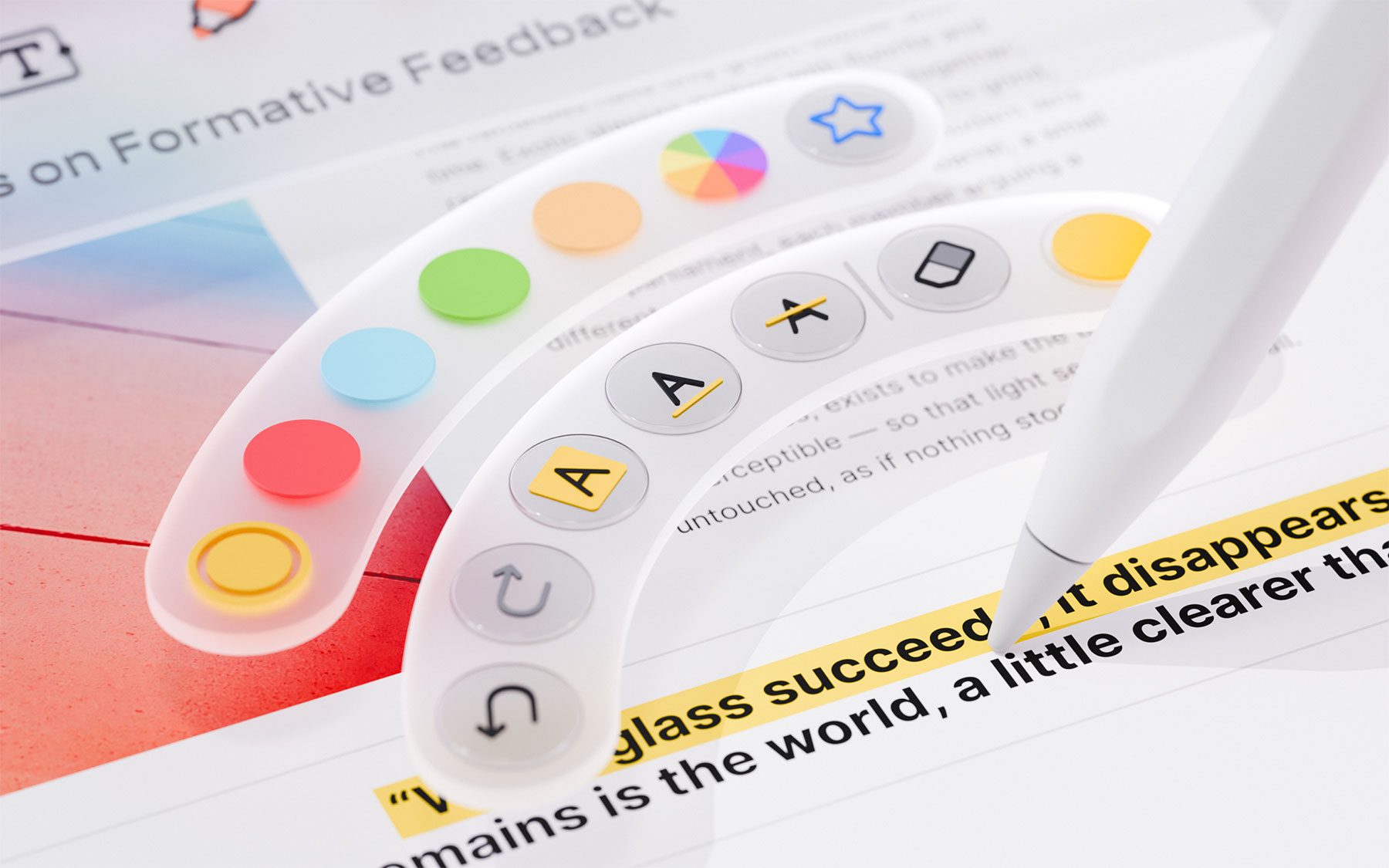
Additionally, the update adds support for the Apple Pencil Pro’s squeeze gesture, which opens PDF Expert’s tool palette.
Here’s Readdle:
Users can switch between pens, markers, highlighters, shapes, stamps, signatures, and measurement tools. They can also adjust color, thickness, and opacity, access recent or favorite tools, switch to the eraser, or undo and redo an action.
The company notes that this feature requires an Apple Pencil Pro and a compatible iPad, and that users can enable it by selecting “Show Tool Palette” in Apple Pencil settings if the squeeze gesture is currently assigned to another action.
Finally, this week’s update also expands the Liquid Glass look across the app’s interface, “including the sidebar, document viewer and its toolbar, and Presentation mode,” Readdle notes. Users can now also access dedicated undo and redo buttons directly from the document view.
To learn more about PDF Expert, follow this link.
Worth checking out on Amazon
- AirPods Pro 3
- AirTag (2nd Generation) – 4 Pack
- MacBook Neo
- David Pogue – ’Apple: The First 50 Years’ book
- Logitech MX Master 4
- Wireless CarPlay adapter


FTC: We use income earning auto affiliate links. More.



Comments