

Are you ready to take a break from or part ways with Twitter? Read along for how to deactivate or delete your Twitter account from iPhone, iPad, and the web. We’ll also cover how to download a copy of your Twitter archive.
Twitter notes that you can restore an account up to 12 months after deactivating it (same as deleting). If you think you may want to use your existing username or email with Twitter at some point in the future, you should change them before deleting your account.
If you’re ready to delete your Twitter account (or deactivate it for up to 12 months), follow along with the steps below.
Download your Twitter data
You may want to download a copy of your information first, if not skip below…
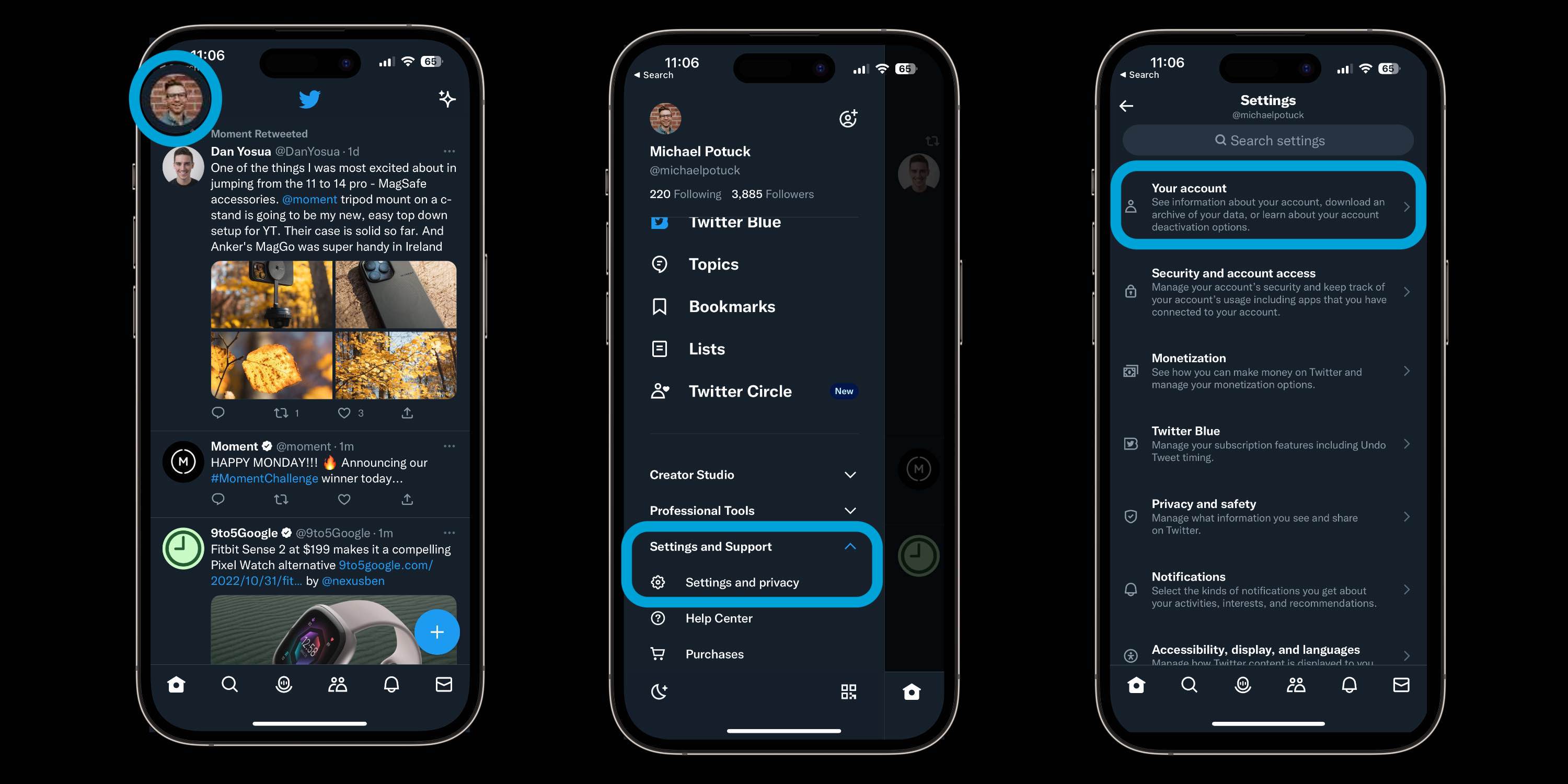
- Open the official Twitter app on your iPhone or iPad (or head to twitter.com)
- Tap your profile picture – or swipe from left to right
- Choose Settings and Support then Settings and privacy
- Now tap Your account at the top
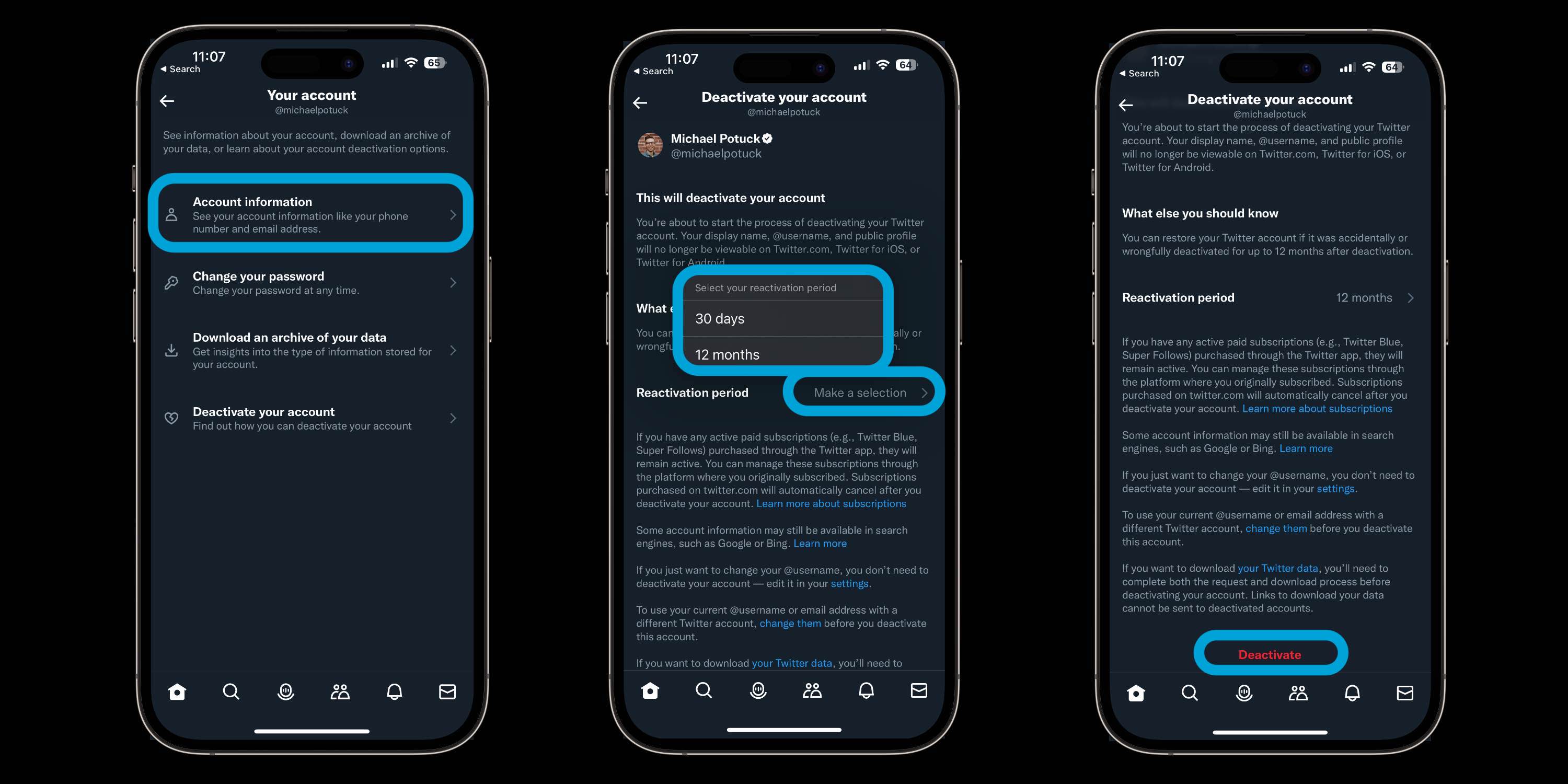
- Choose Download an archive of your data and follow the prompts
Read more about downloading your archive from Twitter here.
How to delete Twitter on iPhone
On Twitter for iOS and mobile web
- Open the official Twitter app on your iPhone or iPad (or head to twitter.com)
- Tap your profile picture – or swipe from left to right
- Choose Settings and Support then Settings and privacy
- Now tap Your account at the top
- At the bottom, choose Deactivate your account
- Choose a Reactivation period (30 days or 12 months)
- Read the disclaimers, tap Deactivate
- Enter your password and follow the prompts to delete your account
Here’s how these steps look on the iOS app (almost identical on mobile web):
On the web (desktop)
- Click the three-dot icon in the left-hand sidebar
- Choose Settings and Support then Settings and privacy
- Select Your Account at the top
- At the bottom, choose Deactivate your account
- Choose a Reactivation period (30 days or 12 months)
- Understand the disclaimers, tap or click Deactivate
- Enter your password and follow the prompts to deactivate/delete your account
Read more 9to5mac tutorials:
- How to deactivate or delete your Facebook account or change privacy settings on iPhone
- How to delete Snapchat on iPhone
- Best affordable iPhone plans for 2022
Note: we’ve closed down comments because of all of the fighting. On a howto. :/


FTC: We use income earning auto affiliate links. More.




Comments