
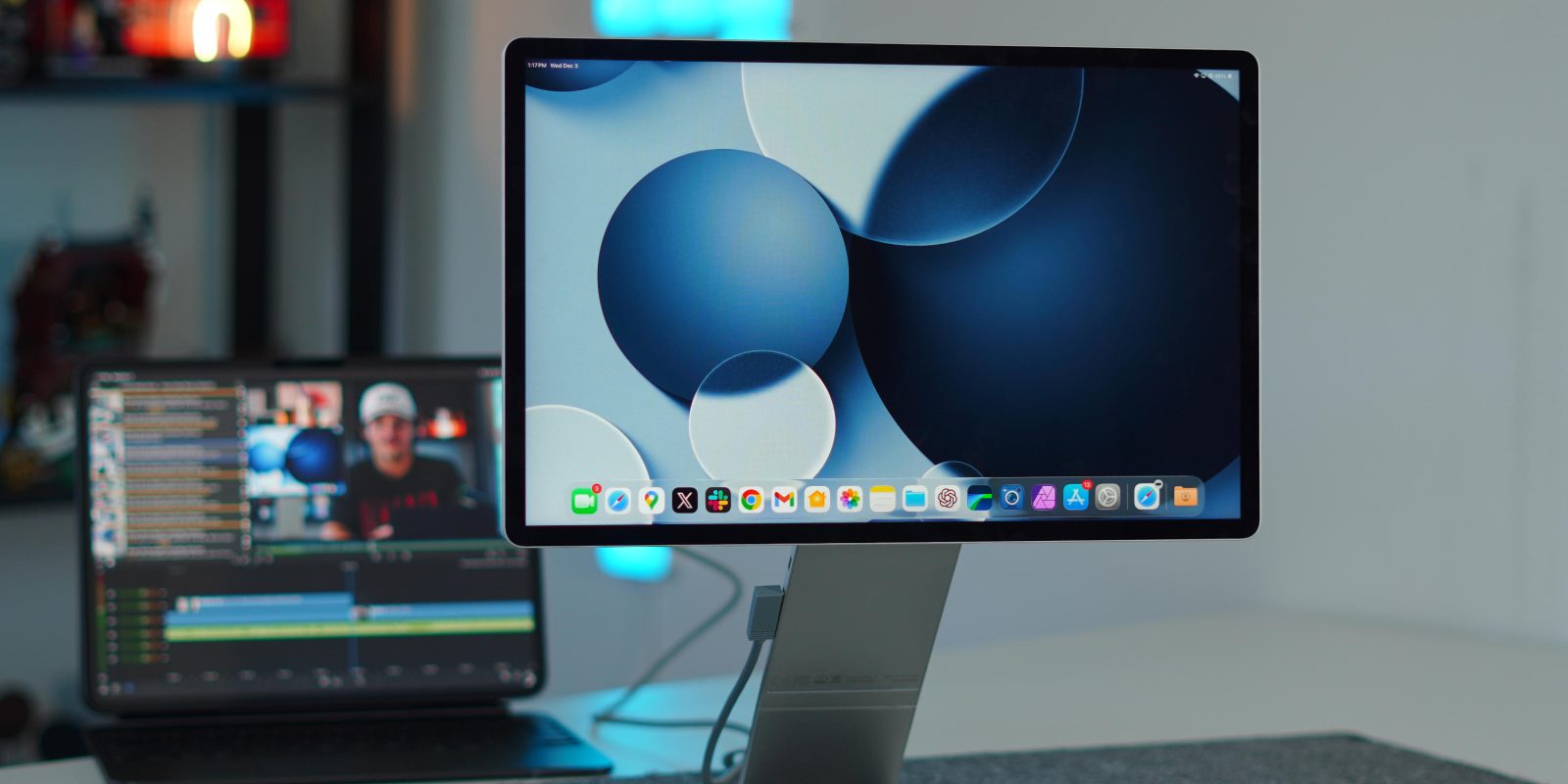
When Apple introduced true windowing multitasking and extended display support with iPadOS 26, pairing my iPad Pro with a portable monitor suddenly became a lot more interesting. I’ve used numerous portable displays over the years, primarily with my MacBook Air, and they’ve ranged from inexpensive plastic options to higher-end models that focus on the screen itself. Some were decent, but the Sotsu FlipAction lineup just hits different. It looks like someone took a 16-inch iPad and attached it to a modular, magnetic Studio Display stand. I’ve been using this monitor for well over a year now, and I wanted to share my in-depth thoughts on whether or not it is worth the price. Let’s break it down.
Be sure to catch our hands-on review on the Sotsu Flip Action Pro below:
Sotsu Flip Action design
In a world where portable monitors fit in two main categories: cheap plastic shells with flimsy folio stands, or simple metal slabs with a single hinge that barely passes as “ergonomic.” The first thing you notice is how unique the Sotsu monitor’s design is, and it’s a nice change. They decided to go with a two-piece system, a 16-inch display and a magnetic folding stand. Both are made of anodized aluminum, which gives them a feel similar to that of an Apple product. It also doesn’t hurt that the display literally looks and feels like a big iPad.
When stowed away, they use my favorite material: magnets! You remove the stand from the display, fold it down, and then it attaches brilliantly to the rear of the display. It also fits flush against the stand portion that is on the display, so there is no real protrusion that can be snagged on something in your bag. When stowed away, it measures only about half an inch thick, making it easy to fit into any backpack or laptop sleeve.
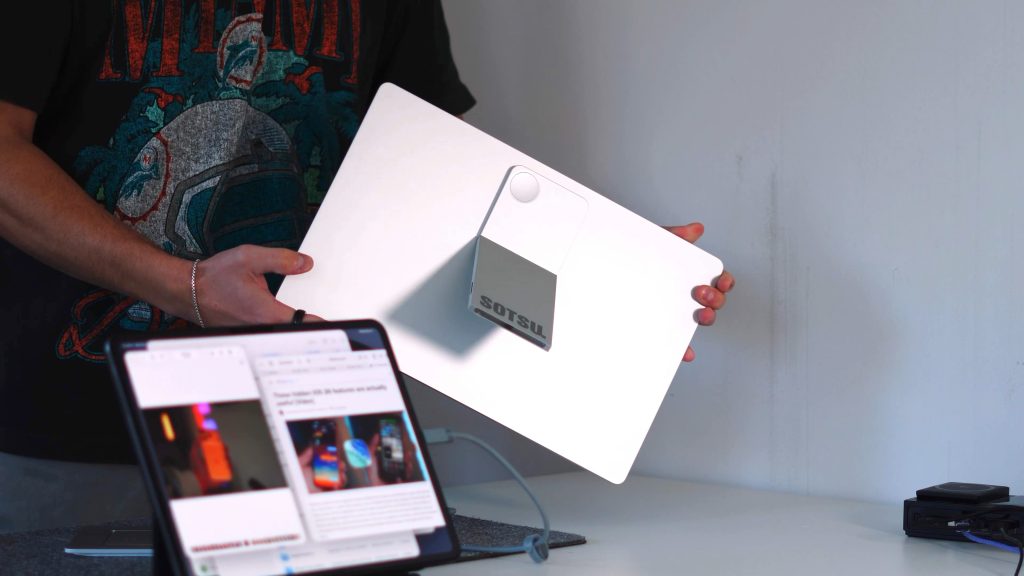
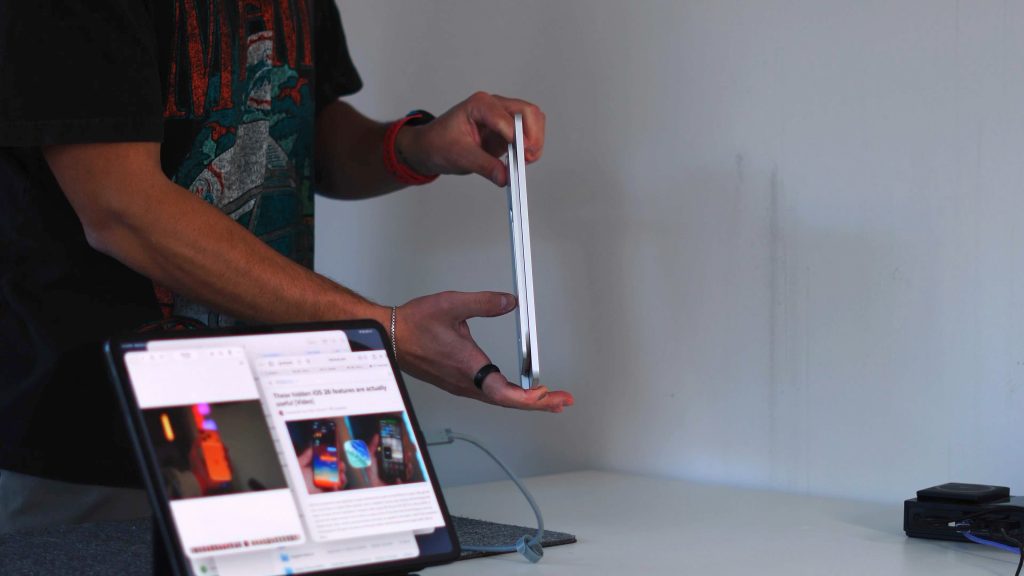
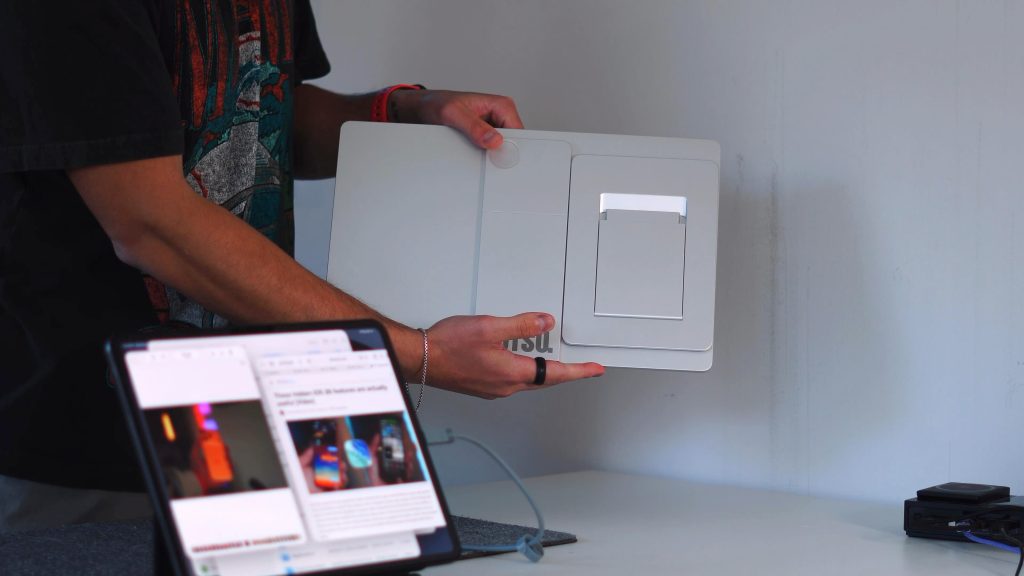
Ergonomics and viewing angles
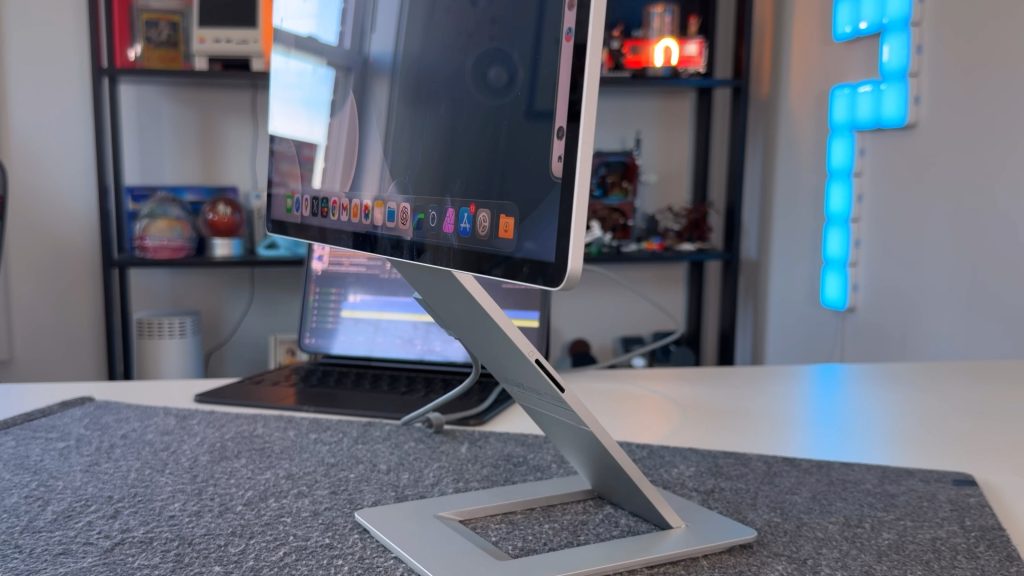
To set up the monitor, remove the stand from the rear and then attach it to the portion of the stand that attaches to the monitor. From there, you can adjust to your heart’s desire. The stand is a dual-hinge design. It has a hinge at the base of the stand but also a hinge where the stand meets the rear of the display. It gives it a somewhat similar feel to the Magic Keyboard for the iPad Pro. Additionally, you have a 360 ° swivel point that allows you to adjust the monitor’s orientation. Giving you a package that:
- Has a base hinge to bring the panel forward
- A top hinge where the display attaches
- Full 360º rotation with auto-rotation baked in that locks at every 90º interval
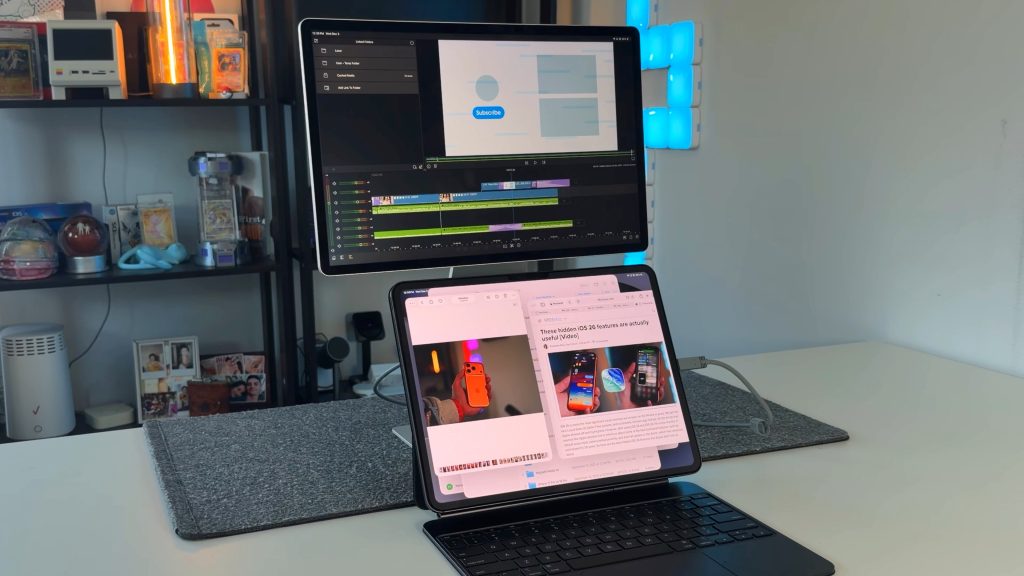
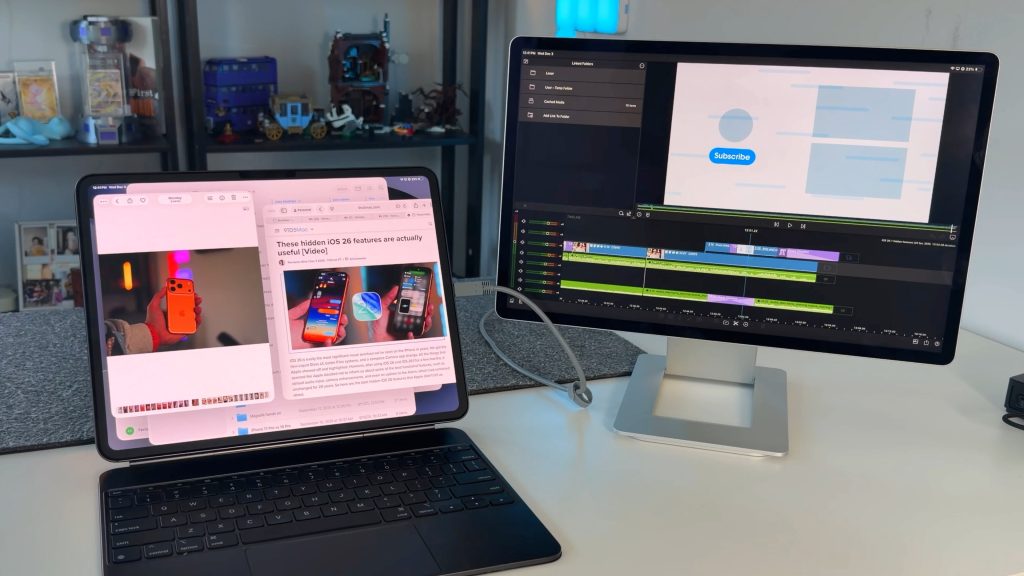
This allows you to use it horizontally beside a MacBook, vertically as a sidebar monitor, or raised above your iPad Pro for better ergonomics. The flexibility is closer to a full desktop monitor than anything “portable.”
Display
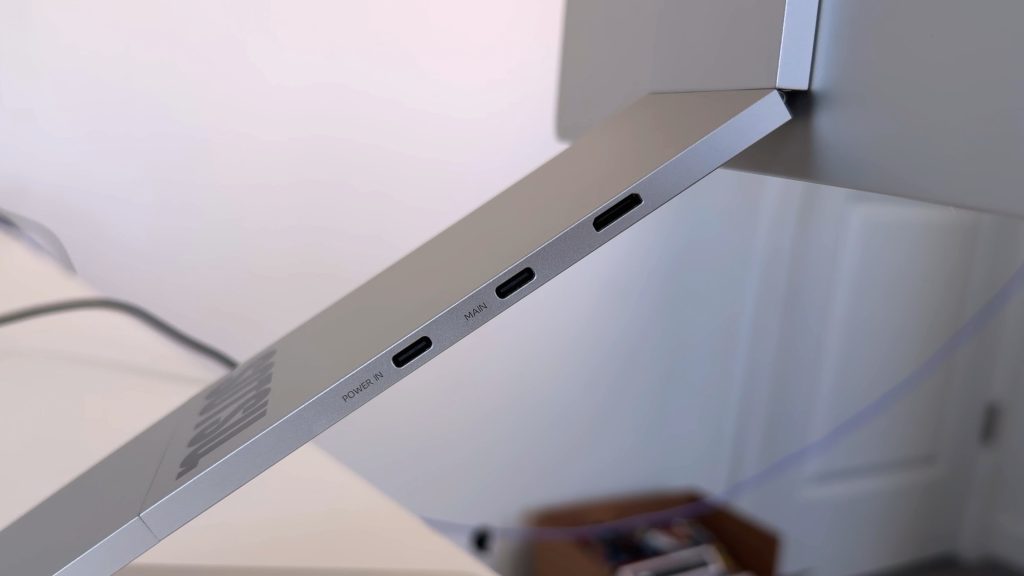
Design and ergonomics aside, how is the actual display, because that is what really matters. There are three different 16-inch Flip Action monitors. There is the Flip Action Pro Gen 1 (the one I have), the Flip Action Pro Gen 2, and the Flip Action Elite. All three are the same exact design and build materials (with varying colors). They all have the same ports on the stand portion, which include:
- mini HDMI port
- USB-C data port for video output
- USB-C port for power passthrough
- SD card slot.
Another thing to note here is that they draw power from the host computer, so it does not need its own power supply. This includes iPads as well!
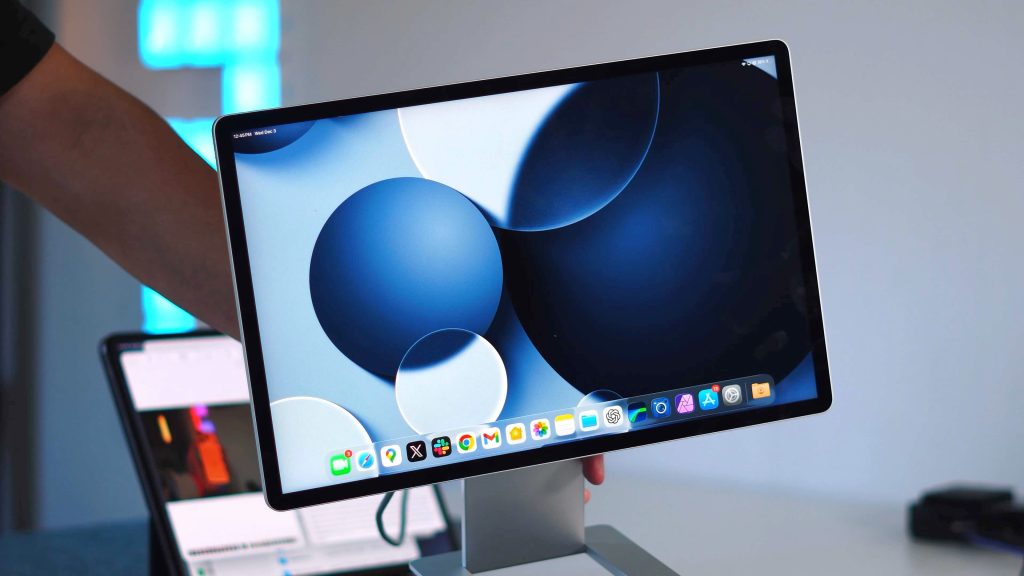
The one I’ve been using is the FlipAction Pro Gen 1, features a Quad HD (2560×1600) display, 60Hz refresh rate, 350 nits of brightness, and 100% DCI-P3 color coverage. Although the specs indicate 350 nits for brightness, side by side with my 5K BenQ (rated at 400 nits), the Sotsu actually appears brighter. Color reproduction is punchy without being oversaturated, and viewing angles are solid. The iPad Pro is also exceptional at scaling, making it a fantastic experience to use as an extended monitor with my iPad.
Gen 2 & Elite options
As I said, these other two displays look and act the same; you are just paying for a bump up in display spec.
- FlipAction Gen 2 bumps the refresh rate up to 120Hz with improved contrast (1500:1). If you scroll a lot, game casually, or just like smooth UI animations on iPad and macOS, you’ll benefit from this bump up.
- The FlipAction Elite brings full 4K resolution and 450 nits of brightness. This is the one for people editing high-resolution video or photos, or anyone who wants maximum sharpness on the go. This does remain at 60Hz.
How I use the monitor
There are two main ways I have been using the Sotsu monitor. First is alongside my iPad, both at home and on the go. The new multitasking windowing mode in iPadOS 26 has really helped and enhanced the productivity of my iPad. For example, I use Lumafusion to edit my videos on iPad. I will have the Lumafusion app on the main iPad screen, and then I will have my productivity apps, ChatGPT, and Twitter, all up on the external monitor. I can create that use case in all my environments. The great thing is that it all folds up nicely into a slim and portable package. I can fit it all into a 16-inch laptop sleeve with no issues.
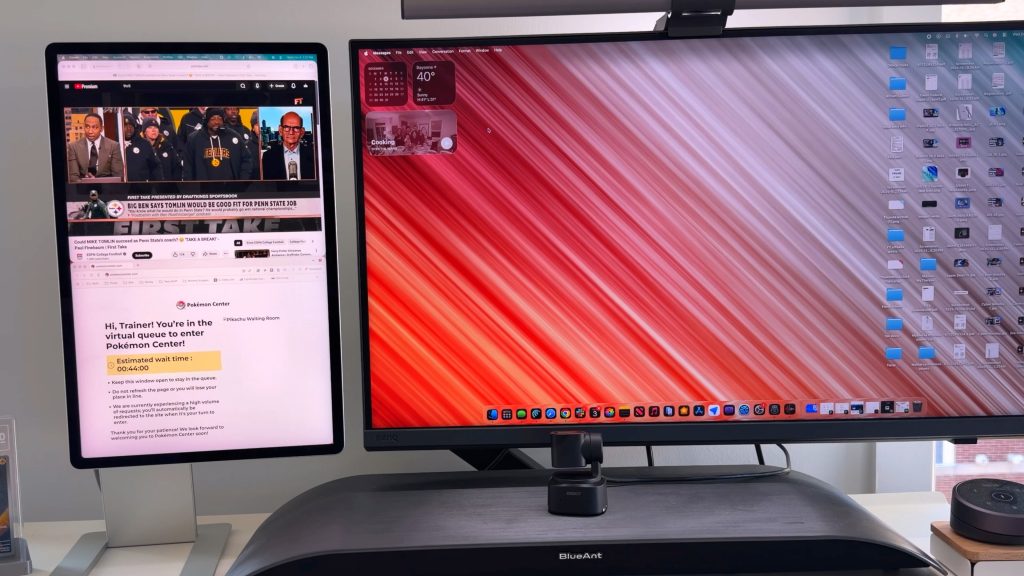
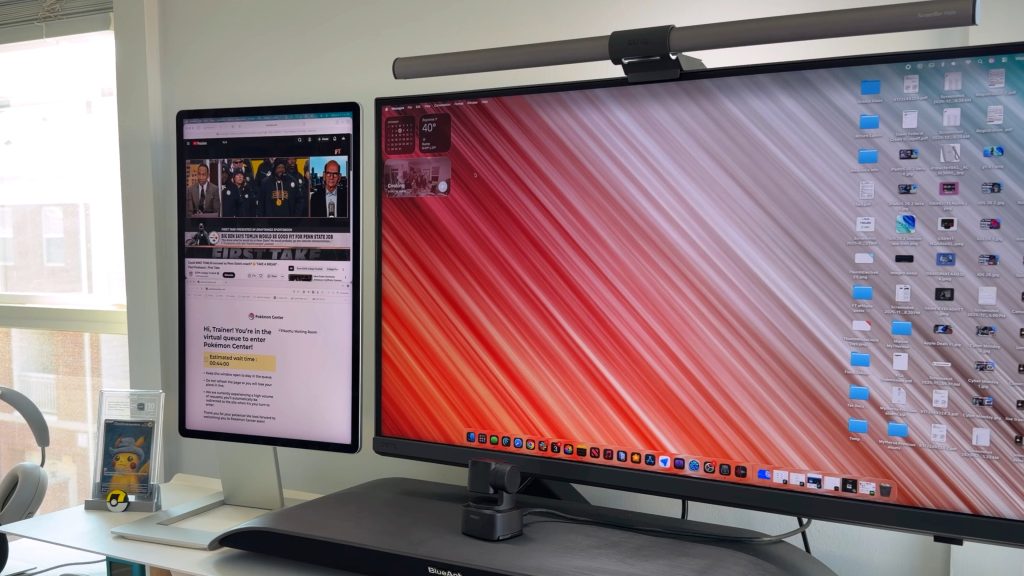
My second use case is with my M4 Mac mini. I use it as a secondary vertical display in my main home office setup. When set up vertically, the height perfectly matches the height of my 5K BenQ monitor. So its a match made in heaven. I love having the extra screen real estate to fit additional apps and windows when i need it. As I stated above, the display has been plenty bright and crisp in all the use cases I put it through. It is also very sturdy, so you can be confident bringing it around, even if you get a few scuffs and scratches on it.
Pricing & availbility
All of this design, high-quality material, and display tech does come at a price. The FlipAction Pro Gen 1 (the one I have) starts at $499 and comes in three colors: Black, Gray, and Arctic Blue. The FlipAction Pro Gen 2 is priced at $599 and is available in two colors: Black and Gray. Then the FlipAction Elite is the big one. This one is $789 and comes in Silver and Space Black. All three models are currently available directly through Sotsu’s website.
Related video: Sotsu vs Espresso Display
Final thoughts
The Sotsu FlipAction lineup is not cheap, but in my opinion, it earns the price. It has premium build quality, legit display performance, and a hinge system that actually makes portable monitors usable in real workflows. Not only that, but I have pushed this monitor in so many scenarios over the last year, and it still looks, feels, and performs like new. If you are in the market for a portable display and are on the fence, I recommend giving these a shot. Sotsu also makes some other, more affordable options, which are great for the price, but these are just on another level.
What do you think? Is $500+ too much for a portable display? Let’s discuss below.


FTC: We use income earning auto affiliate links. More.



Comments