
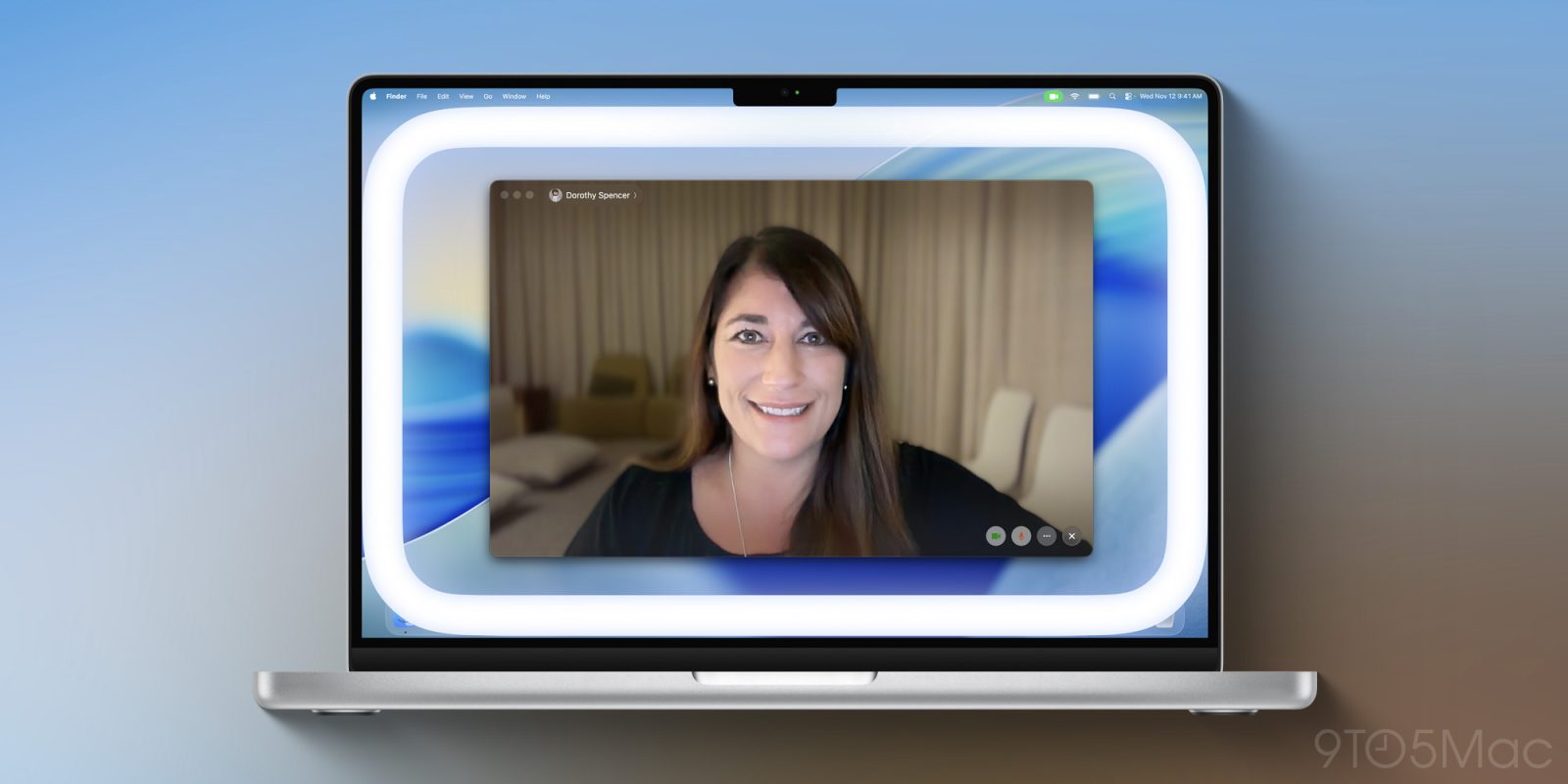
While it was somewhat overshadowed by the release of iOS 26.2, Apple also released macOS 26.2 last week. This update introduces one of the most clever video calling features I’ve seen in years: Edge Light.
Here’s how it works.
Edge Light is a clever way to look better on video calls
The idea behind Edge Light is essentially to replicate the experience of using a traditional ring light, but with your Mac’s display. When enabled, it adds a virtual ring light around the edge of your display to illuminate your face.
It sounds simple, but Apple’s implementation of Edge Light is actually quite clever.
First, it uses the Neural Engine in your Mac to detect your face, size, and where you’re located in the frame to ensure accurate and consistent lighting.
The Image Signal Processor, meanwhile adjusts the brightness of Edge Light to exactly match your environmentally. You can also adjust the color temperature of the light. All the settings for Edge Light are managed in the menu bar when your Mac’s camera is active. You’ll find it alongside settings for other features like Portrait Mode.
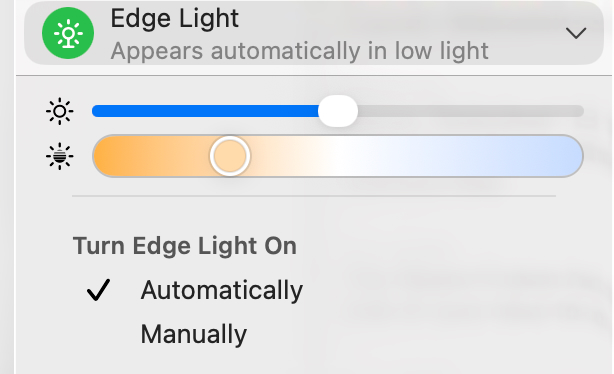
Edge Light works with all video conferencing apps and websites. This includes FaceTime, Zoom, WebEx, Google Meet, and more. Apple handles all of it, so there’s nothing that developers have to do.
If you use a physical ring light, that’s all stuff you have to do yourself. Edge Light, meanwhile, handles it entirely in the background. It really is quite clever.
I’ve been using Edge Light since it was added in the early macOS Tahoe 26.2 beta and the benefit to video quality is immediately obvious. Even if you’re in a decently-lit room, Edge Light still works to brighten your face and make sure you’re the focus of the frame.
Edge Light takes the pressure of making sure your lighting is perfect for every call. I love that I can just hop on a quick Zoom without any hassle.
After Apple announced Edge Light, I heard from a lot of people who were previously using workarounds to achieve similar lighting. One person, for example, told me their DIY version of Edge Light was to open a blank Google Doc on their Mac, crank up their screen brightness all the way, and leave it full screen.
Edge Light is a far, far better solution than that. It brightens your face and lets you continue using your Mac at the same time.
Edge Light compatibility
Edge Light is supported on all Mac models with Apple Silicon. If you have a Mac launched in 2024 or later, Edge Light you can choose to have the feature turn on automatically when it detects you’re in a dark environment. On older Macs, you’ll have to manually turn it on via the menu bar.
Edge Light works on the Studio Display when connected to an Apple Silicon-powered Mac. It also works with external cameras.
Have you tried Edge Light in macOS Tahoe 26.2? If so, what do you think? Let us know down in the comments.
My favorite Mac accessories:
- Logitech MX Master 4 Mouse
- OWC Thunderbolt 5 Hub
- Beats Pill
- Twelve South BookArc
- Satechi’s USB-C 165W GaN Charger
Follow Chance: Threads, Bluesky, Instagram, and Mastodon.


FTC: We use income earning auto affiliate links. More.

Comments