
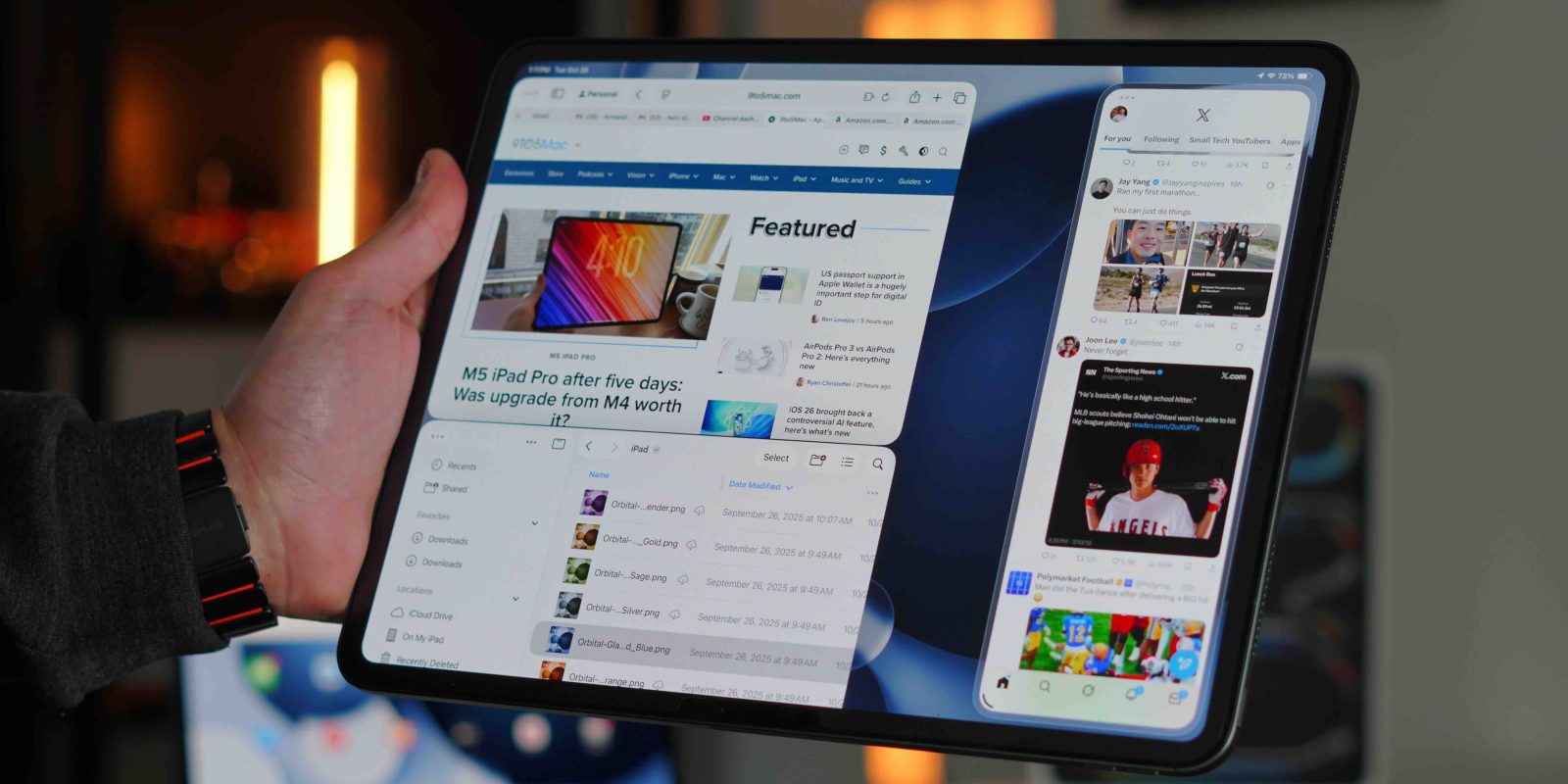
I’ve been using an iPad Pro as my primary computer since the big redesign in 2018. Back then, it was still running what was essentially an iPad version of iOS. But I loved the design and the raw power it offered so much that I decided to commit to the iPad full-time. Every year after that, Apple teased the idea that the iPad was becoming a more genuine computer replacement. And every year, the software fell just short.
Then Apple released iPadOS 26 in 2025, and for the first time, it genuinely changed what the iPad could be for a lot of people. It was transformative in many ways, but it also introduced a level of nuance that left some users hesitant. So the question is: was this update finally enough?
For a hands-on look at everything iPad, be sure to check out our video below!
What iPadOS 26 actually brought to the iPad
The update to iPadOS 26 brought a ton of great quality-of-life features. However, I want to highlight the ones that truly made the iPad feel like a brand-new device.
Real windowed multitasking
Let’s start with the obvious one here. The most significant change was the option to now go into a full-on windowing mode. We sort of had this with Stage Manager, which is still an option, but now Apple gives us the equivalent of macOS windowed multitasking. This really changed the game for the iPad this year. We got:
- Infinitely resizable windows
- Mac-style window controls (green, yellow, red management buttons)
- The ability to keep many apps active at once (up to 12 in one view)
- A far more natural flow between tasks
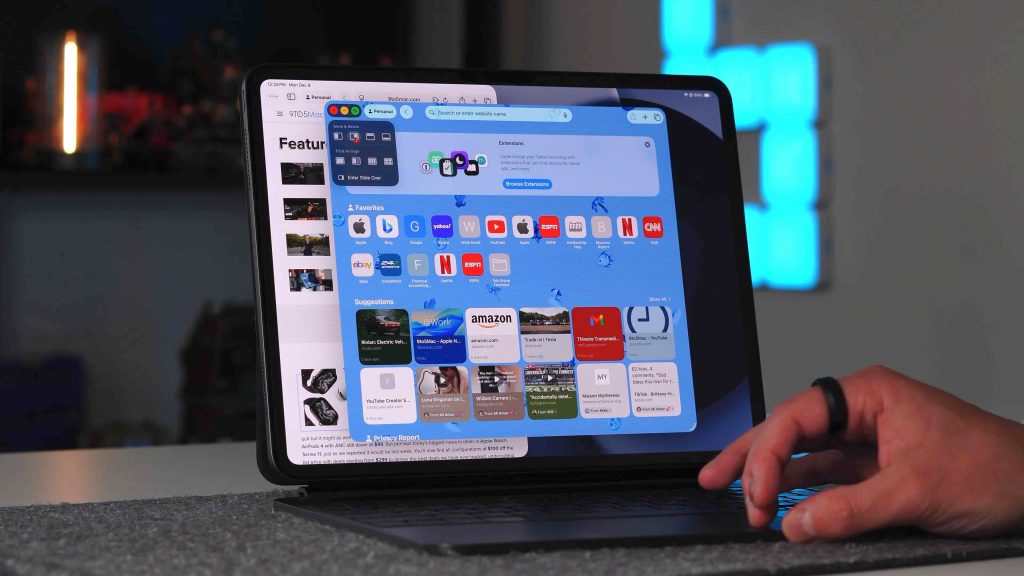
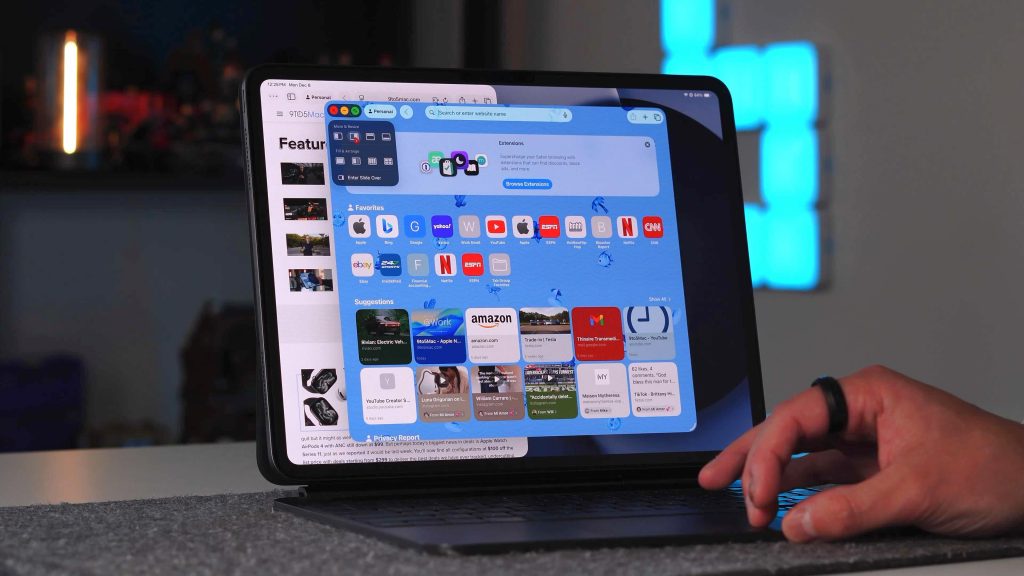
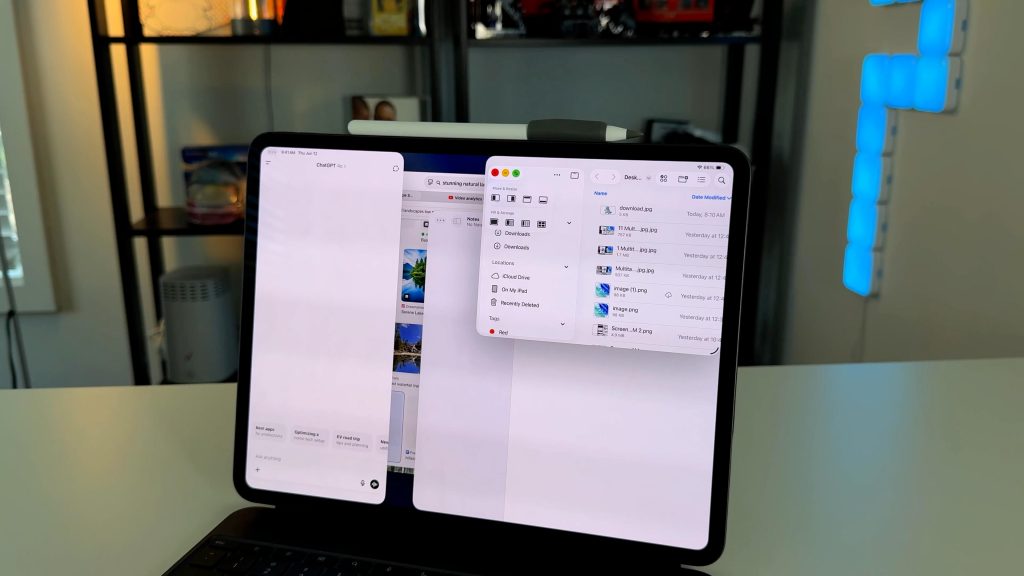
This new windowing experience no longer feels like the gimmick that Stage Manager was. Everything now feels much more natural when it comes to managing multiple windows. You can quickly switch to tiled modes to view up to four windows at once, dragging and dropping files between apps feels effortless, and even trackpad scrolling with overlapped windows feels like a desktop experience.
Visually and functionally, the iPad has never felt closer to macOS, and I’m excited every day to use my iPad again.
Files app revamp
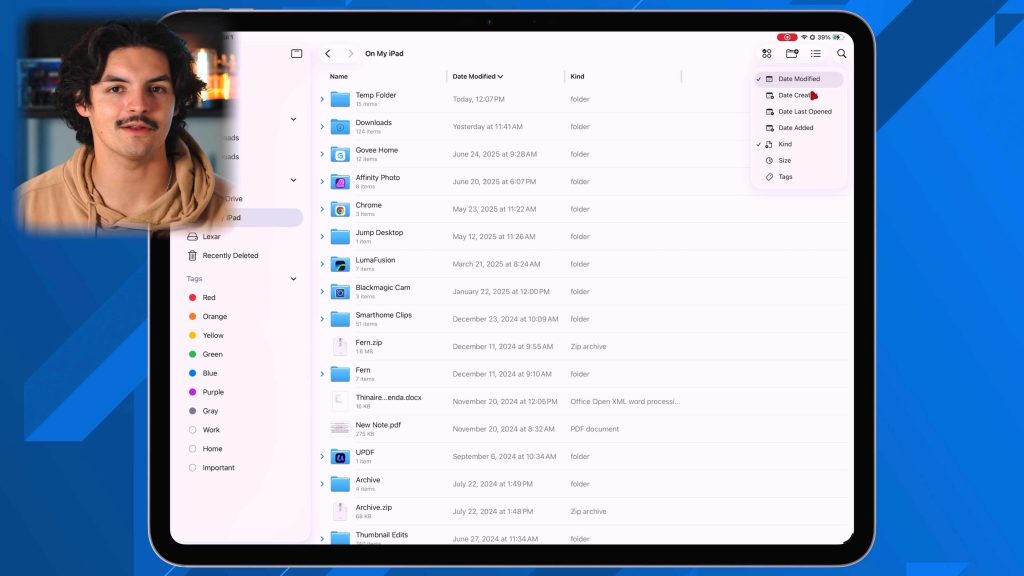
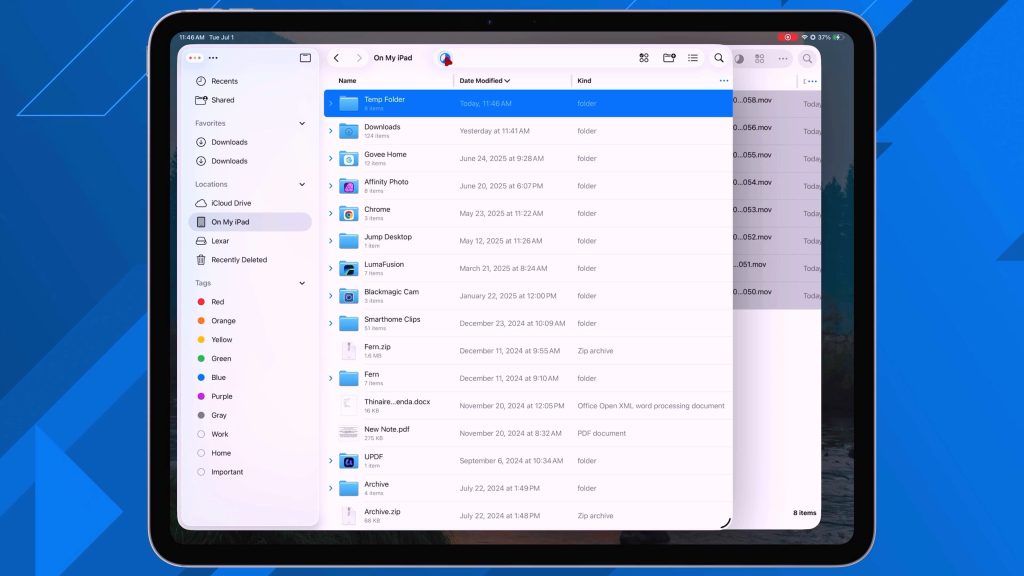
The next big overhaul was the Files app. The Files app was always iPadOS’s weakest link. It felt watered down, hard to manage, and impossible to navigate. But again, Apple essentially gave us the Finder app in the iPad. The Files app is now:
- More customizable
- Easier to navigate
- More informative on a per-file and per-folder basis
- behaves like a desktop class file manager
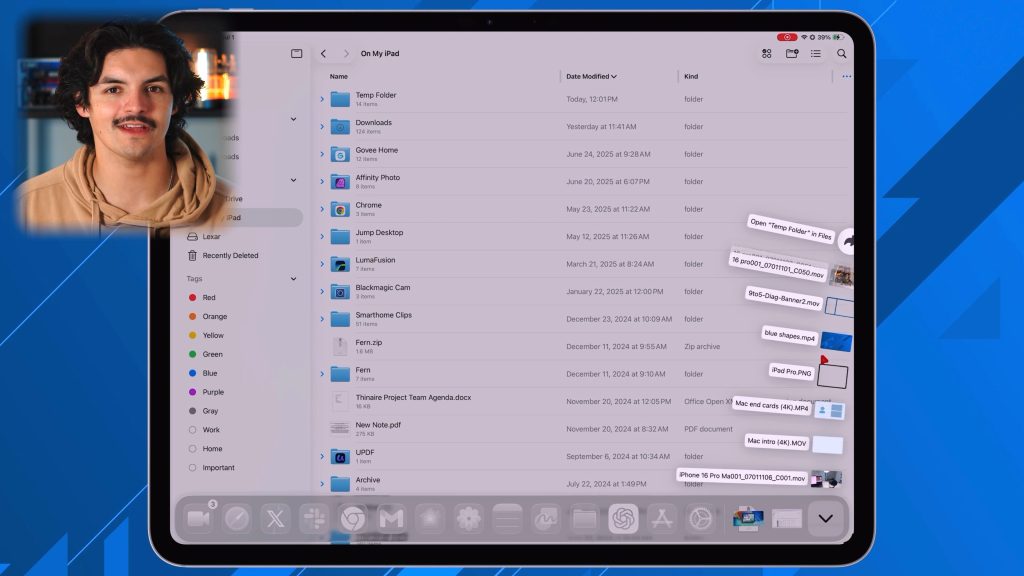
There were two big features and use cases that the Files app brought this year. The first was fully customizable column views. You can now add and remove column categories, sort based on those categories, and you can also resize the columns to your heart’s delight, like you would on the Finder app. The second feature has to be dockable folders. This is, by far, my favorite feature. I can pin my iCloud desktop folder to my iPad’s dock and have quick and easy access to all my shared folders without needing to go through another app or a multitude of menus. You can even customize the folder to display the files in either a fanned-out or grid view. This really transforms how the iPad behaves in any workflow.
Background task and audio source switcher
These two features are more so on the quality of life improvement side than anything flashy. However, they also add to something that saves you a significant amount of time and effort. I am someone who uses their iPad to video and photo edit. So I rely on apps like Lumafusion to export and render large video files. Before iPadOS 26, if I had to export a video file, it could take 10 to 20 minutes, but I had to stay on the app. If i left the app the export would fail, meaning my iPad was almost useless during this export time. Now we can run these tasks in the background (as long as your app has been updated for that support). This was a huge time saver. I could begin my export, leave the app, and start editing my thumbnails. Something so trivial that was missing is now here on the iPad.
The final big change was the ability to switch your audio source natively. You can now plug in an external mic, head to your control center, and select that as your primary audio source. I use this feature every single day.
So what’s still missing?
Now, as amazing as this update was, there are still some issues you should know about if you want to make this your full-time computer. The tough part about these limitations is that they are fundamental to iPadOS. For example:
- No true terminal access
- No full desktop-class coding environments
- Limited system-level control
- No support for multiple simultaneous audio sources
And finally, the big thing is that this is still an iPad. Your experience will only be as good as the apps available in the App Store. You cannot simply go to a website and download their desktop app, because that is not how iPadOS was designed. For me, I can live with this limitation because I have built my workflow to be efficient with App Store apps. But I can see situations where this would be a deal-breaker.
Final thoughts
The update to iPadOS 26 was one of those rare moments where software completely changed what a piece of hardware could do. Apple took off the training wheels and let us iPad users finally have some fun. The way they implement Mac-like tendencies and flow while still keeping the touch-first nature of iPad was something magical. The iPad is no longer pretending to be something else. IThe iPad not chasing the Mac. It’s not stuck being a tablet. It’s carving out its own lane.
For some people, it’s finally enough. But, I also understand that for others, it still lacks in certain areas. And that is okay. However, I will say that I believe the gap has narrowed substantially between the iPad and the Mac. I also haven’t even touched on the fact that iPadOS 26 runs on all iPads, not just the iPad Pro. That’s a win for accessibility across the board. So for $299, you can get a computer-like experience with the regular A16 iPad!
What do you think? Is the iPadOS 26 finally enough? What are you still missing? Let’s discuss below!
iPad deals and accessories
- A16 iPad – Only $299
- iPad mini – Only $399
- M3 iPad Air – Only $499
- Apple Pencil Pro
- Airpods Pro 3 & Pro 2
- Satechi 67W Dual USB-C
- ESR Folio Case


FTC: We use income earning auto affiliate links. More.



Comments