
Adobe is rolling out updates to Photoshop and Lightroom today, with new AI-powered tools, workflow improvements, and performance upgrades across both apps. Here are the details.
Photoshop and Lightroom add a few new smart features
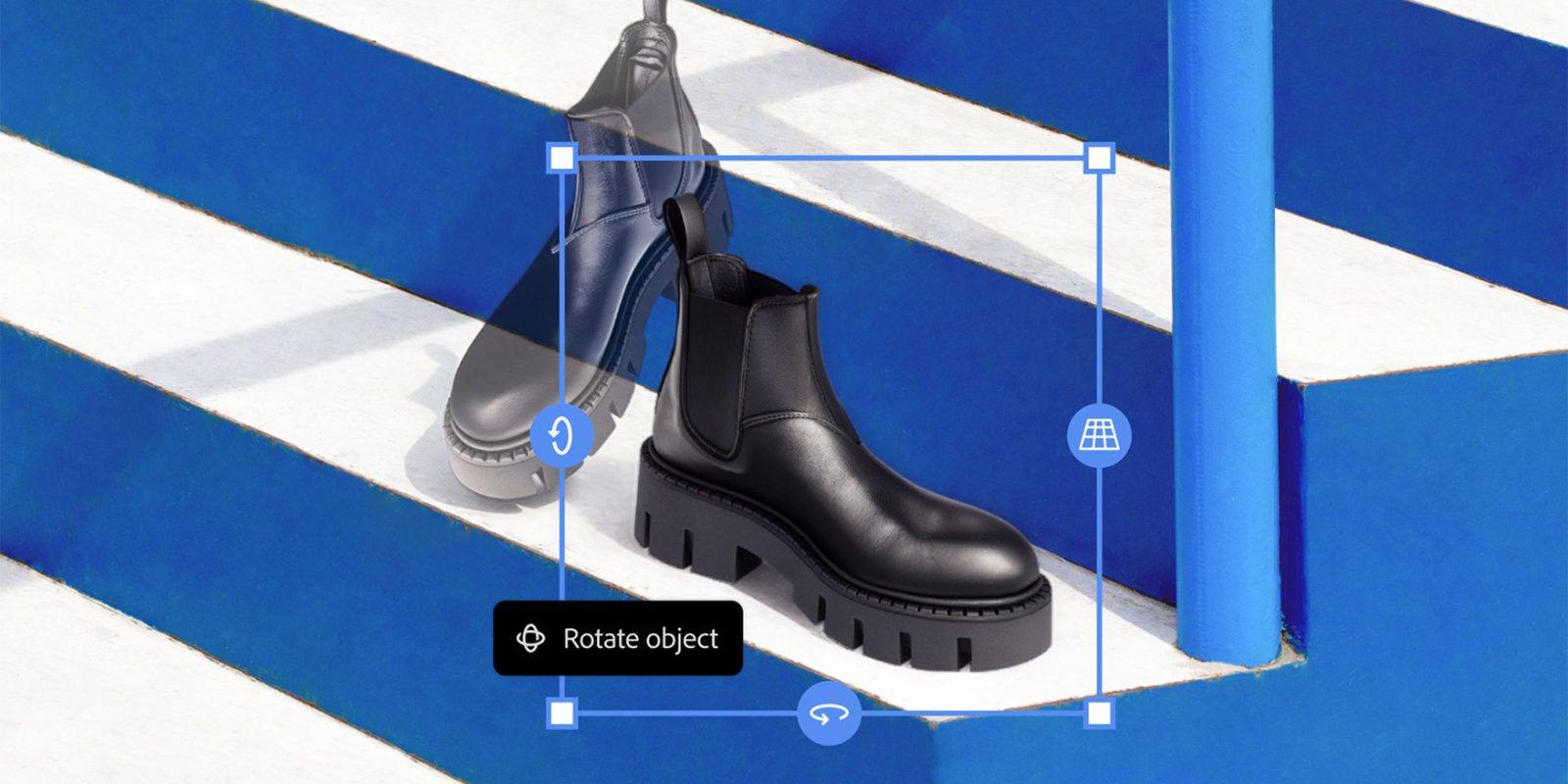
After rolling out the Turntable feature in Illustrator last month, which allows creators to rotate 2D vectors in 3D space, Adobe is making a similar feature generally available in Photoshop as well.
With the new Rotate Object tool (which lives within the options of the Transform Image tool), users can rotate, tilt, and spin assets in 3D space in real time, and then hit the Harmonize button to adjust lighting and shadows accordingly, improving how they match the background.

Adobe says that Rotate Object is “the product of years of research and deep collaboration” between “Adobe Photoshop, 3D&I, and Firefly.“ The company adds:
Researchers worked on the research breakthroughs, designing and training the generative and reconstruction models under the hood that produce the 3D asset and the final upscaled image, and building the Photoshop-native renderer that enables real-time control over the 3D asset.
In addition to Rotate Object, Adobe is also releasing the Layer Cleanup tool to Photoshop, which was announced during last year’s Adobe MAX.
The feature intelligently clears up and organizes the layers in the project, automatically renaming them and removing empty ones, a process that can be time-consuming depending on the project.
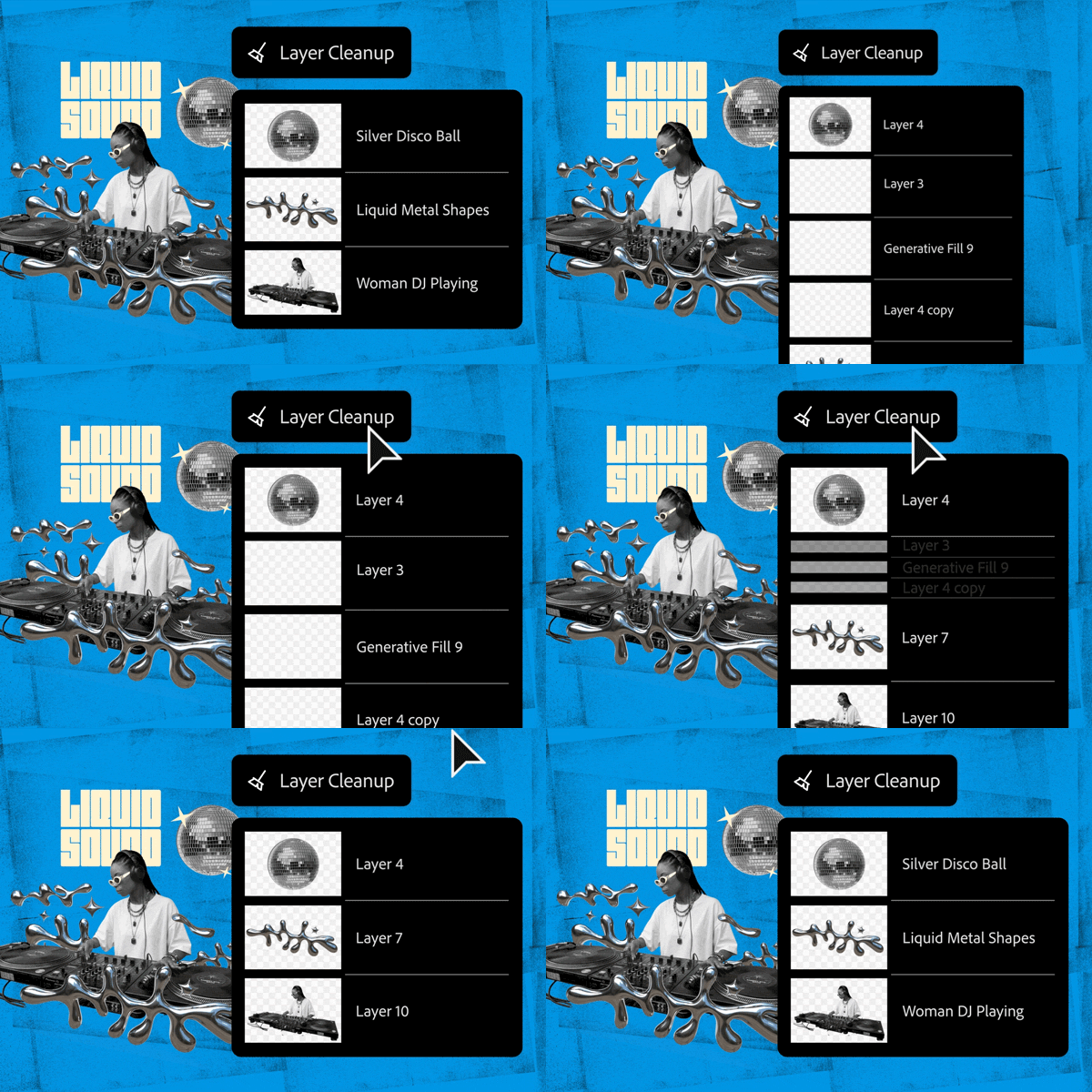
Layer Cleanup is rolling out alongside a new Firefly Boards integration between Photoshop and Lightroom, enabling “ a seamless path from ideation to creation, helping you move smoothly from early concept to final output without breaking your creative workflow.”
And speaking of Lightroom, Adobe’s cloud-based photo editor is also getting two more features:
- Improved Search in Lightroom lets you find photos simply by describing what you’re looking for in your own words, making it faster and more intuitive to surface exactly the shots you need.
- New Film-Inspired Presets in Lightroom give you more creative control to deliver a nostalgic look, while performance upgrades like faster Assisted Culling and up to 5x faster interactive slider performance help you handle large shoots with greater speed and precision
What do you think of today’s updates? Let us know in the comments.
Worth checking out on Amazon
- David Pogue – ’Apple: The First 50 Years’
- MacBook Neo
- Logitech MX Master 4
- AirPods Pro 3
- AirTag (2nd Generation) – 4 Pack
- Apple Watch Series 11
- Wireless CarPlay adapter


FTC: We use income earning auto affiliate links. More.



Comments