

Fans are one of those categories where true innovation is kind of hard to find. Ultimately, it’s just there to cool things and circulate air. SwitchBot recently launched its new SwitchBot Standing Circulator Fan, which caught my eye for its built-in battery and Matter (and therefore Apple Home) compatibility. Let’s take a closer look at what this portable fan actually offers and what you need to know before picking one up.
HomeKit Weekly is a series focused on smart home accessories, automation tips and tricks, and everything to do with Apple’s smart home framework.
The idea of a battery-powered smart fan is fantastic this time of year. Having the freedom to move a fan from the bedroom out to the porch without worrying about finding a power outlet is a huge convenience. SwitchBot also built the SwitchBot Standing Circulator Fan to convert between a shorter desk fan and a taller standing fan. Especially with summer coming in the US, I love the option to take it outside on the porch for an evening dinner.
Apple Home support
One thing to note on the Apple Home support is that you cannot just unbox the SwitchBot Standing Circulator Fan and connect it directly to your Apple TV or HomePod mini over Wi-Fi or Thread. To get the Standing Circulator Fan to appear in the Apple Home app, you must first pair it with a SwitchBot Hub.
While I appreciate that SwitchBot is adopting the Matter standard, requiring a dedicated bridge to act as the middleman is slightly frustrating, but it’s better than no Matter at all. If you already have a SwitchBot hub for other gear, this is not a big deal at all. However, if this is your very first SwitchBot device, you need to factor in the hub cost to get the smart home integrations you actually want.
Once it’s in Apple Home, you can trigger it from your iPhone or Apple Watch or run it through scenes and automations paired with other accessories.
Battery life on the SwitchBot Standing Circulator Fan
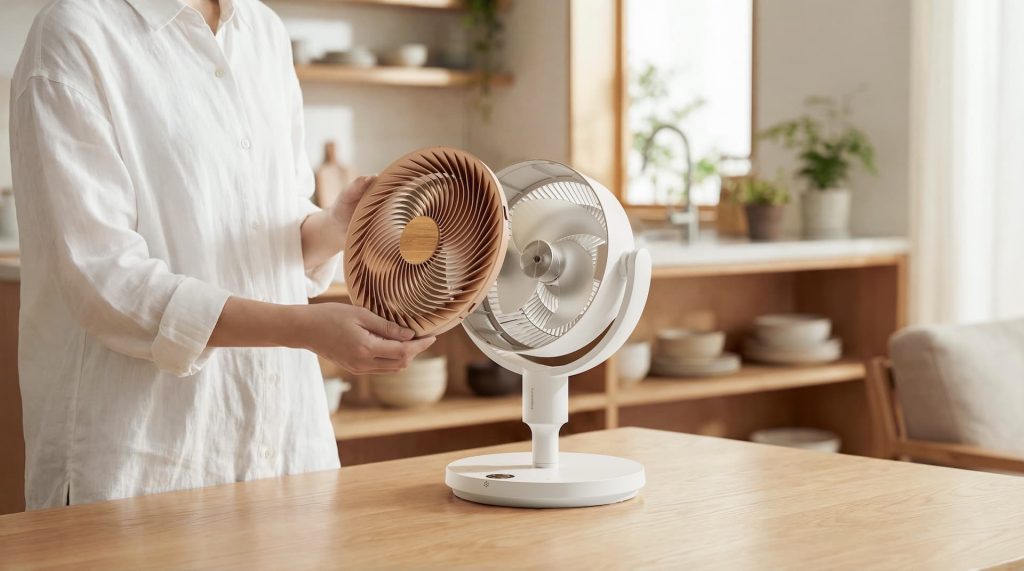
The actual fan features a built-in 2400 mAh battery, letting you run it without a power cable. SwitchBot claims it can run for up to 28 hours on a single charge when using “Baby Mode”. If you are blasting the fan at full speed on your back porch in the middle of August, you should expect that battery life to drop significantly.
In the SwitchBot app, you can adjust speed from 1 to 100%, allowing you to dial in the exact airflow you need to save battery. It also operates at only 22dB when kept in those lower sleep modes, making it a great option to leave running next to your bed at night or while a baby is taking a nap.
Tech specs on the SwitchBot fan
- Battery life: It has a built-in 2400 mAh rechargeable battery that has up to 28 hours of runtime in “Baby Mode”.
- Size: Includes extension poles for three adjustable heights: 18.62 inches, 28.98 inches, and 39.37 inches.
- Oscillation: You get 3D movement featuring 90-degree horizontal oscillation and 100-degree vertical tilt.
- Noise levels: It operates pretty quietly in Sleep and Baby modes.
- Connectivity: The SwitchBot Standing Circulator Fan does support Apple Home/HomeKit and Matter, but it requires pairing with a SwitchBot Hub Mini Matter first.
Wrap up on the SwitchBot Standing Circulator Fan
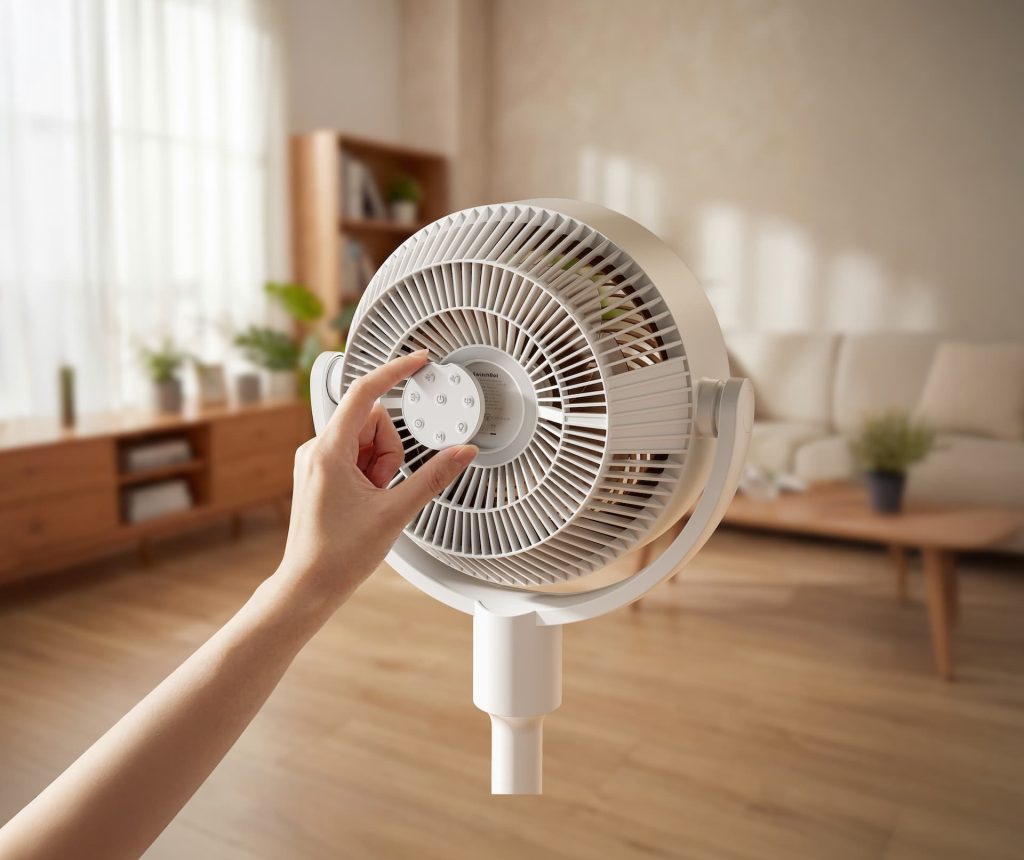
If you can look past the hub requirement for Apple Home integration, the SwitchBot Standing Circulator Fan offers significant upside for summer. The modular height and the rechargeable battery make it incredibly useful for both indoor and outdoor use. You get the cooling power of a traditional pedestal fan, with the freedom to move it wherever you need it, without needing a wall outlet. The included remote is a nice bonus.
You can grab the SwitchBot Standing Circulator Fan from Amazon.


FTC: We use income earning auto affiliate links. More.


Comments