

Apple Notes in iOS 27 adds a variety of new features, including one that power users are sure to appreciate: section links.
Apple Notes lets you link to specific sections of your note in iOS 27
There’s no shortage of third-party notes apps on the App Store. You can find everything from barebones note-takers to powerhouse productivity suites.
Apple Notes has long excelled at offering a minimalist, user-friendly interface while also providing tools that power users love.
And in iOS 27, Notes has an exciting new addition in the latter category: section links.
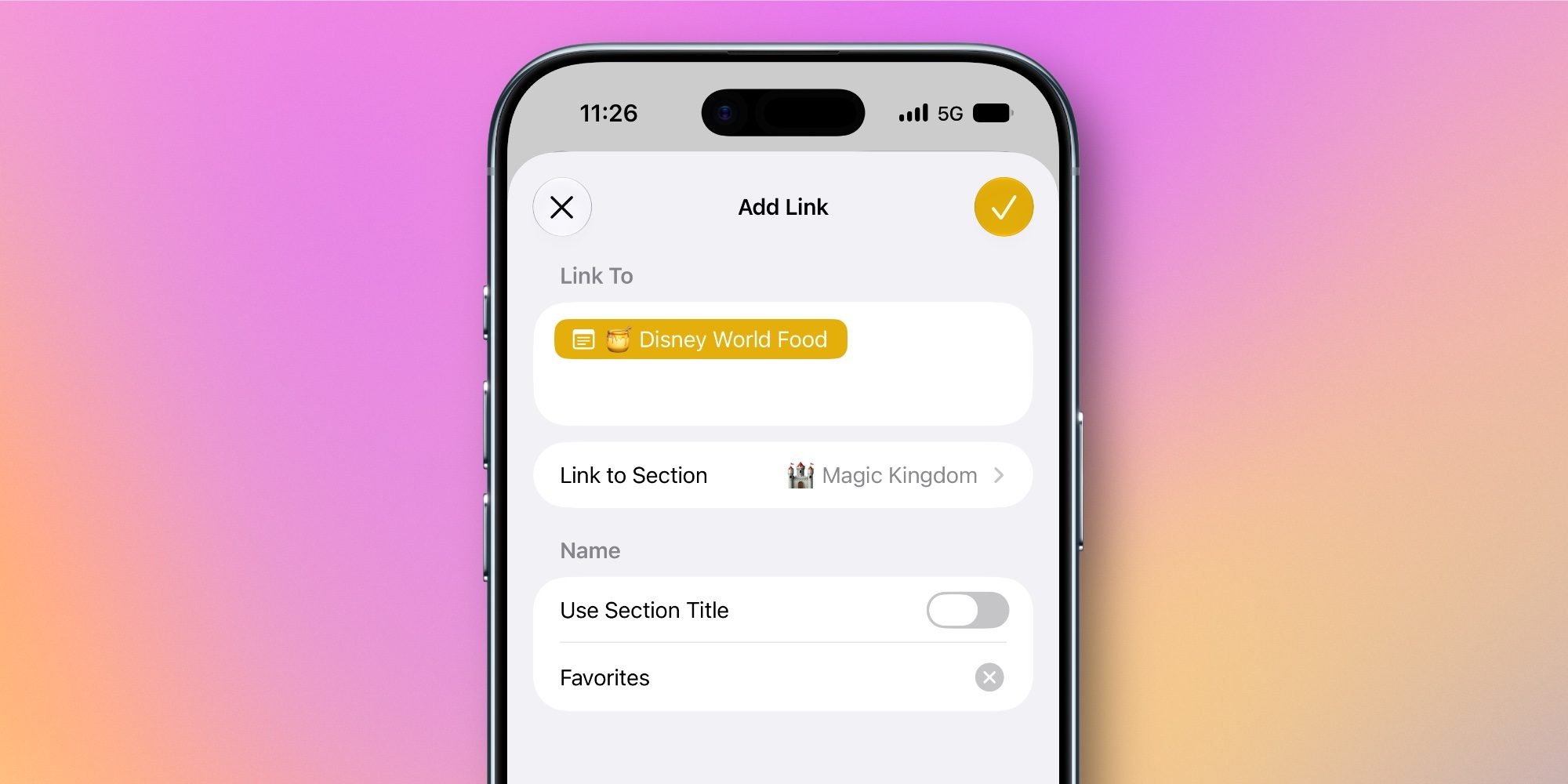
Whenever you select some text inside a note in iOS 27 and open the edit menu, tapping ‘Add Link’ will reveal a new option: Link to Section.
Inside this menu, you’ll find a full list of all the headings and subheadings in your note. Tap one, and Notes will create a link to that specific section. You can choose to use the section title as the link’s text, or your own custom text.
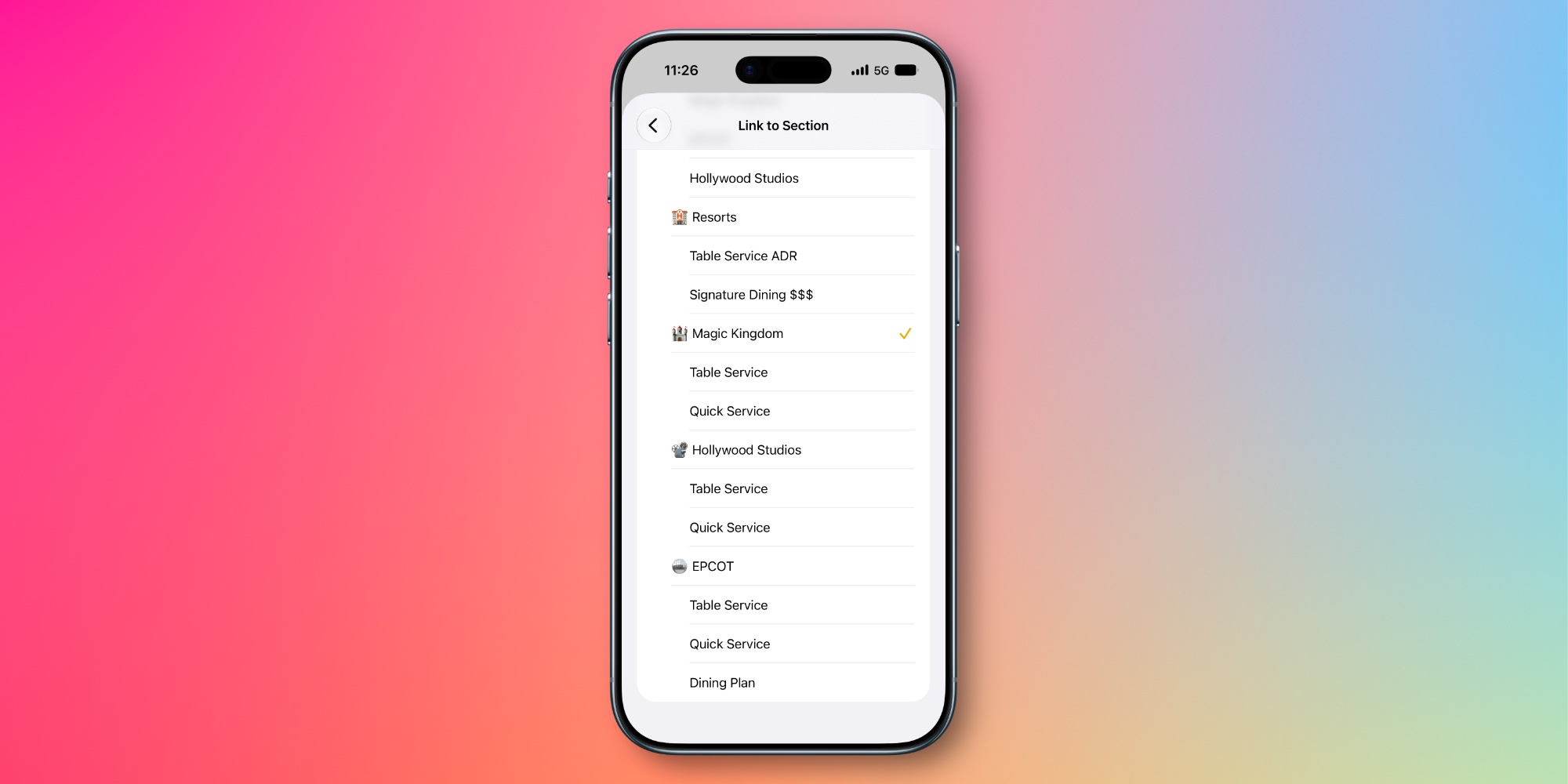
Section links are great for navigating long notes, as they make it quick and easy to jump to a specific area.
With section links you can create a full-blown table of contents at the top of your note, or just use them sparingly for sections you revisit a lot.
Most iPhone owners probably won’t ever use the feature. But for power users who value more flexibility in their notes app, section links in Apple Notes are a welcome new addition.
How will you use Apple Notes’ section links in iOS 27? Let us know in the comments.
Best iPhone accessories
- AirPods Pro 3 (now only $199, down from $249)
- MagSafe Car Mount for iPhone
- 10-year AirTag battery case
- AirTag 2 (1-pack / 4-pack)
- 100W USB-C fast charging power adapter


FTC: We use income earning auto affiliate links. More.



Comments