
iOS 27 introduces a variety of new Home Screen widgets for apps, and Apple Calendar gets my standout favorite. Here are the details.
Calendar adds two extra-large widgets in iOS 27, with ‘List’ my new go-to
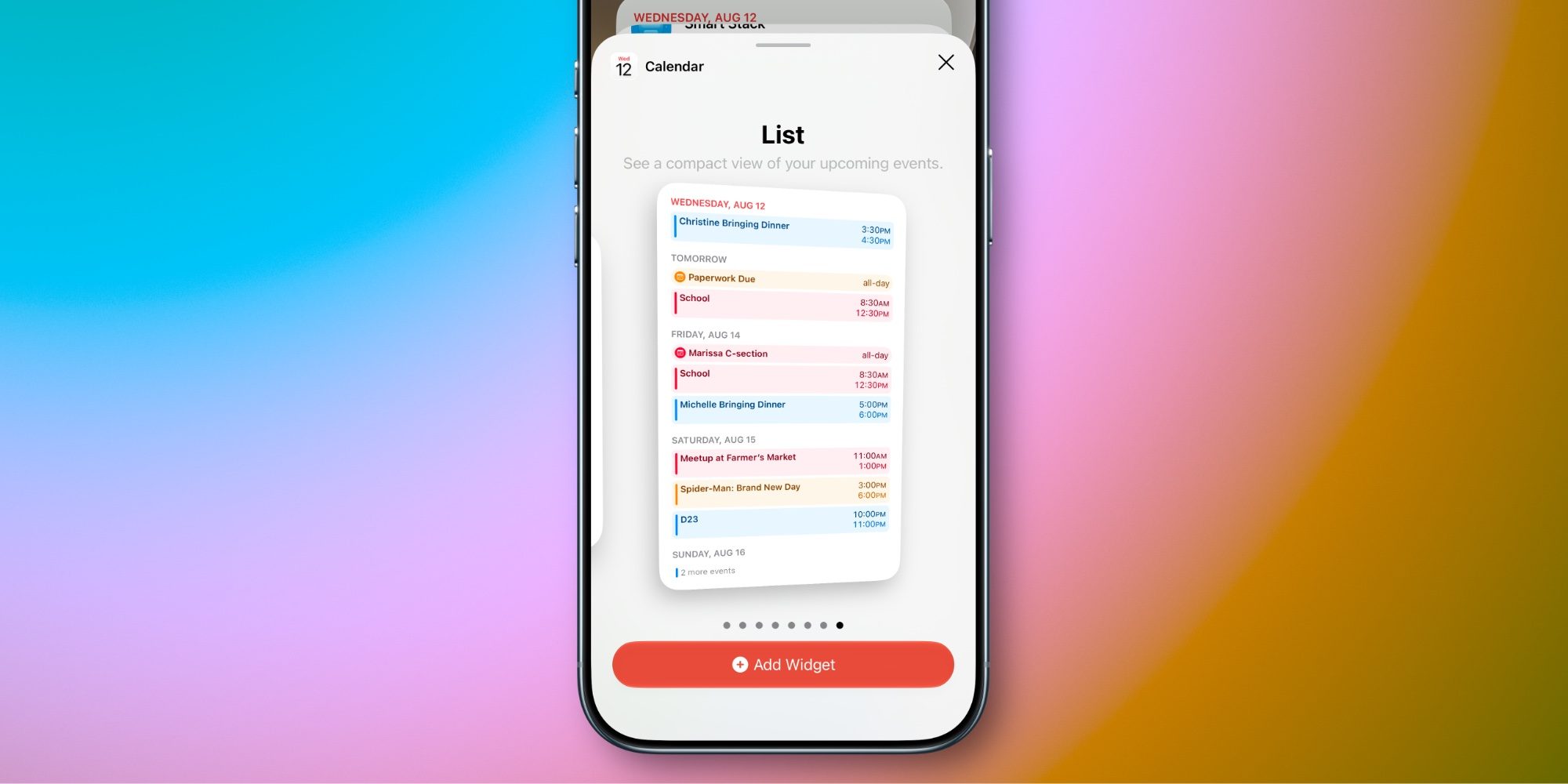
Ahead of the upcoming iPhone Ultra and its extra-large display, iOS 27 adds a new size of widgets that’s perfect for the device.
Extra-large widgets are available for many Apple apps in iOS 27, and offer a lot of value no matter which iPhone you’re using.
The larger widget size lets you see more information at once. For example, the Home app’s widget lets you control more smart home accessories, Notes shows more notes at once, and so on.
My favorite of the bunch is from Apple Calendar.
Calendar actually gets two extra-large widgets in iOS 27:
- List: See a compact view of your upcoming events.
- Up Next: Keep track of your upcoming events and meetings.
Depending on how packed your calendar is, you might prefer one over the other. But for me, the List widget offers exactly what I want.
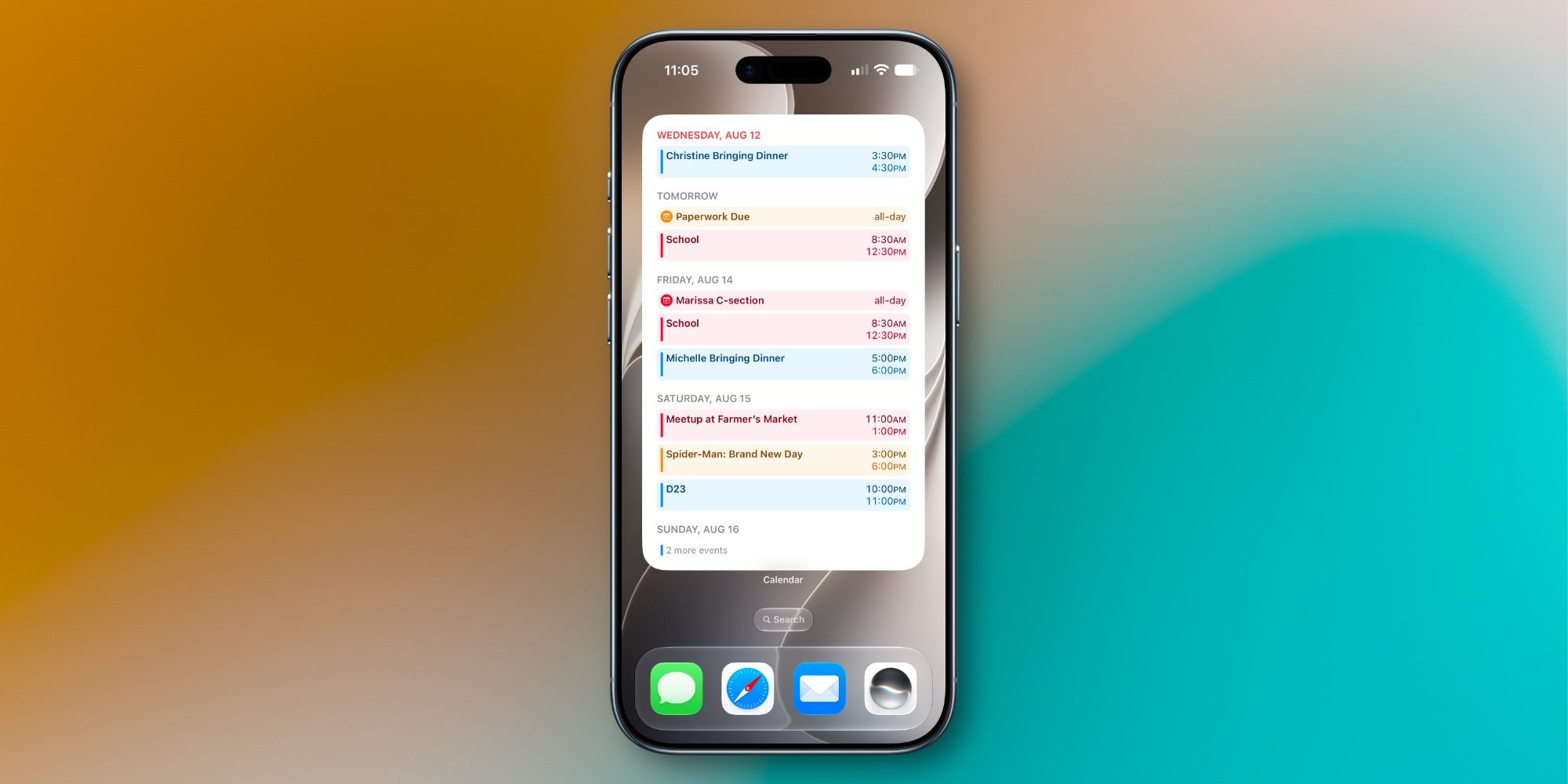
Calendar’s extra-large widgets take up the equivalent of a 4×6 grid of apps—about the size of a full Home Screen page. But if you don’t want to dedicate a full Home Screen page, utilizing the Today view is a great alternative.
With a single widget on my Home Screen or Today view, I can now see upcoming events (and optionally reminders) covering a good portion of the week ahead.
I love getting an extensive preview of what my next few days will hold without needing to manually open the Calendar app. And the new widget enables exactly that.
Will you use Calendar’s new extra-large widgets in iOS 27? What other new widgets are your favorites? Let us know in the comments.
*Shop at Apple with 15% discount on certified refurbished
Best iPhone accessories
- AirPods Pro 3 (now only $189, down from $249)
- MagSafe Car Mount for iPhone
- 10-year AirTag battery case
- 100W USB-C fast charging power adapter
- AirTag 2 (1-pack / 4-pack)


FTC: We use income earning auto affiliate links. More.


Comments