
iOS 26.1 is currently in beta testing, but as users have had more time with the update, more new features have been uncovered. The latest iOS 26.1 discovery is a new swipe gesture for accessing the Notes app’s text editing menu.
iOS 26.1’s text editing menu inside Notes and more adds swipe gesture
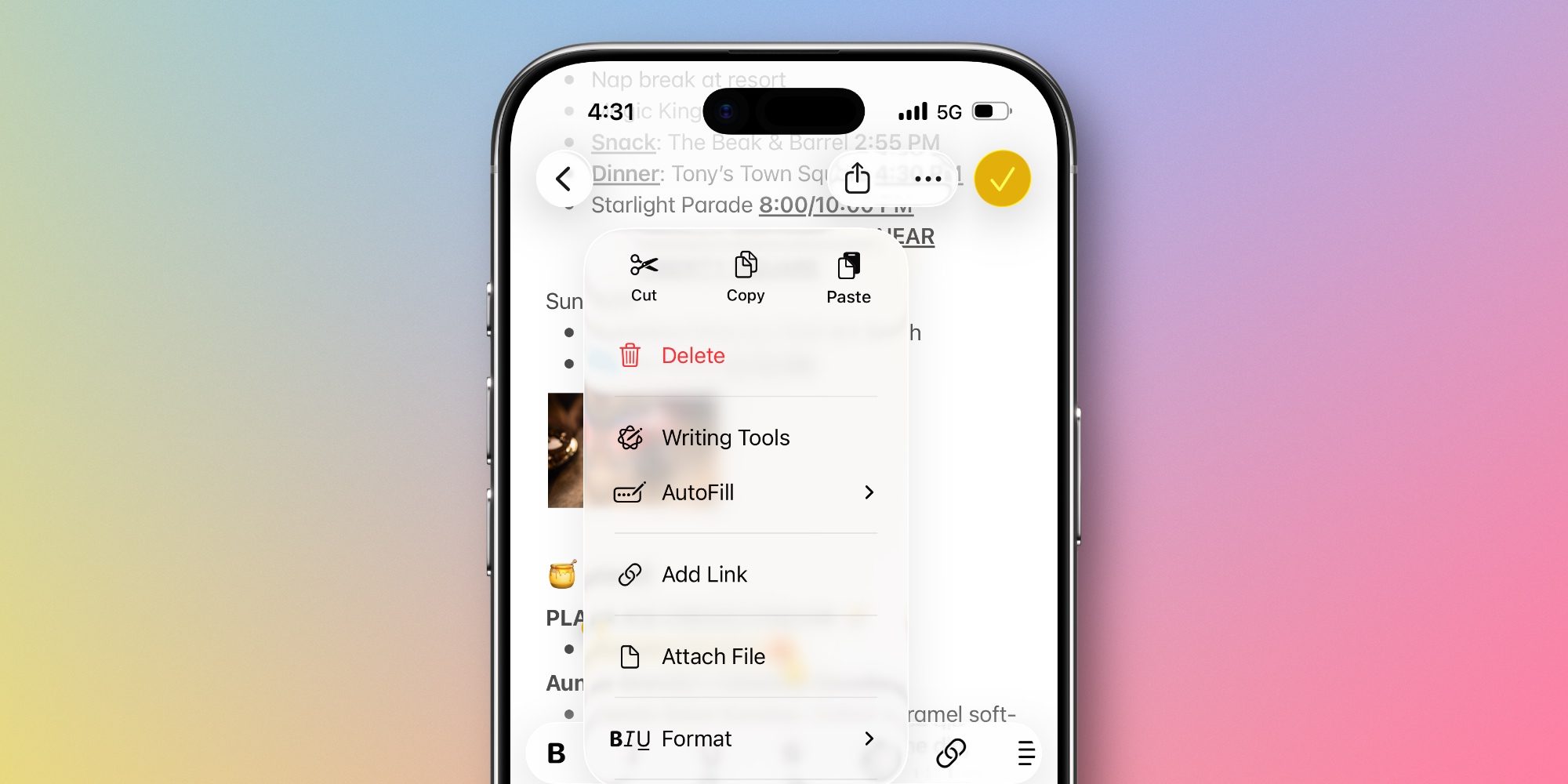
In iOS 26, Apple updated the standard text editing menu that appears when you select text inside Apple Notes and certain other apps.
The edit menu used to let you swipe left to reveal more options. But you would sometimes need to swipe multiple times to find the editing tool you want.
This menu was streamlined in iOS 26 to consolidate most options under a new dropdown that you can access by tapping the right-facing arrow icon.
Overall I’ve found the new menu a much better solution than what iOS 18 offered.
But in iOS 26.1 it’s getting even better.
As discovered by X user Beta Profiles, you can now swipe left to make the dropdown menu appear even faster.
This new swipe gesture should prove especially useful for two reasons:
- It matches the muscle memory users already built of swiping left
- And it’s perfect for one-handed use when the right-facing arrow is out of reach
On the latter point, I’m still adjusting to the larger display of my iPhone Air after years of using a smaller iPhone Pro model. And while I’ve often had to stretch to reach the arrow button in Notes, this new swipe gesture has been a more comfortable, faster alternative.
This new gesture works not only in Apple Notes, but also other iOS 26.1 apps that support the default text editor. I expect for most users though, due to the huge array of editing tools in Notes, it will get used most often there.
If you like swipe gestures, iOS 26.1 also has a great one coming for Apple’s Music app that you can read about here.
What do you think of the new swipe gesture for Notes in iOS 26.1? Let us know in the comments.
Best iPhone accessories
- AirPods Pro 3
- MagSafe Car Mount for iPhone
- HomeKit smart plug 4-pack
- 10-year AirTag battery case 2-pack
- 100W USB-C fast charging power adapter


FTC: We use income earning auto affiliate links. More.



Comments