

Instagram is rolling out a long-requested feature that lets you reorder photos and videos in a carousel after a post is already live. Here’s how it works.
No more posting, deleting, then posting it again in the correct order
If you’ve ever posted an Instagram carousel only to realize a photo or video was out of order, you’ve probably been surprised to find out that there was no way to rearrange it.
Today, Instagram started rolling out carousel reordering, which the platform tells 9to5Mac was one of its most-requested features.
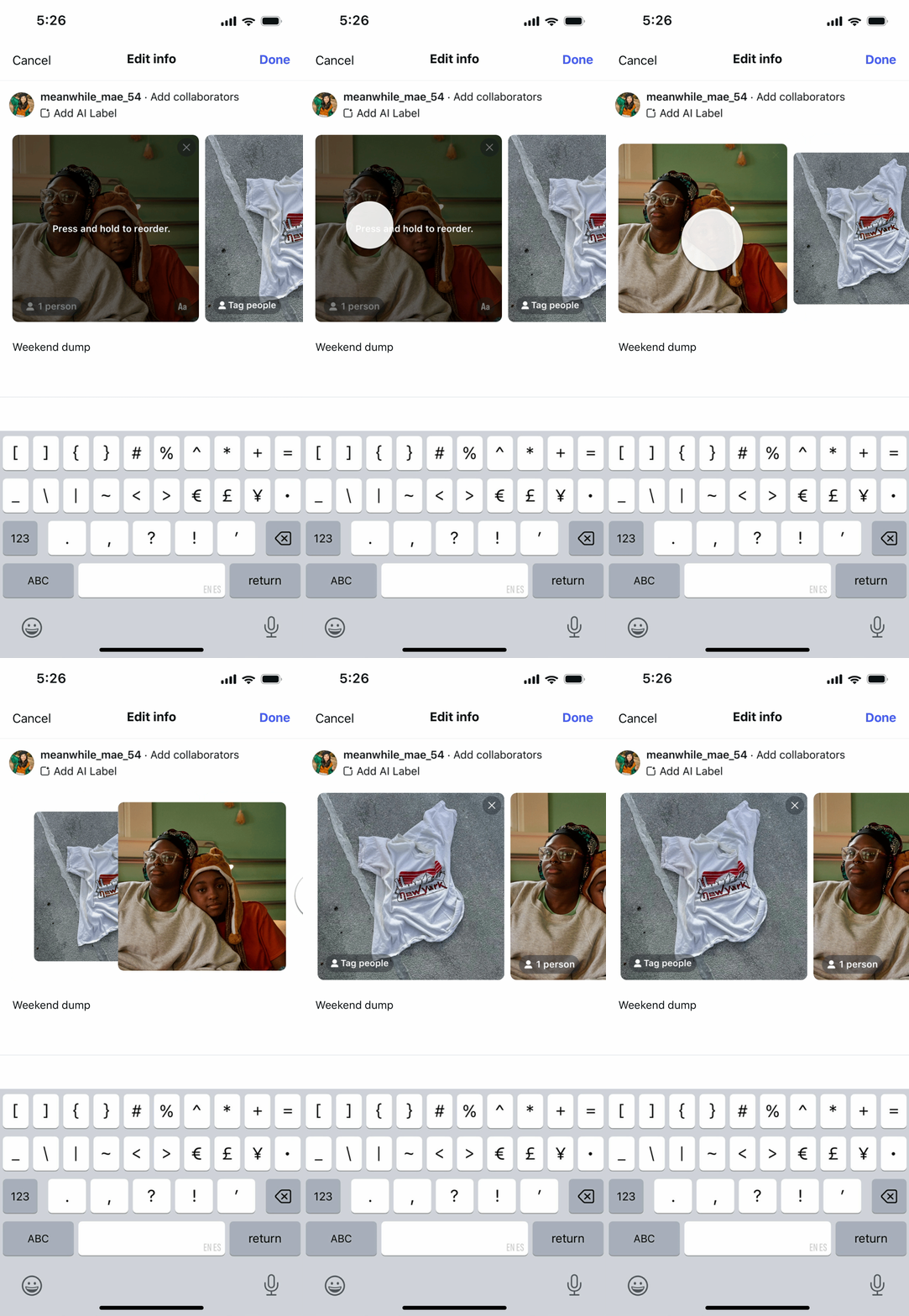
Here’s how to reorder a carousel:
- Tap on your profile, then tap on a carousel post;
- Tap the “…” menu in the top right corner;
- Tap “Edit”;
- Long-press a photo or video, then drag it left or right to reorder it.
As with most new feature rollouts, carousel reordering may not be readily available to all users from the get-go. If it’s not showing up for you yet, try checking back in a few days.
Worth checking out on Amazon
- David Pogue – ’Apple: The First 50 Years’
- MacBook Neo
- Logitech MX Master 4
- AirPods Pro 3
- AirTag (2nd Generation) – 4 Pack
- Apple Watch Series 11
- Wireless CarPlay adapter


FTC: We use income earning auto affiliate links. More.

You’re reading 9to5Mac — experts who break news about Apple and its surrounding ecosystem, day after day. Be sure to check out our homepage for all the latest news, and follow 9to5Mac on Twitter, Facebook, and LinkedIn to stay in the loop. Don’t know where to start? Check out our exclusive stories, reviews, how-tos, and subscribe to our YouTube channel


Comments