
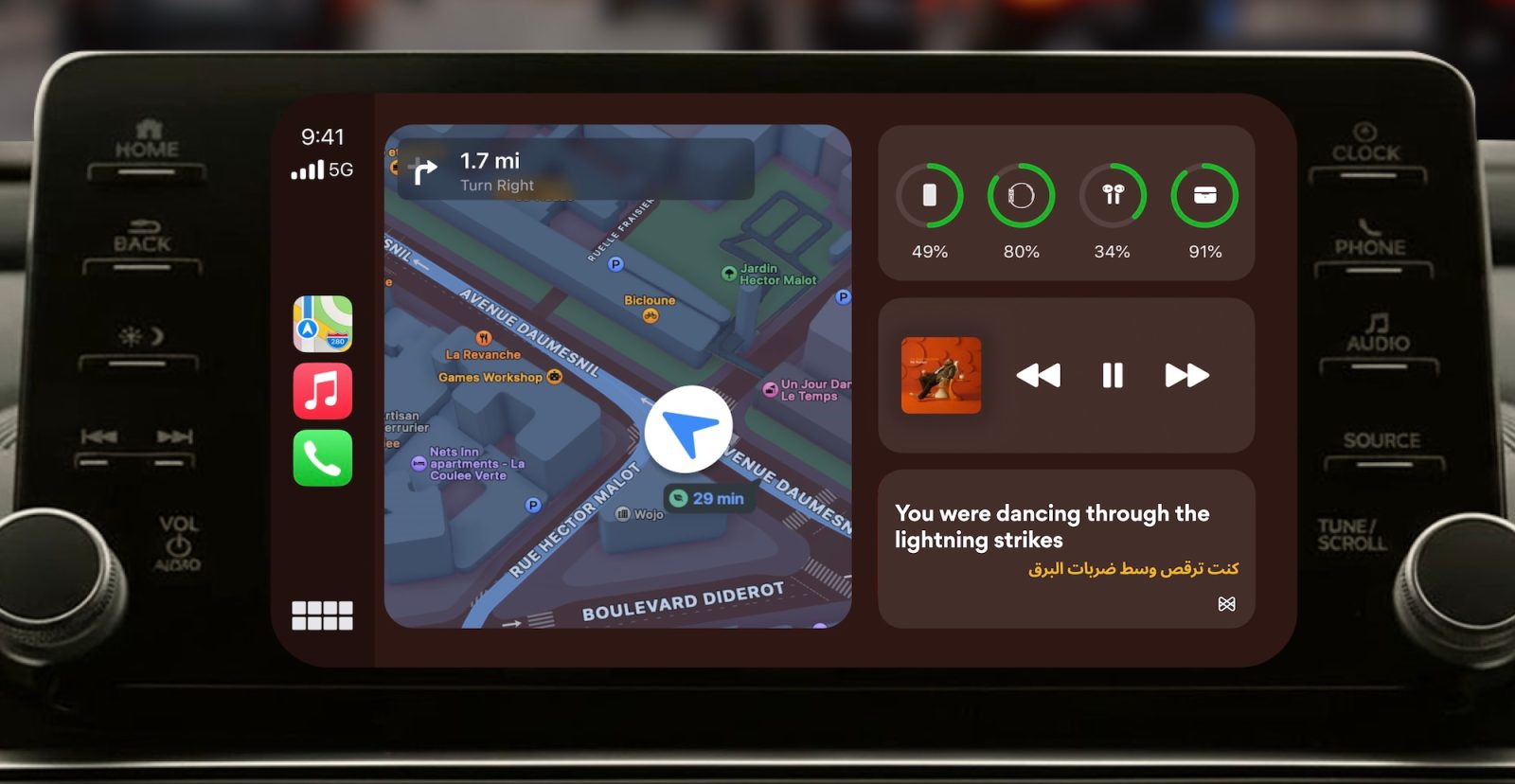
Musixmatch, a popular third-party lyrics app for iPhone, is out with a big update today. You can now use Musixmatch to follow along with lyrics via CarPlay when listening to Apple Music or Spotify.
Live lyrics for Apple Music in CarPlay
Musixmatch is tapping into CarPlay’s support for Live Activities to offer lyrics support. The lyrics appear on your CarPlay screen as a Live Activity and update in real-time. You can’t view lyrics in the actual Musixmatch app on CarPlay like you can on iPhone.
Musixmatch has also published a full support document with troubleshooting tips on using Live Activities in CarPlay for lyrics.
In addition to CarPlay support, today’s Musixmatch update also brings support for lyrics to Apple Watch.
Here are the full release notes for the Musixmatch update:
Karaoke with the crew, stuck in traffic, or just never wanting to miss a line. You can now see real-time lyrics directly on your CarPlay screen and Apple Watch.
We also fixed some bugs you told us about:
- Spotify integration improved
- Lyrics sync bugs fixed
- The onboarding skip button now works correctly
As always, it’s important to be safe when using CarPlay while driving. Musixmatch’s lyrics feature is best used by passengers in the car, not by the driver.
You can download Musixmatch from the App Store today. The app is free, but you’ll need a Musixmatch Premium subscription for $35.99 per year.
You can keep up with all the best CarPlay apps in our full guide right here.
My favorite CarPlay accessories
- Charge your EV with solar panels
- iOttie Easy One Touch iPhone Car Mount
- Bring wireless CarPlay to any car
- Belkin MagSafe-compatible Car Charger for iPhone
- Wireless Portable CarPlay Screen
- In-car USB-C charger with retractable cable
Follow Chance: Threads, Bluesky, Instagram, and Mastodon.


FTC: We use income earning auto affiliate links. More.



Comments