

iOS 27 adds new features for CarPlay, the Messages app, and a lot more, including a handful of Apple Notes upgrades. Here’s what’s new for Apple Notes in iOS 27.
Divider line added for organizing your notes

Joining the many different formatting tools already available in Apple Notes, iOS 27 lets you add divider lines to your notes.
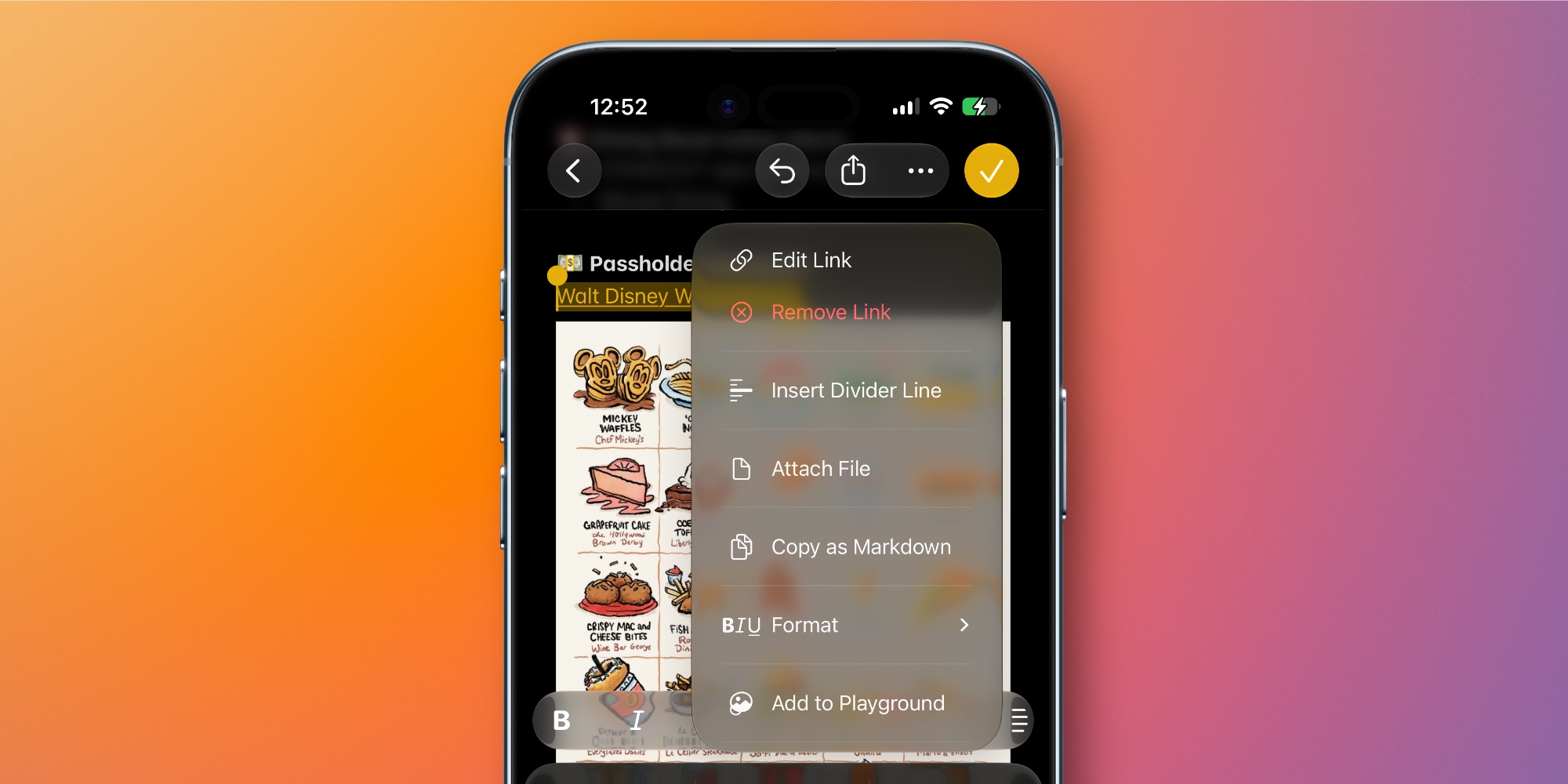
It’s pretty simple. Just tap where you want the line to go, open the edit menu, and choose the new ‘Insert Divider Line’ option.
Divider lines are a great new way to organize content in a note, and a welcome addition to the Notes toolset.
Section links

Section links are now supported in iOS 27’s Notes app, letting you build a table of contents or other structure to navigate longer notes with ease.
To create a section link, select text inside your and open the edit menu. From there, hit ‘Add Link’ to see a new option: Link to Section.
This opens a menu where you’ll find all of the headings and subheadings currently found in your note. You can tap to select one, which will create a direct link to that section embedded in your text.
Create and add to notes with Siri AI

The single Notes upgrade that I’m most excited about in iOS 27 involves Siri.
Apple’s new Siri AI lets you quickly, seamlessly add information to a new note or existing note in Apple Notes.
You can do this, for example, with any answer Siri provides in the new Siri app. Or you can do what I did (seen above) where I asked Siri to take a poorly formatted list and reformat it, then add it to a new note.
This works for existing notes too, just tell Siri which note you want to add to. Siri has offered some limited Notes capabilities in the past, but the new integration is a big upgrade.
Copy and paste Markdown
Last year in iOS 26, Apple Notes gained support for importing and exporting Markdown.
If you’re unfamiliar with Markdown, it’s a text formatting syntax created by John Gruber. With Markdown, you can write in plain text using special syntax for headings, links, lists, bold and italics formatting, and more. It’s a popular tool for writers who publish content online.
With iOS 27, Apple Notes is getting even more Markdown-friendly.
Now when you paste Markdown-formatted text into a note, it’s automatically converted into rich text. There are zero extra steps required.
And if you want to copy text from your note as Markdown, there’s a new Copy as Markdown option you’ll find in the edit menu.
Image Playground upgrades
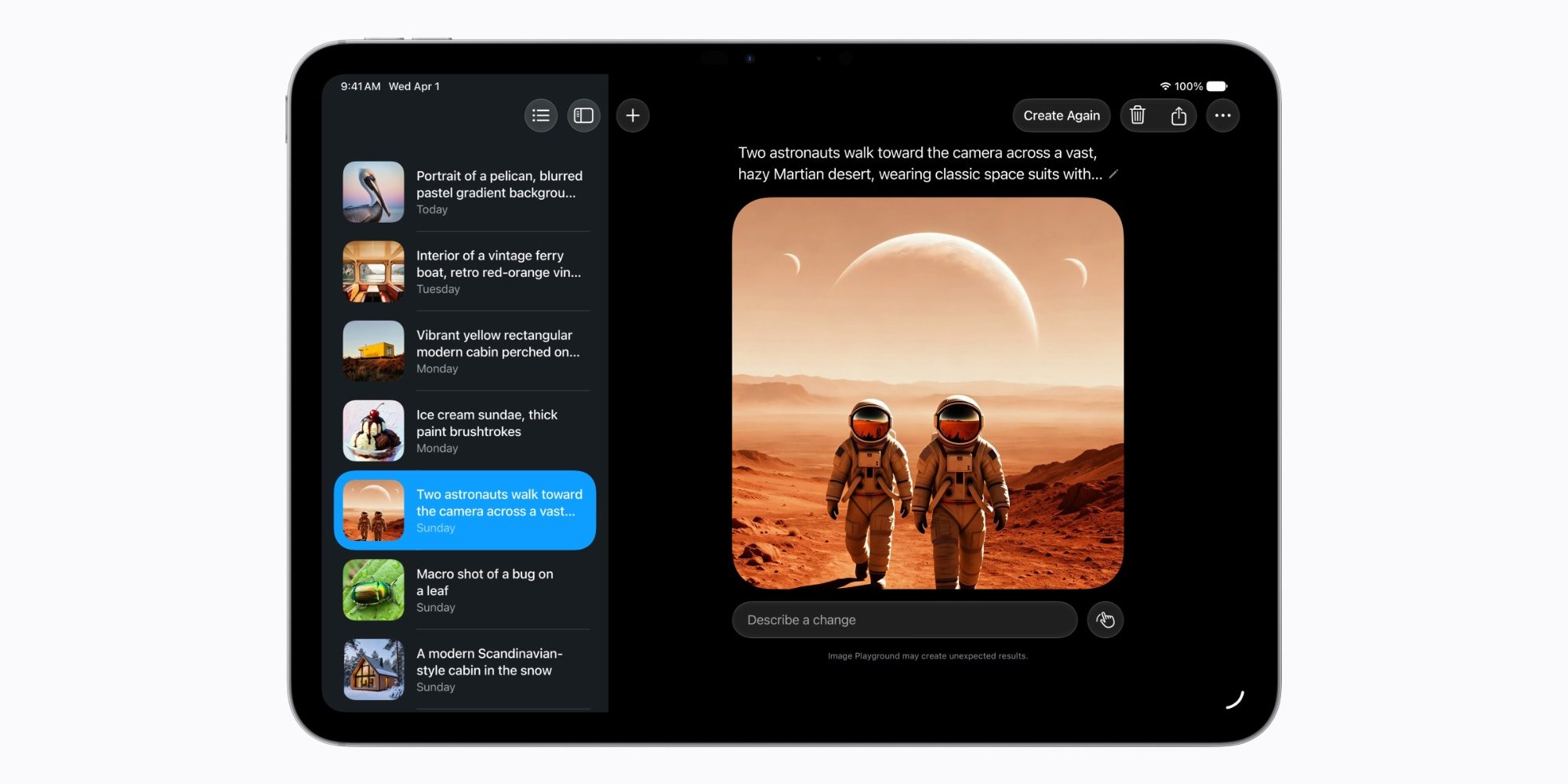
iOS 27 brings big upgrades to the Image Playground app and its underlying AI models. And since Image Playground is a key built-in feature of the Notes app, Notes users benefit too.
Image Playground offers new powerful ways for users to bring their imagination to life. They can create high-quality images in virtually any style, now including photorealistic, thanks to a new generative model that runs on Private Cloud Compute. This is a major transformation for image generation across platforms. And generated images will automatically include a hidden SynthID watermark to identify them as AI-generated.
Apple Notes in iOS 27: wrap-up
Notes also features a variety of smaller UI refinements in iOS 27, including:
- Newly refreshed app icon
- Liquid Glass updates for buttons, menus, and more
- Shared folder at top of folders list adds blue icon
- Individual shared folders and notes have updated icons too
What are your favorite new Apple Notes features in iOS 27? Let us know in the comments.
Best iPhone accessories
- AirPods Pro 3 (now only $199, down from $249)
- MagSafe Car Mount for iPhone
- 10-year AirTag battery case
- AirTag 2 (1-pack / 4-pack)
- 100W USB-C fast charging power adapter


FTC: We use income earning auto affiliate links. More.


Comments