Author

Avatar for Mark Gurman

Mark Gurman

@markgurman

Mark is an award-winning journalist who worked at 9to5Mac for over six years. He covers Apple and other topics related to the consumer technology industry.

Mark is regarded as one of the go-to reporters for all Apple-related matters, one of Wired‘s top 16 people to follow in technology, and one of TIME Magazine‘s top 25 bloggers of 2013Mark has also been profiled by CNN Fortune multiple times, NPR, the Los Angeles Times, LA Weekly, the Huffington PostBusiness Insider, Columbia Journalism Review, MarketplaceHaaretz, and USA TodayMark was also recently named to the 2015 Forbes 30 under 30 List.

In 2012, Mark published the first photos of the iPhone 5, broke the news about Apple’s switch to an in-house Maps application, revealed the first 15-inch Retina MacBook Pro, forecasted that Apple would update the iPad’s software with Siri support, and accurately revealed the iPad mini’s higher-than expected price point.

In 2013, Mark published the first photos of the original iPad Air, provided the first details about Jony Ive’s end-to-end iPhone and iPad software update called iOS 7, provided information about OS X Mavericks, and detailed Apple’s early work on the Apple Watch.

In 2014, Mark revealed Apple’s work on a new Health application for iOS 8 and the Apple Watch, Ive’s redesign of OS X called Yosemite, and details about the iPhone 6 and iPhone 6 Plus.

Mark started out 2015 with a significant scoop detailing Apple’s yet-to-be-released 12-inch MacBook with a Retina display, thinner design, and more advanced trackpad and keyboard. He has continued the year by reporting on several details about iOS 9, including the new Proactive Assistant, redesigned Siri, upgraded Maps with transit functionality, new system font, split-screen iPad apps, Swift 2.0, as well as predicting a performance focus for both that software upgrade and OS X El Capitan. Mark finished the year by reporting the majority of the details about the new Apple TV, iPhone 6s and 6s Plus, Apple Watch updates, the iPad Pro, the iPad mini 4, and iMacs.

Mark started out 2016 with exclusive reports on Apple’s work on a pair of completely wireless Beats headphones for the iPhone 7, details on the iPhone SE, iPad Pro 9.7-inch, Apple Watch updates, Apple’s March product event, new Apple retail initiatives, and Tim Cook’s Town Hall meeting with Apple employees.

Mark has also written long-form features on “Apple Anonymous,” a group of retail employees who discuss work over Twitter and the fascination of watches by Apple executives. Most significantly, in fall 2014, Mark published an extensive profile of Apple’s PR and Communications department that was compiled over two months into nine chapters. Mark also provides analysis on relevant technology industry topics, such as Apple’s recent executive shakeup. Mark kicked off his writing career at the end of 2009, and he had his first significant break in 2011 with a story detailing Siri and the iPhone 4S.

You can follow him on Twitter.

Connect with Mark Gurman

Apple improving Genius Bar, internal apps to better customer, employee experience

Site default logo image

Apple has begun rolling out internal changes to its Apple Retail Stores that improve the experience for employees and customers alike. According to several retail sources, the first changes went into action today. Starting with a revamped version of the Concierge Genius Bar management software that Apple Retail employees run on iOS devices. Here’s what we know as of now about the new Concierge app (and much more):


Expand
Expanding
Close

Site default logo image

Apple seeds OS X 10.7.5 build 11G30 and iCloud Windows Control Panel beta 2 to developers

Today, Apple has seeded a couple new Mac-related betas to registered OS X developers. The first is a new build of the upcoming OS X Lion 10.7.5 release. No known issues are currently present in 10.7.5. Apple asks developers to focus on graphics performance and quality. A server version of the new 10.7.5 beta is also out. The second new beta of the new iCloud Windows Control Panel has also been seeded.


Expand
Expanding
Close

Apple to unveil next iPhone and smaller iPad on Sept. 12, launch new iPhone Sept. 21?

Site default logo image

Per iMore, Apple plans to announce the next-gen iPhone and the iPad mini at a media event on September 12th. The iPhone is said to go on sale just a little over a week later on September 21st. The iPad mini release date is less clear. French website App4Phone previously claimed that manufacturing sources informed them of a September 21st launch date, but we were initially skeptical of that report because the site lacked a track record. Earlier today, photos of purported next-generation iPhone parts hit the web.


Expand
Expanding
Close

New purported next-generation iPhone parts photos show fully assembled device

Site default logo image

You’ll remember that 9to5Mac was the first to show photos of purported next-generation iPhone parts. Since then, many of the details – including the smaller dock connector – were affirmed by multiple mainstream reports. Unsurprisingly, as the new iPhone moves into production, more of these parts are starting to leak out to more repair shops.

iphone 5?

Today, repair shop iLab has posted its own photos, but these images apparently showcase a fully assembled body. The new photos give a clear look at what a black, fully-assembled next-generation iPhone might look like when it ships to customers this fall. The repair shop also has some photos of other individual components like home buttons and volume keys.

Macotakara has posted another video of purported next-gen iPhone parts to its YouTube channel:

[youtube http://www.youtube.com/watch?v=AyOqeDfJueM]

See the full image gallery after the break:


Expand
Expanding
Close

Site default logo image

California Headphones review

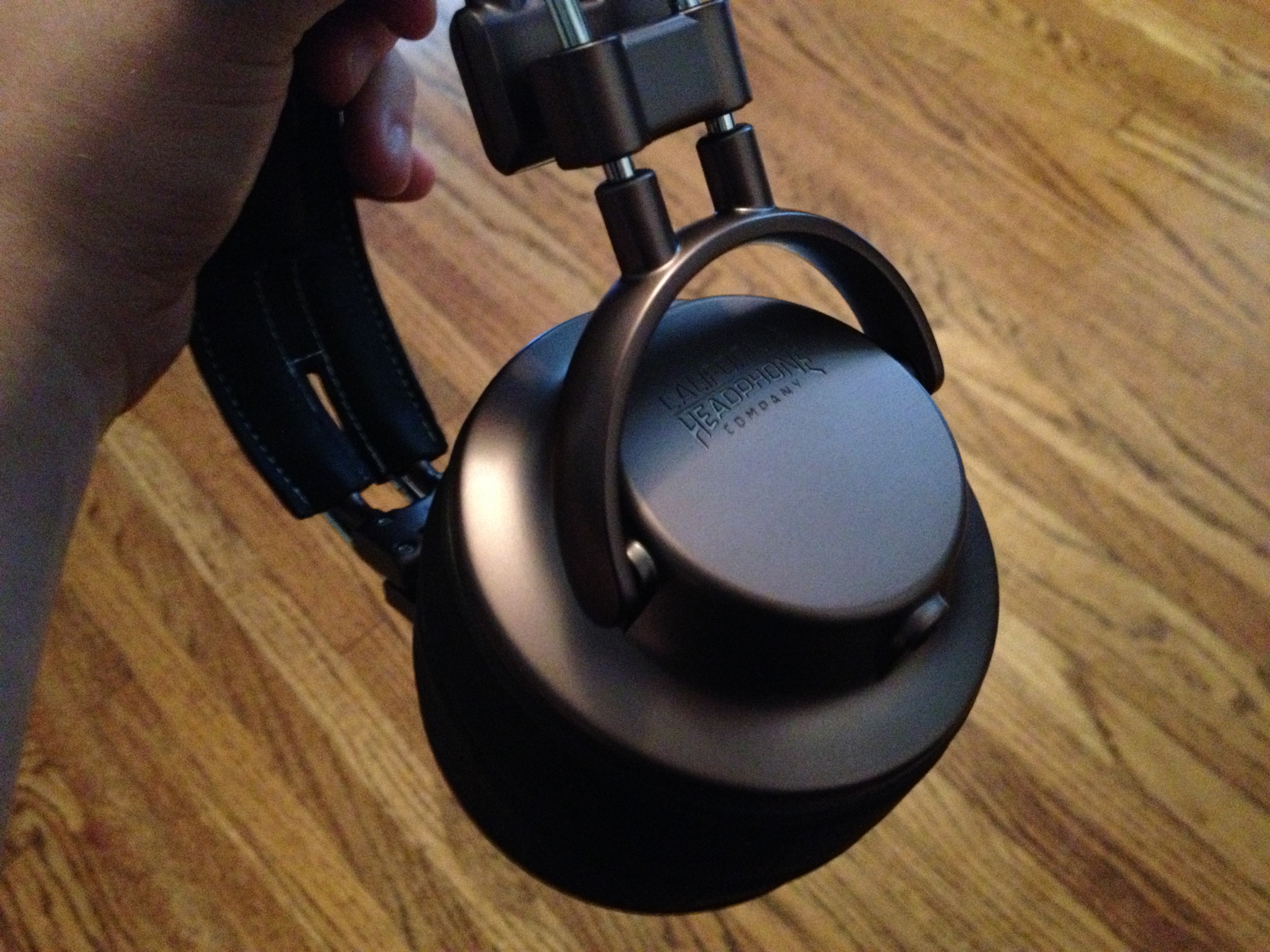
For the past couple of weeks, I’ve been testing out California Headphones, a new type of headset “designed for country and rock fans”. Headphones are not always an easy type of product to review because everyone has their own sense of sound and preference for audio-listening. Here are my thoughts and observations about the California Headphones (the Silverado model).

  • Great construction. The earphones feel very durable and I don’t think these will easily break. On that note, a well-constructed (with a leather like material) carrying case is included with this model of the earphones.
  • The industrial design (mainly metal and leather) is incredibly well-crafted. These earphones truly look awesome.
  • The leather is a very nice touch to the rock/country California style that is trying to be be portrayed by these earphones.
  • The materials that the ear covering portion of the headphones use are very comfortable. I have been able to wear the Silverado for hours and not feel uncomfortable like I sometimes do with other headsets.
  • While audio is something that everyone has a different sense of, I feel that the quality is solid for casual-to-medium music listening. Solid bass is clearly present, but it could be better. These aren’t professional earphones for DJs but they aren’t even designed to be that. They are excellent for the intended use cases.
  • The background noise blocking on these earphones is fantastic, one the set’s biggest pros.
  • Another pro is that the ear-cups can be lifted up (without actually removing the set from your head) if you need to put a phone to your ear or hear something not coming through the earphones.

Overall, the quality of the California Earphones is as advertised. The premise of the California Headphones is its style that features a “California” feel based on rock and country music. The quality of sound is going to be up to the user, but in my tests they work and look great for the casual-to-medium music listener.

This particular model is priced at $225 – which we think is a bit steep – but the company also has a comparable model at just under $100. It’s worth comparing the two models at California Headphone’s website.


Expand
Expanding
Close

Site default logo image

Logitech BCC950 ConferenceCam review: the ultimate A/V conferencing setup

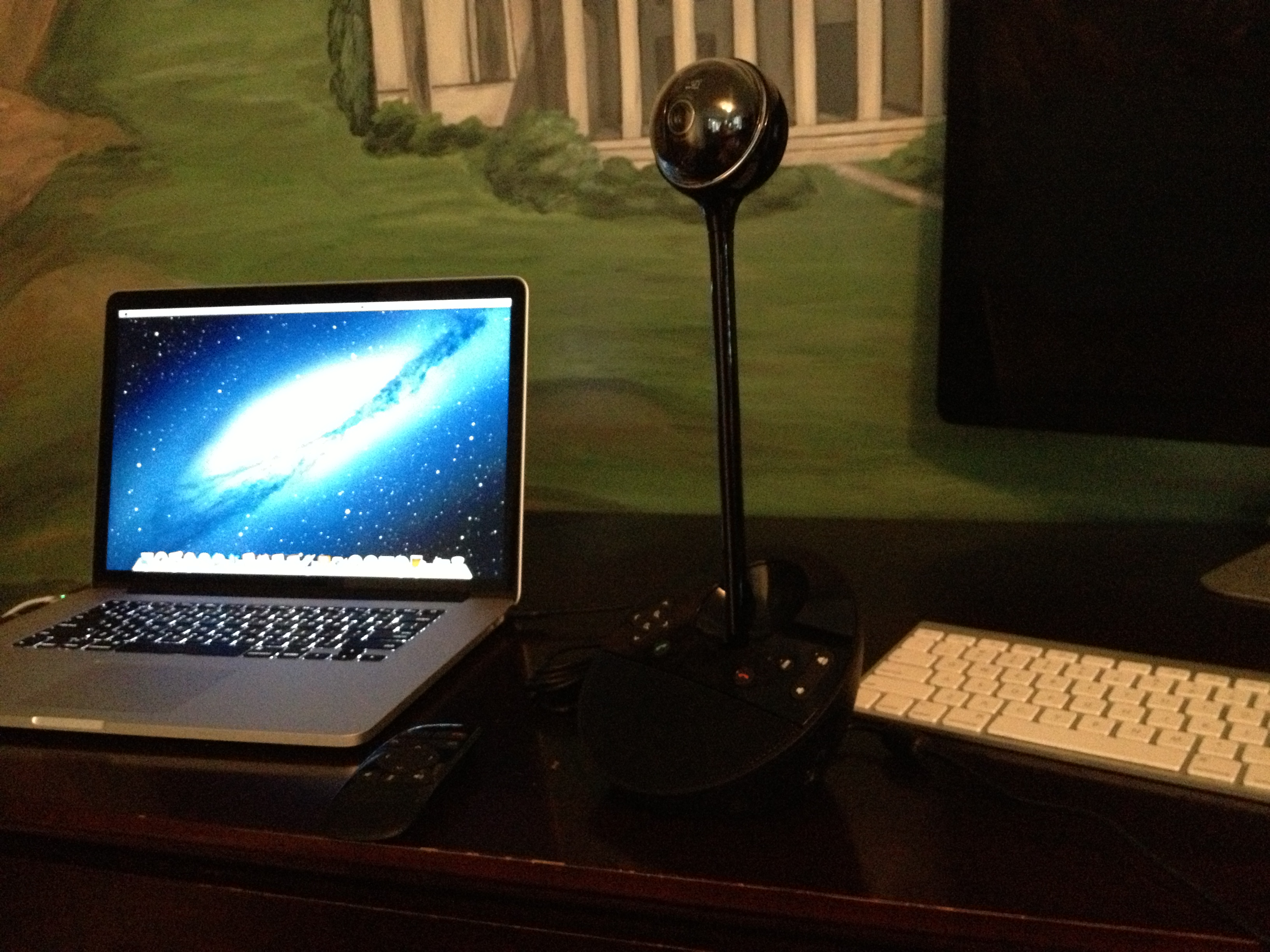
I’ve integrated Logitech’s BCC950 ConferenceCam into my workflow over the past couple of weeks, and I think it’s the ultimate audio/video setup for audio and video calls. I’ve been using the camera and microphone from Logitech primarily with Skype, and its a perfect companion for the ubiquitous conferencing software.

The product trumps the camera and microphone setup built-into any Mac or PC. The ConferenceCam offers 1080P video capture via a Carl Zeiss lens. The high quality optics also offer auto-focus, which is clearly important and present in our real-world testing of the ConferenceCam product.

The camera also offers wide-angle video capture, making it a true ConferenceCam. The wide-angle capture technology allows the camera to pickup multiple people in a single frame without panning. This is unlike webcams built into computers that are optimized to capture a single person in the video frame. After all, computer cameras are built for one-to-one video chats.

The sound (sending and receiving) quality from the ConferenceCam is well beyond built in Audio as well. With devices that help and enhance the work of people, the technical specifications don’t really matter. What matters is the overall quality of the product. And overall, the sound quality of my voice that people heard on the other end of multiple calls via the ConferenceCam sounded much better than calls via my computer’s microphone. The same goes for audio coming out of the ConferenceCam’s built-in speaker system.

While the A/V is fantastic, the coolest feature of the ConferenceCam is the ability for a user to rotate the camera angles with a click of a button on the unit itself or with the included wireless remote controller.

With the touch of a button, the camera can be tilted up, down, left, or right. This is also a nod to the camera being able to pickup many more people than the stationary web-cam built into many modern desktops and notebooks.

The ConferenceCam works on both Macs and PCs, and it integrates seamlessly with Skype via a plug-in available from Logitech’s website as well as with Logitech’s own software.

The camera runs for $249.99 and we recommend it for anyone who relies on multiple person video and audio calling solutions via their computers.

NYT: Apple discussing investment in Twitter worth hundreds of millions of dollars (update: no)

Site default logo image

According to Nick Bilton and Evelyn M. Rusli of the New York Times, Apple is discussing a possible investment in the growing social network Twitter. The investment is said to be worth somewhere in the hundreds of millions of dollars. The potential investment would bring Twitter’s valuation to around $10 billion.

Apple has considered an investment in the hundreds of millions of dollars, one that could value Twitter at more than $10 billion, up from an $8.4 billion valuation last year, these people said. They declined to be named because the discussions were private.

Tim Cook and Twitter co-founder Jack Dorsey were spotted walking and talking at Sun Valley 2012. Another notable claim from the NYT report is that Twitter VP works with Apple full-time. 

The relationship with Apple is so prized at Twitter that the company assigned a vice president, Kevin Thau, to work with Apple full time, according to an Apple employee who asked not to be named.

The report provides the caveat that the investment may not actually happen. Notably, Twitter and Apple have partnered in software features for Apple’s operating systems. iOS and OS X both feature Twitter sharing for photos, statuses, and more. Apple has also teamed up with Facebook for similar integration. (Top image: GigaOM)

Update: The Wall Street Journal has chimed in: Apple and Twitter had these discussions over a year ago, no current discussions about an investment happening. The WSJ says Apple met with a number of social-media startups recently to talk product.

Update 2: Reuters is also saying no discussions are currently happening.


Expand
Expanding
Close

Apple airs three ads about the Genius Bar during Olympic Games opening ceremonies

Site default logo image

[youtube http://www.youtube.com/watch?v=0LyIwJgQlsc]

During the opening ceremonies for this year’s Olympic Games in London, Apple aired a new television ad. The new ad is strikingly different than any other Apple ad that we’ve seen air before. This particular one is not about a product, but it is about the Apple Retail Store Genius Bar. The premise is an airplane about to land and an Apple Genius is on board to assist customers before landing (video via iClarified).

Apparently Apple is airing a slew of Genius Bar/Retail store related ads tonight. A second ad about a Genius in line at a hotdog stand just aired. Steeber from COM has a camera-phone video of it (after the break). There is also a third ad airing – also now shown after the break (thanks, Nathan!) about a Genius showing up to a house where a family is just about to have a child. The father wants the Genius to help make letter-press cards announcing the birth.

Apple has posted the videos on its website. Apple has now posted their videos on its YouTube channel. We’ve updated all of the video embeds in this post to the higher quality format.


Expand
Expanding
Close

Apple brings PowerNap to Retina MacBook Pro with firmware update

Site default logo image

Just like it did earlier this week for the 2011 and 2012 MacBook Airs, Apple, today, has released a new firmware update for the 15-inch MacBook Pro with Retina display to enable the PowerNap feature. PowerNap allows your Mac to update iCloud files, emails, software updates and more while in sleep mode. Users can get the update via the Mac App Store software update section.

After updating users will see the following option in System Preferences:

Full PowerNap info below:
Expand
Expanding
Close

Apple and Google leading the bids for Kodak’s patents

Site default logo image

Per the Wall Street Journal, Apple and Google are leading the pack for bids for Kodak’s patents.

CNBC shares another bit from the WSJ’s story, shedding light on the other bidders:

The Wall Street Journal has now published its full story:

At least two groups are expected to bid on Kodak’s trove of 1,100 patents, with a bevy of technology and patent heavyweights picking sides and competing for the patents, said people familiar with the matter.

Apple Inc., AAPL +1.79% Microsoft Corp. MSFT +2.04% and Intellectual Ventures Management LLC, a patent aggregation firm, are teaming to form one bidding group, the people said. The other consortium includes Google Inc., GOOG +3.52% Samsung Electronics Co., 005930.SE +5.20% LG Electronics Inc., 066570.SE +3.51% HTC Corp.2498.TW +3.94% and another patent aggregation firm, RPX Corp., RPXC +0.55% the people said.

The people familiar with the discussions cautioned that work on bids could continue over the weekend, with alliances changing and other bidders potentially emerging.

The potential bidders either declined to comment or didn’t immediately respond to requests to comment.


Expand
Expanding
Close

Site default logo image

FLASHr iPhone 4/4S case makes sure you see your new iOS notifications

We were pointed to this neat new Kickstarter project called the FLASHr case for the iPhone 4 and 4S. The concept is simple, and the designers of the case pulled it off very well. Starting in iOS 5, there is a setting on iPhones with a rear-facing LED flash (the iPhone 4 and 4S) to light up the flash when notifications, calls, etc. come in. When your iPhone is resting on your desk, a table, or some other object, that LED light becomes useless due to the iPhone’s flat design. The designers of the FLASHr, though, created an elegant solution. A case that takes the LED notification light and allows it to glow brightly via a slew of well-designed and colorful cases. Check it out on Kickstarter.


Expand
Expanding
Close

Site default logo image

Path gets movie, book sharing and improved camera, photo features

The Path iOS application has been updated to version 2.5. The new update adds many new features such as book and movie sharing, the larger presentation of images, and new features related to the camera and photo editing.

The release notes:

★ Movies & Books! Share the movies you watch and books you read with full previews, actor and author pages, synopses, and reviews.
★ Improved camera that can instantly capture square and landscape photos and videos.
★ New tools to help you fix and improve photos: Glo, Depth, Zoom, and Crop — use Glo to fix and enhance details in dark or bright photos.
★ Simpler more personal invitations — invite your friends to Path with a personally written or recorded audio message.
★ Newly designed and easily accessible rich notifications from your friends.
★ Keep up on conversations with new “For Friends” notifications.
✓ Photos and videos are now displayed 30% larger!
✓ Quickly snap photos using the volume button.
✓ Simple one-tap video recording (no more switch!).
✓ Nudge your friends for photos and check-ins from their city or neighborhood.
✓ Help friends get started on Path now with friend suggestions.
☂ Bug fixes.

Path is a free application on the iTunes App Store. 


Expand
Expanding
Close

Former Apple employees working on Facebook’s faster iPhone app, launching within a ‘couple of months’, overhaul next year

Site default logo image

In late June, the New York Times reported that Facebook is working on re-writing the fundamental architecture of its iOS application in order to provide users with a faster, more reliable experience. The current Facebook app is often slow because it is built with an Objective-C shell with content being fed in through an embedded web browser known as a “web-view.” This faster app was described as being completely built from Objective-C. The NYT report claimed that the app would show up in July, though the month is nearing its end and the app is yet to be released.

Today, Bloomberg reports that Facebook’s faster application is indeed coming, but it will only show up in a “couple of months.” The report says that a complete overhaul – this faster app was previously said to retain the current app’s user-facing interface – of the Facebook iOS application is in the works for 2013. Perhaps most interestingly, the report says that former Apple engineers are spearheading the development of this app. In May, The NYT reported that Facebook is hiring multiple Apple employees to work on its products:


Expand
Expanding
Close

OS X Game Center launches with few, yet notable, game titles

Site default logo image

One of the big new features in OS X Mountain Lion is the Game Center. This Game Center is cross platform between OS X and iOS. Unfortunately, only a few compatible titles have made their way into Mac App Store for today’s launch. However, some of them are very notable. Some of our favorites include Real Racing 2, Sky Gamblers, and Cut the Rope.

Oh, and don’t forget about… Chess!


Expand
Expanding
Close

Site default logo image

Apple Remote Desktop updated, drops OS X Snow Leopard support

Alongside OS X Mountain Lion today and several other updates, Apple has issued an update to its Apple Remote Desktop Mac App Store application. Apple says that the update will improve reliability, support for IPv6, and more:

This update is recommended for Apple Remote Desktop users and addresses several issues related to overall reliability, usability and compatibility. This update also provides:

– new attributes in the System Overview Report
– support for IPv6

Notably, today’s update drops support for OS X 10.6 Snow Leopard. OS X 10.7 Lion or OS X 10.8 Mountain Lion are required to use Apple Remote Desktop from the Mac App Store.


Expand
Expanding
Close

Site default logo image

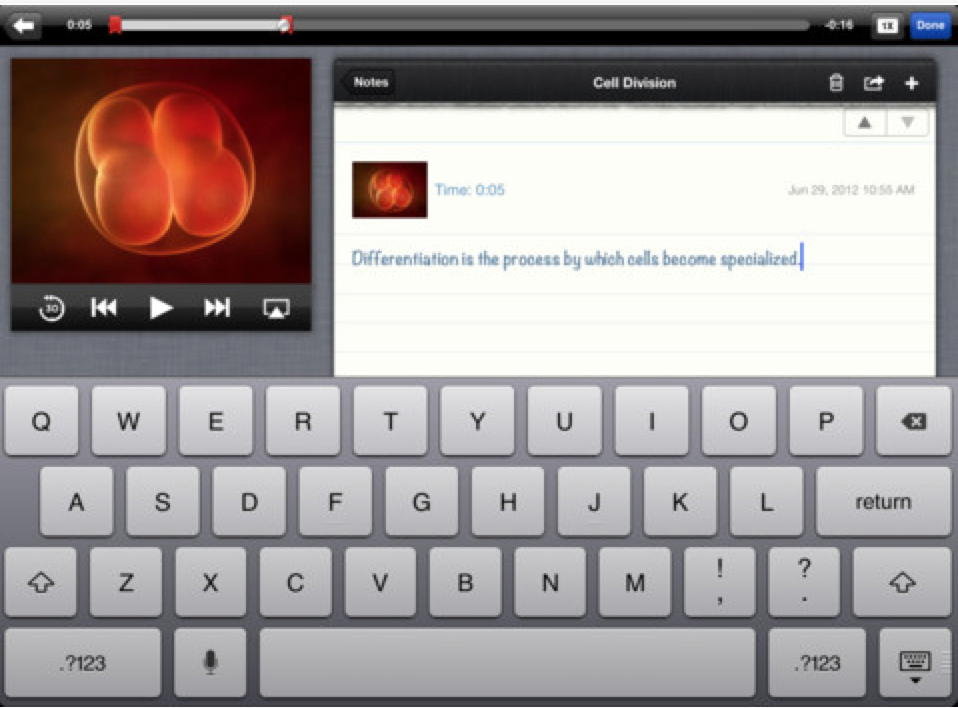
iTunes U iOS app updated with note taking, searching, and sharing

Today, Apple has updated its education-oriented iTunes U app for the iPhone, iPad, and iPod touch with a few new important features. Notably, users are now able to take notes during lectures or presentations watched from inside the iTunes U app. Searching through all of the app’s materials and content sharing via Twitter, Mail, and Messages is also present.

iTunes U 1.2 now makes it easy to take notes while watching or listening to a lecture. This update also adds the ability to search within posts, assignments, notes, and materials — from any of your subscribed courses — using the improved Search feature in iTunes U. It is also now simple to share your favorite courses with friends using Twitter, Mail, and Messages.

Xcode 4.4 rolls out to OS X, iOS developers via the Mac App Store

Site default logo image

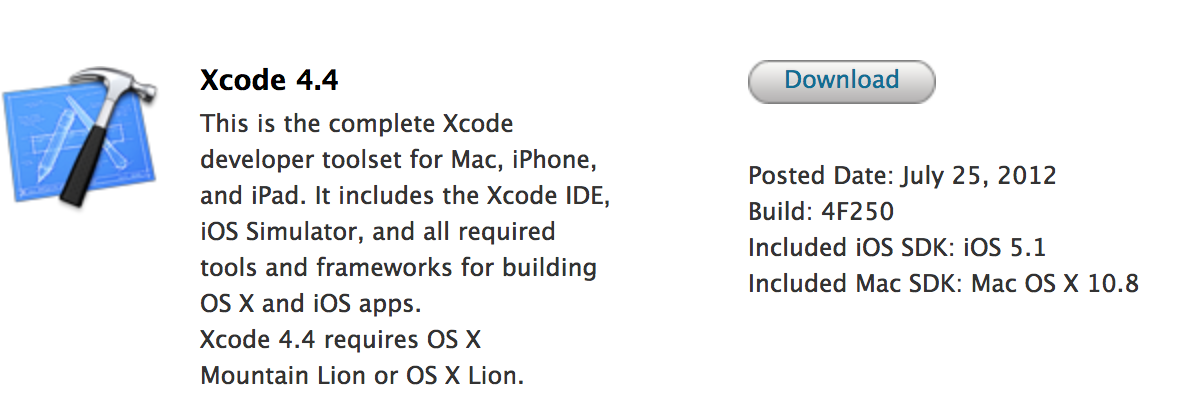
Alongside OS X Mountain Lion and a slew of other updates, Apple has taken Xcode 4.4 out of beta and is releasing it to the oMac App Store today. The new version is yet to show up in the Mac App Store, but it should shortly. Xcode 4.3.3 is currently on the Mac App Store free of charge. Xcode 4.5 – another major Xcode update – is current in beta/preview form. That will likely launch in the fall.

Update: It’s out on the App Store. Here are the release notes:


Expand
Expanding
Close

Apple appears to currently be passing on Safari 6.0 features for Windows PCs

Site default logo image

When Apple released Safari 6.0 for OS X Lion this morning (and included it with Mountain Lion), we noticed that a version of the web browser is not available for Windows. Sure enough, some users running Apple’s Safari download website on PCs are also not seeing the download. It appears that earlier Safari versions for Windows are still available. Safari 6.0 includes features that are integrated into OS X and Apple’s own ecosystem itself – like offline Reading List and Password Pane – so it makes sense for Apple to pass on Safari 6.0 for Windows.

[tweet https://twitter.com/stroughtonsmith/status/228203499660390401]


Perhaps the update will come in the future. In the meantime, active WebKit nightly builds for Windows are available. 


Expand
Expanding
Close

Safari 6 with unified search field, offline Reading List released for OS X Lion, Aperture, iPhoto, iMovie updated

In addition to being included with OS X Mountain Lion, Apple has rolled out its updated version of the Safari web browser – Safari 6 – to OS X Lion users. The update includes what Apple calls the Smart Search Field. This new search bar basically unifies the URL bar with the web search bar. Also in the update is offline reading list, Baidu Chinese search support, Do Not Track, and improved password management. The OS X Mountain Lion variant includes a new Tab View and iCloud Tabs feature, but those aren’t available in Lion.

Safari 6.0 for OS X Lion:

  • Smart Search Field. Safari now has one field for typing both searches and web addresses.
  • Offline Reading List. Safari saves entire webpages in your Reading List so you can catch up on your reading even when you don’t have an internet connection.
  • Do Not Track. Safari can send the websites you visit a request not to track you online.
  • Password pane. Manage your saved website logins with the new Password pane.
  • Baidu. The leading Chinese search engine Baidu is now a built-in option for Chinese users.

Apple has also released an updated version of its iWork productivity suite with MacBook Pro Retina display support and iCloud Documents in the Cloud sync.

Also, new updates for Aperture, iPhoto, and iMovie have been released. Full release notes after the break (thanks Keith!):


Expand
Expanding
Close

Apple rolls out updated iWork with iCloud document sync, Retina display support

Alongside OS X Mountain Lion today, Apple has unleashed an updated version of iWork (PagesNumbers, and Keynote) that takes advantage of the company’s latest hardware and software technologies. The new version of iWork – which includes Pages, Numbers, and Keynote – has been completely enhanced to work perfectly with the new 15-inch MacBook Pro with Retina display.

Additionally, this new version of iWork includes iCloud Documents in the Cloud support. That means you can work on an iWork document on your Mac, and pick up your work on an iPad, iPhone or iPod touch. Vice versa as well. The entire document sync process is handled in an intuitive document selection interface. The updated apps are also being teased in the Mac App Store’s new iCloud section:

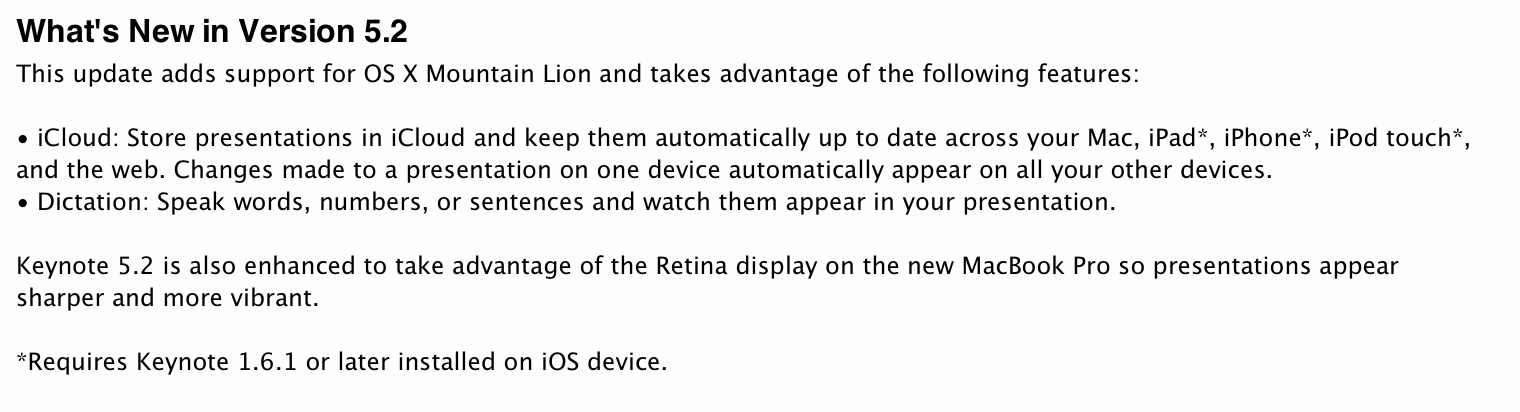
Apple also touts OS X Mountain Lion’s Dictation features in the new iWork release notes. Keynote 5.2:

The update is currently touted on Apple’s official iWork website, and has begun rolling out to end users through software update. You can find the updates on the App Store here: PagesNumbers, and Keynote.


Expand
Expanding
Close