
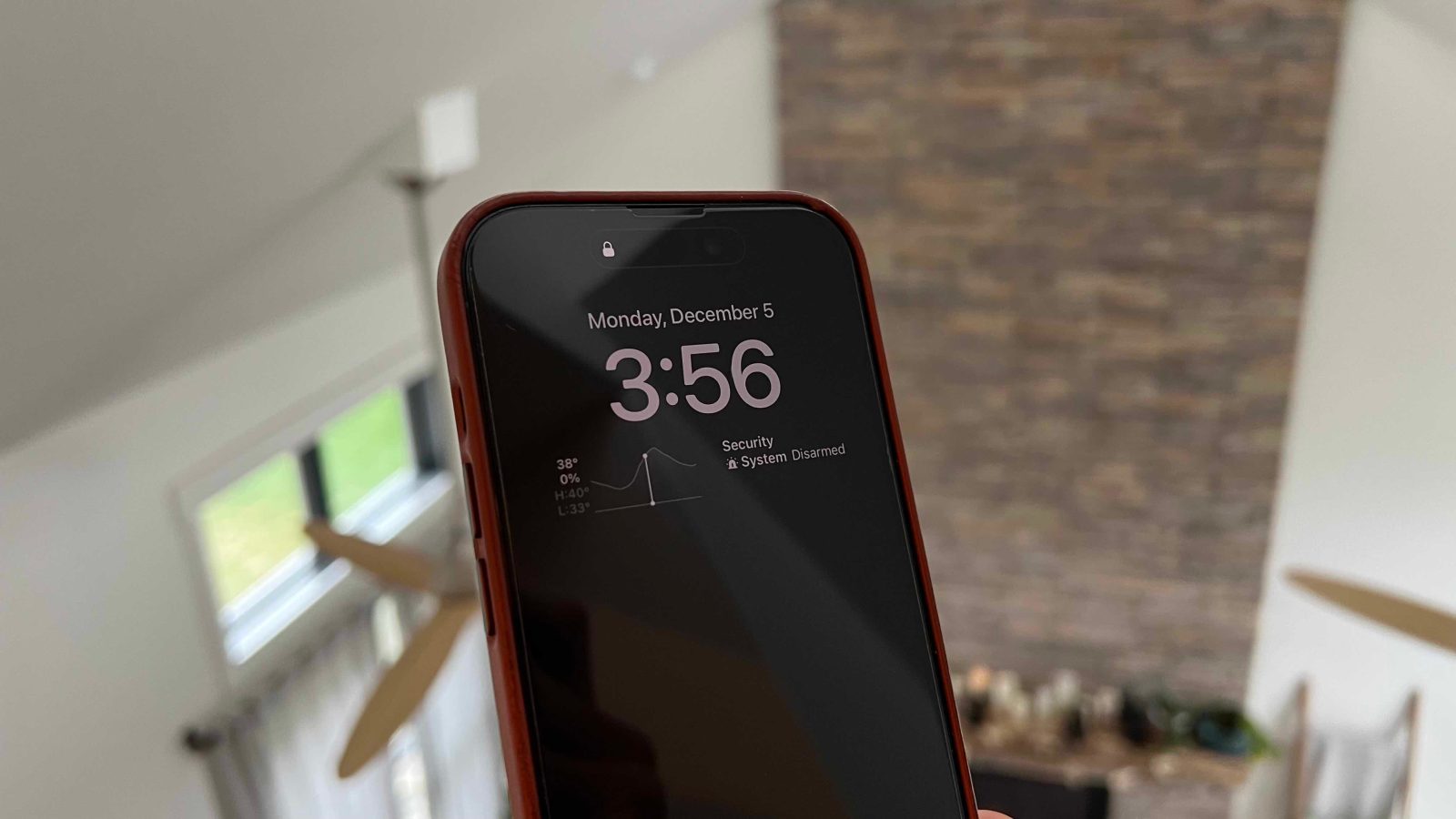
Apple introduced its first smartphone with an always-on display with the iPhone 14 Pro. Now with iOS 16.2, users get flexibility with the feature to make it more subtle. Here’s how to customize iPhone always-on display.
Top comment by Dave Nichols
The article doesn't state. Well this cause an improvement to battery life if the image is not displayed?
While the iPhone 14 Pro gaining an always-on display has been welcome overall, some have felt it’s a bit much with colored wallpapers plus notifications.
With iOS 16.2, Apple has pleased those looking for customization as you can opt to disable the wallpaper and notifications for the always-on display. That results in a more subtle – and Android-like – always-on experience.
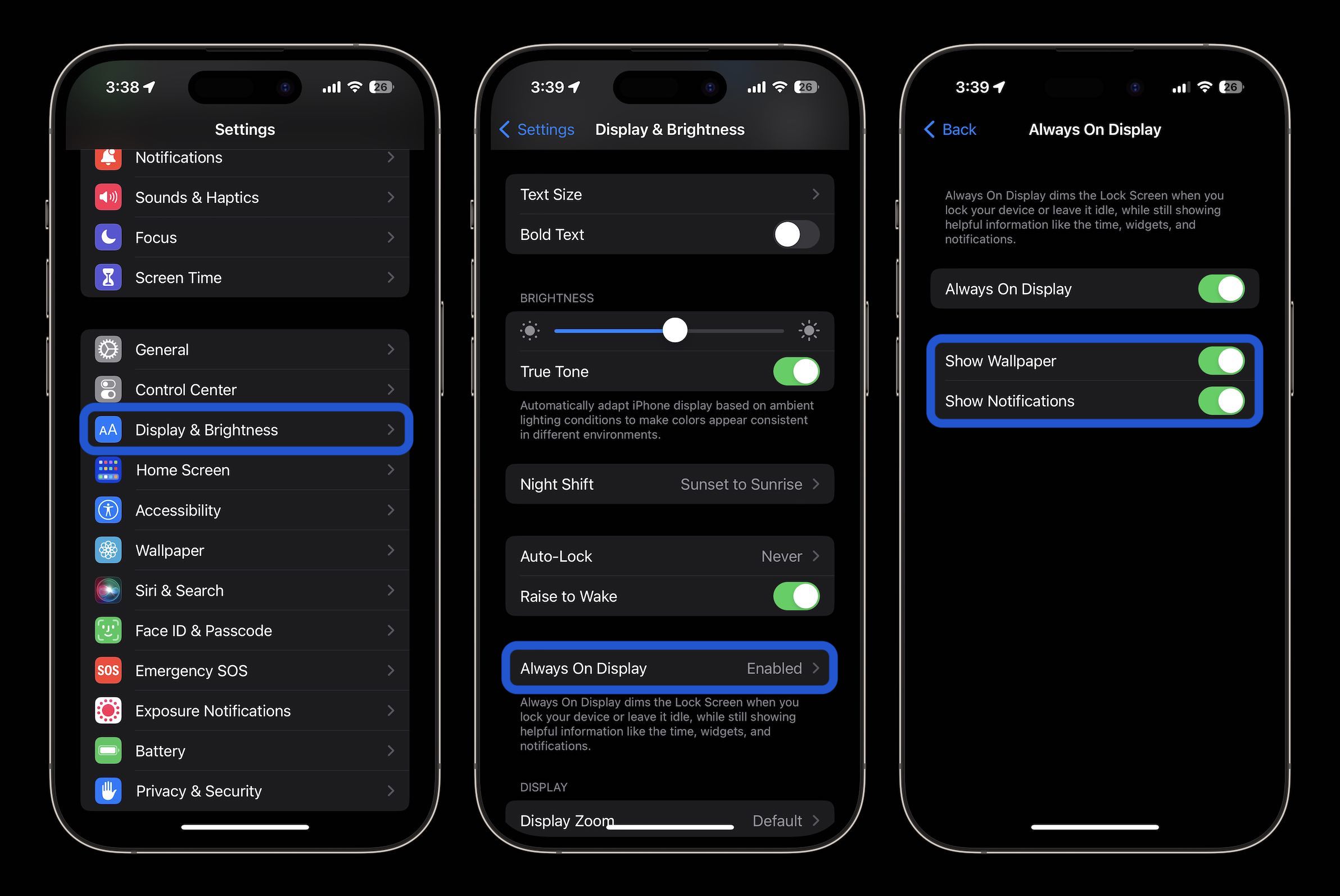
How to customize iPhone always-on display in iOS 16.2
- Make sure you’ve updated to iOS 16.2
- On your iPhone 14 Pro or Pro Max open the Settings app
- Swipe down and choose Display & Brightness
- Swipe down and tap Always On Display
- Underneath the main toggle, now you can turn off your wallpaper and/or notifications
Here’s how the process looks to customize iPhone always-on display:
As a reminder, per Apple, no matter how you customize the always-on feature, the display will go completely dark if:
- Your iPhone is lying face down
- Your iPhone is in your pocket or bag
- Sleep Focus is on
- Low Power Mode is on
- Your iPhone is connected to CarPlay
- You’re using Continuity Camera
- You haven’t used your iPhone for a while (your iPhone learns your activity patterns and turns the display off and on accordingly, including if you set up an alarm or sleep schedule)
- Your iPhone detects that you moved away from it with a paired Apple Watch (Always-On display will turn on when your Apple Watch is close to your iPhone again)
Read more 9to5Mac tutorials:
- How to turn on end-to-end encryption for iMessage, iCloud, iPhone backups in iOS 16.2
- How to enable ‘More Frequent Updates’ for Live Activities in iOS 16.2
- How to improve iPhone 14 battery life: Why your battery is draining and 7 tips to boost it
- M2 iPad Pro vs M1 iPad Pro: What’s changed?


FTC: We use income earning auto affiliate links. More.




Comments