
Welcome to Indie App Spotlight. This is a weekly 9to5Mac series where we showcase the latest apps in the indie app world. If you’re a developer and would like your app featured, get in contact.
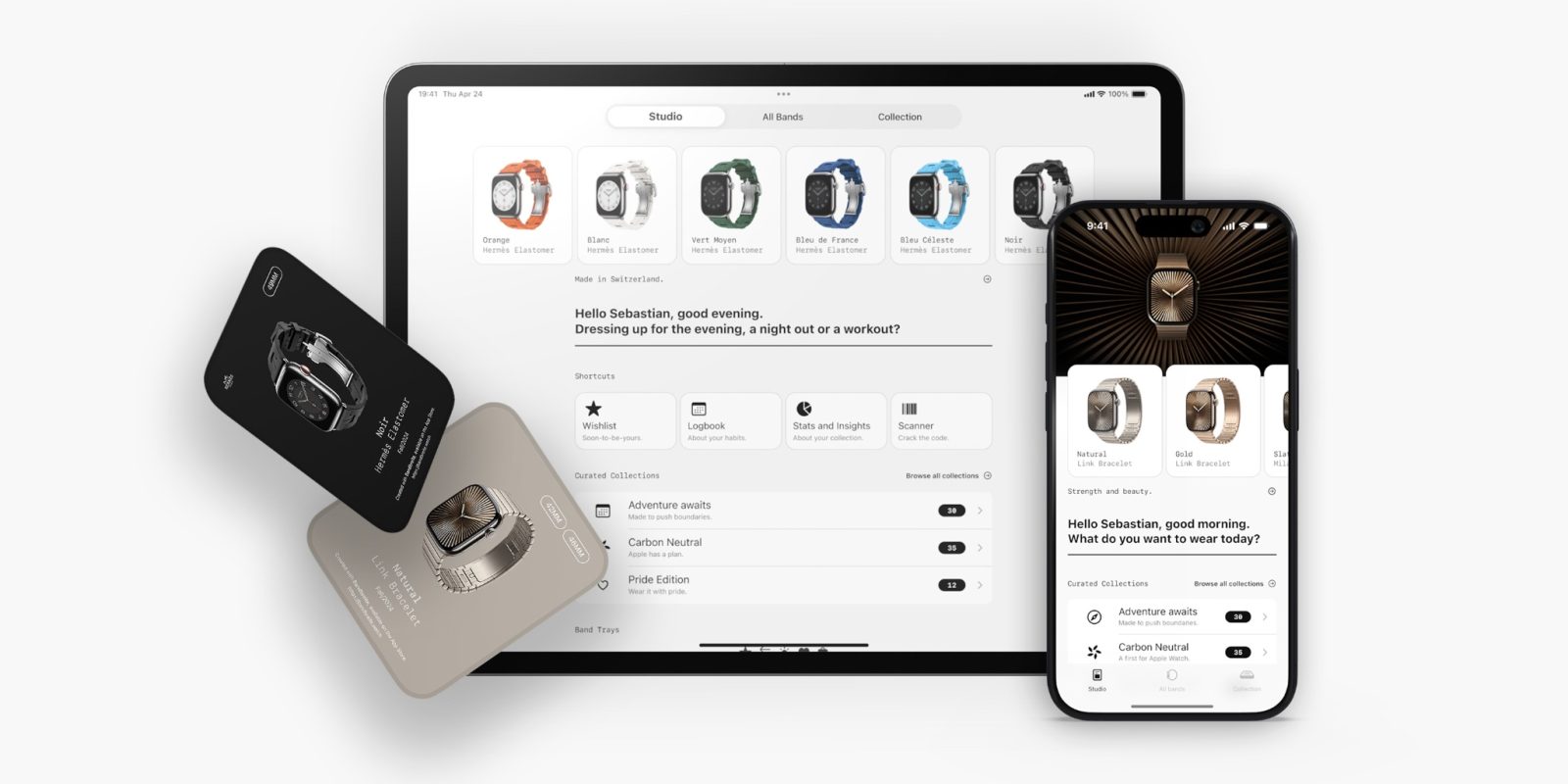
Bandbreite is an excellent tool for Apple Watch enthusiasts. It offers deep insights on all 840+ Apple Watch bands launched over the 10+ year old lifespan of the Apple Watch, allowing users to learn more about Apple Watch bands and keep track of their collection.
New 2.0 update
Bandbreite originally launched on the App Store back in 2020, and its new 2.0 update just debuted.
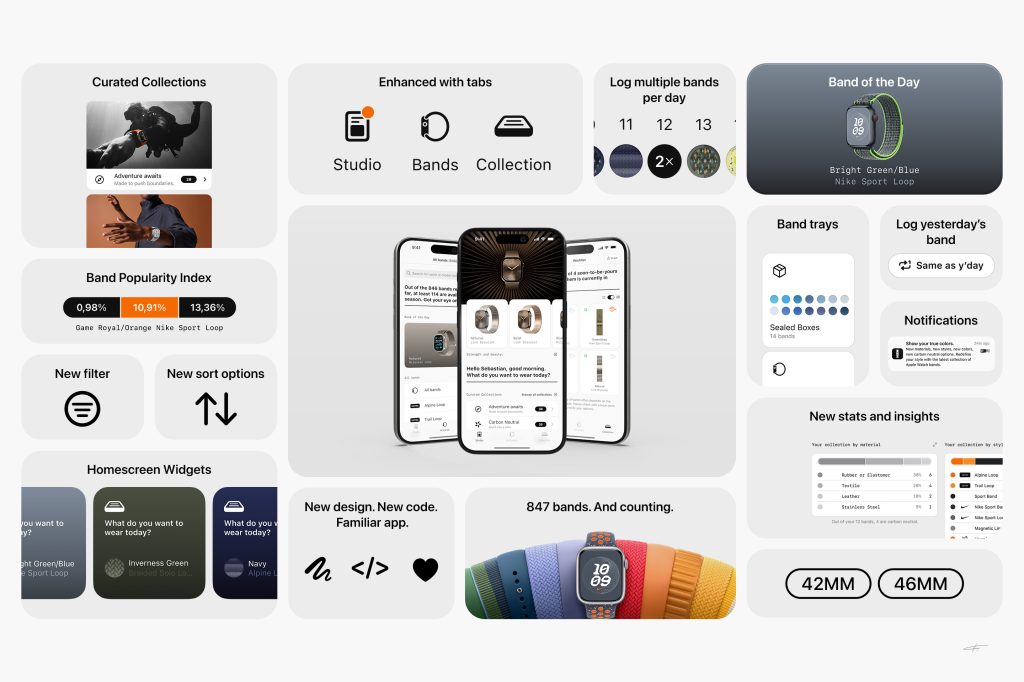
With version 2.0, almost everything is entirely new. It has new tabs, redesigned views, even more detailed insights and stats, and even faster iCloud Sync. The new update makes everything about the app more fun, intuitive, and satisfying.
Thanks to the newly revamped search, all of its filter and sort options, compatibility details, logging abilities, and popularity rankings – Bandbreite is the #1 companion app for Apple Watch enthusiasts.
The app is available on iPhone and iPad, and will be launching on Mac very soon according to the developer. It’s also on Apple Vision Pro as an iPad app.
Download the app
Top comment by SupaDav03
What is this Pokemon? Gotta catch ‘em all?
Seems super pointless to need a whole app to track watch bands. I consider myself somewhat of a band collector and have about 15. Never needed an app. Just keep them organized in my watch case.
Bandbreite is available for free on the App Store, where you can keep track of a collection of up to 5 Apple Watch bands. To keep track of a larger collection, you’ll need to purchase Bandbreite Pro, a $7.49 one time purchase.
This supports the developer and ensures a solid experience going forward. All of the Apple Watch band insights are available to all users, paid or not – so the free experience is still extremely solid. Your device will need to be running iOS 18 or later.
My favorite Apple accessory recommendations:
- Anker Ultra-Slim MagSafe Battery Pack
- AirPods Pro 3 (2x ANC vs AirPods Pro 2!)
- Anker Nano 45W Fast Charger with Smart Display
- Anker Prime 3-in-1 25W Compact MagSafe Charger
- Logitech MX Master 4 Mouse for Mac
- AirTag 2 4-pack (50% improved Precision Finding!)
- Belkin MagSafe 3-in-1 Charging Stand for iPhone
- MOFT MagSafe Kickstand Wallet for iPhone
Follow Michael: X/Twitter, Bluesky, Instagram


FTC: We use income earning auto affiliate links. More.




Comments