

Apple Notes gets more powerful every year, and iOS 26 brought its own batch of new features. With new capabilities comes the threat of feature bloat, but Notes has a clever solution that makes its ever-growing set of tools more easily accessible in iOS 26.
iOS 26 gives Apple Notes an ‘adaptive toolbar’
Notes was once an extremely simple iPhone app. Features were minimal, as Apple prioritized just making it a quick place to jot down notes.
But at some point, the company started aggressively building Apple Notes into a powerhouse tool. Today, it can compete with the best third-party apps out there.
Whenever you make a simple app more powerful though, there’s a risk of feature bloat. Notes, for its part, does a good job of keeping the app experience simple and intuitive despite a growing set of capabilities.

In iOS 26 though, there’s a key change on that front.
Notes now uses an adaptive toolbar, which puts the most relevant tools front and center.
How the new adaptive toolbar in Notes works
The previous toolbar in iOS 18—which sat right above the software keyboard—featured the following buttons:
- Formatting menu
- Checklist
- Tables
- Attachments
- Markup
- Apple Intelligence writing tools
Many of these had additional options hiding behind them.
In iOS 26, Apple has completely revamped that toolbar.
It now has 18 buttons total, with the first six the same as before. But now you can swipe horizontally to access more tools.
18 tools is a lot, which is where the ‘adaptive’ part comes in.
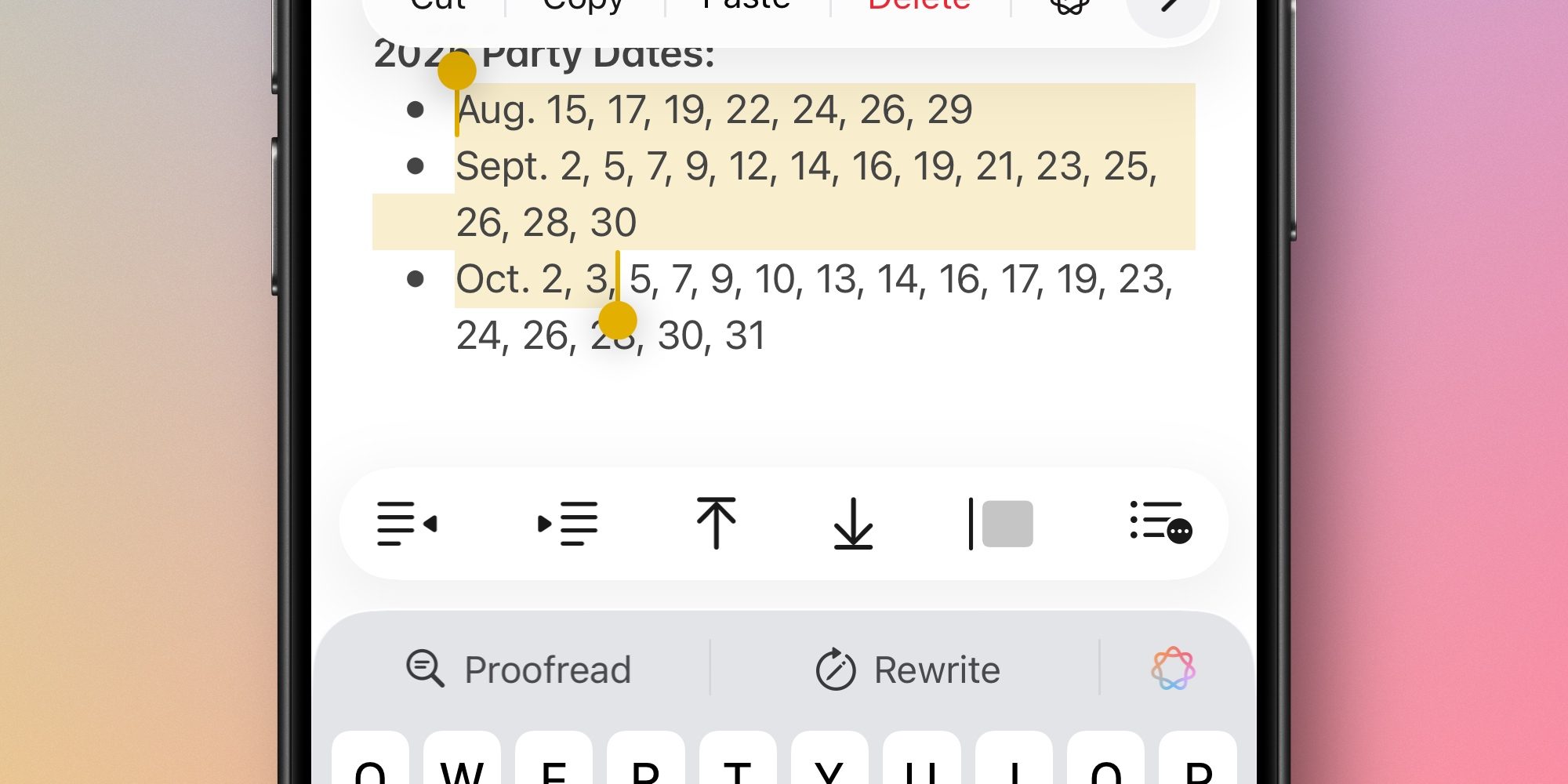
When you’re writing or editing text in a note, the toolbar will automatically start showing the most relevant tools based on what you’re doing.
So if you’re editing standard text, Notes will show options like bold, italics, underline, and highlight inside the toolbar.
If you select multiple lines of text, the toolbar changes to show options like indent and outdent, lists, and more.
You can always swipe through the full toolbar at any time. But hopefully, by Apple making the toolbar adaptive, you shouldn’t have to do that very often.
What do you think of Notes’ new adaptive toolbar in iOS 26? Let us know in the comments.
Best iPhone accessories
- AirPods Pro 3
- AirTag 4-pack (now only $65, down from $99)
- MagSafe Car Mount for iPhone
- 10-year AirTag battery case 2-pack
- 100W USB-C fast charging power adapter


FTC: We use income earning auto affiliate links. More.



Comments