

iOS 26 brought several solid upgrades to Apple Maps, including a feature centered on your typical routes and patterns that might save you from unexpected traffic delays.
Apple Maps in iOS 26 can learn your routines and offer proactive delay alerts
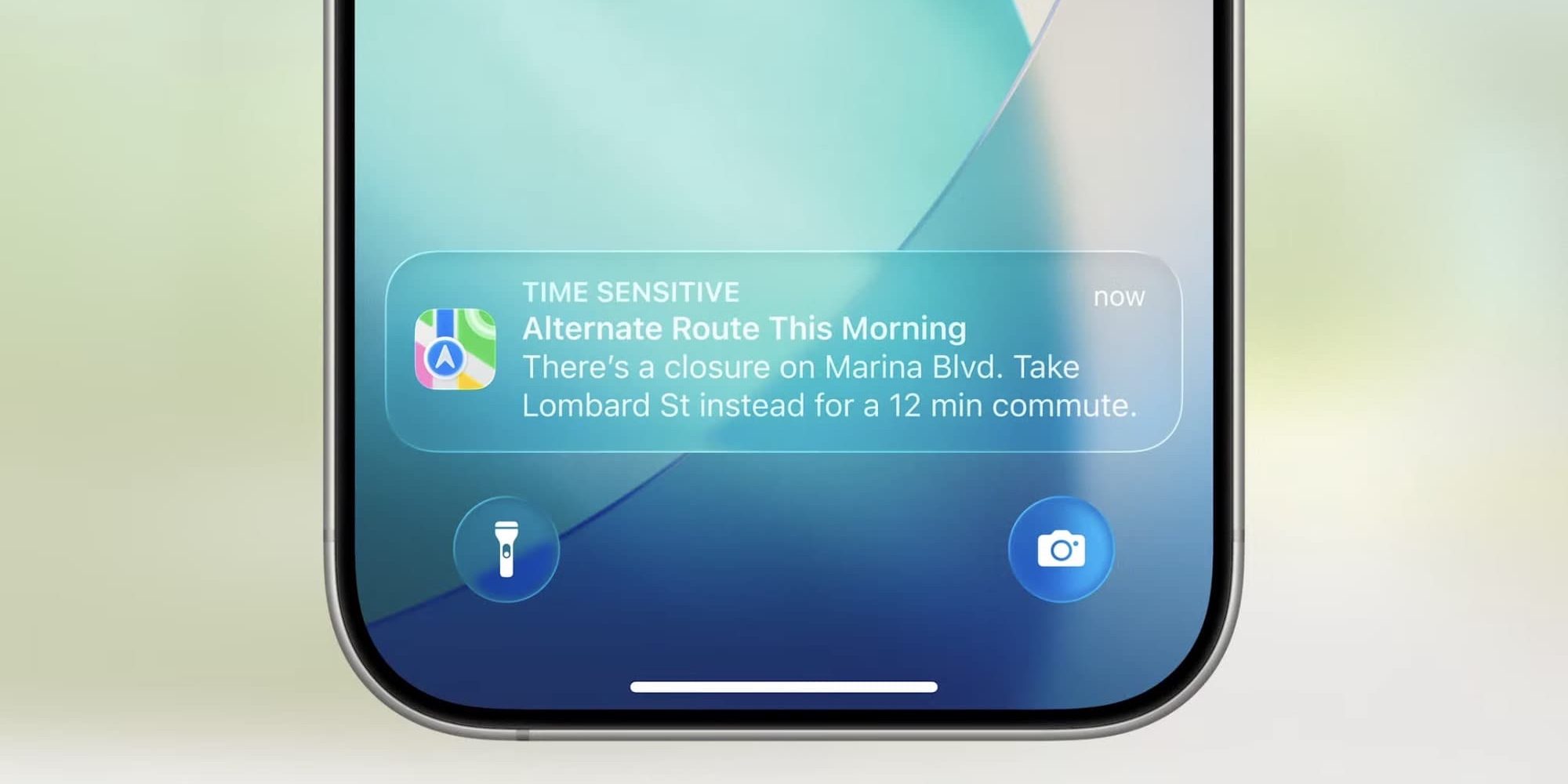
When Apple unveiled iOS 26 in June, it showed off a new feature for Apple Maps centered around your everyday routines.
Per the company’s website, here’s what the feature does:
Maps learns the routes you travel regularly and can alert you about significant delays, even before you head out. If your routine changes, iPhone adapts to it so you can conquer your commute.
Based on this information, Maps can send you push notifications when there’s a delay along your typical route. It’s great because you can find out about possible issues even before getting in the car.
Beyond these notifications, Maps can also surface timely route-related info inside the Maps ‘Suggestions’ widget.
But users first need to opt-in before this new feature is enabled. Here’s how that works.
How to enable Maps’ new feature in iOS 26
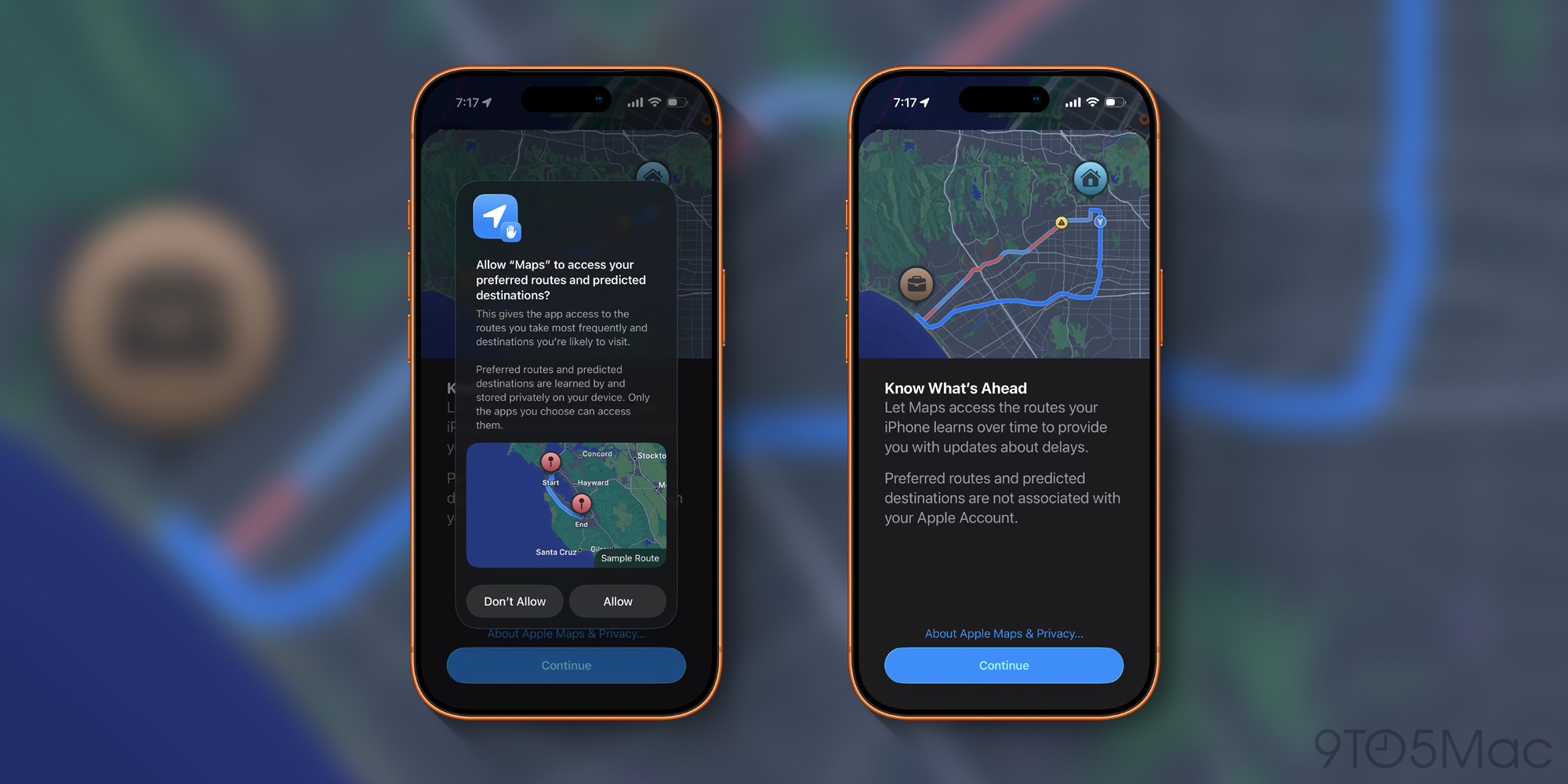
To enable Maps’ new feature, Apple requires that users opt in via a permission prompt. This is due to the especially sensitive nature of your location data.
Here’s how the prompt explains Apple’s privacy protections:
Top comment by JP
Traveling to my gym, one route with more lights and traffic technically might shave a minute or two off of my drive. But I prefer the slightly longer, more rural route, with fewer lights and traffic. I set this up and Immediately it started suggesting my preferred route. Love it.
Preferred routes and predicted destinations are learned by and stored privately on your device. Only the apps you choose can access them…Preferred routes and predicted destinations are not associated with your Apple Account.
You’ll need to hit the ‘Continue’ and ‘Allow’ buttons to opt in.
This permission screen may pop up inside the Maps app during normal use. But if you’ve missed it, you can head to the Settings app ⇾ Apps ⇾ Maps ⇾ Location, and find the toggle for ‘Preferred Routes & Predicted Destinations.’
Have you been using this new preferred routes feature in Apple Maps, and how has it worked for you? Let us know in the comments.
Best iPhone accessories
- AirPods Pro 3 (now only $199, down from $249)
- MagSafe Car Mount for iPhone
- 10-year AirTag battery case 2-pack
- 100W USB-C fast charging power adapter
- AirTag 4-pack (now only $75, down from $99)


FTC: We use income earning auto affiliate links. More.




Comments