
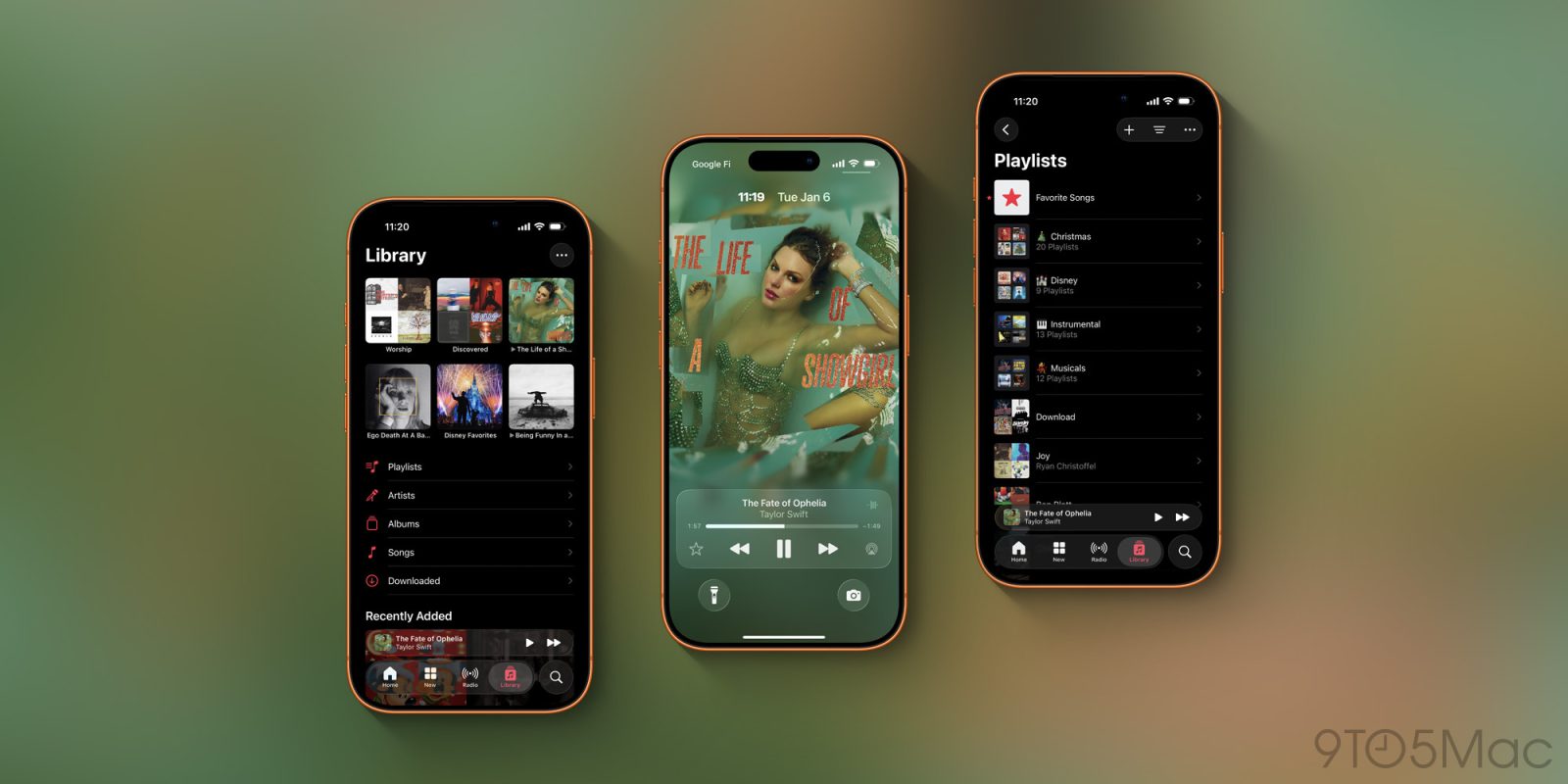
Apple Music took a big leap forward this year in iOS 26, adding a bunch of new features, three of which have quickly become some of my favorite additions in years.
#1: Fullscreen animated Lock Screen artwork
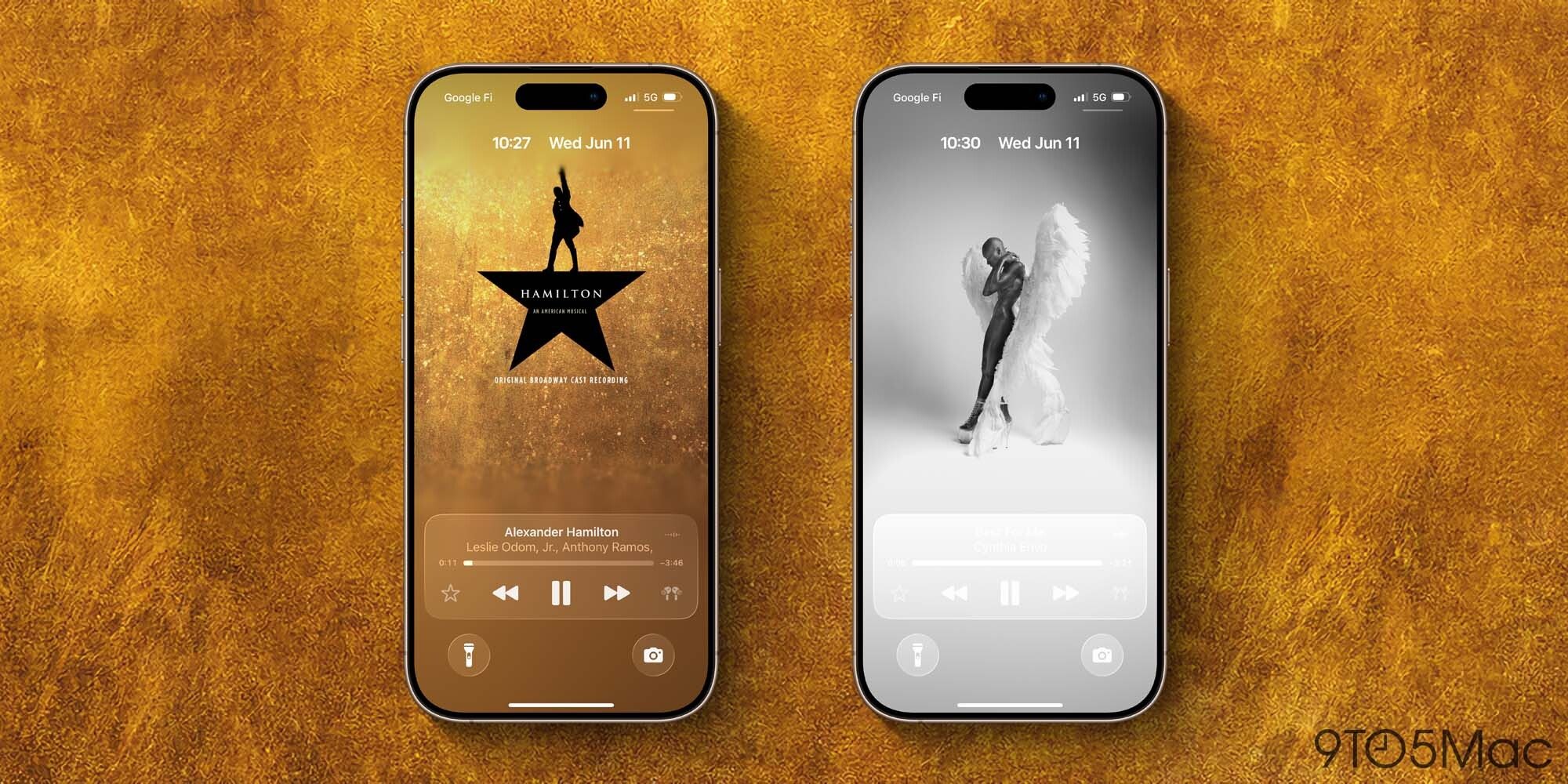
Apple Music has long experimented with making album art come to life on your iPhone. But in iOS 26, that work has now been applied to the Lock Screen too.
I’m a fan of all of Apple Music’s animated album art and playlist art. But when I’m listening to music, I almost never keep the Music app active on screen. Instead, I’m using other apps or my iPhone is locked.
Now, fullscreen animated artwork can be enjoyed right from the Lock Screen.
This feature is at its best when you have an iPhone with an always-on display. You get to see a beautiful, edge-to-edge representation of the artwork then watch it come to life when your display wakes.
Not every album or playlist in Apple Music’s library gets the animated treatment, but quite a lot do. And even without the animation, I love the new fullscreen look.
#2: Playlist folders
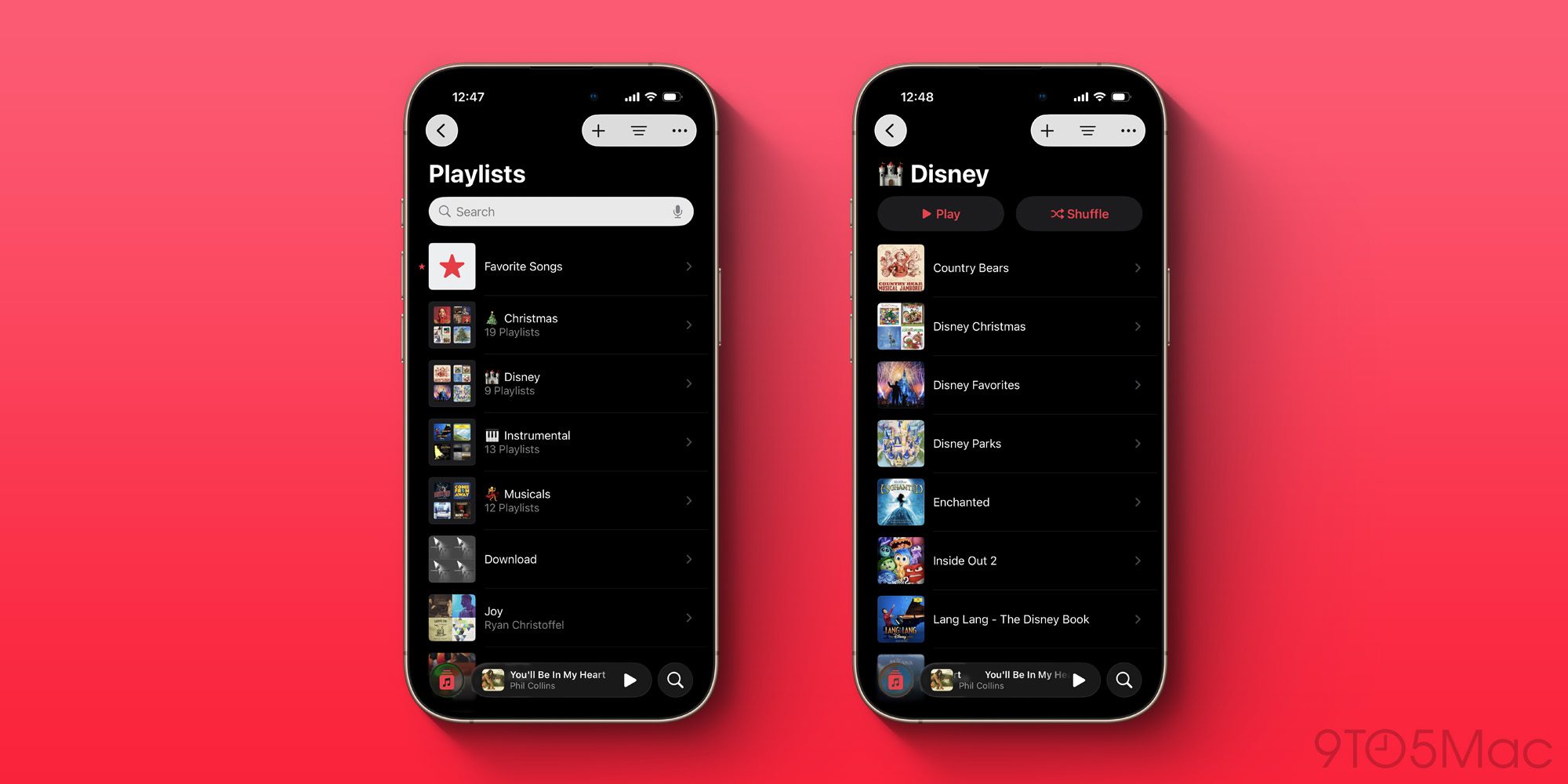
On the Mac, a relic of the iTunes era has long let you create folders for your Apple Music playlists that then sync over to your other devices. But previously, you couldn’t edit or manage playlists anywhere but the Mac.
I love organizing my playlists into folders, but I spend most of my time on iPad and iPhone, not the Mac. And the limitation of needing a Mac has meant I previously used folders less than I otherwise would.
But in iOS 26, Apple has brought full folder support to playlists across iPhone and iPad too.
Now, I can create new folders, move playlists between folders, and edit and manage existing folders right from the devices I use most. I honestly never thought this feature would come to iPhone, but I’m so glad it’s finally here.
#3: Pinned music in Library
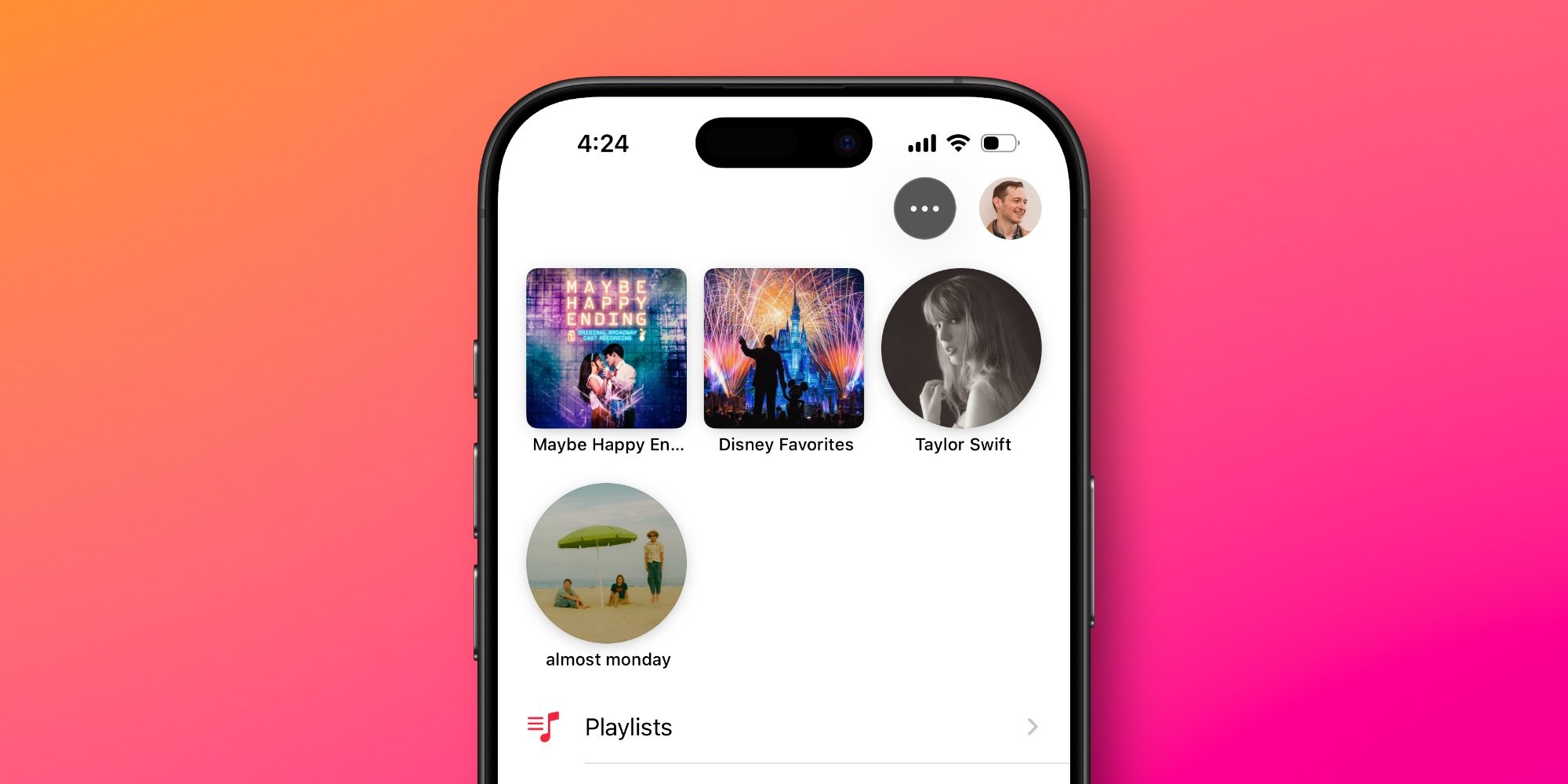
Easily one of my standout new features not only in Apple Music, but iOS 26 overall, is pinned music inside the Library.
The vast majority of the time, Library is my go-to tab in the Music app. And now with pins, I can keep up to six albums, playlists, artists, or songs pinned to the top for convenient access.
After more than half a year using iOS 26, I still strongly wish Apple would bump the pin limit up from six. Nine pins would match what the Messages app offers for pinned conversations, and feel a lot less restrictive.
Regardless, pins have become my most-used part of the Music app—and I particularly love that you can change the default behavior when you tap a pinned title.
Maybe other users go to the Home or New tabs most often to play music, but for me, it’s always been Library. And pinned music makes the Library better than ever.
Apple Music is available for $10.99/month for individuals, or you can get it as part of the Apple One bundle.
Which iOS 26 features in Apple Music are your favorites? Let us know in the comments.
Best iPhone accessories
- AirTag 4-pack (now only $65, down from $99)
- MagSafe Car Mount for iPhone
- AirPods Pro 3
- 10-year AirTag battery case 2-pack
- 100W USB-C fast charging power adapter


FTC: We use income earning auto affiliate links. More.




Comments