
When I tried Apple Vision Pro for the first time at WWDC 2023, one part of the demo immediately stood out: sports in Apple Immersive Video. During a sizzle reel, I watched immersive clips from NBA and MLB games. As a sports fan, I knew right away that Vision Pro had the potential to change the game.
It took a while for that promise to fully materialize, but this weekend I finally watched a full NBA game in Immersive Video: the Los Angeles Lakers vs. the Milwaukee Bucks.
I couldn’t watch the Lakers-Bucks game live due to the antiquated and hostile world of sports broadcasting rights. I was, however, able to tune in after the fact to watch the full game replay.
Spectrum SportsNet had an entirely separate broadcast of the Lakers-Bucks game for Vision Pro, using a different broadcast booth than the traditional TV feed. This allowed the broadcasters to give cues like, “Look to your right in Apple Vision Pro, and there’s JJ Redick, head coach of the Lakers,” or, “Look to your right, and you’ll see the Lakers inbounding the ball.”
I expected to hear the same broadcast as everyone else, just with Immersive Video instead of the TV feed, so this was a nice surprise.
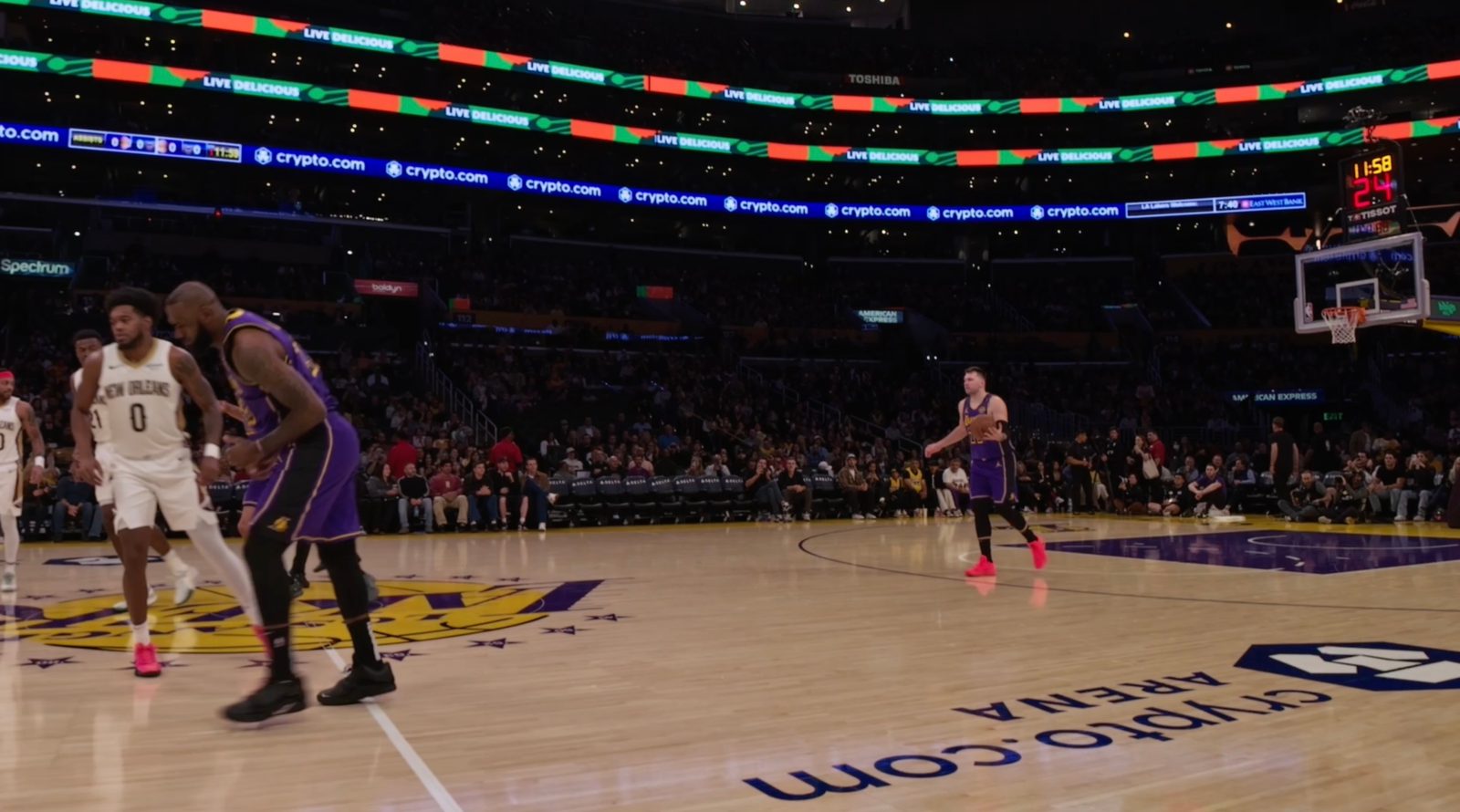
There were seven different Immersive camera angles: courtside at the scorer’s table, under each basket, in the player’s tunnel, roaming on the court, a high-and-wide view of the whole arena, and the broadcast booth.
The roaming camera on the court was used for pre-game festivities like the national anthem, in-game reports from courtside host Stephen Nelson, and Lakers Girls performances. The views from the broadcast booth, high-and-wide arena, and player’s tunnel were mainly only used between quarters and during timeouts.
The vast majority of the time, I was watching the Lakers-Bucks game from the courtside scorer’s table view (seen above) or under the baskets (seen below).
One problem with a lot of Apple’s earlier Immersive Video releases is the number of “cuts.” That is, how often the video switches between different perspectives. Content like the MLS Cup Playoffs sports film for Apple Vision Pro has far too many cuts. It was almost nauseating to watch.
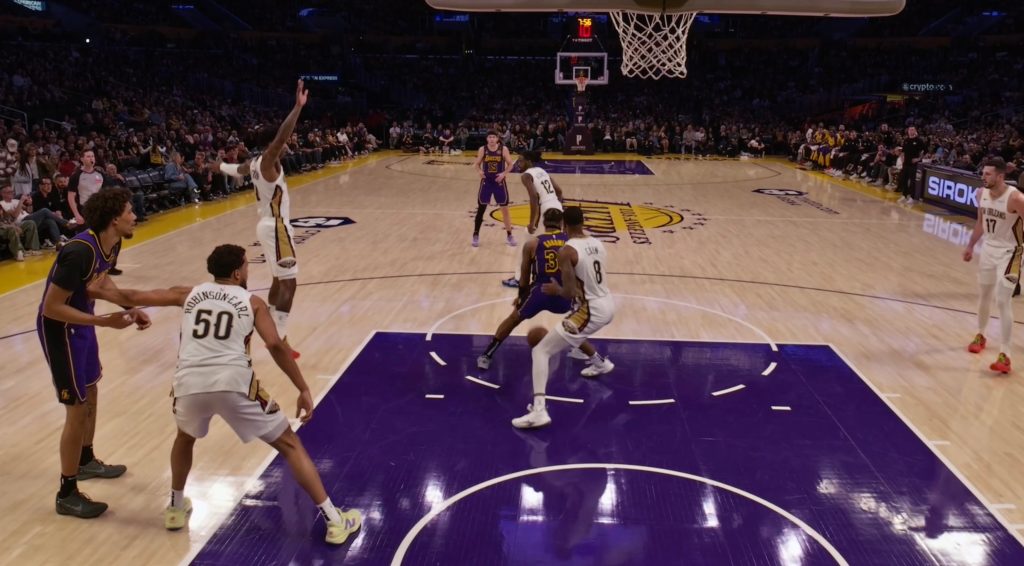
With the live broadcast of the Lakers-Bucks game, this wasn’t a problem at all. The cuts were used sparingly. The only in-game cuts were moving between the courtside view and the two cameras under the baskets.
The only time the cuts felt disorienting was when the broadcast would quickly jump in and out of a replay.
In the future, I hope Apple gives users some control over their camera views when watching Immersive content. It’d be great if I could choose to always watch from the courtside scorer’s table, for example. As it stands today, however, you don’t have that autonomy.
A few other tidbits:
- The actual video quality was great. There was a bit of motion blurring here and there, especially during fast breaks. Nothing too distracting, though.
- There’s a score bug on the floor as you’re watching the game, so you can look down and see the score, quarter, time left, and timeouts remaining.
- It actually took me a while to realize this was there. I found it more natural just to glance up at the scoreboard in the arena and watch the shot clock above the baskets. I also found myself looking at the scoreboard to watch replays. Basically, exactly what I’d do if I were actually at the arena. That’s a big testament to just how “real” this viewing experience felt.
- You also experience the same “problems” sitting courtside in Apple Vision Pro as you do in person. For example, Doc Rivers, head coach of the Bucks, stood in front of the camera several times during the game, so I couldn’t see what was going on.
- The audio experience was decent, but not great.
- There is definitely a “Spatial” aspect to it. At one point, someone directly behind me in the stands was screaming “Giannis,” and I instinctively turned around to see what was going on … only to realize I wasn’t actually there.
- Still, the audio overall felt a bit tinny and not as immersive as I would’ve liked. It’d also be nice if there was a way to hear the PA announcer directly, so you could follow along with the in-game festivities.
It’s also worth remembering that this is the first of six games that will be streamed live in Apple Immersive format. I expect there will be tweaks and improvements through the next five games, and even bigger changes with what comes next.
I’ve never experienced an NBA game from courtside seats before. Nothing is ever going to top the experience of actually being there, but this felt really, really close.
After watching the Lakers-Bucks game in Immersive Video, I opened the NBA website on my Mac and watched some highlights from the same game. It’s hard to put into words just how much better and more, well, immersive the Vision Pro feed was.
Now that I’ve experienced one full-length NBA game in Immersive Video, I want every game I watch to be immersive.
I want to watch the Cincinnati Reds break my heart 100 times a year in Immersive Video. I want to watch the Indiana Hoosiers beat the Miami Hurricanes in the CFP National Championship in Immersive Video.
Apple broadcasts every MLS game as well as multiple MLB games every week. It’s also set to be the home of F1 races starting this year. There are plenty of places for more synergy between sports and Apple Immersive content. Hopefully we see an uptick in that content this year, because it is a truly fantastic experience.
Images provided by Apple are of a different game, but the camera angles are the same
Must-have MagSafe accessories for your iPhone:
- Twelve South HiRise 3 Deluxe
- Baseus Picogo Qi2.2 25W MagSafe Battery
- Belkin MagSafe Vent Mount Pro
- Moft MagSafe wallet with kickstand
- MagSafe ring lights
Follow Chance: Threads, Bluesky, Instagram, and Mastodon.


FTC: We use income earning auto affiliate links. More.



Comments